MangoApps is a well-known employee experience platform that brings together intranet, communication, collaboration, and knowledge management capabilities into a single unified solution. Organizations often evaluate MangoApps when they are looking to replace fragmented workplace tools with a centralized digital workplace that improves productivity, alignment, and employee engagement. It is commonly considered by mid-sized to large enterprises aiming to streamline internal communications and create a connected workforce experience.
Despite its broad feature set, buyers frequently struggle to find clear, actionable insights around pricing transparency, scalability across growing teams, ease of use, and real-world adoption challenges. Many decision-makers also seek clarity on whether the platform delivers measurable ROI compared to more flexible alternatives.
In this guide, we will give you a comprehensive breakdown of MangoApps which covers its core features, strengths, limitations, pricing structure, and verified user reviews. While we will also compare it with modern alternatives like HubEngage that offer greater flexibility, faster adoption, and more cost-effective scalability.
Key Features of MangoApps
Based on the official website of MangoApps below are the core features buyers look for:
- Employee Intranet
Provides a centralized digital workplace hub for sharing news, resources, updates, and organizational content efficiently. - Communication Tools
Includes announcements, newsletters, chats, and messaging tools to streamline internal communication across teams and departments. - Collaboration Features
Offers team workspaces, file sharing, task tracking, and tools to enable seamless cross-functional collaboration effectively. - Mobile Accessibility
Mobile app helps deskless and remote employees to access updates, communicate, and collaborate anytime, anywhere easily. - Knowledge Management
Enables organizations to create, organize, store, and manage knowledge bases, documents, and internal resources efficiently. - Integrations
Supports integrations with Microsoft 365, Google Workspace, and other enterprise systems to streamline workflows and productivity.
MangoApps Feature Matrix
After using the MangoApps platform, we have made a list of things that are good and things that can be made better.
| Feature | Pros | Cons |
| Intranet | Centralized content hub | Can feel complex to navigate |
| Communication | Multiple channels available | Overlapping tools can confuse users |
| Collaboration | Strong workspace features | Requires setup and training |
| Mobile App | Good for frontline workers | UI consistency issues reported |
| Knowledge Base | Structured documentation | Search functionality can be limited |
| Integrations | Connects with major tools | Integration setup may require effort |
MangoApps Pricing
MangoApps does not publicly disclose detailed pricing on its website, making initial evaluation challenging for potential buyers. The platform follows a quote-based pricing model, typically designed for mid-size to large enterprises with more complex requirements.
As the pricing is not transparent, organizations cannot easily compare costs with competitors or estimate budgets during early research stages. This lack of visibility often slows down decision-making, especially for teams evaluating multiple intranet or employee experience platforms.
To get accurate pricing, businesses must contact the sales team and go through a consultation process. While this approach allows customization, it can delay procurement and make ROI comparisons less straightforward for decision-makers.
MangoApps Reviews
According to verified user feedback MangoApps reviews indicate generally positive sentiment around core intranet functionality, while consistently raising concerns about platform complexity and overall cost.
Positive Reviews
- Strong all-in-one platform capabilities and integrations
- Wide feature set for communication and collaboration
- Mobile-friendly platform for distributed and frontline teams
Negative Reviews
- Steep learning curve for new users
- Interface can feel cluttered and complex
- Setup and customization require time and effort
- Performance issues reported in some cases
- Pricing lacks transparency and clear upfront cost visibility
Overall Sentiment
Overall, user sentiment indicates a powerful but complex platform: strong capabilities and integrations are appreciated, but usability challenges, setup effort, and limited pricing transparency reduce satisfaction, making it better suited for enterprises with resources for implementation and change management.
MangoApps Review Summary Table
Here is a summary table of MangoApps Reviews from different review platforms that shows what all fits good and which ones are the areas of improvement.
| Source | Rating / Volume | What Users Like | What Users Did Not Like |
| G2 | 4.2/5 (200+ reviews approx.) | Robust feature set, strong integrations, customizable communication tools | Steep learning curve, complex setup, UI can feel cluttered |
| Capterra | 4.4/5 (80+ reviews approx.) | Easy content sharing, effective internal communication, good for large teams | Pricing not transparent, customization limitations, implementation effort |
| TrustRadius | 8/10 (based on user reviews) | Strong intranet capabilities, collaboration tools, flexibility | Requires technical setup, usability challenges, search limitations |
Alternatives to MangoApps
Below are some of the popular employee experience platforms that you can check and compare with MangoApps:
| Platform | Best Fit | What Stands Out | Pricing Style |
| HubEngage | SMB to enterprise teams that want communications, engagement, and intranet in one modular platform | Communications, social features, recognition, surveys, automation, AI, and phased adoption | Starts at $1 per user/month |
| Microsoft SharePoint | Enterprises already standardized on Microsoft 365 | Deep Microsoft ecosystem alignment and document collaboration | Enterprise / Microsoft licensing |
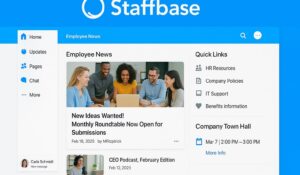
| Staffbase | Regulated industries and global enterprises | Employee communications hub, branded mobile app, compliance controls | Quote-based enterprise pricing |
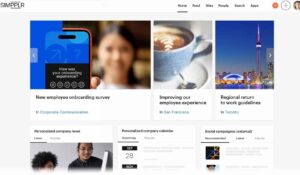
| Simpplr | SMBs and midsize businesses wanting fast intranet rollout | AI-powered intranet, intuitive UI, fast rollout | Per-user/month pricing |
| Firstup | Enterprises with complex communications needs | Multi-channel messaging orchestration | Custom enterprise pricing |
| Happeo | Midmarket and hybrid organizations | Google Workspace-native experience and social features | Subscription-based |
| Beekeeper | Frontline and deskless industries | Mobile-first workforce reach | Per-user/month |
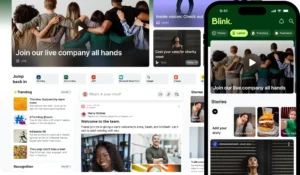
| Blink | SMB, retail, and hospitality teams | Lightweight communication app with strong mobile adoption | Subscription-based |
| Interact | Organizations needing strong CMS and search | Content publishing, governance, search | Quote-based |
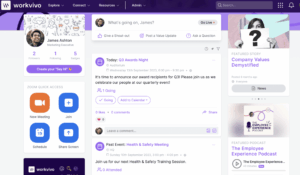
| Workvivo | Enterprises focused on culture and social engagement | Social feeds, recognition, integrations | Subscription-based |
To understand more about these platforms and softwares, you should check out this intranet software guide.
How HubEngage stands out as a better option?
Many intranet solutions struggle to clearly demonstrate cost-to-value outcomes, creating uncertainty for decision-makers. This is where HubEngage differentiates itself from traditional platforms.
Rather than forcing organizations into a full-scale intranet deployment from the beginning, HubEngage enables companies to begin with a single module such as communications, recognition, or surveys.
With changes in needs, organizations can scale into a complete employee experience platform. This flexible approach delivers:
- Lower initial investment
- Faster time to value
- Better adoption across teams
- Reduced tool sprawl

MangoApps vs HubEngage Comparison
We have added below a simple comparison table based on different factors that will help in comparing the two platforms easily.
| Comparison Factor | MangoApps | HubEngage |
| Pricing | Quote-based, less transparent | Starts at low cost, scalable pricing |
| Flexibility | Broad but complex | Modular and flexible |
| Ease of Adoption | Requires training | Easy to deploy and adopt |
| Features | All-in-one platform | Multi-module with phased rollout |
| Employee Engagement | Limited focus | Strong engagement tools (recognition, surveys, AI) |
| ROI | Hard to estimate upfront | Clear cost savings and consolidation benefits |
Conclusion
MangoApps delivers a comprehensive digital workplace platform with intranet, communication, and collaboration capabilities in one system. However, its complexity, lack of transparent pricing, and steep learning curve can slow adoption and create friction during implementation, especially for organizations seeking faster time to value and easier usability across teams.
HubEngage provides a more flexible and cost-effective alternative by allowing organizations to start with essential modules such as communications, recognition, or surveys, and expand gradually.
This modular approach reduces upfront costs, improves adoption, and enables companies to scale into a complete employee experience platform, making it a more practical and ROI-driven long-term investment.
MangoApps FAQs
What is MangoApps used for?
MangoApps is used as an employee intranet and collaboration platform to improve communication, knowledge sharing, and productivity.
Is MangoApps pricing transparent?
No, MangoApps uses a quote-based pricing model and does not publish standard pricing publicly.
What are the main MangoApps reviews saying?
Reviews highlight strong features but also mention complexity, usability challenges, and lack of pricing clarity.
What are the best alternatives to MangoApps?
Top alternatives include HubEngage, LumApps, Staffbase, Simpplr, and Microsoft SharePoint.
Why is HubEngage a better alternative?
HubEngage offers modular pricing, easier adoption, and stronger employee engagement tools, helping organizations reduce costs and improve ROI.