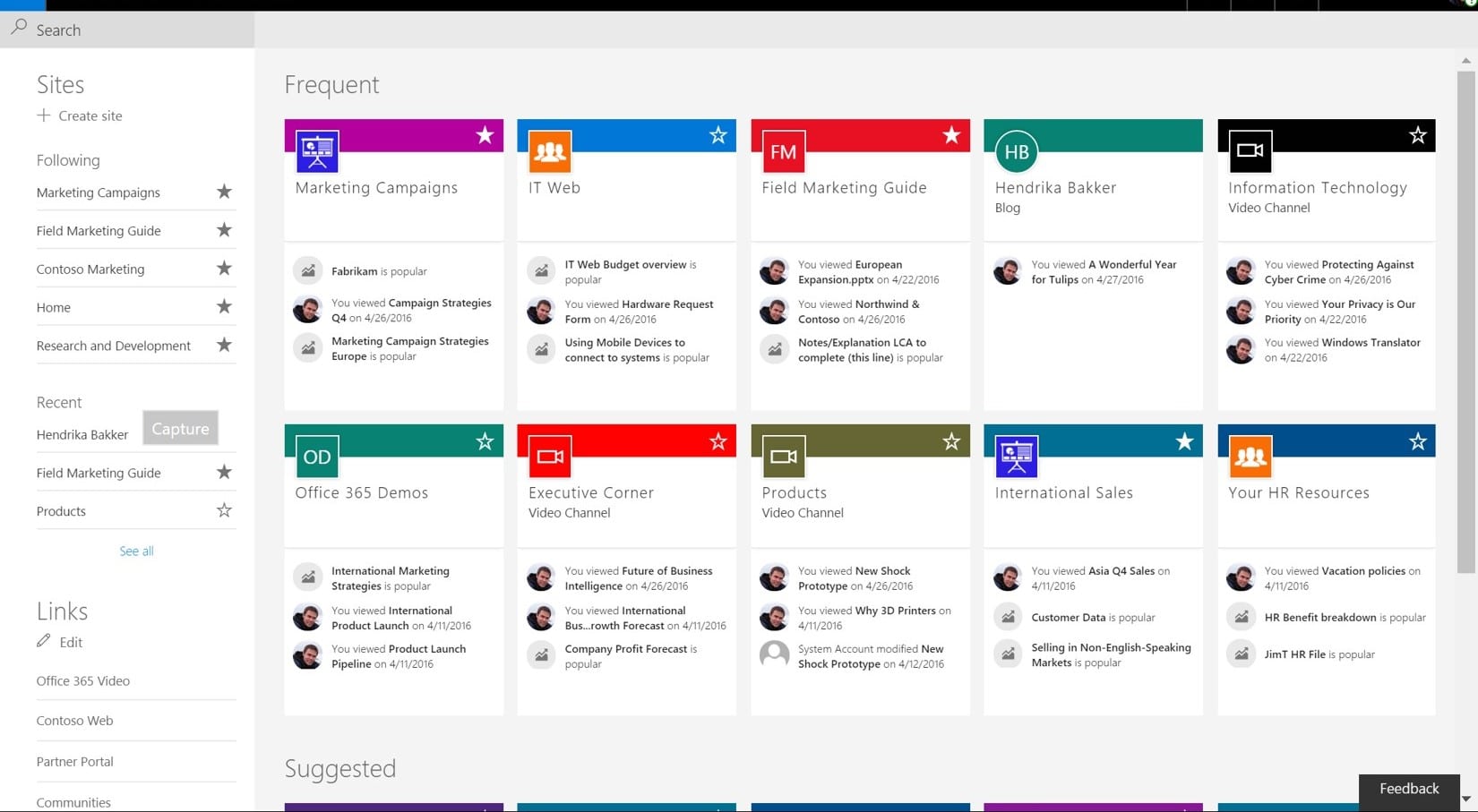
Microsoft SharePoint is one of the most widely used intranet and collaboration platforms, especially among enterprises already invested in Microsoft 365. Organizations rely on it to centralize document management, enable team collaboration, and build internal portals that support daily workflows and knowledge sharing across departments.
Despite its capabilities, many HR leaders and internal communications teams highlight challenges around usability, employee engagement, and scalability without significant customization. The platform often requires technical expertise, ongoing IT involvement, and additional tools to deliver a complete employee experience.
As a result, businesses are increasingly exploring modern intranet and employee experience platforms like HubEngage, which offer built-in engagement features, faster deployment, and greater flexibility without heavy development effort.
This article provides a detailed, research-backed analysis using insights from the official Microsoft website and trusted review platforms like G2, Capterra, and TrustRadius. It also compares leading intranet solutions to help decision-makers identify the best fit for their organization.
Key Features of Microsoft SharePoint
Drawing from the official Microsoft SharePoint website and trusted review platforms, these are the key capabilities buyers typically assess:
1. Document Management
Enables centralized document storage, version control, permissions, and secure access across teams within the Microsoft 365 ecosystem for better collaboration.
2. Team Sites & Communication Sites
Supports creation of internal portals and collaborative team spaces for sharing updates, documents, and organizational information across departments efficiently.
3. Microsoft 365 Integration
Deep integration with Teams, Outlook, OneDrive, and other Microsoft tools ensures seamless workflows, communication, and improved productivity across connected applications.
4. Workflow Automation (Power Automate)
Allows automation of business processes, approvals, and repetitive tasks using Microsoft Power Platform, improving efficiency and reducing manual operational workload significantly.
5. Security & Compliance
Provides enterprise-grade security, role-based access controls, and compliance capabilities aligned with Microsoft standards for protecting sensitive organizational data and information.
6. Customization & Development
Highly customizable using SharePoint Framework and APIs, but typically requires technical expertise, developers, and additional resources to implement advanced functionality effectively.
Microsoft SharePoint Feature Matrix
After using Microsoft SharePoint, we found the following things that are good and things that can be improved.
| Feature | Pros | Cons |
| Document Management | Strong versioning and storage capabilities | Complex structure for non-technical users |
| Collaboration Sites | Flexible team collaboration spaces | Requires setup and governance |
| Microsoft Integration | Seamless with Microsoft 365 tools | Limited value outside Microsoft ecosystem |
| Workflow Automation | Powerful automation via Power Automate | Requires additional configuration |
| Security | Enterprise-grade compliance and controls | Can be difficult to manage permissions |
| Customization | Highly flexible and extensible | Needs developers and increases cost |
Microsoft SharePoint Pricing
Microsoft SharePoint is generally not offered as a standalone solution and is most commonly bundled within Microsoft 365 subscription plans. It is included in Business Standard, Business Premium, and Enterprise plans such as E3 and E5, making it accessible primarily through broader Microsoft licensing packages.
Pricing typically ranges from $6 to $36 per user per month depending on the selected plan. While standalone SharePoint Online Plan 1 and Plan 2 options exist, most organizations adopt it as part of a larger ecosystem.
However, pricing can become complex. Final costs vary based on licensing tiers, storage needs, customization, and integrations. Additionally, organizations must factor in IT resources required for deployment, configuration, and ongoing maintenance.
Microsoft SharePoint Reviews
Based on verified user feedback from G2, Capterra and Trustradius, Microsoft Sharepoint reviews are largely positive for core intranet functionality, but consistent concerns emphasize complexity and cost.
What Users Like
- Strong integration with Microsoft ecosystem
- Reliable document management and storage
- Scalable for large enterprises
What Users Flag as Cons
- Steep learning curve for non-technical users
- Complex setup and configuration
- Poor out-of-the-box user experience for intranet
- Requires ongoing IT support
- Customization increases cost significantly
Overall sentiment
Microsoft SharePoint is widely regarded as a reliable and powerful intranet solution, especially within Microsoft ecosystems. However, users frequently highlight usability challenges, complex implementation, and higher total cost of ownership as key limitations affecting overall adoption and experience.
Microsoft SharePoint Review Summary Table
Below is an overview of Microsoft SharePoint reviews across various platforms, highlighting key strengths as well as areas where users see room for improvement.
| Source | Rating / Volume | What Users Like | What Users Flag as Cons |
| G2 | ~4.0/5 (large volume) | Integration, scalability, document control | Complexity, UI issues, learning curve |
| Capterra | ~4.4/5 | File sharing, collaboration tools | Difficult setup, usability concerns |
| TrustRadius | ~7.6/10 | Enterprise reliability, Microsoft ecosystem | Customization effort, admin overhead |
Microsoft SharePoint Alternatives
When organizations look beyond SharePoint, they typically prioritize ease of use, employee engagement, and faster deployment.
| Platform | Best Fit | What Stands Out | Pricing Style |
| HubEngage | SMB to enterprise teams needing communications, engagement, and intranet in one modular platform | Communications, social features, recognition, surveys, automation, AI, phased adoption | Starts at $1 per user/month |
| LumApps | Enterprises using Google Workspace | Social intranet with strong Google Workspace integration | Custom pricing |
| Staffbase | Regulated industries and global enterprises | Employee communications hub, branded mobile app, compliance controls | Quote-based enterprise pricing |
| Simpplr | SMBs and midsize businesses seeking fast intranet rollout | AI-powered intranet, intuitive UI, rapid deployment | Per-user/month pricing |
| Firstup | Enterprises with complex communication needs | Multi-channel communication orchestration and analytics | Custom enterprise pricing |
| Happeo | Midmarket and hybrid organizations | Google Workspace-native intranet with social collaboration features | Subscription-based |
| Beekeeper | Frontline and deskless workforce industries | Mobile-first communication and engagement platform | Per-user/month |
| Blink | SMB, retail, and hospitality teams | Lightweight employee communication app with strong mobile adoption | Subscription-based |
| Interact | Organizations requiring strong CMS and search capabilities | Content management, governance, advanced search features | Quote-based |
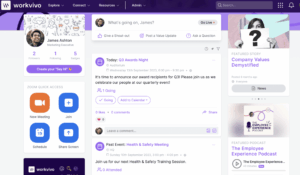
| Workvivo | Enterprises focused on culture and engagement | Social feeds, employee recognition, strong integrations | Subscription-based |
To explore these platforms and tools in more detail, you can check out this intranet software guide.
Why HubEngage is a better option?
Several intranet solutions struggle to clearly address the cost-to-value equation. This is where HubEngage differentiates itself from competing platforms.
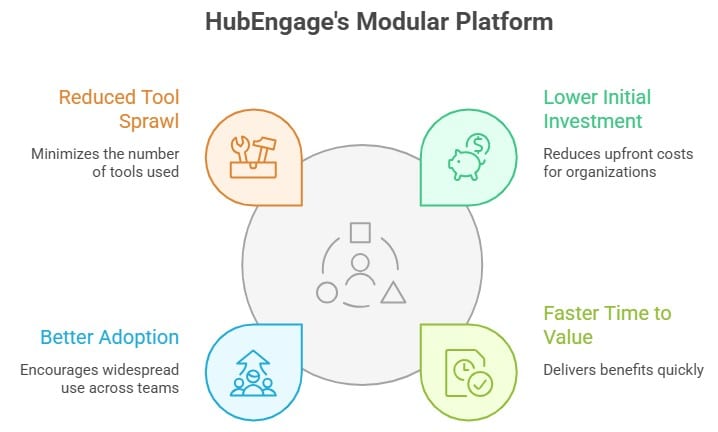
Rather than forcing organizations to commit to a complete intranet rollout upfront, HubEngage enables teams to begin with a single module like communications, recognition, or surveys initially.
Gradually, they can grow into a comprehensive full employee experience platform. This modular model offers:
- Lower initial investment
- Faster time to value
- Better adoption across teams
- Reduced tool sprawl
Microsoft SharePoint vs HubEngage Comparison
To simplify comparing these two platforms, we have included below a straightforward comparison table covering various important key business evaluation factors.
| Criteria | Microsoft SharePoint | HubEngage |
| Ease of Use | Requires training and IT support | Intuitive and user-friendly |
| Deployment | Complex and time-consuming | Fast and phased rollout |
| Engagement Features | Limited native capabilities | Built-in surveys, rewards, gamification |
| Cost | High due to licensing and customization | Modular and cost-effective |
| Flexibility | Developer-dependent customization | Configurable without heavy IT |
| Scalability | Enterprise-ready but complex | Scales easily with modules |
Conclusion
Microsoft SharePoint remains a strong document management and collaboration tool, particularly for organizations already using Microsoft 365. However, its complexity, reliance on IT teams, and lack of built-in employee engagement features make it less ideal as a complete employee experience platform.
HubEngage stands out as a modern alternative by offering a modular, scalable, and cost-effective solution that combines communication, engagement, and intranet capabilities in one platform.
If your goal is to improve employee engagement while simplifying internal communications, HubEngage is a smarter choice. Take a demo session to explore this robust employee experience platform.
Microsoft Sharepoint Review FAQs
What are Microsoft SharePoint reviews saying in 2026?
Most reviews highlight strong document management but frequently mention complexity, poor UX, and high setup effort.
How much does Microsoft SharePoint cost?
It is included in Microsoft 365 plans, typically ranging from $6 to $36 per user/month, with additional costs for customization.
What are the best alternatives to Microsoft SharePoint?
Top alternatives include HubEngage, LumApps, Simpplr, Staffbase, and Unily, depending on business needs.
Is Microsoft SharePoint good for employee engagement?
Not natively. It requires additional tools or customization, unlike platforms like HubEngage that include engagement features out of the box.
Why do companies switch from Microsoft SharePoint?
Companies often switch due to complexity, high costs, poor adoption, and lack of engagement-focused features.