What is a Mobile Intranet?
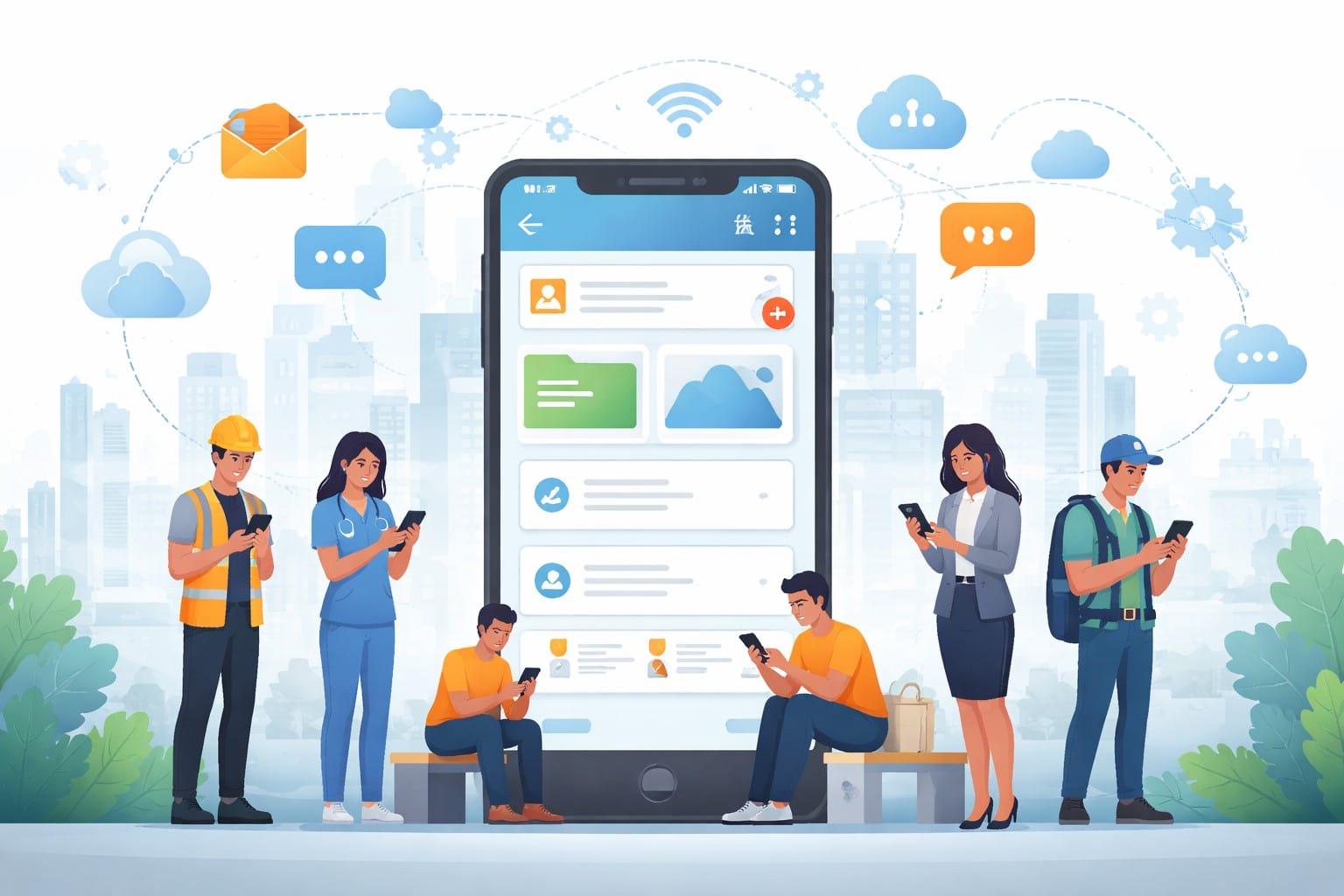
A mobile intranet is a native app that gives employees access to the same internal resources and updates found on a company’s intranet software, but designed specifically for smartphones.
While mobile-friendly Intranet Apps resize a desktop layout to fit smaller screens, a native mobile app for the intranet is designed with touchscreens in mind and includes features like push notifications. It recognizes that many frontline workers will primarily access company information from their mobile devices.
For organizations where many employees do not use a computer during their shifts, this is the difference between an intranet that people actively use and one they forget about. In this article we will explain what a mobile intranet is and how it helps in making a connected workplace.

Key Takeaways:
- A mobile intranet app is purpose-built for phones and tablets, giving employees secure, on-the-go access to company news, documents, and team communication.
- 2.7 billion workers are deskless and receive less than 1% of enterprise software investment; a mobile intranet is one of the most direct ways to close that gap.
- The best mobile intranet platforms combine communication, recognition, surveys, social tools, and team chat into a single app, so employees aren’t toggling between multiple tools.
Why a Mobile Intranet matters now?
Deskless workers make up 80% of the global workforce (roughly 2.7 billion people), according to Emergence Capital’s State of Technology for the Deskless Workforce report. Despite that, they receive less than 1% of enterprise software spending.
For warehouse staff and retail associates, company updates are usually sent via unofficial WhatsApp groups or a supervisor passing along information secondhand. The communication usually happens outside any system that the organization can manage or secure.
On the other hand, hybrid work means employees are not always at their workstation, and email open rates suggest a significant share of messages never get read. PoliteMail’s 2025 Internal Email Benchmark Report, which analyzed over 4 billion internal emails sent to 12 million employees, puts the average internal open rate at 64%. This means that roughly 1 in 3 corporate emails goes unread. For frontline industries like healthcare, where staff spend their entire shift away from a computer, that number is likely much worse.
Mobile intranet addresses this reality. Push notifications can land directly on an employee’s phone. There’s no waiting for someone to check their email or get back to their desk.
Mobile Intranet vs. Traditional Intranet
A traditional intranet is designed for employees at a desk with a corporate device. A mobile intranet is built for everyone else. It also solves a problem that desk-based employees face when an important update goes live while they’re away from their workstations.
Traditional intranets also demand ongoing IT resources for server maintenance and security updates. Most mobile intranet platforms are cloud-hosted, which means that infrastructure is handled by the vendor rather than your IT team.
The table below highlights the key differences between the capabilities of mobile intranets and traditional intranets.
| Mobile intranet | Traditional intranet | |
| Access | Any device with an internet connection | Desktop or laptop on a corporate network, often behind a VPN |
| User interface | Touchscreen native | Desktop browser |
| Real-time capabilities | Push notifications delivered in seconds, even if the app is closed
Read receipts and engagement tracking per user |
None. Employees need to be at their desk, logged into the network, and visiting the intranet page |
| Offline access | Cached content available in low or no connectivity areas | Requires an active network connection |
| Deployment | Cloud-hosted, live in days to weeks | Months of IT setup, on-premise servers, manual updates |
Table 1. Mobile intranet app vs. traditional intranet.
Key features to Look for in an Intranet Mobile App
Intranet applications ensure that messages from leadership effectively reach their intended recipients, whether they are desk-based employees or warehouse workers on a night shift.
But most platforms were designed around desktops, so the mobile experience ends up being a shrunken version of the full site. They can be slow to load, hard to navigate on a phone, or missing features like push notifications or offline access
The features that matter most depend on whether you’re reaching a 50-person office or 5,000 frontline workers across multiple locations. Here’s a list of important features for organizations to consider:
Push Notifications and Targeted Alerts
Targeted push alerts are the most direct channel for a company update to reach the employee who needs it. Segmenting by role, location, or shift ensures the right people are reached without creating noise for everyone else. HubEngage intranet communications layer delivers alerts simultaneously across:
- Mobile app push notifications
- Email newsletters
- SMS Alerts
- Digital displays
- Microsoft Teams, Slack, and WhatsApp

Mobile-First UI with offline access
A mobile-first interface built for touchscreens with offline access is what makes an intranet functional for employees who work away from a desk. For frontline users specifically, this means features such as:
- Content loads on mobile data without waiting on desktop-weight pages
- Navigation is thumb-reachable, not designed around a mouse
- Offline access to documents and checklists stays available in areas with no signal
Offline access is necessary for field technicians, nurses in basement units where the network may not be stable.
AI-Powered Search
One of the fastest ways to kill adoption is making people dig through folders and menus to find a policy or form. AI-powered search handles natural-language queries and surfaces relevant results across posts, documents, and directories without the user knowing where anything is filed.
HubEngage’s Employee Intranet Platform includes an AI search engine that surfaces answers based on role, location, and department, so employees get what they need without filing an IT ticket or messaging a colleague.”
Secure authentication and access controls
Secure authentication in a mobile intranet protects sensitive company data without creating login friction that drives employees away from the platform. HubEngage supports:
- Single sign on (SSO): Employees use existing corporate credentials, no separate login to manage
- Multi-factor authentication (MFA): Adds a verification step without requiring IT to monitor individual devices
- QR code onboarding: Employees install and log in by scanning a single code, removing friction at launch
- Bring-your-own-device (BYOD) and mobile device management (MDM) support: Device management policies to protect company data on personal phones
- Role-based permissions: Employees see only the content and tools relevant to their function
- Audit trails: Activity logs for governance and compliance requirements
- Device and location restrictions: IT can limit access to approved devices or geographies per corporate policy
HubEngage holds ISO 27001, SOC 2, HIPAA, and GDPR certifications. Regulated industries must confirm these procurement requirements before evaluating a platform.
Content personalization by role and location
Role and location-based personalization ensures each employee’s feed is relevant to their function by default, which is the strongest single driver of daily active usage.
CMS intranet tools let communication and HR teams manage content by site or job function. Teams in different regions can receive communications in their preferred language, which matters when you’re reaching workers across multiple countries.
Analytics and gamification
One of the hardest parts of rolling out any internal tool is knowing whether your employees are actually using it. HubEngage gives communication teams visibility into who opened an update, which locations are engaging with content, and where messages are falling flat.
Adoption is the other challenge. HubEngage’s Employee Mobile App uses a points-based system where employees earn rewards for reading updates or completing surveys.
At the same time, leaderboards make participation visible across teams. Our platform has this feature built-in alongside fully branded App Store and Google Play deployment, so employees download a company app rather than a third-party tool.
Who Benefits Most from a Mobile Intranet Platform?
Frontline teams, distributed organizations, and companies in regulated industries tend to get the most out of a mobile intranet platform. These are the workforces where critical updates are lost between shift changes, time zones, or disconnected systems that employees seldom access.
Frontline workers
Frontline employees on rotating shifts have no guaranteed window when an email will reach them. A mobile intranet gives them a direct channel to company information that doesn’t depend on shift timing or physical location.
Success story: Pechanga Resort & Casino, one of the largest resort casinos on the West Coast, uses HubEngage to reach several thousand team members across all three shifts under their branded platform, PRC Engage.
Kira Green, Director of Media and Public Relations, noted that the platform means employees can access HR information at midnight without waiting for a 9-to-5 office to open. This removes a friction point that previously left staff dependent on wherever they might happen upon a flyer.
Remote and hybrid teams
Remote and hybrid employees usually have the tools to do their work, but they often miss the day-to-day visibility into what’s happening across the company. Social features such a shared company feed recreate some of what gets lost when teams are geographically distributed.
HubEngage’s Employee Mobile App comes with a social hub where employees post updates, recognize peers, and join interest-based groups. Since the platform lives on a phone, it works from a home office, a co-working space, or between client sites.
Distributed Organizations
Keeping culture and communication consistent across many locations is an operational challenge that grows with every new site added. A mobile intranet gives distributed teams a shared platform that scales without requiring a proportional increase in communications headcount.
Success story: Newport Hospitality Group, managing approximately 50 hotels primarily along the East Coast, uses HubEngage to stay connected with staff across properties. Lizz Chambers, VP of Team Member Engagement, highlighted the speed of execution the platform enables: surveys that previously took considerable time to format and distribute can now go out almost in real time.
Field Service Teams
Access to current procedures and incident documentation on a mobile device is an operational requirement for employees working in safety-first environments. Up-to-date information in the field affects compliance and safety outcomes, which means that offline access matters here more.
Example: EnerCorp, an energy and industrial solutions company, deployed HubEngage to give management consistent touchpoints with field employees. Gareth Young, Director of Health, Safety, Environment and Quality, noted the team went live in six weeks, and that ongoing support for menus and content made the rollout straightforward for a workforce that operates across remote sites. See how the employee mobile app supports field-based teams.
Best Practices for deploying a Mobile Intranet Platform
A successful mobile intranet rollout depends on employee adoption rates. While the platform features are important, the key factor is whether individuals use the app consistently, as this determines the return on investment for a mobile intranet.
Test with one team
Start by rolling out the app to a small group of employees who will benefit the most. Their early feedback will reveal issues that may still be easy to fix. A pilot program also gives the rest of the organization proof that the tool works before being launched company-wide.
Build an internal launch campaign
Treat the launch like a product release. Give it a date, tell employees what the app does for them, and make sure your message shows up. For a warehouse team, that might be a poster in the break room and a mention from their supervisor. For office staff, an email and a Slack announcement are the most preferred options for Intranet Communications
Engage with advocates
Find one or two people on each team or at each site who are naturally the go-to when colleagues have questions. Give them early access to the app and a direct line to the project team. They just need to know the app well enough to help a coworker set up their profile or find a document. This type of peer support drives adoption faster than any company-wide email.
Define what success looks like
Set benchmarks before launch to help measure whether the rollout is working or coasting on novelty. Start with how many eligible employees have logged in within the first 30 days. After that, track how often people come back each week, whether updates are being read, and which teams or locations are engaging versus going quiet.
HubEngage’s One Employee App for Stronger Teams
Most organizations start exploring a mobile intranet because their existing intranet isn’t reaching employees who aren’t at a desk. But once you solve that, the next question is whether they need to juggle yet another app alongside existing tools.
When employees miss an update, it’s often because the message was buried in one of five tools they’re expected to check. HubEngage’s Employee Mobile App replaces that patchwork with a single branded app that employees download from the App Store or Google Play. Communications, recognition, surveys, social feeds, and team messaging function on the same secure platform.
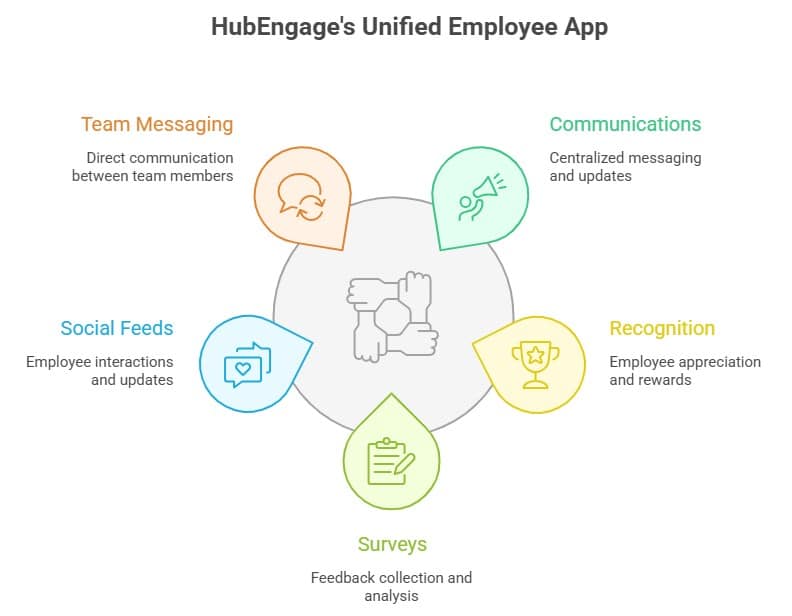
Your communications team creates one update, and the content is automatically distributed across mobile, web, email, SMS, and digital signage. There’s no need to reformat or repost the same message on each channel separately. This alone reduces the number of tools your organization needs to manage and gives a clearer picture of engagement across the entire workforce.
Conclusion
A mobile intranet is not just a nice-to-have but a basic need for organizations with distributed and deskless workforces. By centralizing communication, giving real-time updates, and mobile-first access, it makes sure every employee stays updated and engaged no matter where they are present.
Platforms like HubEngage simplify this shift by combining multiple tools into one seamless experience, helping organizations improve adoption, streamline operations, and build a more connected, responsive workplace. Our Employee App works for companies of all sizes and goes live in 2 to 5 weeks with guided onboarding. Request a demo today to see you can extend your reach and drive even more engagement with a single intuitive app.
Mobile Intranet FAQs
What’s the difference between a mobile intranet app and a mobile-friendly intranet site?
A mobile-friendly site resizes a desktop layout for a smaller screen. A native app is built specifically for iOS and Android, with push notifications, offline access, and a touchscreen-native interface. For employees without a corporate laptop or consistent Wi-Fi, this distinction determines whether the platform reaches them at all.
Can deskless or frontline employees use a mobile intranet?
Yes. All they need is a smartphone. No corporate email or desktop login required. HubEngage supports QR code onboarding, so employees at a hotel property or warehouse floor can download and login within a minute.
What features should an intranet mobile application include?
Essential features include targeted push notifications, offline access, AI search, SSO/MFA, role-based personalization, and usage analytics. HubEngage adds peer recognition, social feeds, pulse surveys, and encrypted team chat within the same intranet mobile app.
Is a mobile intranet secure for company communication?
A mobile intranet is secure when the platform is built to enterprise standards. At a minimum, this requires single sign-on (SSO) so employees use their existing company credentials, multi-factor authentication (MFA) to prevent unauthorized access, and role-based permissions so people only see what’s relevant to their job. ISO 27001 and SOC 2 are a baseline for data security. HIPAA applies if you operate in healthcare, and GDPR if you have employees in Europe. HubEngage meets all four and gives IT teams the ability to restrict access by device or location.
Related Links:
Employee Intranet | Intranet Apps | Employee Mobile App | Intranet Communications | Intranet Software | CMS Intranet