An employee experience platform transforms how your workforce connects, communicates, and engages with your organization. It’s a unified digital hub that brings together everything from internal communications and feedback tools to training resources and recognition programs, creating a seamless experience for employees across their entire journey.
If you’re in manufacturing, healthcare, or hospitality—industries where frontline workers often feel disconnected from corporate communications—an employee experience platform can bridge that gap. This guide walks you through exactly what these platforms do, how to choose the right one, and the step-by-step process for successful implementation.
What Is an Employee Experience Platform?
An employee experience platform is a comprehensive digital solution that centralizes all employee-facing tools, communications, and resources into one accessible interface. Think of it as the digital front door to your organization—where employees go for everything from checking their schedules and accessing training materials to participating in company surveys and connecting with colleagues.
These platforms go far beyond traditional HR systems by focusing on the complete employee journey, from onboarding to offboarding. They’re designed to create meaningful connections between employees and their work, their teams, and the broader organization.
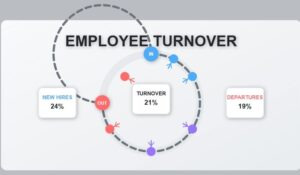
Key Insight: Companies using employee experience platforms see a 40% improvement in employee engagement scores and 25% reduction in turnover rates within the first year of implementation.
The core difference between an employee experience platform and other workplace tools is integration. Instead of juggling multiple apps for different functions, employees have one central place where everything connects and works together.
Key Features and Capabilities
Modern employee experience platforms combine several essential capabilities that work together to create a cohesive employee journey:
Communication and Engagement Tools
- Multi-channel messaging: Push notifications, email integration, SMS alerts, and in-app messaging
- Social feeds: Company-wide announcements, team updates, and peer-to-peer recognition
- Video integration: Live streaming for town halls, recorded training sessions, and video messages from leadership
- Translation services: Multi-language support for diverse workforces
Feedback and Survey Systems
- Pulse surveys: Regular check-ins to gauge employee sentiment and engagement
- 360-degree feedback: Comprehensive performance and development insights
- Anonymous reporting: Safe channels for concerns and suggestions
- Real-time analytics: Immediate insights into employee satisfaction trends
Learning and Development
- Training modules: Interactive courses and certification tracking
- Knowledge base: Searchable repository of company information and procedures
- Microlearning: Bite-sized content that fits into busy schedules
- Progress tracking: Individual and team learning analytics
Recognition and Rewards
- Peer recognition: Employee-to-employee appreciation systems
- Achievement tracking: Milestone celebrations and goal completion
- Rewards marketplace: Points-based systems for earning company perks
- Social recognition: Public acknowledgment of outstanding performance
Employee Experience Platform vs HR Information Systems
Understanding the distinction between employee experience platforms and traditional HR Information Systems (HRIS) is crucial for making the right technology investment.
Comparison of Platform Types
| Aspect | Employee Experience Platform | HR Information System |
|---|---|---|
| Primary Focus | Employee engagement and experience | Administrative processes and compliance |
| User Interface | Consumer-grade, mobile-first design | Functional, desktop-oriented interface |
| Content Type | Dynamic, social, multimedia content | Static forms and data entry |
| Communication | Two-way, interactive engagement | One-way, policy-focused messaging |
| Analytics | Engagement metrics and sentiment tracking | Compliance reporting and data analysis |
| Access Method | Mobile apps, web portals, kiosks | Desktop applications, limited mobile |
HRIS systems excel at:
* Payroll processing and benefits administration
* Compliance tracking and regulatory reporting
* Employee data management and record keeping
* Performance review workflows and documentation
Employee experience platforms excel at:
* Building emotional connections between employees and the organization
* Facilitating real-time communication and feedback
* Creating personalized experiences based on role and location
* Driving engagement through recognition and social interaction
Many organizations use both systems together—HRIS for backend administration and employee experience platforms for frontend engagement. The key is ensuring they integrate seamlessly so employees don’t have to navigate multiple disconnected systems.
Implementation and Integration
Successfully deploying an employee experience platform requires careful planning and systematic execution. Here’s the step-by-step process that ensures smooth adoption:
Phase 1: Assessment and Planning
- Conduct employee surveys: Identify current pain points in communication, engagement, and access to information
- Map existing systems: Document all current employee-facing tools and their usage patterns
- Define success metrics: Establish baseline measurements for engagement, communication effectiveness, and user satisfaction
- Form implementation team: Include representatives from HR, IT, communications, and frontline management
Phase 2: Platform Selection and Customization
- Evaluate integration capabilities: Ensure the platform can connect with your existing HRIS, payroll, and other critical systems
- Assess mobile functionality: Verify that mobile apps work well for your specific workforce needs
- Review security features: Confirm compliance with industry regulations and data protection requirements
- Plan content strategy: Develop guidelines for company communications, recognition programs, and feedback processes
Phase 3: Pilot Program Launch
- Select pilot groups: Choose 50-100 employees representing different departments and locations
- Provide comprehensive training: Offer multiple learning formats—in-person sessions, video tutorials, and written guides
- Gather continuous feedback: Weekly check-ins during the first month to identify and address issues quickly
- Refine processes: Adjust workflows and content based on pilot group experiences
Phase 4: Full Rollout
- Phase rollout by location or department: Gradual expansion allows for better support and troubleshooting
- Maintain communication momentum: Regular updates about new features and success stories
- Monitor adoption metrics: Track login frequency, feature usage, and engagement levels
- Provide ongoing support: Dedicated help desk and regular training refreshers

ROI and Business Impact
Employee experience platforms deliver measurable business results when implemented effectively. Here’s what organizations typically see:
Engagement and Retention Improvements
- Engagement scores increase by 35-45% within the first 12 months
- Voluntary turnover decreases by 20-30%, particularly among high-performing employees
- Internal promotions increase by 25% as employees feel more connected to growth opportunities
Operational Efficiency Gains
- Communication reach improves by 60-80% as messages reach frontline workers who previously missed important updates
- Training completion rates increase by 40-50% through mobile-accessible learning modules
- Time-to-productivity for new hires decreases by 25% with streamlined onboarding processes
Financial Impact Calculations
For a 1,000-employee organization, typical annual benefits include:
* Reduced turnover costs: $500,000-750,000 (assuming $5,000-7,500 replacement cost per employee)
* Increased productivity: $200,000-400,000 from improved engagement and faster onboarding
* Reduced communication costs: $50,000-100,000 from consolidated platforms and reduced manual processes
The total ROI typically ranges from 200-400% within the first two years, with payback periods of 8-12 months for most implementations.
Top Employee Experience Platform Solutions
Several platforms lead the market with proven track records across different industries:
Enterprise-Level Solutions
- Microsoft Viva: Integrates seamlessly with Office 365, strong analytics capabilities, excellent for organizations already using Microsoft ecosystem
- Workplace by Meta: Social media-style interface, powerful mobile apps, strong video and live streaming features
- Slack Connect: Communication-focused with extensive app integrations, ideal for knowledge workers and hybrid teams
Mid-Market Focused Platforms
- HubEngage: Purpose-built for frontline industries like manufacturing, healthcare, and hospitality with strong mobile capabilities
- Beekeeper: Specializes in deskless worker engagement with offline functionality and multilingual support
- Staffbase: Content-focused platform with excellent personalization and targeting features
Specialized Solutions
- 15Five: Performance management integration with continuous feedback loops
- Culture Amp: Analytics-heavy platform with sophisticated survey and feedback capabilities
- Bonusly: Recognition-focused with peer-to-peer appreciation and rewards integration
Each platform has strengths in different areas. The key is matching capabilities to your specific workforce needs and existing technology stack.
Choosing the Right Platform for Your Organization
Selecting an employee experience platform requires evaluating several critical factors:
Workforce Characteristics Assessment
Consider your employee demographics and work patterns:
* Location distribution: On-site, remote, or hybrid workers
* Device access: Company-provided devices vs. personal smartphones
* Technical comfort level: Digital natives vs. employees who prefer traditional communication
* Language requirements: Multilingual support needs
Integration Requirements
- HRIS connectivity: Seamless data flow for employee information and organizational structure
- Single sign-on (SSO): Simplified access without multiple passwords
- Existing communication tools: Integration with email, messaging, and collaboration platforms
- Security compliance: Industry-specific requirements like HIPAA, SOX, or manufacturing safety standards
Budget and Resource Considerations
- Implementation costs: Platform licensing, customization, and training expenses
- Ongoing maintenance: IT support requirements and content management resources
- Scalability planning: Ability to add features and users as your organization grows
- ROI timeline: Expected payback period based on your specific business metrics
Pro Tip: Start with a smaller pilot program to test platform effectiveness before committing to organization-wide deployment. This approach reduces risk and provides real-world data for decision-making.
Employee Experience Platforms FAQs
How long does implementation typically take?
Implementation timelines vary based on organization size and complexity. Small to mid-size companies (under 1,000 employees) typically complete deployment in 3-4 months, while larger organizations may need 6-12 months for full rollout. The key is phased implementation—starting with pilot groups and gradually expanding based on lessons learned.
What’s the difference between employee experience platforms and internal social networks?
Employee experience platforms are comprehensive solutions that include social features alongside communication tools, learning resources, feedback systems, and integration capabilities. Internal social networks focus primarily on social interaction and content sharing. Think of social networks as one component within a broader employee experience platform.
How do you measure success with these platforms?
Success metrics typically include engagement rates (daily/monthly active users), communication reach (percentage of employees receiving and reading messages), feedback participation rates, and business outcomes like retention and productivity improvements. Most platforms provide built-in analytics dashboards to track these metrics automatically.
Can these platforms work for remote and hybrid workforces?
Absolutely. Employee experience platforms are particularly valuable for distributed teams because they create consistent communication and culture regardless of location. Features like video integration, mobile apps, and real-time messaging help remote workers feel connected to their teams and the broader organization.
What about data privacy and security concerns?
Reputable platforms include enterprise-grade security features like data encryption, secure hosting, compliance certifications (SOC 2, ISO 27001), and granular privacy controls. However, organizations should carefully review security features and ensure compliance with relevant regulations like GDPR or industry-specific requirements.
How do you ensure employee adoption?
Successful adoption requires clear communication about benefits, comprehensive training in multiple formats, leadership modeling of platform use, and continuous feedback collection. Starting with enthusiastic early adopters and showcasing success stories helps build momentum for broader adoption.
Key Takeaways
Building an effective employee experience platform requires understanding your workforce needs, selecting the right technology, and implementing with a focus on adoption and engagement. The platforms that succeed are those that genuinely improve how employees connect with their work and organization.
Transform your employee experience at HubEngage — unify communications, boost engagement, and connect your entire workforce through one powerful platform designed specifically for frontline industries. Ready to get started? Visit HubEngage to learn more.