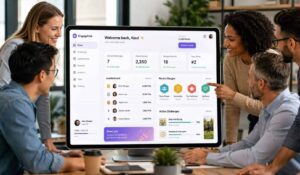
Employee disengagement costs U.S. businesses an estimated $550 billion annually in lost productivity. If you manage people in manufacturing, healthcare, or hospitality, you feel that number every single shift. The challenge is not recognizing the problem — it is finding employee engagement platforms that actually work for your workforce, not just for desk-based office teams.
This article breaks down the top employee engagement platforms available today, what each one does well, how to choose the right fit, and what measurable outcomes you should expect.
Choosing employee engagement software can be confusing because different tools solve very different problems. Some focus mainly on employee surveys. Others are built around recognition, communication, feedback, or workplace analytics. Meanwhile, broader platforms bring several of these areas together.
Therefore, the first step is not comparing long feature lists. Instead, start with the problem you need to solve.
Do employees miss important company updates? Is feedback collected but rarely acted on? Are recognition programs difficult to manage? Or are frontline employees left out because most communication happens through email?
Once you know the problem, it becomes much easier to compare the options that fit your workforce.
Key Takeaways
- Employee engagement platforms can support communication, employee feedback, recognition, surveys, workplace connections, and engagement reporting.
- Employee engagement software is not one type of product. Some tools focus on listening, while others focus on recognition, communication, or a mix of several areas.
- The right platform depends on your workforce, the problem you want to solve, and how employees actually work each day.
- For frontline and distributed teams, mobile access and multiple communication channels can matter as much as surveys and analytics.
- Before comparing features, decide who will use the platform, what employees need from it, and what managers need to do with the information they receive.
- Finally, check how well the platform connects with the HR, communication, identity, and workplace systems you already use.
What Are Employee Engagement Platforms?
Employee engagement platforms are software systems designed to connect, communicate with, and motivate employees — particularly those who do not sit at a desk all day. They go well beyond annual surveys. The best employee engagement platforms combine communication tools, recognition programs, feedback mechanisms, and workforce analytics into a single unified experience.
Think of them as the operating system for your employee experience. A nurse on a night shift, a line worker on the factory floor, or a hotel housekeeper should be just as reachable and informed as any corporate employee. That is exactly what these platforms are built to do.
According to employee engagement research on Wikipedia, engaged employees show higher productivity, lower absenteeism, and significantly reduced turnover — all measurable outcomes that justify the investment.
What Should Employee Engagement Software Help You Do?
Employee engagement software should help solve a real workplace problem. Therefore, before choosing a product, it helps to understand what you expect employees and managers to do with it.
For some companies, the main problem is communication. Employees may work in different locations, on different shifts, or away from a desk. In that case, reaching people through only one channel may not be enough.
For another company, communication may work well, but employee feedback is difficult to collect or act on. That organization may need stronger surveys, pulse checks, anonymous feedback, and reporting.
Meanwhile, another team may be looking for better ways to recognize employees and make appreciation part of everyday work.
Here is a simple way to think about it:
| If your main problem is… | Look for employee engagement software that supports… |
|---|---|
| Employees miss important updates | Mobile communication, targeted messages, email, SMS or digital displays |
| You rarely hear from employees | Pulse surveys, forms, polls and feedback tools |
| Recognition is inconsistent | Peer recognition, manager recognition, rewards and milestone programs |
| Frontline teams feel disconnected | Mobile access, simple login and communication across locations |
| Managers receive data but do not know what to do next | Clear reports, team-level insights and follow-up tools |
| You use too many separate tools | Integrations and several engagement functions in one place |
| Different groups need different information | Employee groups, targeting and personalized communication |
| Employees speak different languages | Multilingual communication and translation support |
However, more features do not automatically mean a better product.
For example, a company mainly looking for employee feedback may not need a large communication system. On the other hand, a distributed workforce may need communication, surveys, recognition, and mobile access in the same employee experience.
Therefore, start with the work your employees and managers need to do. Then compare products against those needs.

Key Features and Capabilities
Not all employee engagement platforms are built the same. Here is what separates platforms that deliver results from those that collect dust after launch.
Core Capabilities to Look For
- Mobile-first communication: Your frontline workforce does not use desktop computers. Platforms must deliver push notifications, announcements, and chat through a mobile app.
- Peer and manager recognition: Recognition programs tied to real-time feedback drive daily behavior change, not just quarterly morale bumps.
- Pulse surveys and sentiment analysis: Short, frequent surveys give you actionable data. Long annual surveys give you historical data — too late to act on.
- Multi-channel content delivery: News feeds, video messages, digital signage, and email all in one place reduce communication fragmentation.
- Analytics and reporting: Dashboards that show engagement scores, content reach, survey response rates, and recognition activity by department or location.
- Integration with HR systems: Platforms that connect to your HRIS, payroll, and scheduling tools eliminate duplicate data entry and improve adoption.
Comparison of Core Feature Sets
Employee Engagement Platform Feature Comparison
| Feature | Basic Platforms | Mid-Tier Platforms | Enterprise Platforms |
|---|---|---|---|
| Mobile App | Yes | Yes | Yes |
| Pulse Surveys | Limited | Yes | Advanced analytics |
| Recognition Tools | Basic badges | Points + rewards | Custom programs |
| Multi-language Support | Rarely | Sometimes | Yes |
| HR System Integration | Minimal | Moderate | Deep integrations |
| Analytics Dashboard | Basic | Intermediate | Predictive insights |
| Frontline/Deskless Support | Weak | Moderate | Strong |
The table is a starting point, but it should not be the only way you compare employee engagement software. Two platforms may offer surveys, recognition, and analytics but handle them very differently. Therefore, the next step is to look at how the software fits the people who will actually use it.
The right tier depends on your workforce size, industry complexity, and how distributed your teams are.
Employee Engagement Software Buying Checklist
Before creating a shortlist, check whether each option can support the way your organization actually works.
You do not need every item below. Instead, use it as a checklist to decide what matters to your team.
| What to compare | Questions to ask |
|---|---|
| Employee communication | Can we reach the right employees without sending everything to everyone? |
| Mobile access | Can frontline and deskless employees use it easily from their phones? |
| Employee feedback | Can we run pulse surveys, forms or other feedback programs? |
| Recognition | Can employees and managers recognize good work easily? |
| Reporting | Can managers understand the results without needing an analyst? |
| Employee groups | Can content and surveys be targeted by role, location, department or another group? |
| Integrations | Can it connect with our HRIS, identity system and other workplace tools? |
| User experience | How many steps does an employee need to complete a simple action? |
| Administration | How much work will HR or Internal Communications need to manage it? |
| Languages | Can employees receive information in the languages they use? |
| Security | What controls are available for access, permissions and employee data? |
| Support | What help is available during setup and after launch? |
Do not compare software only by feature count
A long feature list can look impressive. However, it does not tell you whether employees will actually use the platform.
For example, imagine that two products both offer employee surveys.
One may make it simple for a frontline employee to answer a short survey from a phone. The other may have more advanced reporting but require several steps before an employee can respond.
Which one is better depends on your goal.
Therefore, instead of asking:
“Which platform has more features?”
ask:
“Which platform makes the things we need employees and managers to do easier?”
That small change makes software comparisons much more useful.
Top Employee Engagement Platforms Comparison
Here are the employee engagement platforms that consistently deliver for manufacturing, healthcare, and hospitality organizations.
1. HubEngage
HubEngage is built specifically for organizations with large frontline and deskless workforces. It unifies employee communications, recognition, surveys, and workforce operations into a single platform — accessible via mobile app, web, digital signage, and email.
Best for: Manufacturing, healthcare, and hospitality organizations with distributed, shift-based teams.
Key strengths:
* Multi-channel delivery including SMS, push notifications, email, and digital signage
* AI-powered content targeting so the right message reaches the right team at the right time
* Peer-to-peer and manager recognition tied to custom reward programs
* Multilingual support for diverse workforces
* Deep analytics showing engagement by location, department, and shift
What makes it stand out: Most employee engagement platforms are designed for office workers. HubEngage was designed from the ground up for the people who cannot check their email at a desk. That distinction matters enormously in healthcare and manufacturing environments.
2. Qualtrics EmployeeXM
Qualtrics is a survey and experience management platform with strong employee listening capabilities. It excels at large-scale data collection and statistical analysis.
Best for: Enterprise organizations with dedicated HR analytics teams who need deep survey science.
Key strengths:
* Industry-leading survey methodology and benchmarking data
* Predictive intelligence that flags at-risk employee populations
* Strong integration with SAP and other enterprise HR systems
Limitation: The platform is research-heavy and requires significant HR bandwidth to interpret and act on results. It is not designed for frontline communication or recognition.
3. Workvivo
Workvivo (acquired by Zoom) is a social intranet and communication platform that mimics the feel of social media for internal use. It works well for organizations that want to build community and culture.
Best for: Mid-size organizations with a mix of desk and frontline workers who want a social feed experience.
Key strengths:
* Social feed, podcasts, live video, and recognition in one interface
* Strong integration with Zoom for hybrid teams
* Good content management tools for communications teams
Limitation: Recognition and survey features are less robust compared to dedicated engagement platforms. Frontline mobile experience is functional but not purpose-built.
4. Peakon (by Workday)
Peakon is an employee listening platform that collects continuous feedback and converts it into actionable intelligence. It is deeply integrated with Workday’s HR ecosystem.
Best for: Organizations already running Workday HRIS who want native engagement data within that system.
Key strengths:
* Continuous listening model with automated follow-up questions
* Driver analysis that identifies what most affects engagement in your organization
* Manager dashboards that surface team-level insights without requiring HR involvement
Limitation: Works best within the Workday ecosystem. Standalone value is limited, and it does not address communication or recognition in a meaningful way.
5. Reward Gateway
Reward Gateway focuses on employee recognition, benefits, and rewards. It is one of the stronger platforms for building a culture of appreciation.
Best for: Organizations where recognition and total rewards are the primary engagement lever.
Key strengths:
* Flexible reward redemption (gift cards, charitable donations, merchandise)
* Employee discount programs that add tangible financial value
* Manager recognition tools with budget controls
Limitation: Communication and survey capabilities are secondary. If you need a full engagement suite, you will likely need additional tools alongside it.
How to Compare Employee Engagement Software
Once you have a shortlist, compare the products using the same questions. Otherwise, it is easy to get distracted by a good demo or a long feature list.
Here is a simple process.
1. Start with the problem
First, write down the main problem you want the software to solve.
For example:
- Employees are missing company updates.
- Frontline employees feel disconnected.
- Survey participation is low.
- Managers rarely recognize employees.
- HR collects feedback but struggles to act on it.
- Employees use too many separate workplace apps.
Try to keep the list short. If everything is a priority, it becomes difficult to compare products fairly.
2. Check who needs to use the platform
Next, look at your workforce.
Do most employees sit at a computer? Or do they work in stores, hospitals, warehouses, hotels, factories, customer locations, or in the field?
This matters because the employee experience can be very different.
For example, a platform that works well through a desktop browser may still create problems for an employee who rarely uses a company computer.
Therefore, test the software from the employee’s side, not only from the administrator’s dashboard.
3. Test common employee actions
Ask the vendor to show you what an employee would actually do.
For example:
- Read an important company update.
- Complete a short survey.
- Recognize a colleague.
- Find a company resource.
- Respond to a message.
- Check a notification.
Count the steps.
If a simple task feels difficult during a demo, it is unlikely to become easier after rollout.
4. Look at what happens after employees respond
Collecting feedback is only the first part. What really matters is what happens next.
For example, if 1,000 employees complete a survey, HR should be able to spot patterns, while managers can understand what is happening within their own teams. The organization should also be able to follow up with specific groups and see whether the actions taken actually made a difference.
Therefore, look at the full process, from collecting employee input to taking action.
5. Check integrations early
Do not leave integrations until the end of the buying process.
Instead, ask which systems the employee engagement software needs to connect with from day one.
These may include:
- HRIS or HCM systems
- Single sign-on
- Microsoft Teams or Slack
- Payroll systems
- Employee directories
- Scheduling systems
- Intranet or document systems
Also, ask whether the integration is already available or needs custom work.
6. Understand the work required from administrators
A tool may be easy for employees but difficult for the people managing it.
Therefore, ask HR, Internal Communications, and Operations teams to test the admin side too.
For example, can they easily:
- Create and target an announcement?
- Launch a survey?
- Create employee groups?
- Schedule communication?
- Review results?
- Manage recognition?
- Add or remove users?
This gives you a much better idea of what daily administration will look like.
7. Compare the full cost
Finally, look beyond the software license.
Ask whether pricing changes based on:
- Number of employees
- Number of administrators
- Modules
- Integrations
- Setup
- Support
- Custom branding
- SMS usage
- Rewards
- Additional locations
The lowest starting price is not always the lowest overall cost. Therefore, compare what your organization would actually need rather than the entry-level package.
This kind of buyer guidance is showing up prominently in current 2026 comparison content, where vendors are increasingly being compared by use case, integrations, pricing, usability, and practical fit rather than just feature count.
How to Choose the Right Platform for Your Organization?
Choosing between employee engagement platforms comes down to three questions.
- Who is your workforce?
If more than 40 percent of your employees are frontline or deskless, you need a platform built for mobile-first, shift-based environments. General office-focused platforms will fail to reach these employees. - What is your primary engagement gap?
- Communication breakdown → prioritize multi-channel delivery and content targeting
- Low recognition culture → prioritize peer-to-peer recognition and reward programs
- No feedback loop → prioritize pulse surveys and manager dashboards
- All of the above → look for unified employee engagement platforms like HubEngage that address every layer
- What systems do you already run?
Integration with existing HR systems is not optional — it is a prerequisite for adoption. Platforms that require manual data sync will create compliance risks and administrative burden. Understanding the benefits of a company intranet as a foundation can also help you clarify what gaps a dedicated engagement platform needs to fill on top of your existing infrastructure.

Questions to Ask During an Employee Engagement Software Demo
A product demo can move quickly. Therefore, prepare your questions before the call.
Instead of asking only what the platform can do, ask the vendor to show you how it works in situations your employees face every day.
Here are useful questions to bring to the demo:
- How would a frontline employee access the platform without a company email address?
- How can we target information by location, department, role, or employee group?
- What does an employee see when they open the mobile app?
- How do managers view feedback or engagement information for their teams?
- Can employees provide anonymous feedback?
- How are survey results shared with managers?
- Can employees receive information through more than one channel?
- Which integrations are already available?
- What does the implementation process require from our team?
- How much administration is needed each week?
- Which features cost extra?
- What support is available after launch?
Finally, give the vendor a real scenario from your organization.
For example:
“We have employees working across 20 locations. Some have company email addresses and some do not. Show us how we would send one urgent update only to employees working at three locations.”
A real example makes it much easier to see whether the software fits your needs.
Implementation and Best Practices
Launching employee engagement platforms successfully requires more than a software rollout. Here is what separates implementations that stick from those that stall.
- Start with a communication audit: Identify where your current messages are getting lost. Which teams are unreachable? Which channels have low open rates? This data shapes your configuration.
- Involve frontline managers early: Managers are the most powerful adoption lever you have. If they do not use the platform, their teams will not either. Train managers before launch, not after.
- Set a 90-day engagement baseline: Run a pulse survey in the first two weeks to establish your starting point. You cannot demonstrate ROI without a baseline.
- Launch with a recognition campaign: Recognition is the fastest way to drive adoption. A peer recognition campaign in week one creates immediate visible activity on the platform.
- Communicate the why: Employees adopt tools they understand. Tell them what the platform is for, how their feedback is used, and what changes have been made based on their input.
The benefits of unified communication platforms become clear quickly when employees see consistent, relevant messages reaching them through the channels they actually use — rather than fragmented updates across email, bulletin boards, and shift briefings.
ROI and Measurable Outcomes
Employee engagement platforms are a business investment, not an HR expense. Here is what the data shows.
Organizations that implement structured engagement programs see, on average:
- 21% higher profitability (Gallup)
- 41% lower absenteeism
- 59% lower turnover in high-turnover industries like hospitality and healthcare
For manufacturing specifically, engaged employees report fewer safety incidents and higher quality output. In healthcare, engaged clinical staff correlate directly with better patient satisfaction scores. Engaged staff drives the best experience to guests in Hospitality sector.
Key Insight: The ROI of employee engagement platforms is not theoretical. Turnover replacement costs between 50–200% of annual salary. If a platform reduces turnover by even 10% in a 500-person operation, the math is straightforward.
Track these metrics from day one:
* Survey response rate (target: above 70%)
* Recognition activity per manager per month
* Content reach and open rates by department
* Voluntary turnover rate by location
* eNPS (Employee Net Promoter Score) trend over 6 months
Integration with Existing HR Systems
Employee engagement platforms that sit in isolation from your HRIS create friction and reduce adoption. The best platforms connect directly to your existing systems.
Look for native integrations with:
* HRIS platforms: Workday, ADP, BambooHR, UKG — so employee data stays current automatically
* Scheduling tools: When AI scheduling for field service and shift-based teams is already in use, your engagement platform should pull schedule data to time communications appropriately
* Payroll systems: Recognition rewards tied to payroll processing eliminate manual reconciliation
* SSO providers: Single sign-on through Microsoft Azure AD or Okta removes login friction for frontline workers
According to HRIS integration standards documented on Wikipedia, systems that share data through APIs rather than manual exports significantly reduce administrative error and improve data accuracy across HR functions.
Conclusion
Choosing employee engagement software starts with understanding the problem you want to solve.
For one organization, that may be employee feedback. For another, it may be recognition. Meanwhile, a distributed workforce may need better communication across mobile, email, SMS, intranet, and workplace screens.
Therefore, do not choose a platform simply because it has the longest feature list.
Instead, look at how easily employees can use it, what managers can do with the information they receive, how well it connects with your current systems, and how much work it takes to manage.
Most importantly, test the platform around real situations from your workplace.
That will tell you much more than a standard product demo.
If your organization is looking to bring communication, employee feedback, recognition, and workforce engagement into a more connected experience, explore how HubEngage supports distributed and frontline teams.
Ready to get started? Book a demo to learn more.
Employee Engagement Platforms FAQs
What is employee engagement software?
Employee engagement software helps organizations communicate with employees, collect feedback, support recognition, and understand how employees are experiencing work. However, features vary by product. Some tools focus mainly on surveys or recognition, while broader platforms may also include communication, analytics, mobile access, social features, and integrations.
What features should employee engagement software have?
The right features depend on the problem you are trying to solve. Common areas include employee communication, surveys, pulse feedback, recognition, reporting, mobile access, employee groups, integrations, and multilingual support. Therefore, start with your workforce needs before comparing feature lists.
How do I choose employee engagement software?
First, identify the main problem you want to solve. Next, consider who will use the software and how they work. Then compare employee access, communication channels, feedback tools, recognition, reporting, integrations, administration, security, support, and total cost. Finally, test the software using real workplace situations before making a decision.
What is the difference between employee engagement software and an employee engagement platform?
The terms are often used in similar ways. However, employee engagement software may describe a single-purpose tool, such as survey or recognition software, as well as a broader system. An employee engagement platform usually refers to a wider set of connected features that support several parts of employee engagement in one place.
How long does implementation typically take?
Implementation time depends on the size of the organization, the number of employees and locations, the integrations required, data preparation, branding, and the rollout plan.
A simple setup can take less time than a large rollout involving several systems and employee groups. Therefore, ask vendors what your internal team needs to prepare, which integrations are involved, and what could delay the launch.
Do frontline workers actually use these platforms?
They can, but ease of access matters. Frontline employees may not use a company laptop or check company email throughout the day. Therefore, look for simple mobile access, relevant content, clear notifications, and login options that fit the workforce.
In addition, managers play an important role. Employees are more likely to use a platform when it becomes part of normal workplace communication rather than another separate tool they are expected to remember.
Much more credible. No questionable percentage needed.
Can small organizations benefit from employee engagement platforms?
Absolutely. Many employee engagement platforms offer tiered pricing that scales to organizations with 100–500 employees. The ROI case is often stronger for smaller organizations because the cost of losing one experienced employee represents a larger percentage of total workforce capacity.
How do engagement platforms handle multiple languages?
The best platforms support multilingual content delivery, allowing communications teams to publish content in multiple languages simultaneously. This is particularly relevant in healthcare and hospitality, where workforces are often linguistically diverse. HubEngage, for example, supports automatic translation and language-based content targeting.
What is the difference between an engagement platform and an intranet?
An intranet is primarily a content repository — a place to store policies, documents, and company news. Employee engagement platforms are dynamic, two-way systems designed to drive interaction, collect feedback, and measure sentiment in real time. Many organizations use both, with the engagement platform serving as the active communication and culture layer on top of the intranet’s document management function.
Related Links:
employee engagement program | employee engagement gamification | frontline employee engagement