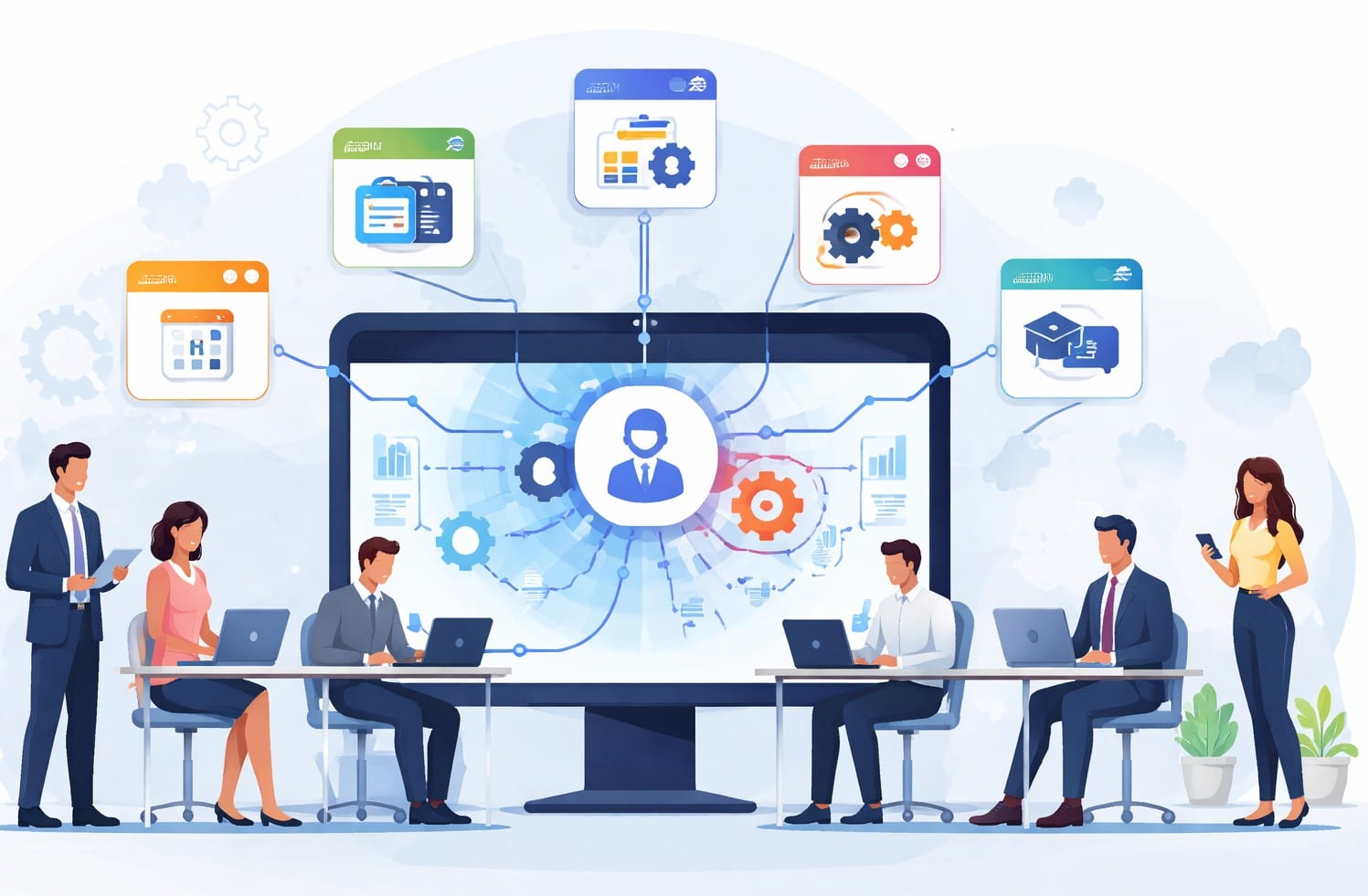
Modern organizations rely on dozens of digital tools to run daily operations. From HR systems to CRM platforms and project management software, each application stores critical information.
Without proper intranet integration, these systems operate in silos, slowing down productivity and collaboration. We often see organizations struggle with disconnected workflows and fragmented employee experiences.
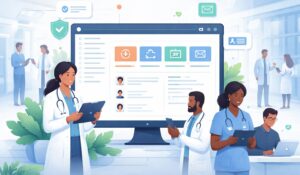
A modern intranet solves this problem by acting as a central digital hub that connects business systems, tools, and data. Platforms such as a modern Employee Intranet enable organizations to unify multiple business systems into a single, accessible workspace.
In this blog we will explain what intranet integration is, why it matters, and the key systems organizations should connect to power a modern digital workplace.
What Is Intranet Integration?
Intranet integration refers to connecting an intranet platform with other enterprise applications such as HR systems, CRM tools, learning platforms, and communication tools. These integrations allow information to flow seamlessly between systems.
Instead of switching between multiple applications, employees can access tools and data from one centralized environment. We have added some common ways to connect an intranet platform are as follows:
| Integration Method | Simple Explanation |
| Application Programming Interfaces (APIs) | Connect systems and automatically exchange data |
| Middleware platforms | Bridge connecting multiple enterprise applications |
| Single sign-on (SSO) | One login for all integrated workplace systems |
| Native platform connectors | Built‑in integrations for popular workplace tools |
When implemented correctly, intranet integration eliminates redundant processes and creates a unified digital workplace.
Why Is Intranet Integration Critical for Modern Organizations?
Organizations today rely on a complex ecosystem of digital tools. However, disconnected systems can slow down decision-making and create inefficiencies.
Research from McKinsey shows that employees spend nearly 20% of their workweek searching for internal information or tracking down colleagues. Integrated workplace platforms significantly reduce this friction.
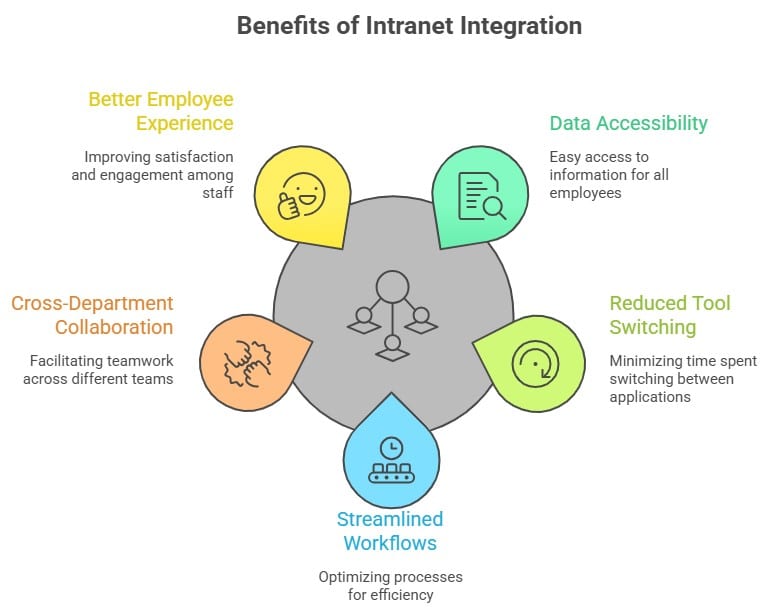
Key benefits of intranet integration helps with better access to data, reduced tool switching, streamlined workflows, Stronger cross-department teamup, and better employee experience.
A well-connected intranet also helps organizations future-proof their digital workplace by making it easier to adopt new technologies.
Common Use Cases Of Intranet Integrations
We have seen many companies adopt intranet integrations to solve several operational challenges. Some of the most common use cases are as follows:
| Use Case | Simple Explanation |
| Centralized employee dashboards | Single intranet view showing updates, tools, and employee information |
| Automated HR workflows | Automate leave requests, onboarding approvals, and routine HR processes |
| CRM data visibility for sales teams | Sales teams access customer insights and pipeline data centrally |
| Project tracking and collaboration | Track tasks, deadlines, and progress across teams easily |
| Learning and development access | Employees access training courses and certifications quickly |
When business systems communicate with each other through intranet integration, employees spend less time navigating tools and more time focusing on meaningful work.
Core Systems to Integrate with Your Intranet
A successful digital workplace relies on integrating key enterprise systems with the intranet. We feel the following systems can be connected with your intranet if you need to have one.
HR and Payroll Platforms
HR systems are among the most critical integrations. Connecting HR tools enables employees to access policies, benefits, payroll information, and time-off requests directly within the intranet.
Organizations often look for the best intranet tools for HR integration to simplify onboarding, performance management, and employee engagement workflows. HR integrations can include:
- Payroll systems
- HRIS platforms
- Benefits management tools
- Employee directories
CRM Systems
Sales and customer success teams benefit greatly from CRM integrations. When the intranet connects with CRM platforms, employees gain visibility into customer data, sales pipelines, and account insights.
This integration helps improve collaboration between sales, marketing, and support teams.
ERP Software
Enterprise resource planning systems manage core business functions such as finance, procurement, and supply chain operations.
Integrating ERP systems with an intranet allows employees to quickly access dashboards, financial reports, and operational insights.
Learning Management Systems
Learning management systems (LMS) play a critical role in employee development.
When LMS platforms integrate with the intranet, organizations can deliver training resources, certification programs, and learning paths within the digital workplace.
Project Management Tools
Project management tools such as Asana, Jira, or Trello help teams coordinate work and track progress.
Integrating these tools with an intranet enables project updates, task tracking, and team collaboration without leaving the workplace portal.
Communication Platforms
Communication tools like Microsoft Teams, Slack, and internal messaging platforms can also integrate with an intranet.
These integrations ensure that employees stay connected while accessing workplace information and tools.
Integration Use Cases by Department
Different departments benefit from connecting an Intranet Software in unique ways because each team relies on different business systems to perform daily tasks. When these tools connect to the intranet, employees can access information faster, collaborate more easily, and reduce manual processes.
Below are some common examples of how departments use intranet integrations to improve efficiency.
HR Teams
Human resources departments often manage multiple platforms including HRIS systems, payroll software, benefits platforms, and employee engagement tools. Integrating these systems with the intranet creates a centralized employee experience. With HR integrations, teams can:
- Streamline employee onboarding processes
- Provide easy access to benefits and payroll information
- Share HR policies and compliance resources
- Automate leave requests and employee updates
Using the intranet as a single access point helps HR teams reduce administrative workload while improving employee self-service capabilities.
Sales and Marketing Teams
Sales and marketing teams depend heavily on CRM systems and campaign data to track customer interactions and revenue opportunities.
When CRM platforms integrate with the intranet, teams can quickly access important information without switching between multiple systems. Key benefits include:
- Real-time visibility into sales pipelines and customer accounts
- Easier collaboration between sales and marketing teams
- Access to campaign assets and sales enablement materials
- Improved customer insights across departments
These integrations help organizations create stronger alignment between marketing strategies and sales execution.
IT Departments
IT teams play a crucial role in managing enterprise systems and ensuring the digital workplace runs smoothly.
By integrating core platforms with the intranet, IT teams gain greater visibility and control across the organization’s technology ecosystem. Common advantages include:
- Centralized system monitoring and user management
- Simplified software access through single sign-on (SSO)
- Faster deployment of internal applications
- Improved governance and security oversight
This centralized approach helps IT teams maintain a scalable and secure digital workplace infrastructure.
Operations Teams
Operations teams rely on accurate data, workflow tracking, and performance reporting to keep business processes running efficiently.
Intranet integrations allow operations leaders to monitor activities and coordinate teams through centralized dashboards. Typical use cases include:
- Monitoring project progress and operational workflows
- Accessing supply chain and production data
- Tracking performance metrics and KPIs
- Improving collaboration across operational teams
With integrated systems, operations teams gain real-time visibility into business performance and can make faster, more informed decisions.
The Top 5 Intranet Integrations with HubEngage
Organizations often prioritize certain integrations when building their digital workplace.
Top 5 intranet integration examples that we think gives business value quickly are HRIS Integration, Microsoft 365 Integration, CRM Integration, Learning Platform Integration and Communication Tools Integration.
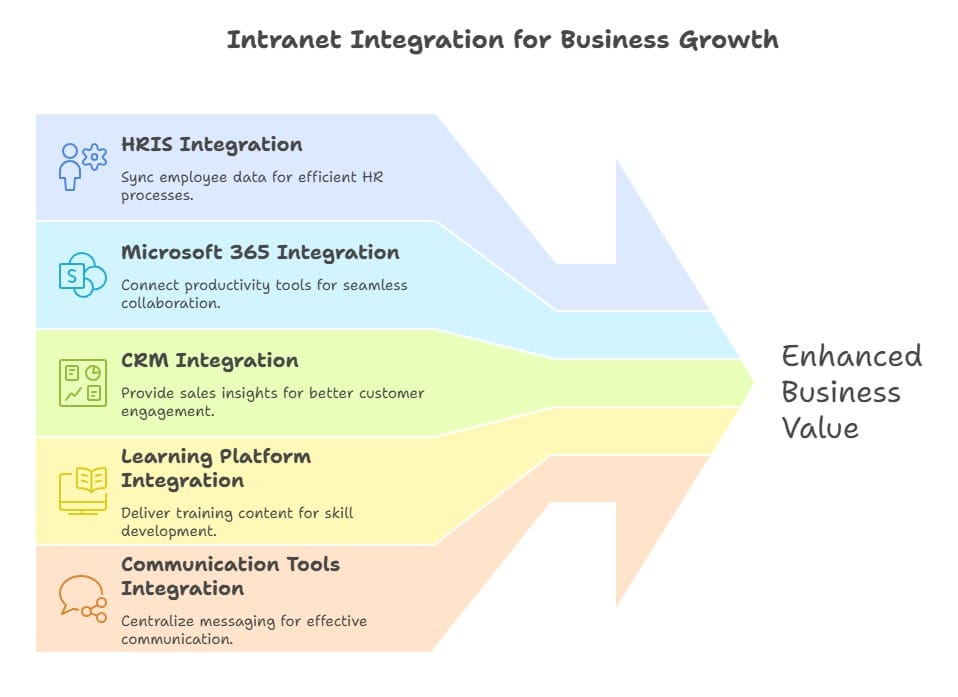
When implemented correctly, these integrations create a seamless employee experience while reducing operational friction.
Step-By-Step Process to Implement Intranet Integrations
Successfully implementing intranet integrations requires a structured approach. We suggest you follow below steps to get the best results.
Requirements Gathering
Start by identifying business needs and determining which systems must connect with the intranet platform.
Vendor Collaboration
Work closely with vendors to understand integration capabilities, APIs, and compatibility requirements.
API Configuration
Developers configure APIs and authentication protocols to allow systems to exchange data securely.
Testing and Validation
Before deployment, organizations should conduct integration testing to ensure data accuracy and system reliability.
Deployment and Monitoring
Once integrations go live, IT teams should continuously monitor performance and resolve any issues that arise.
Request an Intranet Integration Consultation
Every organization has unique technology ecosystems and integration requirements. Working with an experienced intranet provider can help ensure a smooth implementation and long‑term scalability.
Platforms like HubEngage’s modern intranet platform are designed to easily connect with a wide range of workplace tools including HR systems, collaboration apps, CRM platforms, and productivity suites.
By supporting flexible APIs and enterprise integrations, HubEngage helps organizations bring their business systems together into a single digital workplace experience.
This makes it easier for employees to access the tools they need, collaborate across departments, and stay connected without constantly switching between applications.
If your organization is planning to connect HR systems, CRM tools, and collaboration platforms, exploring HubEngage’s capabilities can be a great next step. Request a quick demo to see how the platform enables seamless intranet integration and powers a more connected digital workplace.
FAQs
What systems can be integrated with an intranet?
Most modern intranet platforms can integrate with HR systems, CRM platforms, ERP software, communication tools, learning management systems, and project management platforms.
How does intranet integration improve productivity?
By connecting business tools within a centralized workplace hub, employees spend less time switching between applications and searching for information.
Is intranet integration secured?
Yes. Secure intranet integrations use authentication protocols, encryption, and role-based access controls to protect sensitive data.
What is the role of APIs in intranet integration?
APIs allow different software systems to connect, communicate, and share data automatically, enabling intranet integrations that synchronize tools, streamline workflows, and deliver information across platforms.
How long does it take to implement integrations?
Implementation timelines vary depending on system complexity, but many integrations can be deployed within weeks when using modern API-based platforms.
Can legacy systems be integrated with modern intranets?
Yes. Many intranet platforms support middleware solutions and custom APIs that allow legacy systems to connect with modern digital workplace tools.