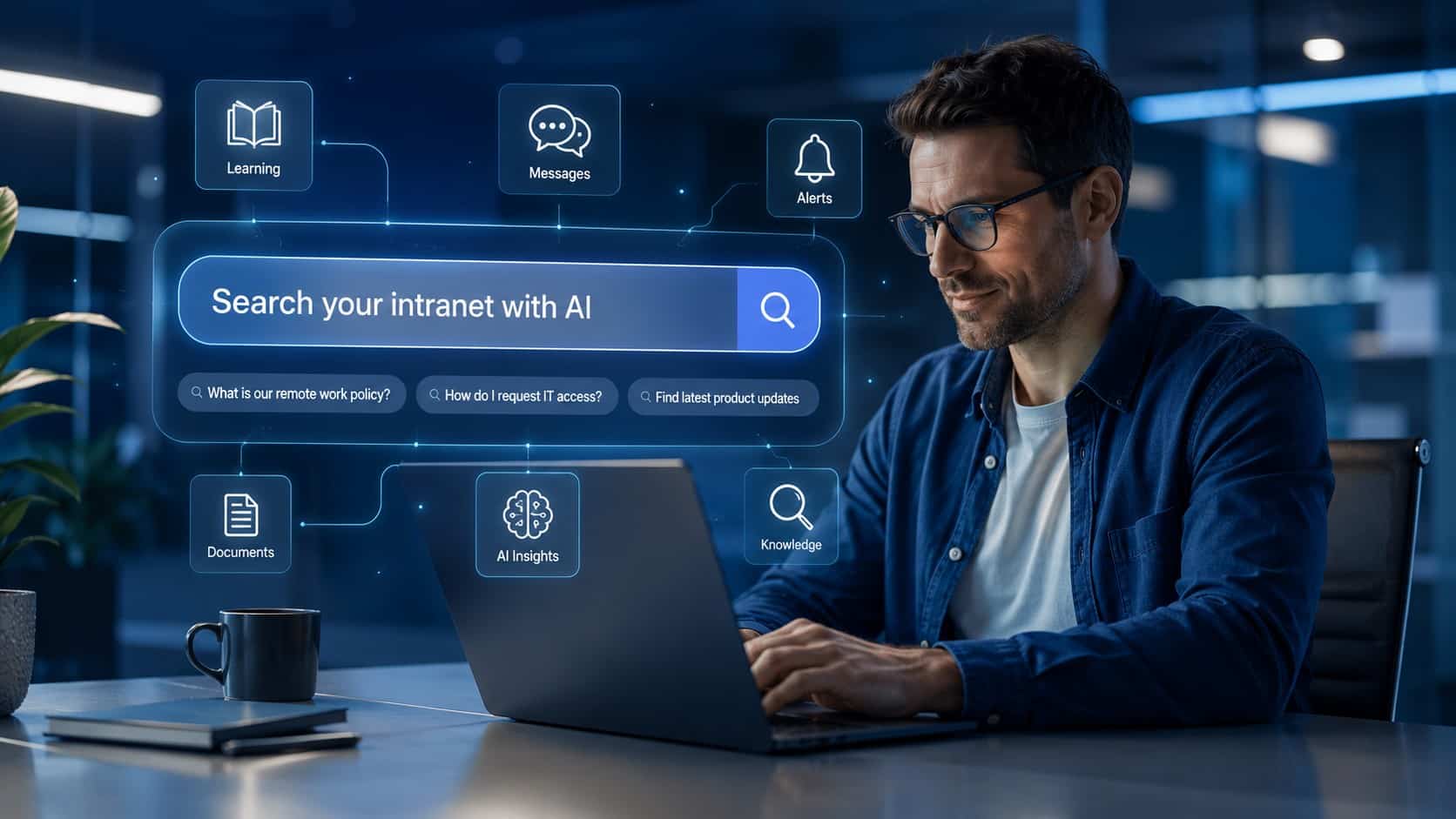
Employees should not have to know where company information lives before they can find it. A workplace policy might be buried in the intranet, tucked into a shared drive, or sitting in another workplace system entirely. Good intranet search takes that scavenger hunt out of the equation.
Key Takeaways
- Good intranet search helps employees find information without knowing where it is stored.
- AI intranet search can understand natural-language queries, reducing reliance on exact keyword matches.
- Search quality depends on the information behind it, including how content is indexed and maintained.
- Access permissions should carry through to search, so employees only retrieve information they are authorized to view.
- Employee searches can reveal knowledge gaps, helping teams identify missing or hard-to-find information.
What an Intranet Search Engine Is and Why It Matters?
An intranet search engine is a search tool for a company’s private digital workplace. Within an employee intranet, it indexes internal content such as policies, documents, intranet pages, and employee resources so users can retrieve information through search.
More advanced platforms can also interpret natural-language questions, retrieve information based on meaning rather than exact keywords, and apply access permissions to the results.
An intranet search engine surfaces relevant information without requiring employees to know where it lives. AI intranet search takes this further by using retrieved company information to answer a question directly.
Key Benefits of Effective Intranet Search
Effective intranet search helps employees find useful company information faster. Search data can also reveal information employees need but struggle to find.
1. Spend less time searching
Employees can find policies, procedures, and resources without checking multiple locations or knowing the exact document name.
2. Find more relevant information
Strong search prioritizes information relevant to the query, reducing the need to sort through loosely related results.
3. Direct employees to current resources
Search guides employees to the latest policies and resources when the underlying content is well maintained.
4. Identify knowledge gaps
Unsuccessful or weak searches can reveal missing content, unclear terminology, and hard-to-find information.
How Intranet Search Works and Core Technology?
At a basic level, intranet search indexes company content, interprets an employee’s query, retrieves relevant information, and ranks the results. Search quality depends on both the information available and how well the system understands and retrieves it.
1. Content is indexed
Intranet pages, documents, and other approved sources need to be made searchable. Depending on the platform, crawlers, APIs, or integrations can make full-text content and metadata such as titles, tags, and content types searchable. Duplicate files, outdated pages, and inconsistent metadata can leave employees unsure which result they should trust.
2. The query is interpreted
Employees rarely phrase every search like the person who named the document. Semantic search helps bridge that gap by looking at meaning rather than relying only on exact keyword matches. A search for ‘maternity leave steps’ should still surface relevant policy documents and HR resources, even if those exact words do not appear in the document title.
3. Relevant information is retrieved
Once the query is understood, search retrieves and ranks the most relevant matches. Depending on the platform, ranking can also account for factors such as content freshness and the employee’s role. Permissions should apply during retrieval so employees only receive information they are authorized to access.
4. Results are presented to the employee
Finding the right result is only useful if employees can easily get to it. Features such as autocomplete, filters, direct answers, and mobile access can help employees reach relevant information faster. This is where AI changes the experience. Traditional search usually returns a list of pages or documents, while AI-powered search can use retrieved information to provide a direct answer.
AI in Intranet Search: NLP, RAG, and Personalization
AI intranet search helps employees find information using everyday language rather than exact keywords or document titles. It can also use retrieved company content to provide direct answers instead of requiring employees to review several search results. Key capabilities include:
- Natural language processing (NLP): interprets the meaning and intent behind an employee’s query.
- Retrieval-augmented generation (RAG): retrieves information from approved sources to help ground AI-generated answers in company content.
- Personalization: tailors results using factors such as an employee’s role, location, or department, where supported.
- Actionable search: connects answers to relevant resources or next steps.
- Search analytics: reveals what employees are asking and where search struggles to provide useful information.
The catch? AI still depends on the information it has. Incomplete or poorly managed source content can weaken results, no matter how sophisticated the search technology is.
Example: from question to action
An employee asks, “How do I apply for leave?” HubEngage AI search can retrieve the relevant company information and provide an answer, then direct the employee to the appropriate form or supported next step.
Going Beyond the Intranet: Connecting Other Company Systems
Workplace knowledge rarely stays neatly inside one system. Policies may live on the intranet while training sits in an LMS and supporting documents live in cloud storage. Employees shouldn’t need to remember the company’s entire tech stack to get answers.
Eagle Hill Consulting’s 2025 report, “Aligning Technology With Workforce Needs for Maximum Impact”, found that 43% of employees considered it burdensome to find information across different systems. Federated search reduces this burden by retrieving relevant information from multiple approved sources at once.
HubEngage can connect AI search to sources such as Google Drive, SharePoint, OneDrive, learning management systems, knowledge bases, and support tools. Within a cloud intranet, employees can search these connected sources from one place.
For example, someone looking for “new hire training” could find relevant onboarding information alongside a course stored in the company’s learning management system.
Use case: search beyond the intranet
HubEngage can also make AI-powered search available through supported employee channels such as Microsoft Teams, Slack, WhatsApp, SMS, and mobile apps. An employee asking about a travel reimbursement policy could get relevant company information and a supported next step without first navigating to the intranet.
👉 See how the HubEngage AI Chatbot connects employees with workplace information across the tools they use.
Common Challenges With Intranet Search
Issues often begin with the information behind the search. A perfectly matched result isn’t so useful when it’s three policy updates out of date. Inconsistent terminology, fragmented information, and weak governance can create similar problems.
- Outdated or duplicate content: multiple versions of the same document can make it harder to determine which one employees should use.
- Inconsistent terminology: employees may use different words from those found in document titles, metadata, or internal systems.
- Fragmented information: content spread across disconnected workplace tools may remain difficult to find through a single search.
- Weak content governance: pages without clear ownership can become outdated or remain searchable long after they should have been archived.
Security and Data Privacy in Intranet Search
Intranet search should only return information an employee is authorized to access. Permissions become more important when search connects multiple company systems or uses retrieved content to generate AI answers. Key areas to assess include:
- Access controls: apply existing user and document permissions to search.
- Secure authentication: verify users through methods such as single sign-on (SSO) and multi-factor authentication (MFA).
- Data handling: govern how search and query data is stored, transmitted, and processed.
- Audit requirement: consider which teams need visibility into search and access activity.
These safeguards form part of a broader approach to intranet security, particularly when employees search across sensitive company information.
Security note: apply access permissions to search results
Two employees may ask the same question but have different access rights. If only one person can view a confidential document containing the answer, permission-aware search should return different results rather than expose restricted content through AI.
Choosing the Right Intranet Search Solution
The right search solution should reflect how employees look for information and where the company stores knowledge. When evaluating intranet software, consider how well the search experience meets employee needs while fitting your organization’s information environment.
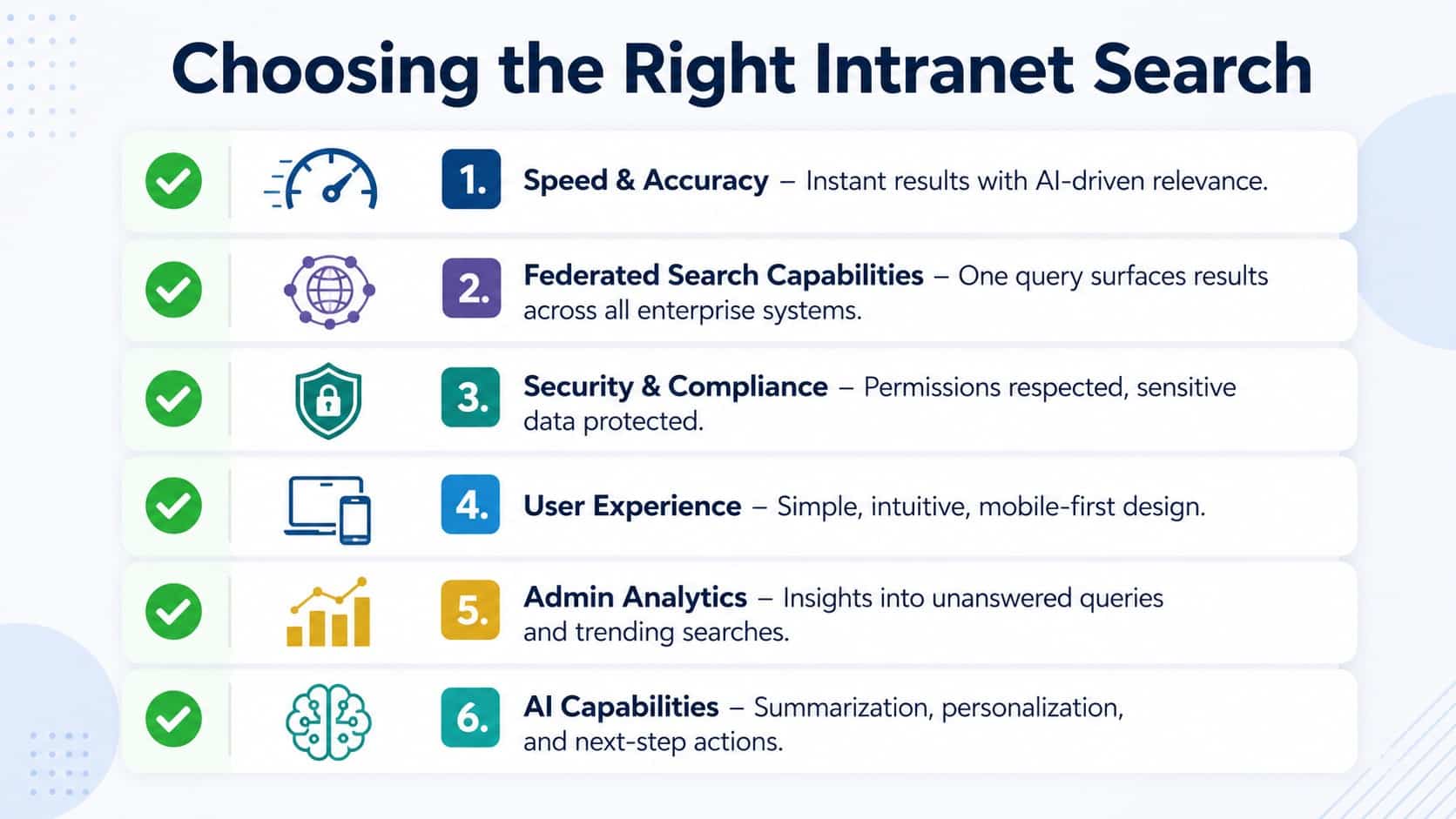
| What to evaluate | What good intranet search should do | Why it matters |
| Search relevance | Accurate results for exact and conversational queries. | Employees should not need to know the precise document title or company terminology. |
| AI capabilities | Natural-language search, semantic retrieval, and grounded AI answers. | Employees can reach useful information without sorting through long result lists. |
| Connected sources | Support for the intranet and other systems employees rely on. | Important knowledge may otherwise remain difficult to find across disconnected tools. |
| Permissions and security | Results that respect existing user and document access. | Connecting more sources should not expose restricted information. |
| Search analytics | Visibility into popular, unsuccessful, or unanswered queries. | Search data can reveal content gaps and weak results. |
| Employee experience | Fast, intuitive search across the devices employees use. | Employees are more likely to use search when it is easy to access as part of their existing work experience. |
👉 Discover how intranet apps help frontline and deskless employees access company information from mobile devices.
Implementing and Optimizing Intranet Search
Effective intranet search starts with useful company content and improves through testing and search data after launch. Focus first on the information employees rely on most, then use real queries and employee feedback to identify where results need improvement.
1. Start with high-value content
Prioritize frequently used policies, procedures, benefits information, safety resources, training materials, IT support content, and employee forms. Review outdated and duplicate content, and use consistent titles, tags, and metadata to make important resources easier to retrieve.
2. Test with real employee queries
Employees don’t always search in HR-approved language. Use real queries to see whether search still returns accurate results when employees use conversational wording, abbreviations, or different terminology. Check results across different roles and permission levels.
3. Use search data and feedback to improve results
Review unsuccessful searches and queries that return weak results. These patterns can reveal missing content, confusing terminology, or information that needs updating. Where the platform supports it, employee feedback on search results provides another signal for improvement.
Intranet Search vs. Web Search
Intranet and web search serve different information needs. Web search finds publicly available information, while intranet search helps employees find private company information based on their access permissions. The differences become clearer when you compare how each handles common search requirements.
| Feature | Intranet search | Web search |
| Information scope | Private company information from approved sources. | Publicly accessible web content. |
| Access permissions | Returns information according to employee and document-level permissions. | Primarily searches information available on the public web. |
| Context | Uses company-specific terminology, policies, and resources. | Draws from broad public information. |
| Connected systems | Searches intranets, cloud storage, and other workplace systems. | Searches publicly indexed websites and web content. |
| AI answers | Grounds answers in approved company information. | Generates or surfaces answers using public sources. |
| Search insights | Reveals employee queries and internal knowledge gaps. | Organizations have limited visibility into searches performed across the wider web. |
Employees aren’t searching the intranet to browse. They usually have a specific question or task in mind. A web search for “What is my travel meal allowance?” might return general expense guidance, while intranet search can retrieve the company’s own policy and, with AI, provide an answer based on it.
Future Trends in Intranet Search Technology
AI is changing how employees interact with information. Two developments are shaping this shift: more synthesized answers and closer connections between search and employee tasks.
1. Search is moving beyond lists of results
Intranet search is moving from lists of results toward direct answers based on relevant company information. Gartner’s 2025 Market Guide for Enterprise AI Search describes a broader shift in enterprise search from information retrieval toward information synthesis.
2. Search is becoming more connected to employee tasks
Finding the answer is increasingly only part of the search experience. For example, an employee searching for a leave policy may also need to submit a request once they have the relevant information.
Why HubEngage for Intranet Search?
HubEngage AI search gives employees one place to ask workplace questions and get answers from company information they are authorized to access. It can connect to sources such as document repositories, learning platforms, knowledge bases, and support tools.
Within the HubEngage employee portal software, AI-powered search gives employees a more direct path from a question to the information or action they need.
Mobile-first access makes it easy for frontline, hybrid, and remote employees to stay connected no matter where they are present. HubEngage also gives enterprise-level security with SSO, MFA, SOC 2, ISO 27001, GDPR, and HIPAA compliance, making it safe to use anytime and anywhere.
The below Customer review from Software Advice enlightens the experience and impact our ai-powered intranet created. “After we implemented HubEngage, everything became centralized and easy to access from mobile devices. The AI search helps employees quickly find policies and documents.”
Make company knowledge easier to find
Finding company information shouldn’t become another dreaded task on the to-do list. Good intranet search gives employees a more direct route to the information they need.
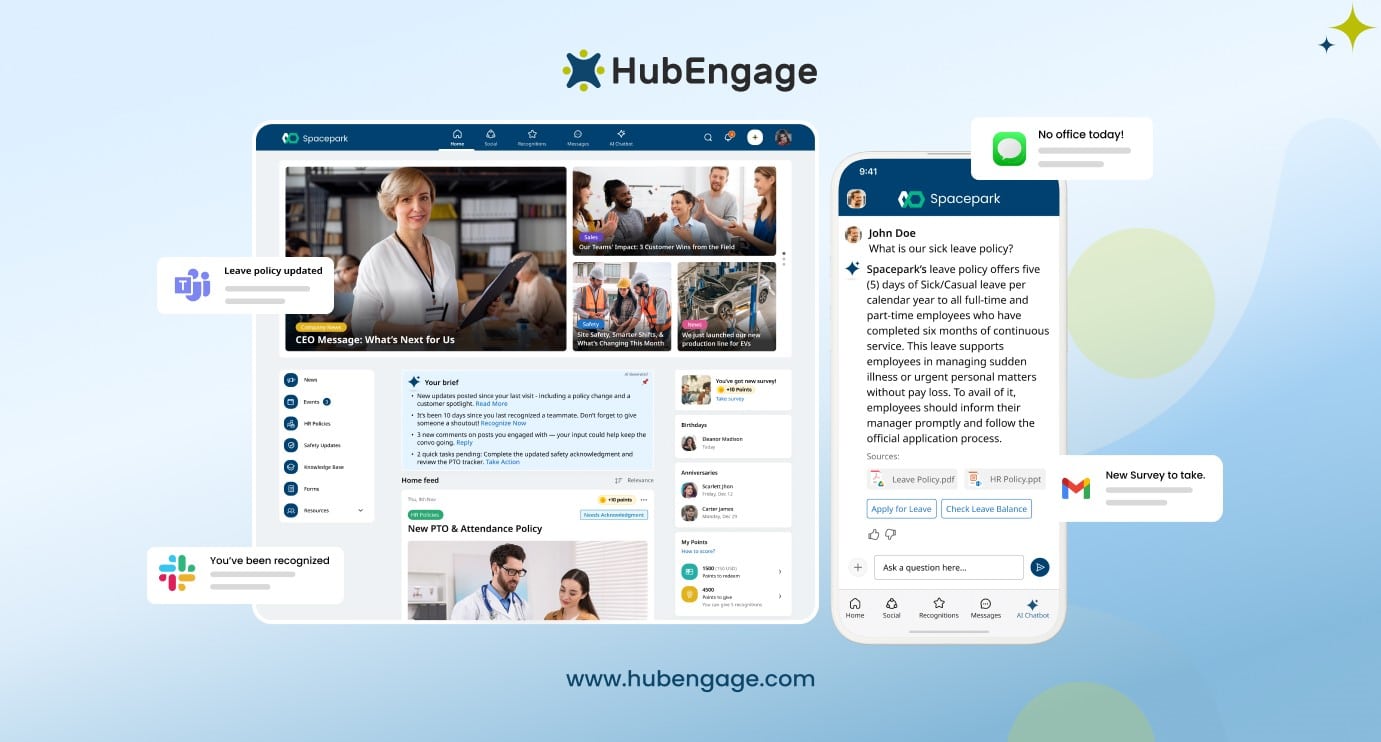
Figure 1. HubEngage uses AI search to retrieve accurate workplace information in response to an employee’s query.
Conclusion
An intranet without effective search is just another static website. A modern intranet search engine especially one powered by AI, NLP, and federated integrations unlocks productivity, engagement, and employee satisfaction.
HubEngage’s AI intranet search engine combines traditional semantic discovery with AI summaries and next-step actions, ensuring employees not only find answers but can act on them.
With federated integrations across Google Drive, OneDrive, LMS, and more, HubEngage provides the most comprehensive intranet search experience available today. Ready to see it in action? Explore our intranet solution and sign up for a demo.
Frequently Asked Questions
1. What is an intranet search engine?
It helps employees find information within a company’s private digital workplace by searching intranet pages, documents, policies, employee resources, and other connected sources while respecting access permissions.
2. How does AI improve intranet search?
AI helps intranet search understand natural-language questions and retrieve information based on meaning rather than exact keyword matches. It can also use relevant company content to generate direct answers and personalize results where supported.
3. Can intranet search connect to other company systems?
Yes. Some intranet search platforms connect to other workplace systems so employees can find information through one search experience. These may include cloud storage, learning management systems, knowledge bases, and support tools.
4. What’s the difference between intranet search and Google search?
Intranet search focuses on private company information and can apply employee access permissions to results. Google Search primarily searches public web content, so it does not inherently know an organization’s internal policies, documents, or resources.
5. What features should a search engine for intranet content have?
Look for relevant results, natural-language search, permission-aware access, connections to company systems, and useful search analytics. The right mix depends on where your information lives and how employees search for it.
6. How can intranet search improve employee productivity?
Intranet search reduces the time employees spend navigating folders, checking different systems, or asking colleagues where information is stored. Faster access to workplace information helps employees find what they need and get back to their work.
7. What are the biggest challenges when implementing intranet search?
Common challenges include outdated or duplicate content, inconsistent terminology, fragmented information, and weak content governance. Search also needs ongoing attention as company information and employee search behavior change.
8. Can intranet search integrate with cloud storage?
Yes. Depending on the platform, intranet search can connect to cloud storage so employees can find relevant files without searching each system separately. HubEngage supports sources including Google Drive, SharePoint, and OneDrive.
9. How does intranet search handle data privacy and compliance?
Intranet search should apply existing access permissions so employees only retrieve information they are authorized to view. Organizations should also assess authentication, data handling, and audit controls, particularly when AI-generated answers use internal company information. HubEngage AI search is ISO 27001, SOC 2, HIPAA, and GDPR compliant, and it draws only on documents each employee is allowed to see.
10. Can intranet search learn from user behavior?
Yes, some intranet search platforms can use search and usage signals to improve relevance or personalize results.
Related Links:
Employee Intranet | Intranet Software | Employee Portal Software | Company Intranet | Cloud Intranet | Intranet Apps