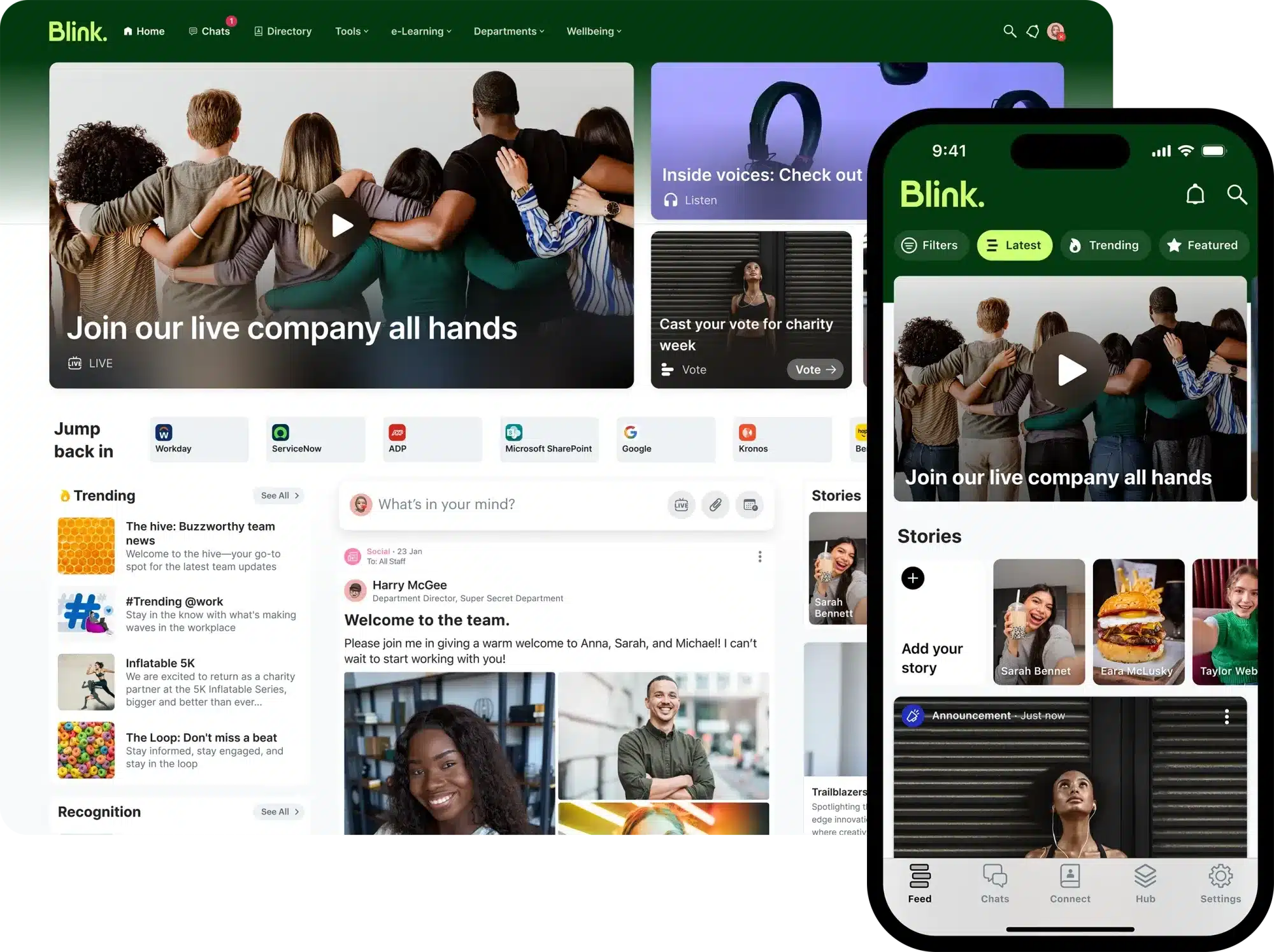
Blink is a mobile-first employee communication platform designed primarily for frontline and deskless workers. HR leaders, Internal Communications Specialists, and Employee Engagement Managers often search for Blink reviews, Blink pricing, and Blink alternatives to evaluate whether the platform aligns with their workforce communication and engagement goals.
Organizations exploring employee apps for distributed teams typically want clarity around usability, integration depth, scalability, and cost transparency. While Blink positions itself as a frontline-first communication solution, buyers frequently compare it with broader engagement platforms.
This article explores Blink software and also explains why many organizations consider HubEngage as a more flexible and cost-effective alternative.
Key Features of Blink
As per the official documentation and verified reviews, Blink has following features:
Mobile-First Employee App
Designed specifically for frontline and deskless employees, providing a streamlined mobile experience for communication and updates.
News Feed & Internal Communications
Delivers company announcements, targeted content, and operational updates through an employee news feed.
Secure Chat & Messaging
Offers real-time messaging to enable team communication and frontline coordination.
Employee Directory
Provides a searchable employee directory to help workers connect across locations and departments.
Microsoft Teams & Google Workspace Integration
Integrates with Microsoft Teams and Google Workspace environments to support enterprise communication workflows.
Security & Single Sign-On
Supports enterprise-grade security standards and single sign-on (SSO) capabilities.
However, Blink is primarily positioned as a communication-first platform rather than a fully modular employee engagement suite with built-in recognition, rewards, and advanced gamification tools.
Blink Feature Matrix
Let us study the below matrix to know the pros and cons of using Blink platform based on commonly referenced features:
| Feature | Pros | Cons |
| Mobile-First Experience | Built specifically for frontline and deskless teams | Limited intranet depth for complex knowledge management needs |
| Internal Communications Feed | Targeted announcements and real-time updates | Primarily communication-focused rather than engagement-module driven |
| Secure Chat & Messaging | Enables fast team communication | Not positioned as a full collaboration or productivity suite |
| Microsoft & Google Integrations | Integrates with Teams and Google Workspace | Slack integration is not prominently positioned in public documentation |
| Admin & Security Controls | Enterprise security and SSO support | Advanced customization may require structured rollout and coordination |
Blink Reviews
Below is a summary of recurring themes found across verified customer review platforms like G2, Capterra, and TrustRadius.
Strong Mobile Usability
Several Blink reviews highlight the intuitive mobile interface and ease of adoption among frontline workers. Users often report that employees quickly engage with the app-based communication model.
Effective Frontline Communication
Reviewers frequently note that Blink performs well in environments where deskless employees require direct access to updates and messaging tools.
Smooth Onboarding Experience
Multiple reviews mention relatively streamlined deployment compared to legacy intranet systems.
Limited Engagement Depth
Some Blink reviews indicate that while communication features are strong, the platform may not provide the same depth in structured recognition, rewards, or survey-driven engagement programs as broader engagement suites.
Review Summary Table
Below is a quick summary of Blink reviews based on different evaluation factors.
| Review Factors | What Users Like | What Users Note as Challenges |
| Mobile Experience | Intuitive, frontline-friendly app | Less suited for complex intranet requirements |
| Communication Tools | Strong messaging and update distribution | Limited built-in engagement modules |
| Ease of Adoption | Employees adapt quickly | Large-scale rollouts may require structured planning |
| Pricing Transparency | Custom pricing based on organization size | Seems high compared to other vendors |
Overall, Blink reviews reflect a strong frontline communication platform with high mobile usability, but one that may require additional tools for organizations seeking full employee engagement functionality.
Blink Pricing Plans
Blink has a dedicated pricing page on its website. They have publicly listed plans, base subscriptions options, and entry-level packages available online. Companies must ask for a demo or speak with the sales team to get a customized quote.
Based on industry standards and review platforms, Blink’s pricing generally depends on company size, number of users, features, options to use, and enterprise support needs. Blink generally places itself towards mid-sized and enterprise organizations with high frontline teams.
Companies with smaller employee bases or limited budgets may find it difficult to use its solutions. Whereas HubEngage gives modular as well as scalable pricing that helps companies of all sizes to start small and later on grow with the team.
Pricing Comparison
| Platform | Transparency | Starting Price | Best Fit |
| Blink | Transparent | Starts from $3.75 per user/month | Mid-sized to enterprise frontline organizations |
| HubEngage | Transparent | Starts from $1 per user/month | SMB to Enterprise (modular & scalable) |
Alternatives to Blink
Organizations evaluating Blink often compare it against other leading employee communication and engagement platforms. Common Blink alternatives include:
HubEngage – A flexible, cost-effective employee engagement platform that can start with a single module (e.g., secure messaging or surveys) and expand to include recognition, rewards, social intranet, newsletters, and more thereby allowing phased rollout and vendor consolidation.
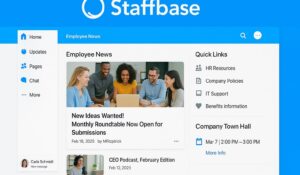
Staffbase – An internal communications platform known for employee apps and enterprise messaging solutions.
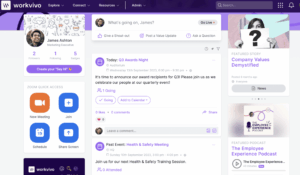
Workvivo – A culture-focused engagement platform centered around social-style employee interaction.
Firstup – A workforce communication platform designed for personalized employee messaging at scale.
LumApps – An enterprise intranet solution often used within Google Workspace and Microsoft 365 environments.
Interact Software – An AI-powered intranet platform focused on enterprise digital workplaces.
MangoApps – A unified employee app combining communication, collaboration, and intranet capabilities.
Unily – A global digital workplace platform used by large enterprises, offering extensive intranet and integration capabilities.
These Blink alternatives vary in pricing transparency, deployment complexity, modular flexibility, and engagement capabilities, which is why many organizations compare them closely during vendor selection.
Comparison Table
Here is a list of the top employee communication and engagement platforms and their comparisons that you can use to pick the right product for your organization needs.
| Platform | Strengths | Limitations | Modularity | Gamification | Channels | Best For | Pricing |
| HubEngage | Multi-module engagement platform (surveys, recognition, rewards, intranet, messaging); scalable; mobile-first | May require configuration to match complex enterprise structures | Highly modular – start with one module and expand | Built-in recognition & rewards gamification | Mobile app, web, email, push notifications, SMS (optional), Digital Displays, Teams, Slack, WhatsApp, Google Workspace | SMB to Enterprise seeking engagement-first approach | Transparent – starts from $1 per user/month |
| Blink | Mobile-first frontline communication | Limited intranet depth; communication-first focus | Limited modular expansion | Basic recognition features | Mobile app, Web access, Microsoft Teams, Google Workspace | Frontline & deskless teams | Transparent – starts from $3.75 per user/month |
| Staffbase | Strong employee app and enterprise messaging | Pricing not publicly disclosed; enterprise-focused | Platform-based | Limited built-in gamification | Mobile, web, email | Enterprise organizations | Custom pricing |
| Workvivo | Social-style engagement; strong culture tools | Less modular; pricing not public | Platform-based | Social recognition features | Web, mobile app | Culture-driven organizations | Custom pricing |
| LumApps | Strong enterprise intranet; Google & Microsoft integrations | Pricing not public; intranet-focused | Platform-based | Limited native gamification | Web, mobile | Large enterprises | Custom pricing |
Why HubEngage Beats Blink?
When comparing HubEngage and Blink, the key difference comes down to engagement-first flexibility vs. communication-first structure. Here’s where HubEngage stands out:
- Modular & Phased Rollout
HubEngage allows organizations to start with a single module such as secure messaging or surveys and expand over time to include recognition, rewards, newsletters, and social intranet. Blink is typically implemented primarily as a communication app without deeper engagement modules. - Transparent, Predictable Pricing
HubEngage offers clear, scalable pricing starting at $1 per user/month. Blink pricing starts at $3.75 per user/month which is comparatively higher. - Built-In Recognition & Rewards
HubEngage includes integrated recognition and rewards with gamification features to drive engagement. Blink focuses primarily on communication rather than structured rewards programs. - Broader Communication Channels
HubEngage supports Mobile, Web, Email, SMS (optional), Digital Displays, Teams, Slack, WhatsApp, and Google Workspace. Blink is primarily mobile-first with Microsoft Teams and Google Workspace integrations. - Engagement-Focused Analytics
HubEngage emphasizes actionable engagement insights tied to surveys, recognition, and communication impact. Blink analytics are primarily centered on communication usage. For organizations prioritizing measurable engagement outcomes in addition to frontline messaging, HubEngage delivers greater flexibility, scalability, and ROI potential.
Blink vs HubEngage Comparison
Learn how HubEngage stands out as a stronger engagement platform than Blink.
| Aspect | Blink | HubEngage |
| Pricing | Starts at $3.75/user/month, transparent | Starts at $1/user/month, transparent |
| SMB Fit | Primarily mid-sized to enterprise organizations | Scales from SMB to enterprise |
| Core Focus | Frontline communication app | Modular employee engagement & communications platform |
| Features | Mobile app, news feed, chat, directory, Microsoft & Google integrations | Modular hubs (comms, intranet, recognition, surveys, rewards, email, chat, AI automation) |
| Admin Controls | Enterprise SSO and security | Robust role-based admin controls with detailed permissions |
| Support | Sales-led deployment model | Guided onboarding with scalable support |
| Adoption | Mobile-friendly frontline rollout | Phased modular adoption supports gradual expansion |
| Engagement Tools | Basic recognition features | Built-in gamification, recognition, rewards, and AI-driven engagement tools |
| Channels | Mobile app, Web, Microsoft Teams, Google Workspace | Mobile, Web, Email, SMS (optional), Digital Displays, Teams, Slack, WhatsApp, Google Workspace |
Conclusion
Blink is a great frontline communication platform especially for organizations with large team size. However, its pricing is a bit higher than other vendors. Also, it keeps itself communication-first that may give less options for companies looking for more detailed engagement features.
HubEngage stands out as a better option by giving modular scalability, built-in recognition and rewards system. Also, it has wide channel support, and transparent pricing which starts at $1 per user per month.
For HR and Internal Communications leaders checking Blink reviews, Blink pricing, and Blink alternatives, HubEngage gives more engagement impact without the challenge of a communication-only option.
Blink FAQs
What can you do with Blink Chat?
Blink Chat lets teams message in ways that feel like social media, with both groups as well as private chats. It makes communication easy for everyday discussions and quick updates, helping teams stay connected no matter where they work.
Does Blink support company news and updates?
Yes Blink has a company news feed where you can post updates, announcements, and targeted messages. You can share a particular information with teams or groups so that everyone sees the important information.
Can Blink improve employee engagement?
Blink can improve employee engagement by combining communication tools, reactions, comments, and social features that make employees feel heard and connected. It also has the option of content sharing so that teams can create a better workplace culture.
Is Blink suitable for frontline workers?
Yes Blink is made keeping frontline as well as ground teams in mind. It gives easy mobile access to communication, tasks, forms, and company information, which helps workers stay informed even without email or desktop access.
Does Blink offer analytics and insights?
Blink gives engagement insights as well as real-time feedback tools so that companies can understand how employees feel, trends, and how well they are able to communicate. These analytics help leaders make better decisions on internal communication strategy.
Related Resources
5 Essential Internal Communication Tools & Software + Comprehensive Guide
Intranet Software Guide 2025: Definition, Types, Features & Benefit
Cloud Intranet: Definition, Benefits, Comparisons & Best Software
Intranet Apps: The Best Mobile Intranet Apps for 2025
Top 20 Employee Recognition Software & Apps in 2025 (Reviewed & Compared)
Best Text Messaging Service for Business: 2025 Comparison Guide
Best Internal Newsletter Software: Platforms, Tools & How to Choose (2025)
10 Best Team Communication Apps & Software for 2025