Having text messages to communicate with employees is one of the most effective ways to ensure updates are delivered at the right time and right place. As per Pew Research Center, 98% of U.S. adults own a cellphone and 91% own a smartphone. Nearly every employee can be communicated by SMS.
Whether it’s a short work text, a team text for coordination, or a mass text employees alert, these work related text messages help organizations connect with staff instantly. This approach is very helpful for ground staff who may not check email regularly, ensuring important updates are never missed.
Employees today are overwhelmed with information. Between overflowing inboxes, chat notifications, and countless workplace apps, it’s easy for major updates to go unnoticed. For organizations trying to reach every worker from desk based teams to those on the frontline the challenge is even bigger.
That’s where text messaging communication comes in. By using focused text staff messages, organizations can cut through the noise. In this guide, we will explore why work related text messages are an effective tool for great teamwork, how to use them, and best practices to get high engagement.
Key Takeaways
- SMS messages are usually read within minutes, making them very effective for giving urgent updates.
- Text Messaging is good for ground staff, and remote employees who are generally not present physically in the office.
- Common use cases of text messaging are shift reminders, HR notifications, emergency alerts, employee recognition, and quick surveys.
- Following best practices like clear messaging, personalization, proper timing, and compliance ensures better engagement.
- Organizations see measurable ROI through faster shift coverage, improved response rates, and stronger employee engagement.
- SMS works best as part of a multi-channel strategy with different communication channels.
Advantages of Using Text Messages To Communicate With Employees
Text messaging offers many advantages for internal communication, making it a great way to reach every employee quickly and easily:
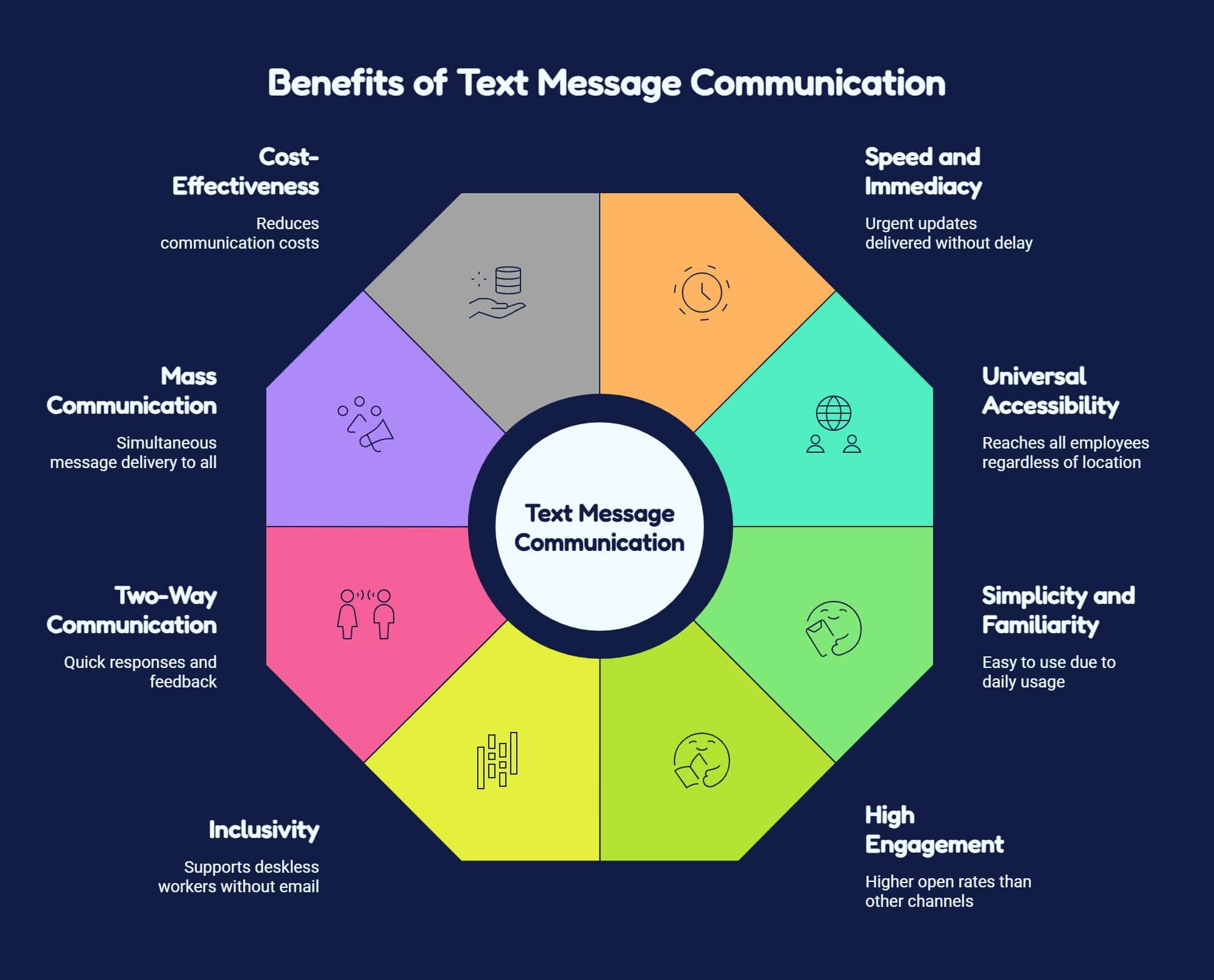
Why SMS works for Internal Communication?
While the advantages highlight the broad benefits of SMS, it’s important to understand the underlying reasons it performs so well:
- Near-universal reach: Most employees own mobile phones, making SMS accessible across workplaces.
- High engagement supported by data: Text messages are quickly read, increasing visibility and employee engagement.
- Accessibility for non-desk employees: Reaches frontline workers without requiring email, computers, or intranet access.
- Reliability in emergencies: Delivers urgent updates quickly, helping employees respond during critical situations.
- Proven boost to participation: Text-based surveys encourage faster responses and higher participation rates.
High-Value Use Cases for Employee SMS
Text messaging can improve nearly every aspect of internal communications. Here are the most impactful ways organizations use it, with examples:
Announcements & Reminders
A retail chain sends a work text reminding employees of a new in-store promotion starting that day can be a good example.
- Policy updates and compliance deadlines
- Meeting or event reminders
- Company news and achievements
Scheduling & Shift Coverage
Useful for a hospital which sends a team text to all qualified nurses when an open shift becomes available, filling coverage within minutes.
- Shift reminders and open shift notifications
- Confirmations of schedule changes
- Coverage requests for last-minute gaps
Check out our Internal SMS guide for deeper scheduling strategies.
HR Workflows
Good example can be a company sending automated onboarding reminders to new hires about completing required documents before their start date.
- Onboarding updates and paperwork reminders
- Benefits enrollment deadlines
- Recognition messages and morale boosts
Explore our SMS for HR article for detailed use cases.
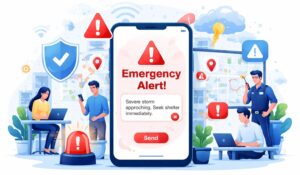
Emergency & Safety Alerts
For example, a logistics company uses mass text employees functionality to alert drivers about a highway closure and reroute them instantly.
- Weather or facility closures
- Health and safety warnings
- Security notifications
Explore our Crisis Communication Toolkit for more resources.
Surveys & Feedback Loops
A manufacturing company sends a monthly SMS pulse survey to frontline employees, gathering feedback on workplace safety, communication effectiveness, and training programs to identify improvement opportunities.
- Quick polls like “Reply 1 for Yes, 2 for No”
- Engagement pulse checks
- Post-event or training feedback
Recognition & Culture
Example can be a manager sends a work-related text message thanking employees after a successful product launch, boosting morale.
- Birthday and anniversary shout-outs
- Team wins and milestone celebrations
- Motivational weekly kickoffs from leadership
Best Practices for SMS Employee Communication
Here are some good practices to use text messaging to communicate with employees
- Keep messages concise and actionable, sharing only essential information immediately.
- Personalize communications using employee names, roles, or relevant locations.
- Encourage two-way messaging through confirmations, polls, and quick employee responses.
- Respect timing by avoiding after-hours texts unless communication is urgent.
- Avoid overusing SMS; reserve messages for important time-sensitive updates.
- Use mass employee texts thoughtfully for urgent organization-wide communications only.
- Combine channels strategically using SMS, email, and intranets effectively.
- Track outcomes by measuring engagement impact beyond message delivery.
Key Metrics & ROI of Employee SMS
Organizations using SMS for internal communication often see measurable improvements by tracking below metrics:
| Metric | Typical Impact |
|---|---|
| Shift Coverage Rate | Fill open shifts 30–50% faster |
| Emergency Response Time | Reduce response time from hours to minutes |
| Survey Participation | Increase survey responses by 20–40% |
| Employee Engagement | Improve recognition and morale scores |
| Cost Savings | Reduce overtime and agency staffing costs |
SMS-Only Tools vs. Multi-Channel Platforms Comparison

Explore our complete guide on Best Text Messaging Service for Business.
Ready-to-Use SMS Templates
Here are examples you can adapt and use immediately across different scenarios:
Announcements & Reminders
- “Reminder: Benefits enrollment closes Friday. Log in to the portal today to complete your selections.”
- “Company Town Hall tomorrow at 2 PM in Conference Room A. Join via Zoom if remote.”
Scheduling & Shift Coverage
- “Hi Alex, you’re scheduled for a shift tomorrow at 9 AM. Please reply YES to confirm.”
- “Open shift available tonight 6–10 PM. Reply CLAIM if interested.”
HR & Onboarding
- “Welcome aboard, Jordan! Please complete your onboarding forms before your first day. Check your email for details.”
- “Reminder: Expense reports for September are due Friday. Submit via the HR portal.”
Emergency & Safety Alerts
- “Weather alert: Office closed tomorrow due to snowstorm. Work remotely. Stay safe!”
- “Building B lockdown in effect. Please stay in your current location until all clear.”
Surveys & Feedback
- “Quick poll: Did you find yesterday’s training useful? Reply 1 = Yes, 2 = No.”
- “How was your week? Reply GOOD, OK, or NEED HELP.”
Recognition & Culture
- “Happy Work Anniversary, Priya! Thank you for 5 amazing years with our team 🎉.”
- “Congrats to the Sales Team for exceeding targets this quarter! Free lunch on Friday!”
These templates save time, set clear expectations, and make communication consistent.
Implementation Checklist for Rolling Out Employee SMS at Scale
Use the below checklist to get a smooth, and organized implementation that gives good results across your team.
| Implementation Step | Importance |
|---|---|
| Set Goals | Define communication objectives and priorities. |
| Get Approval | Align leadership, HR, and compliance requirements. |
| Obtain Consent | Collect employee opt-ins and maintain records. |
| Segment Employees | Group employees for targeted messaging. |
| Create Templates | Prepare messages for updates, reminders, and alerts. |
| Set Rules | Establish usage guidelines and notification policies. |
| Train Users | Teach managers and admins best practices. |
| Measure Results | Track engagement and optimize communication. |
Employee Text Messaging for Deskless, Frontline & Remote Teams
| Challenge | SMS Solution & Benefit |
| Employees rarely use email or intranets | Direct mobile delivery ensures important updates are seen quickly |
| Shift changes are missed or viewed late | Instant reminders and confirmations improve scheduling |
| Emergency notifications rely on manual communication | Real-time alerts enable faster response during critical situations |
| Remote and hybrid employees miss urgent messages | Bulk messaging reaches teams instantly across locations |
| Dependence on phone calls and word-of-mouth | Two-way SMS provides quick feedback and acknowledgment |
| Communication tools require apps, logins, or email | No app or login needed, increasing reach and engagement |
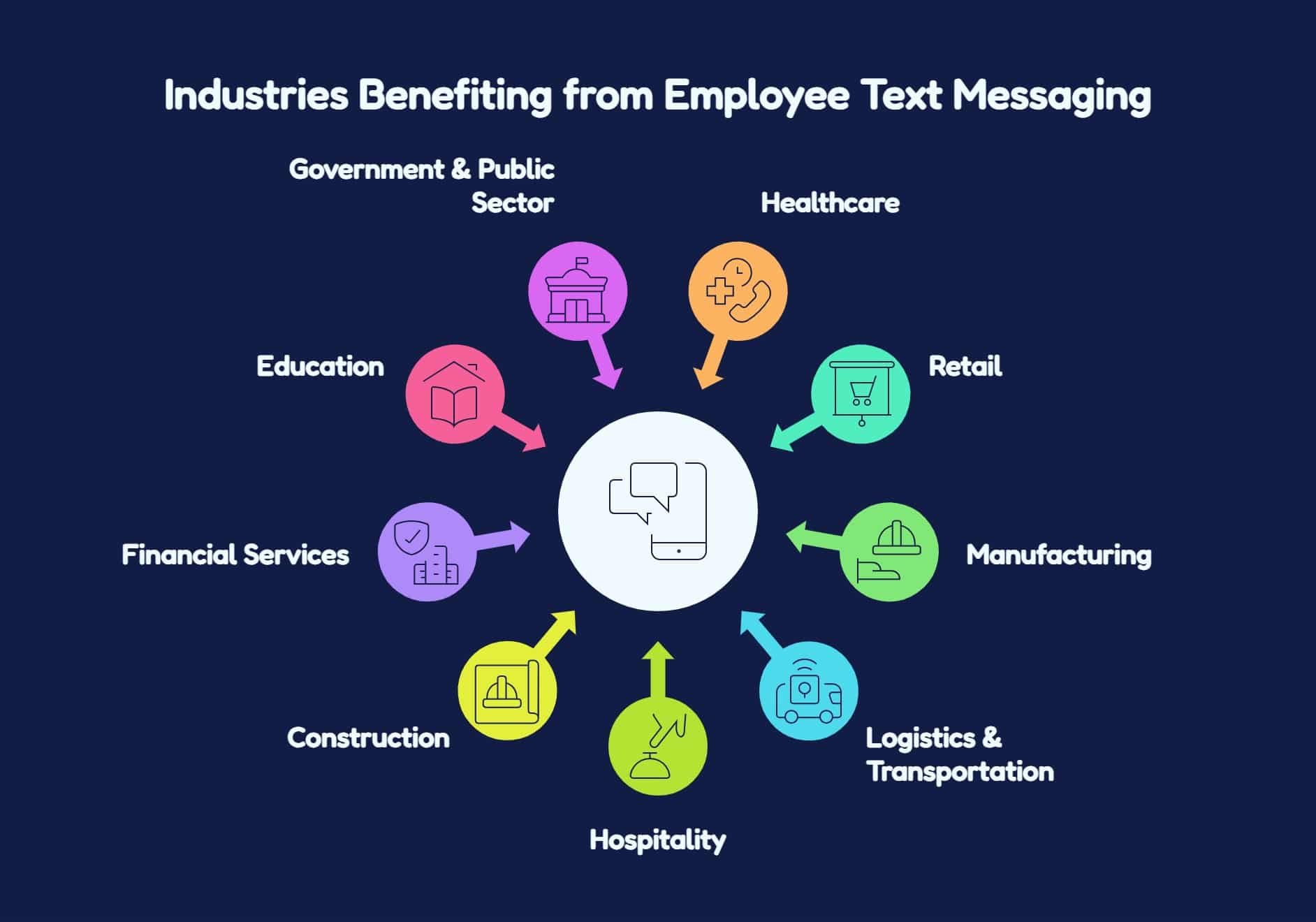
Industries where Employee Text Messaging delivers the highest impact
Employee text messaging delivers the greatest impact in industries with field staff, shift-based work, distributed teams, and time-sensitive communication needs. In these environments, emails are generally not effective, and can directly affect safety, productivity, and revenue. Below are the industries that benefit the most from employee SMS.
Global SMS Regulations, Opt-In Models & Employee Consent: A Compliance Guide
It is very important for organizations to make sure that your employee text messaging program is compliant and safe to use. You can do so by following these practical steps:
- Collect employee consent.
Get employee permission before sending messages and explain communication purpose clearly. - Provide clear opt-out instructions.
Include unsubscribe instructions so employees can stop messages whenever desired. - Maintain consent records.
Store consent details securely to support compliance and future audits. - Avoid sending sensitive information.
Never share confidential employee data through SMS communication channels securely. - Define quiet hours and frequency rules.
Set messaging schedules to avoid disturbing employees outside work hours. - Maintain audit trails.
Track message activity records for transparency, accountability, and compliance monitoring.
Compliance, Privacy & Governance
Employee texting is powerful, but it requires careful handling.
- Consent matters. In the U.S., laws like TCPA require clear opt-in before texting employees.
- Data protection. Avoid sharing highly sensitive or confidential data over SMS.
- Quiet hours. Establish boundaries around when texts can be sent.
- Audit trails. Use platforms that log all communication for accountability.
The Future of Employee Text Messaging
SMS is evolving beyond basic one-way alerts such as:
- AI personalization. Intelligent systems can tailor timing, tone, and content based on employee behavior.
- Multi-channel orchestration. Seamless connection of SMS with email, intranet, chat, and signage.
- Advanced analytics. Beyond open rates, measure how SMS drives attendance, reduces turnover, or accelerates compliance.
- Emerging tech: RCS (Rich Communication Services) and WhatsApp for Business are growing alternatives that may merge with enterprise comms strategies.
- Industry forecasts: Continuous adoption of mobile-first tools as more organizations embrace hybrid and deskless workforces
How Hubengage can help in integrating Text Messaging?
Our employee communication and engagement platform offers real-time messaging for individuals and groups. Employees can share files, media, and collaborate from anywhere.
The platform integrates with HRIS and payroll systems and supports SSO for easy user management. It also enables mobile communication and auto-translation for global teams.
With enterprise-grade security and compliance standards such as SOC 2, ISO 27001, GDPR, and HIPAA, our platform is safe and scalable. Additional features include intranet, employee apps, recognition, surveys, social feeds, and an AI-powered HR chatbot offering complete communication and collaboration.
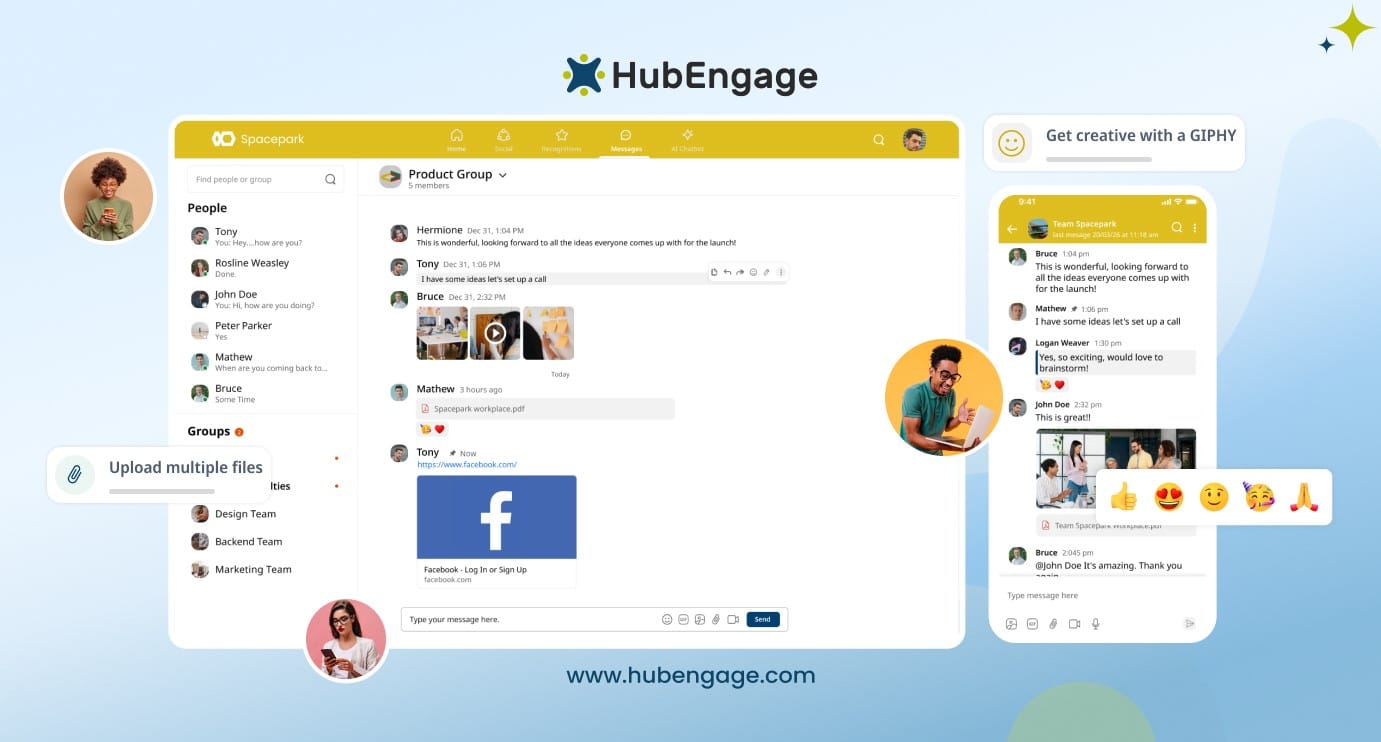
Key features:
- Multi-channel communication through intranet and employee app integrations
- Real-time individual and group messaging for workplace collaboration
- Sharing of files, documents, and media directly within conversations
- Mobile application for communication on the go
- Automatic translation for multilingual workforces
Why it stands out?
Brings together instant messaging and employee experience tools while delivering enterprise-grade security, integrations, and scalability within a single platform Explore Ryan L’s feedback about how HubEngage’s SMS platform simplified communication across his organization.
Using the text messaging platform by HubEngage has truly changed how our business communicates. Earlier, important updates and safety alerts often got missed, especially by shift and frontline teams. After we started using it, messages reached everyone quickly on their phones, keeping our whole team well informed. The system is easy to use, even for managers who aren’t tech-savvy, and can send targeted SMS alerts without confusion. Our daily operations run smoother, people respond faster, and teamwork has improved noticeably. HubEngage also helps us share training reminders and recognition messages, which boosts morale across departments. I highly recommend it for any business that wants to provide important information and updates quickly.
HubEngage has a rating of 4.6 out of 5 stars for its flexibility, cost-effectiveness, and strong engagement features, facilitating mid-sized organizations looking for enterprise-grade capabilities at very low price.
Check out the real-world impact and success stories, you can hear from our customers describing their experience of how they improved overall employee experience using HubEngage.
Conclusion
Text messaging is one of the fastest as well as most reliable ways to reach employees whether they’re at a desk, on the field work, and working remotely. From reminders to emergency alerts to morale boosts, SMS can unify your workforce and ensure no message goes unseen.
By using a mix of work text, team text, and the ability to mass text employees, organizations can make the communication simple. Also, they can improve engagement, and create a stronger workplace culture. As more companies use digital tools, using text messages to communicate with employees will remain a good strategy for effective communication.
If you are looking for a simple and reliable way to deliver quick updates to your teams, book a demo to explore how HubEngage’s employee text messaging platform helps bridge communication gaps.
Text Messaging To Communicate With Employees FAQs
What are the advantages of using text messages to communicate with employees?
The biggest advantages include speed, reliability, and inclusivity. Using text messages to communicate with employees ensures messages are delivered instantly and read quickly, even by deskless or frontline workers.
How can team text improve collaboration at work?
A team text allows managers to reach an entire group instantly with updates, reminders, or urgent alerts. It creates a simple way to coordinate shifts, share announcements, and keep everyone aligned without relying on email or apps.
What is a work text and how is it different from personal texting?
A work text is a professional message sent from an organization to employees for business purposes—such as reminders, shift updates, or compliance notices. Unlike personal texting, work texts are governed by policies, compliance rules, and best practices for professional communication.
How does mass text to employees help in urgent communication?
Mass text employees functionality lets organizations send one message to hundreds or thousands of staff members at once. This is especially effective for emergency alerts, office closures, or time-sensitive updates where speed matters.
What are best practices for sending work-related text messages?
When sending work-related text messages keep them short, clear, and actionable. Respect quiet hours, avoid overuse, and ensure the content is relevant. For longer details, include a link to intranet or email.
How can text messaging communication support deskless staff?
Text messaging communication ensures employees without regular computer access still receive important information. From shift confirmations to safety alerts, it provides an equitable way to connect deskless staff to company updates.
Which industries benefit the most from employee text messaging?
Employee text messaging works best in healthcare, retail, manufacturing, logistics, hospitality, construction, and education because it delivers fast updates, improves engagement, and reaches employees instantly.
Why is employee SMS especially effective for frontline and deskless workers?
Employee SMS is effective for frontline and deskless workers because they may not regularly access email. Text messages provide instant communication, urgent alerts, schedules, and important updates.
Is text messaging suitable for regulated industries like healthcare and finance?
Yes, employee text messaging can support regulated industries when secure, compliant platforms are used. Organizations can share important updates while meeting privacy, security, and compliance requirements.
How does employee text messaging support shift-based and hourly workforces?
Employee text messaging helps shift-based and hourly workers receive schedule changes, shift reminders, emergency notifications, and operational updates quickly, reducing missed communications and confusion.
Can large enterprises use employee SMS without overwhelming employees?
Yes, large enterprises can use employee SMS effectively by sending targeted messages to specific groups, departments, or locations, ensuring employees receive only relevant information.
How does employee text messaging improve communication in remote and hybrid teams?
Employee text messaging improves communication in remote and hybrid teams by delivering real-time updates, reminders, and announcements directly to employees, helping everyone stay informed and connected.
Related Links
employee messaging system | text messaging for business | internal sms | sms for hr