A new hire waiting for Day One, a frontline worker missing a shift update, a manager checking an AI-generated document, and an employee searching for a policy may seem like unrelated situations. They are not. Each exposes a moment when people need the organization to provide the right information, capability, access, or direction.
That is why workforce readiness deserves a broader definition. Workforce readiness is not simply whether positions are filled or whether employees completed mandatory training. It is whether people can enter the organization, understand their role, find reliable information, build the skills they need, use technology responsibly, and respond when work changes.
The six articles featured in this newsletter point to different parts of that picture. Together, they suggest that workforce readiness is shaped by the connections between onboarding, frontline operations, AI, learning, internal information, and change communication. When those connections are weak, employees carry the cost through confusion, delays, repeated questions, and inconsistent experiences.
The first test happens before Day One
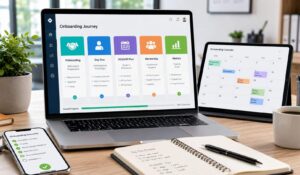
Preboarding is often treated as an administrative period between accepting an offer and joining the company. In practice, it is the first opportunity to make the employee feel prepared.
HubEngage’s guide on What Is Preboarding? The First Step Toward a Workforce That Is Ready Before Day One describes preboarding as the period after offer acceptance and before the first day. It emphasizes reducing uncertainty, creating connection, and helping employees arrive ready to contribute.
A useful preboarding journey can include:
- A welcome message shortly after offer acceptance
- A simple checklist of actions to complete before Day One
- Early access to relevant policies and resources
- An introduction to the manager, buddy, or team
- A clear first-week schedule
- A role-specific 30-60-90 day plan
- A way to collect feedback about the experience
The newsletter’s Workforce Experience Tip of the Week makes a similar point. Its recommended sequence includes a welcome message within 48 hours, a preboarding checklist, a buddy for the first 90 days, manager check-ins during Weeks 1, 2, 4, and 8, a role-specific 30-60-90 day plan, cross-functional introductions, and onboarding surveys.

Give new hires context, not a document dump
A new employee rarely needs every company document before joining. They need enough context to answer practical questions:
- What should I expect on my first day?
- Who will I work with?
- What should I complete before I arrive?
- Where will I find information?
- What does success look like in my first few weeks?
That distinction matters for HR leaders. A preboarding program should reduce uncertainty without creating information overload. It should also connect directly to onboarding, rather than functioning as a separate administrative stage.
Technology can support that continuity. HubEngage’s preboarding guidance describes using unified workforce platforms to bring forms, welcome content, team connections, schedules, learning resources, and tasks into one experience. The goal is straightforward: reduce the number of places a new employee has to search.
The workforce HR sees is not always the workforce the business runs on
The next blind spot appears when employee processes are designed around the experience of desk-based workers.
The HR Executive article Are frontline workers HR’s biggest blindspot? argues that frontline employees should not be treated as one homogeneous group. The article describes five distinct frontline labor systems and makes the case for tailoring talent and technology strategies to the actual nature of each type of work.
That matters because “frontline” can include very different roles, including:
- Customer-facing associates
- Back-office associates
- Skilled trades
- Credentialed professionals
- Other specialized frontline roles
Their technology access, training needs, scheduling realities, career expectations, and day-to-day pressures can differ considerably.
Ask whether your systems fit the shift
A policy that is easy to find on a laptop may be difficult to access during a shift. A long training module may be practical for an office employee but difficult for someone working directly with customers or equipment. A corporate email announcement may not be the most effective channel for a deskless workforce.
For operations and people leaders, a useful review starts with the work itself:
- How does this employee receive important updates?
- How do they access schedules and tasks?
- Where do they find procedures or learning content?
- How can they ask for help?
- How does the organization recognize their contribution?
- What information is missing from the data leaders use to understand the workforce?
The last question is particularly important. A workforce can be operationally essential while being digitally underrepresented.
That is where employee communication, mobile access, digital signage, employee texting, scheduling, time tracking, tasks, and frontline learning can become part of workforce experience rather than separate technology decisions.
AI changes the meaning of accountability
AI introduces another kind of blind spot. It is not only about what the technology can produce. It is also about how humans behave around it.
The Human Resources Director article The Hidden Cost of Calling Your AI Agent an Employee reports on research examining whether describing an AI agent as an employee changes how managers review its work.
The experiment involved roughly 1,200 managers, directors, and executives, mostly in U.S. private-sector HR and finance roles. Participants reviewed documents containing errors. The source of the work was described differently for different groups: an AI tool, an AI employee, or a human employee. Among participants whose organizations already placed AI agents on organizational charts, the AI employee framing reduced error detection by about 16% compared with the AI tool framing.
The article’s practical question is simple:
Who is responsible when the AI gets something wrong?
That question should be answered before an AI system becomes deeply embedded in a workflow.
Put ownership around the technology
For an AI HR helpdesk, learning assistant, task workflow, or knowledge tool, leaders should define:
- Owner: Who is accountable for the system’s output?
- Scope: What can the AI answer or perform?
- Review: Which decisions require human checking?
- Escalation: Where does an employee go when the answer is wrong or incomplete?
- Data: What information can the system access?
- Communication: Do employees understand when they are interacting with AI?
This is not a reason to avoid AI. It is a reason to place AI inside a clear operating model.
Workforce readiness increasingly includes AI readiness. Employees need to know not only how to use new technology, but also where human judgment remains essential.
Training can return value beyond the employee taking the course
Training is often evaluated at the individual level: Did the employee complete it? Did their score improve? Did they demonstrate the new skill?
The Harvard Business School Working Knowledge article Why Employee Training Pays Off for Companies Twice adds another dimension. It describes research involving 655 employees at a Colombian government agency, including 526 frontline workers and 129 managers.
A 16-week, 120-hour training program produced several reported effects:
- Frontline workers increased goal achievement by roughly 10%.
- Managers completed about 3% more strategic goals.
- Supervisors working most closely with trained employees increased productivity by about 8%.
- Trained employees sent fewer emails asking managers for help.
- Spillover benefits to managers represented nearly 45% of the program’s total benefits.
The broader lesson is useful for CHROs: training can change the amount of managerial time required to support employees.
Measure the ripple effect
When reviewing learning programs, consider more than completion rates.
Capability: Can employees perform the task independently?
Manager dependency: Are routine questions decreasing?
Application: Are employees using the skill in actual work?
Mobility: Does learning support career progression?
Operational impact: Is there evidence of better execution?
Knowledge access: Can employees find supporting information after training?
This last point connects learning to the wider employee experience. Training should not be an isolated event that disappears after completion. Employees need access to current knowledge when they return to the job.
Information needs one trusted front door
Growth creates another familiar problem. The company has more information, more tools, and more communication channels, but employees have less certainty about where to look.
The HubEngage article Small Business Intranet: Build a Digital HQ for Growing Teams frames the problem clearly. Policies can sit in one system, updates in another, onboarding information in email, and everyday work across several applications. The article argues that the challenge is not simply storage. Governance, ownership, permissions, search, and integration matter just as much.
A useful employee intranet should help answer everyday questions quickly:
- What has changed?
- Where is the current policy?
- Who owns this process?
- What do I need to do?
- Which system should I use?
- Where can I find help?
A digital workplace should support work, not just store files
An old-style intranet can become a digital filing cabinet. A useful employee intranet behaves more like a working environment.
It can bring together:
- Company announcements
- Policies and procedures
- Employee directories
- Onboarding resources
- Learning content
- Recognition
- Surveys and feedback
- Tasks and important reminders
- Links into specialist systems
That structure is particularly useful for distributed teams. Employees do not need to know which department owns a document before finding it. They need a clear path to trusted information.
Otherwise, the intranet simply becomes another place where information accumulates.
Change communication connects all the blind spots
The final source brings the discussion back to communication.
Gallagher’s 2026 Employee Communications Report, reported by PR Newswire in 61% of Organizations Have No Formal Change Communication Strategy, found that 61% of organizations had no formal approach to change communication, even though change management was identified as the most valued communications skill. The report drew on more than 1,300 communications and HR professionals across 40 countries. It also found that 83% believed information overload was becoming a growing problem.
That creates a difficult combination:
More change + more messages + limited communication capacity = greater risk of employees missing what matters.
Make communication actionable
For every significant change, leaders should be able to answer:
- Who needs to know?
- What exactly do they need to understand?
- What action is expected?
- Which channel will reach them?
- When should the message arrive?
- Who will answer questions?
- How will leaders know whether the message landed?
This is where communication connects with learning, frontline operations, AI adoption, and the employee intranet.
For example:
- A new system may require targeted training.
- A new schedule may call for frontline communication at the right time.
- An AI tool may need clear guidance on accountability and human oversight.
- A new policy should be supported by an easy-to-search knowledge resource.
- A restructuring may require manager conversations alongside employee feedback.
A practical workforce readiness check
Instead of launching another broad employee experience initiative, leaders can start with a simple audit.
1. Follow five employee moments
Review what happens when an employee:
- Joins the organization
- Starts a new task
- Needs information
- Needs new skills
- Experiences a significant change
For each moment, identify the information, technology, human support, and accountability involved.
2. Check the frontline experience separately
Do not assume the process works because it works for office employees.
Ask frontline teams whether they can easily access:
- Schedules
- Tasks
- Policies
- Training
- Updates
- Recognition
- Manager support
3. Test information retrieval
Give employees common questions and observe how long it takes to find reliable answers.
If employees search email, chat, shared drives, and several applications before finding the current answer, the problem is structural.
4. Review AI accountability
For every AI-enabled workflow, document:
- The human owner
- The permitted use
- Required review points
- Escalation procedures
- Relevant data access
- Employee communication about the system
5. Measure learning beyond completion
Track whether employees can apply what they learned and whether managers are spending less time answering repeat questions.
6. Audit change communication
Look at recent changes and ask whether employees received different information based on their role, location, shift, or responsibilities.
For a CHRO, this also changes the way priorities can be discussed with business leaders. Instead of presenting onboarding, communication, learning, and technology as separate programs, teams can examine the points where each one affects business execution. That makes it easier to ask practical questions about time lost searching for information, manager dependency, training application, communication reach, and access for employees who do not work at a desk. These measures can complement traditional engagement and retention metrics.
Where a connected workforce experience fits
These six sources do not point toward one universal technology solution. They point toward a common design principle: employees need fewer disconnected experiences.
The objective is not to put every business process into one giant system. It is to create a connected employee environment where relevant communication, knowledge, learning, recognition, tasks, and workforce processes are easier to access.
For example, an organization might use:
- Employee intranet for trusted information and resources
- Internal communication for company and team updates
- Recognition to reinforce contribution and culture
- Learning and knowledge to build capability
- AI HR helpdesk to answer routine questions
- Task management to move required actions forward
- Shift scheduling and time tracking for frontline operations
- Surveys to capture employee feedback
HubEngage brings these types of workforce experience capabilities into a connected platform. The relevance depends on the organization’s needs, but the underlying idea is consistent: reduce friction between what employees need to know and what they need to do.
What leaders should take forward
The six articles offer different starting points, but they can be turned into one practical leadership checklist.
Before employees start:
Make the period between offer acceptance and Day One purposeful.
Across frontline teams:
Design around different types of work instead of assuming one frontline experience.
Introducing AI:
Set clear human accountability before responsibilities become unclear.
Investing in training:
Measure how learning affects both employees and the managers who support them.
Managing growing information:
Create a trusted place where employees can find current and reliable answers.
During organizational change:
Design communication around what employees need to understand and do, not simply how many messages are sent.
The common thread is readiness. Employees are more prepared when the organization connects communication, knowledge, capability, technology, and operational support around real moments of work.
The real measure of workforce readiness
Workforce readiness is not a single score or a project that HR completes once a year.
It shows up in everyday questions:
Can a new hire arrive knowing what to expect?
Does a frontline employee have the information needed during a shift?
When using AI, does the employee understand where human accountability remains?
Can effective training reduce the need for repeated manager support?
Is the current policy easy to find without asking several colleagues?
When the organization changes direction, do employees understand what it means for their work?
If the answer is yes more often than not, the organization is removing friction from the employee journey.
That is the larger message connecting this week’s six reads. Strong workforce experience is built through many practical moments, not one major program. When those moments are connected, employees have a clearer path from joining the organization to contributing, learning, adapting, and continuing to grow.
For senior leaders, that makes workforce readiness less of an HR concept and more of an operating discipline. The work is to find the blind spots, understand who is affected, connect the right systems, and make the employee experience easier to navigate.
The best place to begin is not with another platform or another initiative. It is with the employee’s next important moment and a simple question: What does this person need to know, access, learn, or do right now?

FAQs
What is workforce readiness?
Workforce readiness is the extent to which employees have the information, skills, access, technology, and support needed to perform their roles and respond effectively when work changes.
Why does preboarding matter for workforce readiness?
Preboarding gives employees useful context before Day One. It can include welcome communication, preparation tasks, early access to resources, introductions, and a clear first-week plan, helping employees arrive better prepared.
Why should organizations treat frontline employees differently?
Frontline work covers different types of roles with different technology access, training requirements, scheduling needs, and working conditions. The HR Executive article argues that a single frontline strategy does not adequately reflect those differences.
What should leaders consider when introducing AI agents?
Leaders should establish clear ownership, scope, human review requirements, escalation procedures, data access, and employee communication. Research discussed by Human Resources Director suggests that how AI agents are framed can influence how carefully managers review their work.