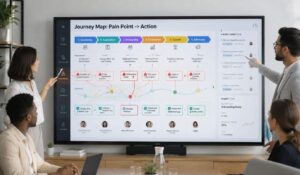
The employee journey is the complete experience a person has with an organization, from recruitment and onboarding to everyday work, career growth, recognition, and eventually leaving the company. Every interaction with people, processes, communication, and workplace technology shapes how employees experience their work and the organization.
The employee journey is shaped by more than recruitment, onboarding, performance reviews, and exit interviews. It includes every interaction people have with their workplace, from finding information and understanding expectations to receiving recognition, using technology, managing schedules, and getting support when something goes wrong. A better employee journey depends on how well these experiences work together, not simply on how many tools an organization provides.
For business leaders, the employee journey raises an important question: are workplace systems making everyday work easier, or are they creating additional steps, confusion, and frustration? An employee may appreciate a development opportunity but struggle to access the relevant information. A frontline worker may understand a task but receive a schedule change too late. A team member may share feedback through a survey and never hear what happened next.
These are not isolated technology problems. They reveal how employees experience the organization as a whole. The employee journey connects satisfaction, digital workplace design, recognition, workforce operations, and artificial intelligence. Looking at these elements together helps leaders understand where work becomes unnecessarily difficult and where practical improvements can make a meaningful difference.
The Employee Journey Is Built Through Everyday Experiences
Organizations often assess employee experience through formal milestones. They measure onboarding completion, engagement scores, retention, training participation, or exit feedback. Each measure provides useful information. However, none captures the entire experience independently.
Employees also form opinions through routine interactions. Can they find the latest policy without asking several people? Do managers communicate changes clearly? Can employees understand their schedules and record their working hours without unnecessary corrections? Does the organization acknowledge good work? When employees raise concerns, do they see a response?
These moments influence how people interpret the workplace. A well-designed recruitment process cannot compensate indefinitely for confusing internal communication. Similarly, an attractive benefits package may not resolve recurring frustration caused by unclear responsibilities or difficult systems.
Measure More Than Satisfaction Scores
Employee satisfaction is an important starting point, but measurement becomes more useful when leaders combine different sources of evidence. Surveys reveal how people describe their experiences. Open comments explain why they feel that way. Manager conversations provide context, while attendance patterns, turnover, communication participation, and recognition activity can highlight areas requiring investigation.
HubEngage’s guide to measuring employee satisfaction across frontline and remote teams emphasizes continuous listening, accessible feedback channels, useful workforce indicators, and visible follow-through.
The practical lesson is to begin with a specific question. Are employees struggling during onboarding? Are communication gaps affecting particular locations? Do people feel their contributions go unnoticed? Are scheduling problems repeatedly appearing in feedback?
Choose measures that help answer the question, then compare findings across relevant teams, roles, locations, and stages of employment. Most importantly, share what the organization intends to change. Collecting feedback without explaining the next step risks making future surveys feel pointless.
Digital Experience Is Part of the Work Experience
Workplace technology is often evaluated through functionality, cost, implementation time, and integration requirements. Those considerations matter, but they leave out an equally important issue: what does using the system feel like for the employee?
A digital tool may perform its intended task and still create friction. Employees might need multiple logins, repeat information already provided elsewhere, search different applications for updates, or contact managers because instructions are difficult to find. These small obstacles can accumulate across a working day.
The discussion around the strategic benefits of a better digital employee experience connects digital workplace design with the broader experience employees have at work. The important distinction is between simply providing technology and designing a useful experience around it.
For leaders, this means evaluating systems from the employee’s perspective rather than relying only on feature lists. A platform that saves administrative time for one department may create additional work for another if information does not move between systems.
Accessibility Matters Across Different Workforces
Office employees may have regular access to computers, email, and internal portals. Frontline, field-based, remote, and distributed employees can have different working conditions and communication needs.
A useful employee journey accounts for those differences. Mobile access, straightforward navigation, clear notifications, and relevant information delivered through appropriate channels can make workplace processes easier to use. Employee texting, digital signage, and mobile communication may be useful in settings where relying exclusively on email is impractical.
However, adding channels is not the same as improving access. Organizations must also ensure that messages are consistent, information is current, and employees know where to find the authoritative version of a policy or instruction.
The goal is to reduce effort. Employees should not need to understand the organization’s technology architecture simply to complete an everyday task.
Before Buying Another Tool, Find the Friction
When employees report a problem, organizations can be tempted to purchase another application. A new tool may be appropriate, but it should not be the automatic response. The underlying problem could be a duplicated workflow, unclear ownership, poor integration, inaccessible information, or a process that no longer reflects how people work.
This is where an employee journey audit becomes valuable. Instead of starting with a product demonstration, leaders examine the complete experience and identify where employees lose time, repeat work, switch systems, or struggle to obtain support.

A Practical Employee Journey Audit
1. Map the complete journey. Start with recruitment and onboarding, then include daily work, learning, feedback, recognition, internal mobility, and exit. Add the relevant operational processes, such as scheduling, attendance, leave requests, task completion, and access to workplace information.
2. List every system employees use. Record which applications support each stage, what information employees must enter, and where managers or support teams intervene. Include manual processes, spreadsheets, email chains, and informal messaging where relevant.
3. Identify repeated work and handoffs. Look for information that employees must submit more than once, tasks that move between systems, approvals that lack clear ownership, and questions that repeatedly reach managers because the answer is difficult to find.
4. Ask employees where friction occurs. Use focused surveys, manager check-ins, interviews, and open comments. Ask where people lose time, which processes feel confusing, and what would make their work easier. Include employees from different locations, roles, shifts, and levels of digital access.
5. Connect the findings. Compare employee feedback with relevant operational information. A recurring complaint about scheduling, for example, may require examining communication timing, schedule visibility, approval procedures, and the way changes reach employees.
6. Prioritize the biggest problems. Consider how often the problem occurs, whom it affects, the effort it creates, and whether it introduces operational or compliance risks. Choose a small number of meaningful improvements rather than launching several unrelated projects.
7. Fix, communicate, and review. Assign an owner, set a realistic deadline, explain the change, and measure whether the original problem has improved. Then ask employees whether the new process works in practice.
The principle is straightforward: map the experience, find duplication, fix friction, and connect what works. A technology decision should follow a clearly defined need.
Recognition Makes Everyday Contributions Visible
The employee journey is not only about removing obstacles. It is also about helping people understand that their contributions matter.
Recognition can become disconnected from everyday work when it is reserved for annual awards, formal performance reviews, or occasional company announcements. Employees may complete difficult assignments, support colleagues, solve customer problems, or help a team meet a deadline without receiving meaningful acknowledgment.
The article What Employees Actually Want From Workplace Recognition highlights three practical principles: recognition should be specific, timely, and authentic. The value lies in acknowledging a real contribution rather than delivering generic praise simply to satisfy a process.
Consider the difference between telling an employee they did a good job and explaining that their careful handling of a customer issue helped the team resolve a difficult situation. The second message makes the contribution visible and connects the action to an outcome.
Make Recognition Part of the Working Day
Managers do not need to wait for a formal event to acknowledge good work. They can recognize collaboration during a team meeting, thank an employee for sharing knowledge, or highlight a practical improvement that helped colleagues.
Peer recognition can also make contributions more visible across teams. A recognition hub can provide a shared place for employees and managers to acknowledge achievements, while internal communications can help share meaningful examples across locations.
However, recognition should not become another automated activity employees feel obliged to complete. Programs need clear purpose, fair participation, and room for genuine appreciation. Leaders should also consider whether recognition reaches less visible roles, including employees who work different shifts or outside traditional office environments.
When recognition reflects real contributions, it becomes part of how people experience leadership, teamwork, and organizational culture.
Responsible AI Must Improve Work, Not Complicate It
Artificial intelligence is increasingly entering workplace processes, from answering routine questions to supporting content creation, analysis, learning, and decision-making. Yet introducing AI does not automatically make an employee journey better.
The article HR Takes Charge of Building Ethical Human-AI Workplaces in 2026 describes the growing responsibility to implement AI with attention to workforce readiness, technical integration, compliance, and ethical oversight. Its discussion draws on a forecast about how people functions may need to approach the relationship between humans and AI.
That responsibility extends beyond selecting a capable tool. Employees need to understand what the technology does, what information it uses, where its limitations lie, and when a human should review its output.
Design AI Around Clear Boundaries
An AI helpdesk chatbot, for example, can make routine policy information easier to access. Employees may be able to find answers about leave procedures, workplace policies, or common processes without waiting for a response from a busy manager.
Nevertheless, answers must be accurate, current, and appropriately limited. Sensitive cases, exceptions, disputes, and decisions affecting employment should have clear routes to qualified human support. Access permissions and privacy requirements also need careful consideration.
The wider concerns covered in HR Dive’s reporting on the growing pains of AI at work reinforce why adoption needs oversight. The article brings together examples involving compliance, AI-generated work, employee frustration, and concerns about decisions influenced by automated systems.
For leaders, the implication is not to avoid AI altogether. It is to define where AI is useful, establish accountability, train employees, and monitor unintended effects. Productivity improvements matter, but so do trust, employee understanding, and the quality of decisions.
AI should remove unnecessary effort while preserving human judgment where context, fairness, or empathy matters.
Workforce Operations Shape How People Feel About Work
An employee’s experience is also influenced by practical operating conditions. Schedules, attendance procedures, leave requests, task assignments, and access to information determine whether daily work feels organized or unnecessarily difficult.
These processes are particularly important for frontline and distributed teams, where employees may work across multiple locations, shifts, or customer environments. A missed update or unclear approval process can create immediate confusion, even when an organization has a well-developed engagement strategy.
A time and attendance system can support more consistent time records, approvals, and workforce visibility. However, its usefulness depends on how well it fits the wider process.
Employees should understand how to record working hours, correct a missed entry, request leave, and obtain help when something does not work. Managers need clear procedures for reviewing exceptions and communicating relevant changes.
Connect Operational Accuracy With Employee Communication
Accurate time records matter for administration and payroll, but implementation also affects trust. Employees need transparent rules, accessible instructions, and a fair process for resolving discrepancies.
Scheduling presents a similar challenge. A schedule that exists in a system but is difficult to access may still leave employees uncertain. A change that reaches one communication channel but not another can create avoidable disruption.
Connected workforce management combines the operational process with the communication surrounding it. Shift scheduling, time tracking, leave management, and task management should support how work actually happens. Notifications and employee self-service can reduce unnecessary back-and-forth when they are configured around real needs.
Leaders should also avoid treating operational data as a complete explanation of employee performance. Attendance patterns, for example, may indicate an issue that needs investigation, but they do not explain the circumstances by themselves. Data should inform conversations and decisions, not replace context.
Technology Trends Matter Only When They Solve Real Problems
The article The Hottest HR Technology Trends discusses developments including AI, people analytics, employee experience platforms, integrated systems, skills-based approaches, learning technology, and responsible data practices.
These trends are useful signals of where organizations are investing attention. Nevertheless, a trend should not become a purchasing requirement without a clear connection to business needs.
A company experiencing fragmented communication may benefit more from connecting existing channels than from adopting a sophisticated new analytics tool. A workforce struggling to find policies may need a better employee intranet and clearer content ownership before introducing another AI assistant. A team facing repeated scheduling issues may need a simpler workflow rather than a broader technology transformation.
Evaluate the Experience, Not Just the Feature List
Before renewing or buying a workplace subscription, leaders should ask five questions.
What problem are we solving? Define the employee or operational difficulty in concrete terms.
Who benefits? Establish which employees, managers, locations, or business functions will use the solution and how their experience should improve.
What already exists? Check whether current systems can address the need through better configuration, integration, training, or communication.
How will we measure value? Select appropriate indicators, such as fewer repeated requests, more accurate records, improved information access, reduced administrative effort, or better employee feedback.
What are the trade-offs? Consider implementation effort, data protection, accessibility, training, ongoing costs, and the consequences of adding another system to maintain.
These questions make technology reviews more disciplined. They also help leaders explain investment decisions in terms of outcomes rather than feature comparisons alone.
Build a Connected Workforce Experience
The employee journey crosses departmental boundaries. Communication affects adoption. Recognition influences how contributions are perceived. Workforce processes shape everyday convenience. AI changes how employees access information and complete tasks. Feedback reveals where the combined experience is working or failing.
Managing these elements independently can leave employees navigating the gaps between them. A connected workforce experience approach starts with the employee’s needs and aligns the systems, information, and processes that support them.
This does not mean every capability must sit inside one application. Existing systems may remain essential for payroll, identity management, specialist operations, or other business requirements. What matters is that the overall experience feels coherent, responsibilities are clear, and information moves reliably between the tools employees depend on.
Where HubEngage Fits
HubEngage positions itself as an AI-powered workforce experience and operations platform for frontline and distributed teams. Its relevant capabilities span internal communications, employee engagement, recognition, employee intranet, AI chatbot support, workforce management, time tracking, shift scheduling, leave management, task management, digital signage, and employee texting.
These capabilities connect to the problems discussed throughout this article. Communications tools can help distribute workplace updates through appropriate channels. An employee intranet can provide a more consistent place for important information. Recognition features can make contributions visible. Operational modules can support everyday workforce processes, while AI chatbot support can help employees access routine information.
The value of this approach depends on the organization’s actual requirements, existing technology, implementation choices, and employee adoption. Leaders should evaluate the relevant capabilities against the friction identified in their audit rather than assuming that every module is necessary.

Turn Employee Journey Insights Into Action
A better employee journey does not require a large transformation program to begin. It requires leaders to understand what employees experience, identify where unnecessary effort occurs, and take responsibility for fixing the causes.
Start with one stage of the journey. Listen to employees, examine the systems involved, and compare what people report with the available operational evidence. Choose a specific problem, assign an owner, and communicate what will change.
Then check whether the improvement works for the people using it. If employees still repeat information, struggle to find instructions, or cannot access support when needed, revisit the process rather than assuming the implementation is complete.
The wider lesson across satisfaction measurement, digital experience, recognition, responsible AI, workforce operations, and technology trends is that employee experience is interconnected. Progress comes from treating it that way.
Before approving another subscription, map the employee journey.
Before introducing automation, establish where it genuinely helps.
Before launching a recognition program, make appreciation specific and authentic.
Before asking employees for feedback again, show them what changed.
The strongest workplace systems are not necessarily those with the most features. They are the ones that help people understand what to do, access the support they need, contribute meaningfully, and complete their work with less unnecessary friction.
For business leaders, that is the practical test of a better employee journey: not how much technology the organization has purchased, but how effectively its people, processes, and systems work together.
FAQs
What is an employee journey?
The employee journey is the complete experience a person has with an organization, from recruitment and onboarding through everyday work, development, recognition, and departure. It includes interactions with managers, workplace processes, communication, and technology.
How can organizations improve the employee journey?
Map the major stages, gather employee feedback, identify repeated work and communication gaps, and review the systems involved. Prioritize the problems that create the most friction, assign owners, implement improvements, and measure whether employees notice a difference.
Why should companies audit workplace technology before buying another tool?
An audit can reveal duplicated functionality, disconnected workflows, difficult information access, and unnecessary manual work. Fixing these issues may improve the employee experience without adding another subscription or creating additional administrative responsibilities.
How do AI and workforce technology affect employee experience?
They can make information easier to access and routine processes more consistent. However, organizations must also consider accuracy, privacy, accessibility, employee training, responsible decision-making, and clear access to human support.