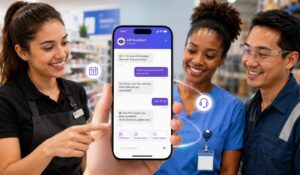
A chatbot answers HR questions, routes IT tickets, and delivers policy information in seconds without anyone waiting on hold or searching through a shared drive. Studies indicate that HR teams spend up to 60% of their time on administrative tasks many of which are routine information requests that a chatbot handles instantly. For manufacturing floors, hospital hallways, and hotel operations where staff rarely sit at desks, that kind of instant access changes how work actually gets done. If you manage HR, IT, or internal communications for a workforce that is distributed, deskless, or working multiple shifts then you are in the right place. In this guide we will cover exactly what an employee chatbot does, what to look for when choosing one, and all aspects related to it to help you pick the right software.
Key Takeaways
- A chatbot for internal employees helps staff get instant answers to HR, IT, payroll, scheduling, and policy questions without waiting for support teams.
- Employee chatbots improve productivity by automating repetitive requests and giving workers 24/7 self-service access across mobile apps, intranets, and messaging platforms.
- The best internal employee chatbots integrate with HRIS, payroll, scheduling, and IT systems to deliver accurate, real-time information.
- AI-powered employee chatbots use natural language processing (NLP) to understand employee questions and provide personalized, role-based responses.
- Organizations using employee chatbots often see faster response times, reduced HR workload, higher employee satisfaction, and better communication for deskless workers.
- Successful chatbot implementation depends on strong system integrations, clear employee communication, ongoing knowledge base updates, and continuous performance monitoring.
What is an Employee Chatbot?
A chatbot for internal employees is a digital assistant that helps employees get quick answers to work-related questions present within the company systems. Instead of contacting HR or IT and waiting for a response, employees can simply type a question and receive an instant answer. These chatbots use artificial intelligence to understand what employees are asking.
Chatbots easily connects with company systems like HR software, payroll tools, and internal knowledge bases to provide accurate information. Over time, advanced chatbots learn from employee interactions and improve their responses, making support faster as well as easier for users.
How does a Chatbot for Internal Employees work?
Let us understand how a typical chatbot interaction happens in practice. For example, imagine a hospital nurse finishing a late-night shift who wants to quickly check her remaining leave balance without calling HR or logging into multiple systems. She simply opens the employee chatbot on her mobile app, asks her question, and receives an instant response. Below are the steps she has taken.
- Employee submits a question:
A hospital nurse types “How many PTO days do I have left?” into the company’s internal app. - Intent recognition:
The NLP engine identifies that this is a leave balance query, not a general HR question. - Data retrieval:
The chatbot pulls current leave data from the connected HRIS system. - Response delivery:
The nurse receives her exact balance in under three seconds, with a link to submit a time-off request. - Escalation if needed:
If the question falls outside the chatbot’s scope, it routes the employee to the right HR contact automatically.
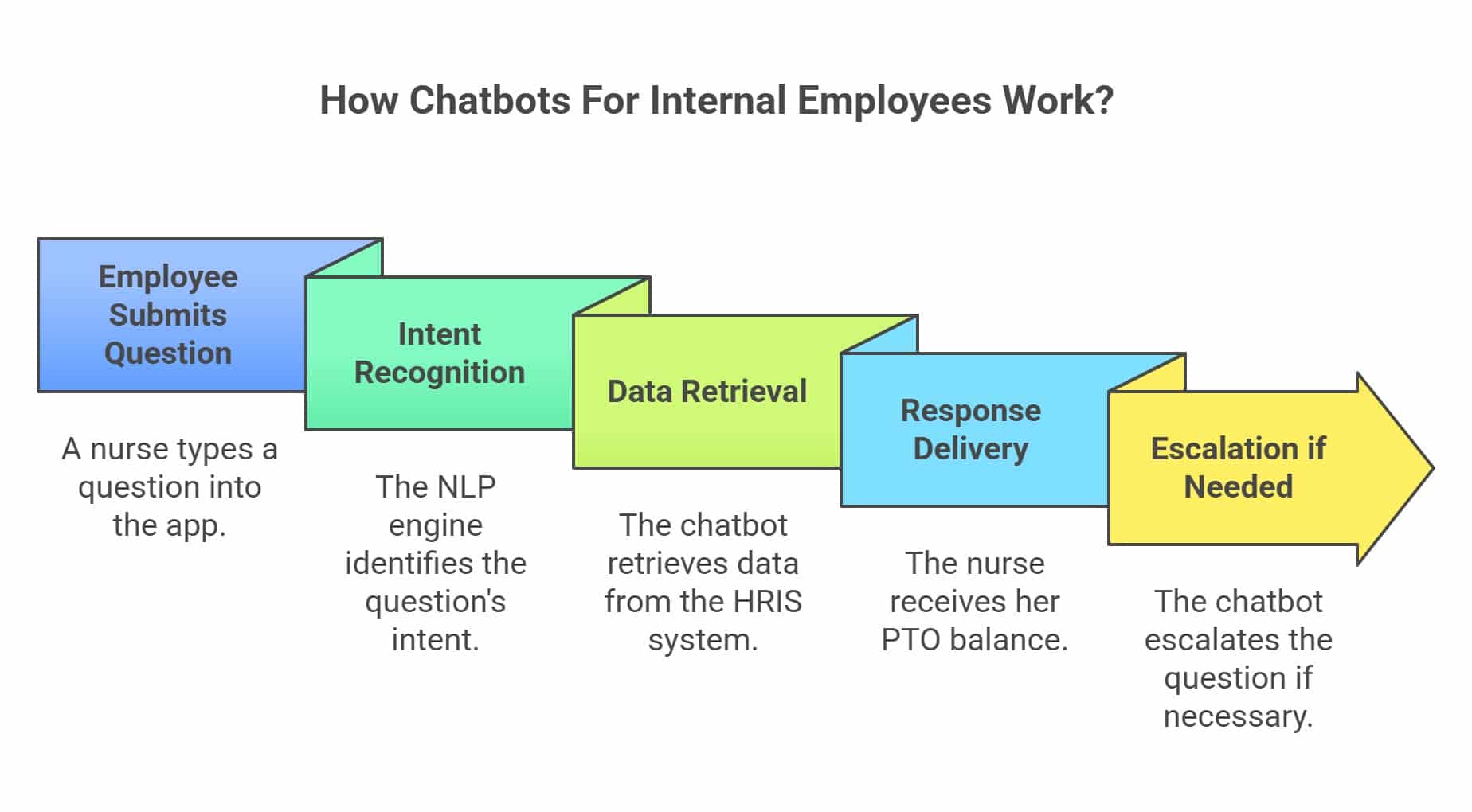
This is how a chatbot for internal employees works day to day. It helps answer common employee questions quickly, reducing the workload on HR and IT teams so they can focus on more important tasks that need human support.
Employee Chatbot vs Traditional HR Support Channels
Understanding where a chatbot for internal employees fits relative to existing support channels helps set realistic expectations and prevents the common mistake of positioning the chatbot as a replacement for everything.
| Support Channel | Response Time | Availability | Best For | Limitation |
| Employee Chatbot | Seconds | 24/7 | Routine queries, self-service | Complex or sensitive issues |
| HR Email | Hours to days | Business hours | Formal requests, documentation | Slow for urgent needs |
| HR Help Desk / Phone | Minutes to hours | Business hours | Complex issues, sensitive conversations | High volume creates backlogs |
| Manager / Supervisor | Variable | Shift-dependent | Team-specific guidance | Inconsistent policy knowledge |
| Employee Handbook / Intranet | Self-paced | 24/7 | Reference, research | Requires employee initiative |
Different Communication Channels Of Chatbot For Internal Employees
A chatbot for internal employees typically operates in one or more of these channels such as:
- Mobile apps: Provide instant chatbot access for deskless employees across shifts and workplace environments.
- Intranet portals: Embed chatbot support directly within centralized company resources and internal documentation systems.
- Messaging platforms: Deliver chatbot assistance through familiar communication tools employees already regularly use.
- Dedicated employee apps: Combine chatbot services with scheduling, communications, and engagement features seamlessly.
| Communication Channel | Advantage | Best For |
| Mobile Apps | Anytime, anywhere employee support | Deskless and shift-based workers |
| Intranet Portals | Centralized access to company information | Office and hybrid employees |
| Messaging Platforms | Fast communication within daily workflows | Companies using team messaging platofrms |
| Dedicated Employee Apps | All-in-one workforce communication and support | Large distributed organizations |
Key Technical Considerations for IT and Security Teams
Many articles make chatbot deployment sound simple. Connect a few systems, index some files, and you’re done. In reality, IT and security teams usually spend more time on access rules, identity, governance, and system boundaries than on the chatbot interface itself.

Integration creates value and risk
The practical demand is clear. HR wants policy access. L&D wants learning content surfaced in context. Operations wants SOPs and task guidance available on mobile. Managers want fewer repetitive questions. To do that well, the chatbot often needs to connect with the HRIS, LMS, intranet, document repositories, and workforce systems.
That creates what IBM describes as the “contextual friction” and data privacy paradox, where organizations struggle to integrate chatbots with HRIS and LMS data without exposing sensitive information or violating regulations like GDPR. The trade-off is real. More context improves relevance. More connected data raises governance risk.
Questions security teams should ask vendors
Don’t settle for generic “enterprise-ready” language. Ask for specifics.
- Access controls: Can answers be restricted by role, geography, department, and employment status?
- Source controls: Can admins choose which repositories the bot can retrieve from, and which it cannot?
- Auditability: Can teams review retrieved sources and answer history for compliance checks?
- Data handling: What employee interactions are stored, and how are they retained or deleted?
- Fallback behavior: What happens when the bot can’t answer confidently?
A useful evaluation lens is whether the chatbot can support least-privilege access without ruining the employee experience.
Keep architecture boring
For sensitive workforce data, boring is good. Identity should rely on established authentication. Content permissions should mirror existing systems where possible. Admin workflows should be easy to audit. Escalation to a human should be built in.
This is one reason many teams prefer a platform approach over another point solution. If you’re assessing use cases in HR environments, this look at HR chatbots is a practical reference for the intersection of support, employee experience, and governance.
Measuring What Matters From Engagement to Execution
A lot of chatbot programs stall because the reporting is shallow. Teams celebrate active users, query volume, or thumbs-up ratings. Those indicators are useful, but they don’t prove business impact.

Chatbot For Internal Employees Key Features
Not every chatbot for internal employees is built the same way. However, here are some common features that are present in a typical chatbot.
Natural Language Understanding
The chatbot understands employee questions naturally, even when workers use different words for similar requests.
Multi-Channel Access
Employees can access the chatbot through mobile apps, desktops, or messaging platforms anytime during work.
Role-Based Responses
The chatbot gives personalized answers based on employee roles, locations, schedules, and company access permissions.
Escalation and Handoff
Complex questions automatically transfer employees to the correct HR or IT support person quickly.
Analytics and Reporting
Managers can track employee questions, chatbot performance, response times, and unanswered requests through reports.
Integration Capabilities
The chatbot connects with HR, payroll, scheduling, and IT systems for accurate employee information access.
Integration with HR Systems and Knowledge Bases
A chatbot for internal employees is only as good as the data it can access. Integration is where most implementations succeed or fail. The integration layer is what transforms a chatbot for internal employees from a glorified search bar into a genuine productivity tool.
| System Type | What the Chatbot Accesses? | Employee Benefit |
| HRIS (e.g., Workday, ADP) | Leave balances, pay stubs, personal records | Self-service HR without HR involvement |
| IT Service Management | Open tickets, software access requests | Faster IT resolution, status updates |
| Knowledge Base / Intranet | Policies, procedures, SOPs, handbooks | Instant access to accurate documentation |
| Scheduling Systems | Shift assignments, schedule changes | Real-time schedule visibility for shift workers |
| Payroll Systems | Paycheck dates, deductions, tax forms** | Payroll questions answered without HR escalation |
Benefits of using Chatbots For Internal Employees
Here is what organizations in manufacturing, healthcare, and hospitality consistently report after deploying a chatbot for internal employees:
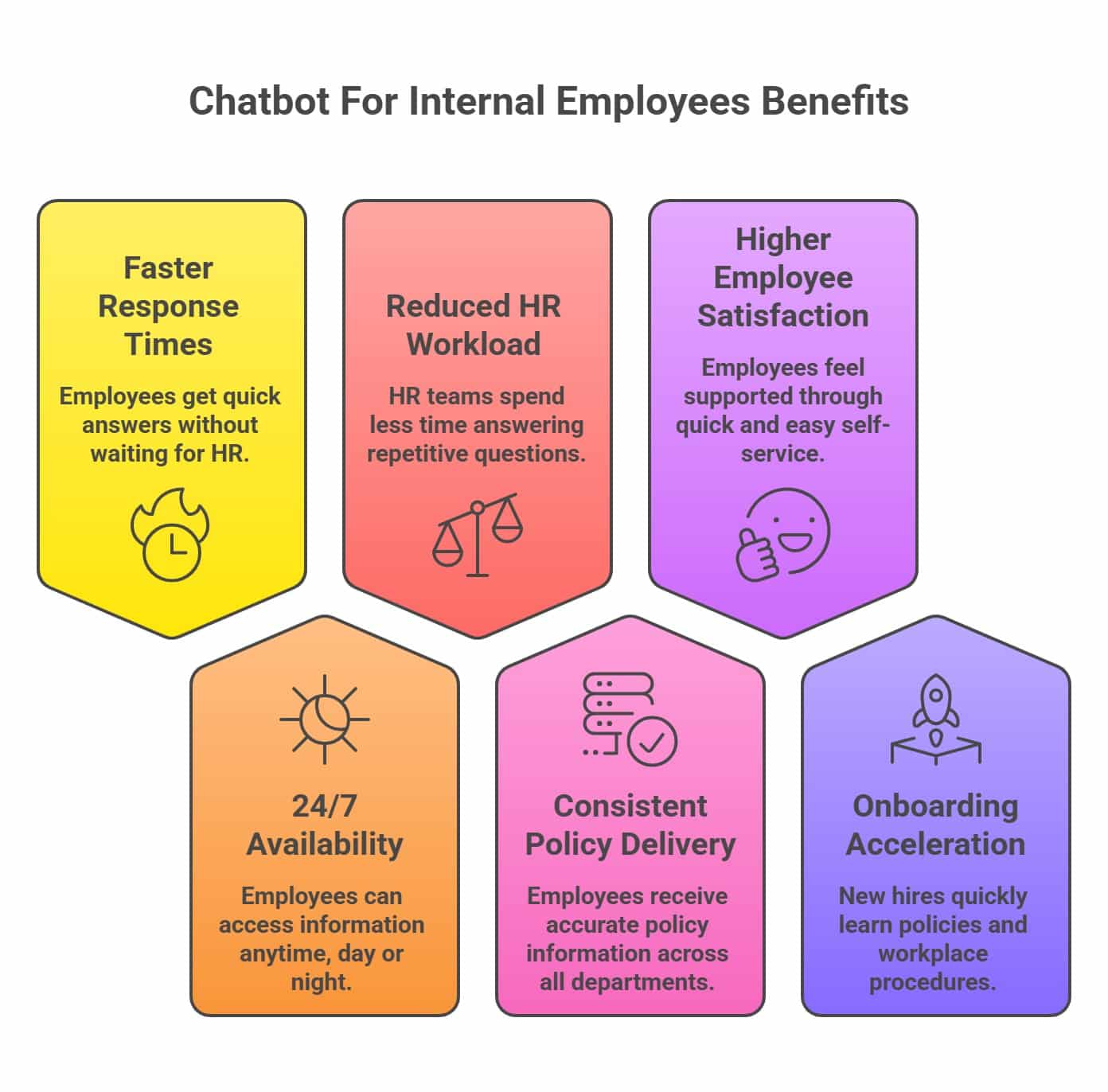
- Faster response times: Employees receive quick answers without waiting for HR support.
- 24/7 availability: Employees access information anytime during day or night shifts.
- Reduced HR workload: HR teams spend less time answering repetitive employee questions.
- Consistent policy delivery: Employees receive accurate policy information across all departments consistently.
- Higher employee satisfaction: Employees feel supported through quick and easy self-service options.
- Onboarding acceleration: New hires quickly learn policies and workplace procedures independently.
How to setup chatbots for internal employees?
Introducing a chatbot for internal employees requires thoughtful planning, clear communication, and the right rollout strategy to ensure long-term adoption and success. Explore the key implementation steps below to understand how to launch and optimize your employee chatbot effectively.
1st Phase: Define Scope Before You Build
Begin by listing the top 20 questions your HR and IT teams receive most often. Use these questions to create the chatbot’s first knowledge base. Avoid trying to include everything from the start. A chatbot for internal employees that answers 20 questions correctly is far more useful than one that tries to answer 200 questions and gets many of them wrong.
2nd Phase: Choose the Right Platform
Evaluate platforms based on below factors:
- Integration depth with your existing HRIS and IT systems
- Mobile experience quality for deskless workers
- Ease of knowledge base updates without developer involvement
- Analytics and reporting capabilities
- Support for multi-language responses if your workforce requires it
| Feature | Importance |
| HRIS & IT Integrations | Enables real-time employee support and accurate answers |
| Mobile Accessibility | Helps deskless employees access support anywhere |
| Easy Content Updates | Keeps policies and answers current without IT help |
| Analytics & Reporting | Tracks usage, gaps, and employee satisfaction |
| Multi-Language Support | Improves accessibility for diverse workforces |
3rd Phase: Pilot with a Defined Group
Launch with one department or location before rolling out company-wide. Use the pilot to identify gaps in the knowledge base, refine escalation paths, and build internal champions who can advocate for the tool.
For example, a manufacturing plant with 200 workers is a better pilot than a company-wide launch across 5,000 employees.
4th Phase: Communicate the Launch Clearly
Employees should clearly understand what the chatbot can do and where it cannot help. Simple communication builds trust and encourages adoption. Avoid promising too much, because inaccurate expectations can quickly reduce employee confidence in using the chatbot.
5th Phase: Monitor and Iterate
Review the chatbot regularly during the first few months to identify unanswered questions, low satisfaction areas, and frequent escalations. Continuous updates and clear employee communication help improve performance, increase adoption, and ensure the chatbot remains useful and reliable for everyday workplace support.
Chatbot For Internal Employees ROI & Metrics
Measuring the ROI on a chatbot for internal employees requires tracking both efficiency metrics and experience metrics. Efficiency tells you what the chatbot saves. Experience tells you whether employees actually value it. Let us explore the important metrics that you must track to check the ROI of chatbots for internal employees.
| KPI / Metric | What It Measures | Benchmark / Goal |
| Containment Rate | Queries resolved without human help | 60–80% within 6 months |
| Average Response Time | Speed of chatbot replies | Under 10 seconds |
| HR Ticket Volume | Reduction in routine HR requests | Lower ticket count over time |
| Employee Satisfaction (CSAT) | Employee experience after chatbot use | Above 70% satisfaction |
| Adoption Rate | Employees actively using the chatbot | Consistent monthly growth |
| Knowledge Base Coverage | Questions answered within chatbot scope | High coverage with fewer gaps |
Best AI Chatbots For Employees
| Top Employee Chatbot | Best Use Case | Best For |
|---|---|---|
| HubEngage | Employee communication, HR self-service, engagement, and workforce support in one platform | Frontline, deskless, remote, and distributed workforces |
| Microsoft Copilot | Improving productivity across Microsoft 365 with meeting summaries, content creation, and information search | Organizations heavily using Microsoft Teams, Outlook, Word, and SharePoint |
| Slack AI | Searching workplace conversations and summarizing channels and discussions | Remote and distributed teams that rely heavily on Slack |
| Workday Assistant | HR self-service for payroll, leave requests, employee information, and HR policies | Organizations already using Workday for HR management |
| ServiceNow Virtual Agent | Automating HR and IT support requests, workflows, and ticket routing | Large enterprises with complex employee service operations |
| Leena AI | Automating repetitive HR questions and employee support tasks | HR teams looking to reduce administrative workload and response times |
| Moveworks | Automating IT support, password resets, ticket resolution, and workplace requests | Enterprises with high volumes of IT and employee support requests |
| Zendesk AI | Managing HR and IT support tickets through conversational AI and automated workflows | Organizations needing a simple internal help desk and ticketing solution |
| Google Gemini for Workspace | Drafting, summarizing, generating content, and improving productivity within Google Workspace | Teams using Gmail, Docs, Meet, and Google Chat |
| Oracle Digital Assistant | Supporting HR, finance, IT, and operational workflows through conversational AI | Large enterprises managing complex business systems and processes |
Make HR Support faster and easier with HubEngage
Our employee experience platform offers an ai-powered employee chatbot built for internal communication, HR support, and workforce engagement. Employees can quickly access policies, schedules, announcements, HR information, and operational updates from mobile apps, intranet portals, Teams, and Slack.
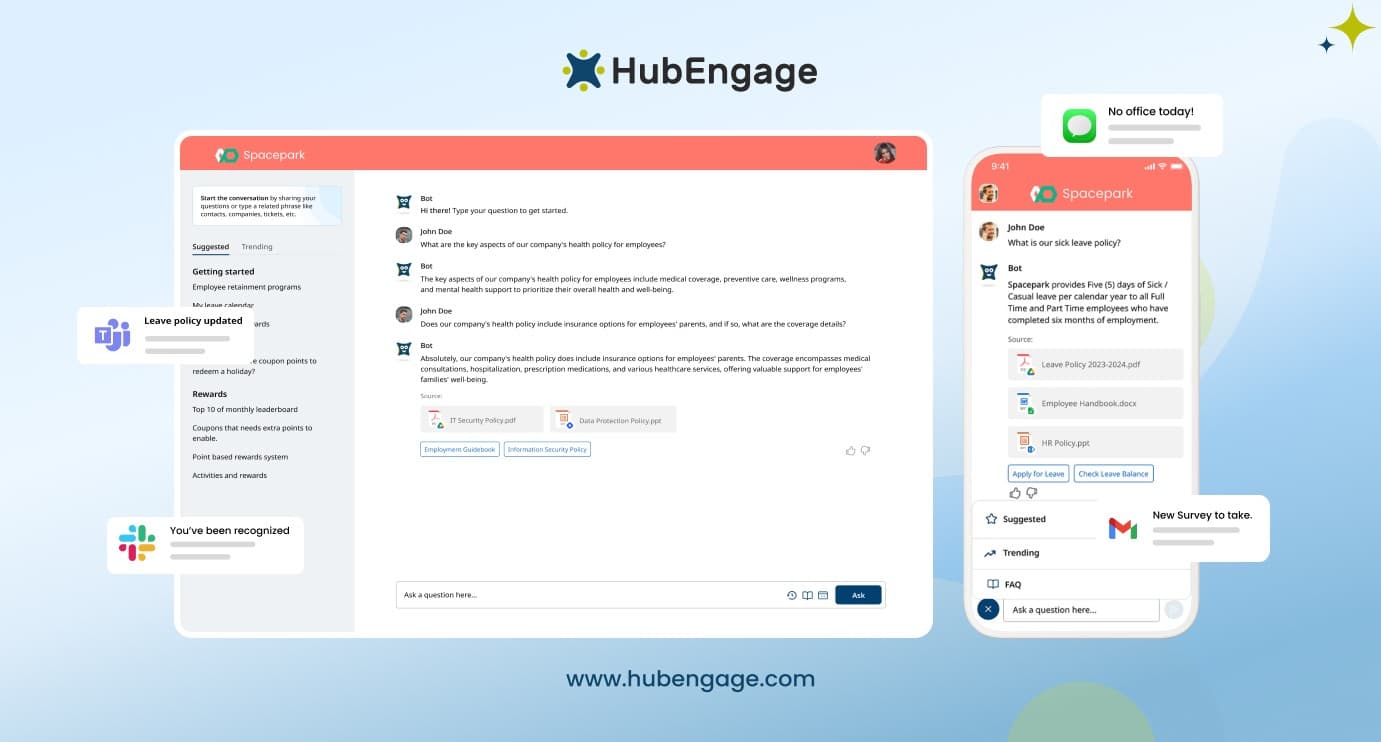
The chatbot supports personalized responses, multiple languages, automated workflows, and integrations with HRIS, payroll, and scheduling systems. With role-based access, encrypted data protection, and HIPAA and GDPR compliance support, it is well suited for frontline, deskless, and distributed workforces.
Conclusion
A chatbot for internal employees can significantly improve workforce communication, reduce repetitive HR and IT workloads, and give employees faster access to the information they need every day.
For organizations managing distributed, deskless, or shift-based teams, the right chatbot solution helps create a more connected and efficient employee experience while supporting long-term operational productivity.
To see how this works in practice, explore the HubEngage Employee Experience Platform and schedule a personalized demo to discover how it can support your workforce communication and engagement goals.
Chatbot For Internal Employees FAQs
Will employees actually use a chatbot for internal employees, or will they just call HR anyway?
Employees use chatbots when they are easy to access and provide accurate answers quickly. Embedding the chatbot inside existing apps like scheduling or communication tools increases adoption and reduces routine HR calls significantly.
How do you handle sensitive HR topics like harassment complaints or mental health concerns?
Chatbots for internal employees should not manage sensitive HR issues directly. Instead, they should identify urgent or confidential concerns and guide employees to the correct HR contact, support team, or confidential reporting channel immediately.
Can a chatbot for internal employees work for non-English-speaking workers?
Many chatbots for internal employees support multiple languages for diverse workforces. This helps manufacturing, healthcare, and hospitality employees access HR information, policies, and support in their preferred language without communication barriers.
How long does it take to implement a chatbot for internal employees?
Most of the chatbots for internal employees take around 6 to 12 weeks for successful implementation. The timeline depends on system integrations, knowledge base setup, testing, and the number of HR or IT use cases included initially.
What is the difference between a chatbot for internal employees, chatbot for customer service and a virtual assistant?
An employee chatbot mainly answers HR, IT, or policy questions, while a virtual assistant offers broader support, including task automation, reminders, approvals, and scheduling.
Related Links
ai chatbot | hr chatbots | hr helpdesk chatbots | ai chatbot for employee learning