Managing employee time becomes more complex as businesses expand across locations, shifts, job sites, and remote teams. Time and labor management brings scheduling, attendance, leave, labor costs, compliance, along with reporting in one system. It replaces spreadsheets, paper timesheets, disconnected tools, and manual payroll calculations with streamlined workforce operations. This is very useful for small businesses as well as distributed teams working in hospitals, factories, warehouses, restaurants, etc. Modern workforce management systems improve visibility while giving employees complete access to schedules, time records, leave requests, tasks, and workplace information. Our guide will cover its important components, benefits, and implementation strategies.
Key Takeaways
- Time and labor management helps businesses manage employee hours, schedules, attendance, leave, labor costs, and compliance.
- Small businesses can reduce manual administrative work by automating time tracking, scheduling, approvals, and reporting.
- Frontline as well as distributed teams benefit from mobile access to schedules, time clocks, leave requests, tasks, and important updates.
- Time and labor management software can improve payroll accuracy by connecting approved employee time directly with payroll systems.
- Real-time workforce data helps managers control overtime, identify staffing gaps, improve coverage, and make better labor decisions.
- Connecting scheduling, time tracking, tasks, and employee communication creates a smoother experience for both managers and employees.

What is Time and Labor Management?
Time and labor management tracks employee hours while organizing schedules, pay, attendance, leave, overtime, and labor costs. It replaces manual spreadsheets with automated time and attendance system giving managers centralized workforce visibility and employees convenient access to schedules, time records, balances, and essential information.
Which Industries need Time and Labor Management Systems?
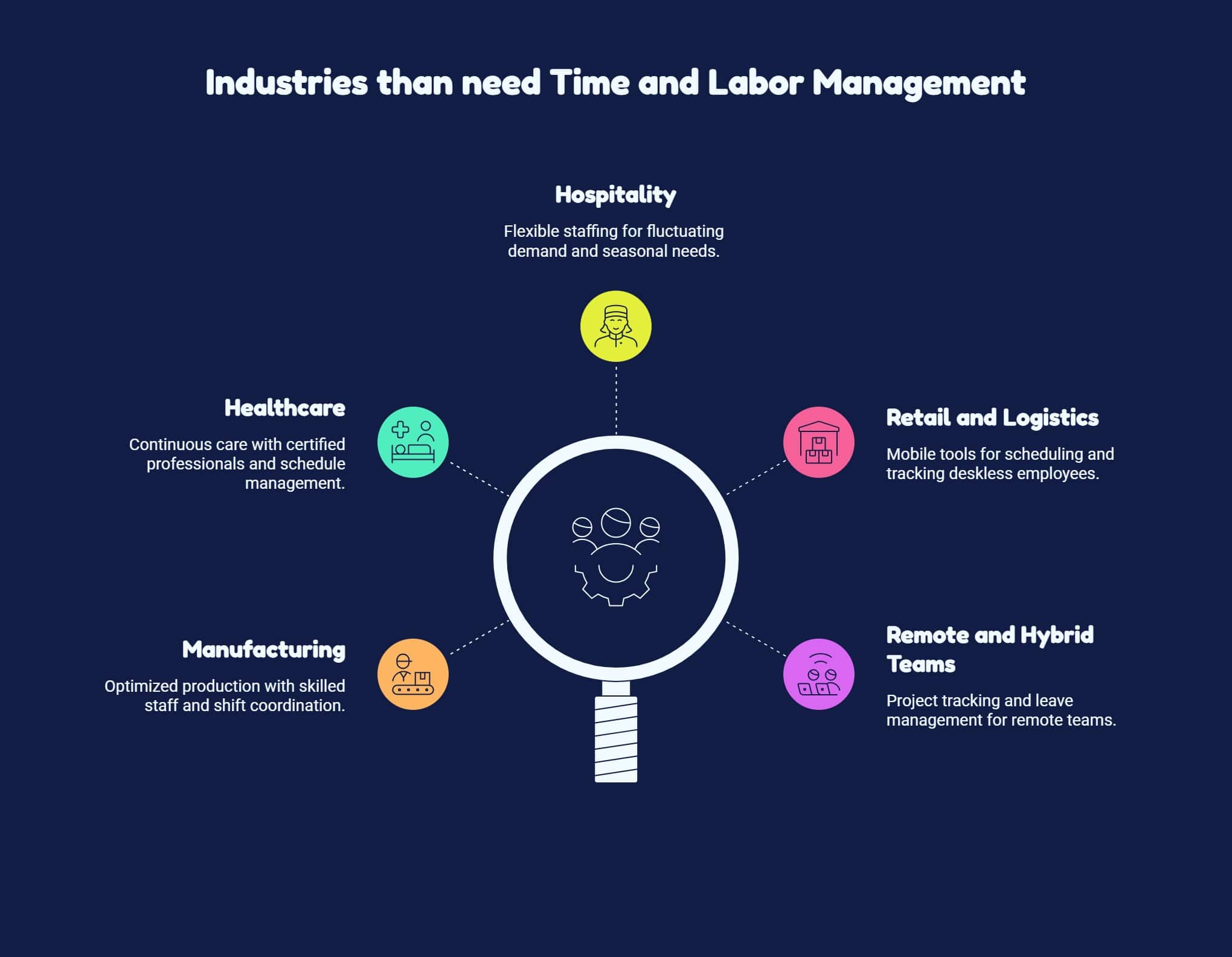
Organizations with hourly employees, multiple shifts, distributed locations, and complex scheduling needs benefit most from time and labor management.
Manufacturing
Manufacturers manage production lines, departments, locations, skills, and rotating shifts efficiently. Software tracks hours, overtime, attendance, along with staffing needs.
Healthcare
Such organizations require continuous coverage, certified professionals, and skilled employees across shifts. Centralized systems coordinate schedules, attendance, leave, coverage, and overtime.
Hospitality
Hotels, as well as restaurants manage fluctuating demand, seasonal staffing, and changing schedules. Tools adjust coverage, monitor attendance, and control labor costs.
Retail and Logistics
Warehouse, transportation, and logistics teams operate across locations and shifts. Mobile tools simplify scheduling and tracking for deskless employees.
Remote and Hybrid Teams
Time and labor systems support remote employees through project tracking, availability monitoring, leave management, and workforce visibility.
Common Time and Labor Management Challenges
Managing employee time manually becomes increasingly difficult as workforce complexity grows. Employees may work multiple roles, pay rates, departments, locations, and overtime schedules.
Managers must also track breaks, PTO, shift changes, along with local labor requirements. Distributed teams further complicate oversight across job sites, stores, factories, and homes. Common challenges are as follows:
| Challenge | Business Impact | Possible Solution |
| Manual processes | Errors and wasted administrative time | Workflow automation |
| Compliance risks | Penalties and employee disputes | Compliance monitoring |
| Scheduling gaps | Understaffing or excessive overtime | Automated scheduling |
| Disconnected systems | Duplicate or inconsistent data | Integrated workforce platform |
| Poor visibility | Slow workforce decisions | Real-time dashboards |
| Low adoption | Continued manual processes | Mobile access and training |
Without connected technology, HR teams as well as managers may spend hours reviewing timesheets, fixing missed punches, updating schedules, calculating overtime, and transferring information between systems.
How Time and Labor Management Software is helpful?
Modern time and labor management software automates many repetitive workforce processes while helping managers in following ways:
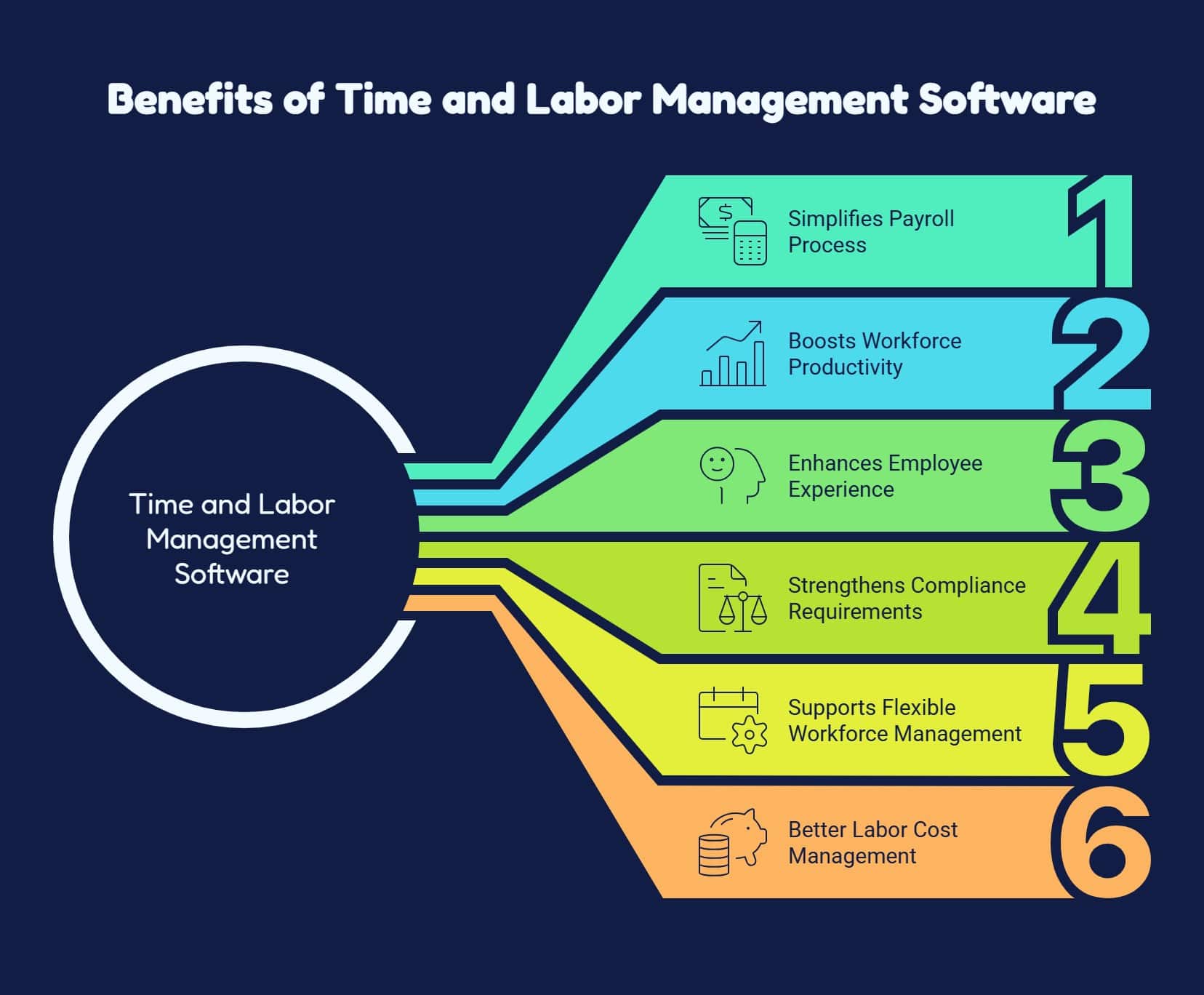
1. Streamlines Payroll Processing
Accurate time records automate payroll calculations, reduce manual entry, minimize errors, and save administrative time.
2. Enables Workforce Flexibility
Modern employee scheduling software supports rotating shifts, flexible hours, multiple locations, employee availability, and changing operational demands.
3. Improves Workforce Productivity
Real-time workforce insights help managers identify attendance issues, scheduling gaps, overtime, and coverage problems quickly.
4. Supports Employee Experience
Self-service tools let employees review schedules, verify time records, request leave, and monitor PTO independently.
5. Strengthens Compliance Management
Automated policies, audit records, and alerts help organizations manage overtime, breaks, classifications, and recordkeeping requirements..
6. Improves Labor Cost Control
Dashboards compare scheduled along with actual hours, monitor overtime, evaluate staffing, and identify opportunities to control labor spending.
Core Components of Time and Labor Management Systems
An effective time and labor management strategy typically includes several connected components:
1. Scheduling and Staffing
Aligns employee availability with operational demand by managing recurring shifts, rotations, open shifts, availability, swaps, and time-off requests while identifying potential overtime before schedules are finalized.
2. Performance and Productivity Tracking
Measures staffing effectiveness through attendance, schedule adherence, labor costs, coverage, and productivity, enabling data-driven planning, improved efficiency, and stronger operational decisions.
3. Time and Attendance Tracking
It records when employees begin and end work. Advanced employee clock in app may support mobile time clocks, browser-based punches, kiosks, biometric devices, along with location controls.
4. PTO and Leave Management
Lets employees view leave balances and submit requests easily while connecting approved time off with scheduling to prevent managers from assigning unavailable employees shifts.
5. Labor Costing and Budgeting
Shows workforce spending across departments, locations, projects, or roles, helping small businesses compare planned and actual costs, improve forecasts, adjust staffing, and prevent unnecessary overtime.
6. Compliance Management
Configures work rules, break requirements, overtime alerts, approvals, and recordkeeping while providing audit trails that simplify investigations, resolve payroll questions, and clarify workforce discrepancies efficiently.
How to implement Time and Labor Management Software?
If you are planning to setup time and labor management solutions for your team then we suggest you to follow these simple steps:
1. Audit Current Processes
Document time tracking, scheduling, PTO, approvals, payroll workflows, errors, duplication, and administrative burdens.
2. Set Clear Goals and Metrics
Define measurable goals for payroll accuracy, overtime control, scheduling efficiency, coverage, and employee access.
3. Choose the Right Tools
Select scalable software offering time tracking, scheduling, PTO, integrations, analytics, self-service, compliance, and reporting.
4. Train Employees and Managers
Train your team as well as leaders on time tracking, schedules, leave requests, approvals, reporting, and issue resolution.
5. Monitor, Measure, and Improve
Regularly check employee data, measure outcomes, and collect feedback to improve business processes.

How to calculate the ROI of Time and Labor Management Software?
To determine the return on investment (ROI) of time and labor management software, compare the total cost of the software with the savings and business benefits it generates. Here is how we use this table to find out the roi of TLM software:
| ROI Factor | What to Measure |
| Software costs | Subscription, setup, training, and maintenance fees |
| Payroll savings | Fewer errors, corrections, and overpayments |
| Time savings | Reduced manual data entry and administrative hours |
| Labor productivity | More productive hours and better workforce utilization |
| Compliance savings | Fewer penalties, disputes, and wage-related risks |
| Scheduling efficiency | Lower overtime and improved shift coverage |
| Employee benefits | Better time tracking, transparency, and engagement |
A strong ROI is all about low operations costs, better productivity, less payroll errors, and helping businesses make better labor decisions.
Achieve Complete Time and Labor Management With HubEngage
Our employee experience platform offers ai staff scheduling, time tracking, attendance, and task management modules providing end-to-end time and labor management
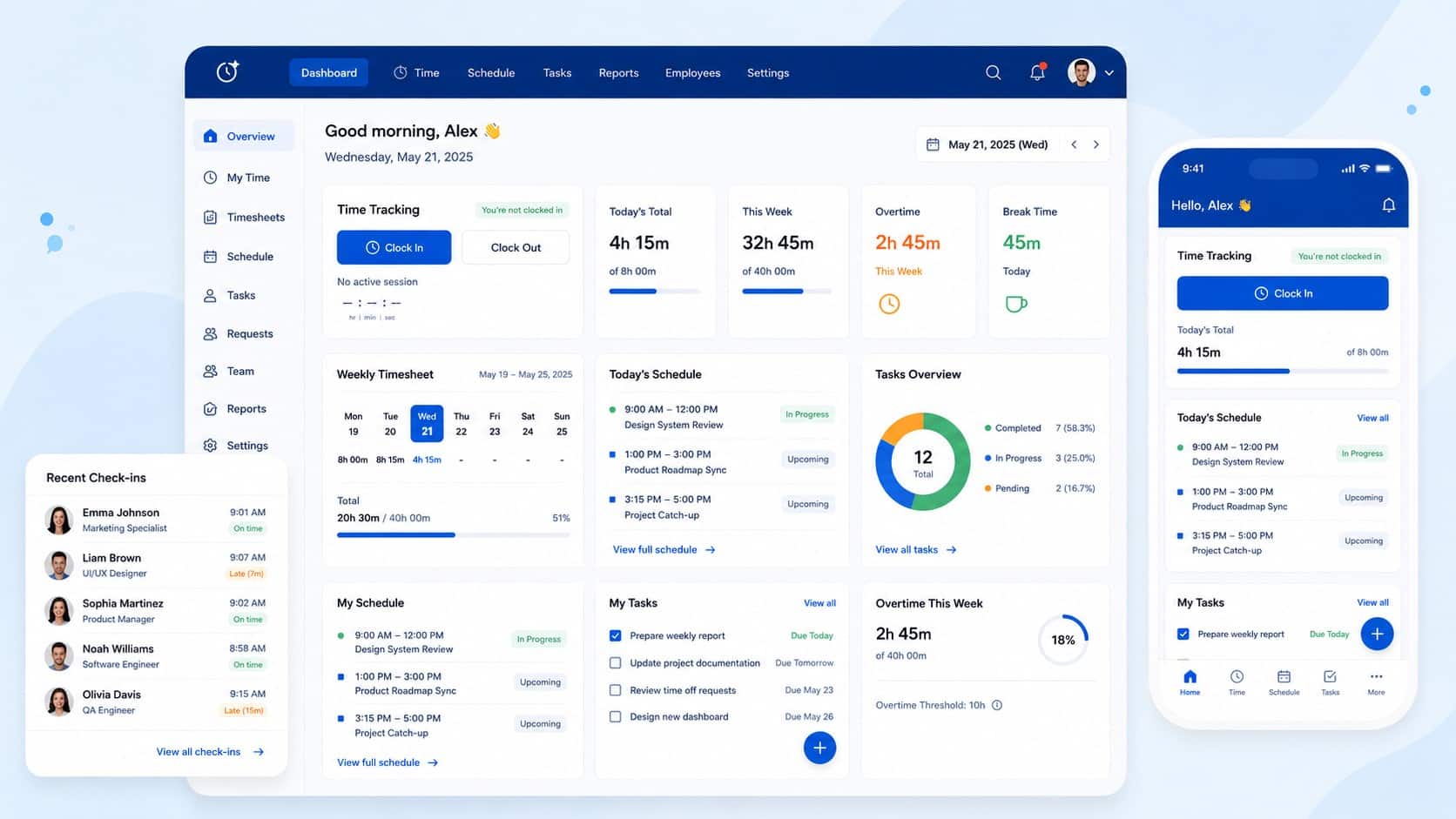
By bringing business operations and communication into a single digital platform, it reduces tool sprawl, streamlines business processes, and improves work efficiency. Its mobile friendly design helps frontline as well as remote teams to use essential tools from any location.
With multichannel delivery across mobile, web, email, SMS, Microsoft Teams, and Slack, the information reaches every employee while creating a smoother, more connected workforce experience.
Conclusion
Effective time and labor management replaces disconnected processes with integrated time tracking, leave management, labor costing, compliance, and reporting. It improves workforce visibility, reduces administrative effort, and supports small businesses manage their team.
A unified platform like HubEngage can bring workforce operations, communication, and employee engagement together. Explore our employee experience platform by taking up a demo to see how it can support your team.
FAQs for Time And Labor Management
1. What does labor management mean?
Labor management is the process of planning, scheduling, tracking, along with making employee work better. This includes hours, attendance, staffing, leave, labor costs, productivity, and workplace compliance.
2. How does time and labor management support compliance with labor laws?
Time and labor management systems track hours, breaks, PTO, schedules, and attendance. Also, they show possible violations, maintain audit trails, and decrease errors related to compliance.
3. What should I look for in a time and labor management vendor?
Look for accurate time tracking, flexible scheduling, leave management, payroll integrations, compliance tools, mobile access, employee self-service, reporting, security, correct pricing, and options to scale up.
4. Can labor management software integrate with payroll and HR systems?
Many platforms can integrate with payroll as well as HR systems to match correct employee profiles, working hours, leave, attendance, and timesheets to decrease repeated entries.
5. Are time and labor management tools safe for users?
Such tools can be safe when they have high security access controls, role-based permissions, check logs, along with good data management rules.
Related Links
employee clock in app | workforce management | time and attendance system | employee scheduling software | ai staff scheduling