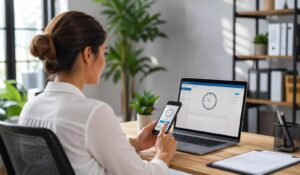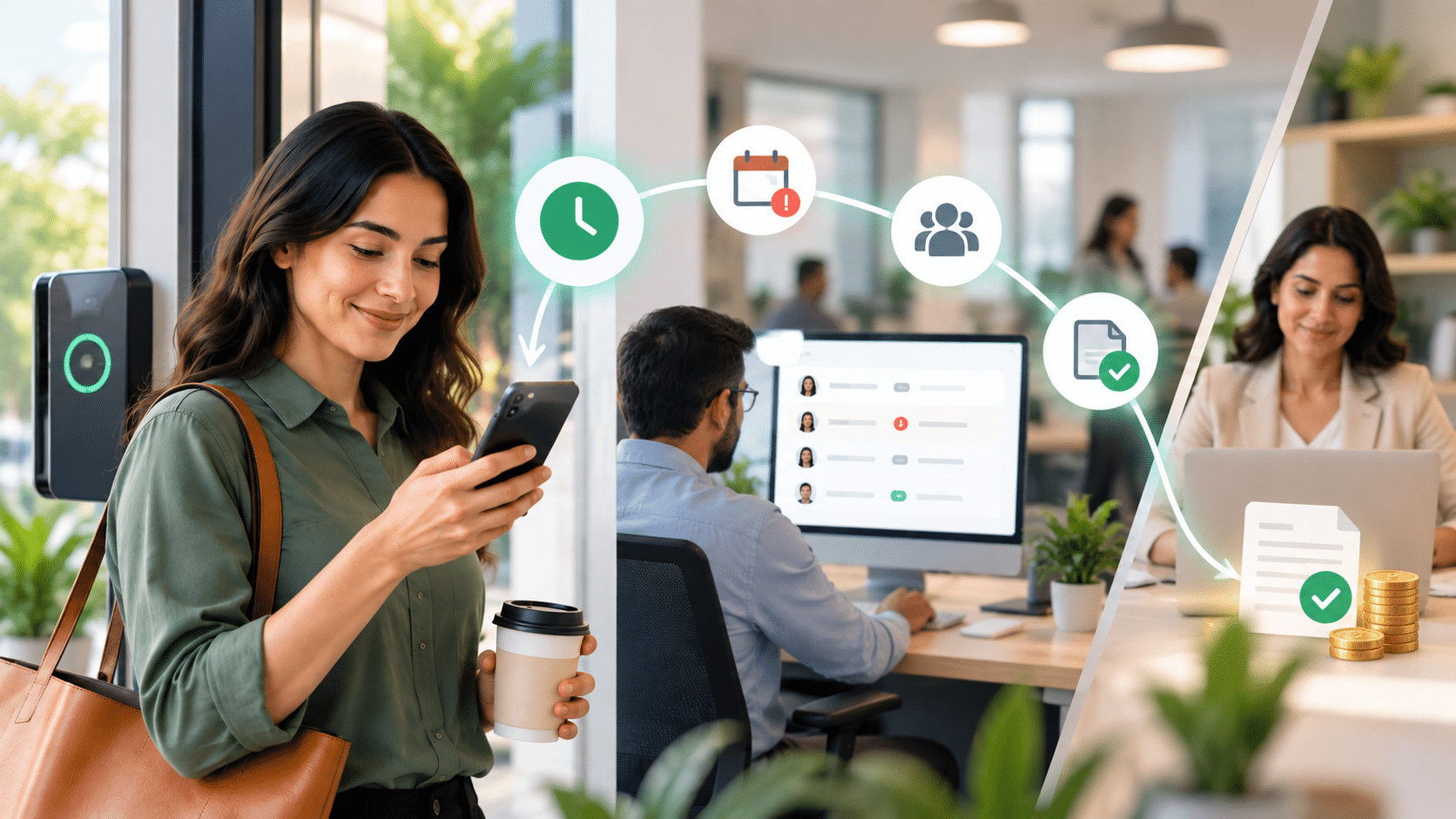
Managing employee time tracking can feel like herding cats, especially when you are dealing with multiple shifts, remote workers, and complex scheduling needs. An employee time clock app transforms this chaos into organized, accurate records that save you hours of administrative work while ensuring payroll accuracy.
If you are tired of paper timesheets, buddy punching, or manual calculations eating up your time, this guide walks you through everything you need to know about employee time clock apps. You will understand how they work, what features matter most, and how to choose the right solution for your specific business needs.
An employee time tracking app should do more than record when someone starts and ends work. It should make it easy for employees to track hours, breaks, and overtime while giving managers a simple way to review timesheets, correct missed punches, approve hours, and prepare accurate time data for payroll.
The right app depends on how your team works. A field team may need GPS and geofencing, while an hourly workforce may care more about shifts, breaks, overtime, and manager approvals. For multi-location teams, easy mobile access and one place to review time across locations can matter even more.
Key Takeaways
- Employee time clock apps automate time tracking, helping businesses replace paper timesheets and manual payroll calculations with accurate digital records.
- Modern time clock software reduces payroll errors, buddy punching, and time theft through features like GPS tracking, geofencing, photo verification, and automated overtime calculations.
- The best employee time clock apps integrate with payroll, HR, and scheduling systems, eliminating duplicate data entry and improving workforce management efficiency.
- Businesses can save significant administrative time and labor costs by automating attendance tracking, overtime monitoring, and payroll preparation.
- Choosing the right employee time clock app depends on your workforce needs, including remote teams, field employees, shift workers, compliance requirements, and integration needs.
- Organizations typically achieve ROI within 3–6 months through improved payroll accuracy, reduced time theft, better compliance, and streamlined workforce operations.

Employee Time Tracking App: What Should You Look For?
Choosing an employee time tracking app becomes much easier when you start with your workforce instead of starting with a long list of software features.
Ask one simple question first:
How do our employees actually work each day?
Someone working at the same store every day needs a different setup from a technician visiting several customer locations. Similarly, a 30-person business may not need the same controls as a company managing thousands of hourly employees.
Use this quick guide before comparing apps:
| Your workforce | Features to look for |
|---|---|
| Hourly and shift employees | Clock-in/out, break tracking, overtime, timesheets, manager approvals |
| Field employees | Mobile clock-in, GPS, geofencing, offline access |
| Frontline employees | Simple mobile access, fast clock-in, scheduling, manager visibility |
| Multi-location teams | Location controls, centralized reporting, timesheet approvals |
| Remote or project teams | Project time tracking, task tracking, reports |
| Payroll-focused teams | Approved timesheets, payroll integration, overtime rules, audit history |
You do not need every feature available in the market. You need the features that make time tracking easier for employees and reduce the amount of fixing managers have to do later.
For example, GPS may be useful for field workers but unnecessary for employees working from the same location every day. Project tracking may matter to an agency but may add little value to a retail store.
The goal is not to find the app with the longest feature list. It is to find one that fits the way your employees already work.
What Is an Employee Time Clock App?
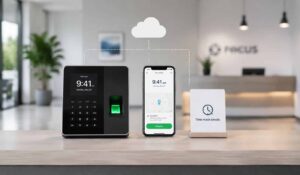
An employee time clock app is a digital solution that allows workers to clock in and out using their smartphones, tablets, or computers. These apps replace traditional punch cards and paper timesheets with automated tracking that records exact work hours, breaks, and overtime.
The app typically connects to a central database where managers can view real-time attendance, generate reports, and integrate with payroll systems. Most employee time clock apps include GPS tracking, photo verification, and project-based time tracking to prevent time theft and ensure accurate records.
Unlike traditional time clocks that require physical presence at a specific location, these apps offer flexibility for remote workers, field teams, and multi-location businesses. The software automatically calculates hours worked, applies overtime rules, and flags potential issues like missed punches or extended breaks.
Key Features of Time Clock Software
Modern employee time clock apps go far beyond simple clock-in and clock-out functionality. Understanding these features helps you identify what your business actually needs versus what sounds impressive but adds unnecessary complexity.
Core Tracking Features
- GPS Location Tracking: Verifies employees are at the correct job site when clocking in
- Photo Verification: Takes a picture when employees punch in to prevent buddy punching
- Geofencing: Creates virtual boundaries that automatically clock employees in when they arrive
- Offline Capability: Stores punch data when internet connection is unavailable
- Break and Lunch Tracking: Monitors paid and unpaid break periods automatically
Advanced Functionality
- Project Time Tracking: Assigns hours to specific clients, projects, or job codes
- Overtime Calculations: Applies federal, state, and custom overtime rules automatically
- Shift Scheduling: Integrates time tracking with employee schedules
- Real-Time Notifications: Alerts managers to late arrivals, missed punches, or overtime
- Mobile Accessibility: Works on iOS, Android, and web browsers
Comparison of Time Clock App Types
| App Type | Best For | Key Advantage | Main Limitation |
|---|---|---|---|
| Basic Time Tracking | Small teams under 20 | Simple setup and low cost | Limited reporting features |
| GPS-Enabled Apps | Field service teams | Location verification | Requires strong mobile signal |
| Biometric Integration | High-security environments | Prevents all forms of time theft | Higher hardware costs |
| All-in-One Platforms | Growing businesses | Comprehensive workforce management | Steeper learning curve |
The right features depend on your specific challenges. A construction company needs GPS tracking and offline capability, while a retail store might prioritize shift scheduling and break tracking.
What Does an Employee Time Tracking App Need to Do Well?
Most time tracking apps can record hours. The bigger difference appears in what happens before and after an employee clocks in.
A useful system should make the full process easy:
Clock in → Track work → Take breaks → Clock out → Review timesheet → Fix exceptions → Manager approval → Payroll
That is why a simple clock-in button should not be the only thing you compare.
Before choosing an app, check how it handles these everyday situations:
Missed punches
Employees will occasionally forget to clock in or out. Check whether the app alerts the employee or manager and whether corrections can be reviewed and approved easily.
Breaks and overtime
If you manage hourly employees, look at how the system records breaks and flags overtime. Managers should be able to spot problems before the pay period closes.
Timesheet corrections
Employees or managers may need to correct an incorrect entry. The process should be clear, and changes should be recorded so there is a reliable history.
Manager approvals
Managers should not have to check every entry manually. A good setup makes exceptions easy to find and lets managers review and approve hours before payroll.
Payroll handoff
Finally, check what happens after a timesheet is approved. Can the data move into your payroll system, or will someone still need to enter the hours manually?
This is often the difference between simply recording employee time and actually making time tracking easier to manage.

Time Clock App vs Traditional Methods
The shift from paper timesheets and punch cards to digital solutions represents more than just technological upgrade—it fundamentally changes how businesses manage their workforce.
Accuracy and Reliability
Traditional punch cards and paper timesheets create multiple opportunities for errors. Employees forget to punch in, write illegible times, or make honest mistakes in calculations. Manual entry by managers introduces additional errors during data transfer.
Employee time clock apps eliminate these issues through automated tracking. The system records exact times, calculates hours automatically, and flags discrepancies immediately. GPS verification and photo capture prevent the buddy punching that costs businesses an average of 2-8% of their payroll.
Administrative Efficiency
Paper-based systems require managers to collect, organize, and manually calculate timesheets for every pay period. This process typically takes 2-4 hours per week for businesses with 20+ employees.
Digital time tracking reduces this administrative burden to minutes. The app automatically compiles reports, calculates overtime, and exports data directly to payroll systems. Managers spend their time on strategic tasks instead of data entry.
Real-Time Visibility
Traditional methods provide information only after the fact. Managers discover attendance issues, overtime problems, or scheduling conflicts during payroll processing—too late to address them effectively.
Employee time clock apps offer real-time visibility into who is working, where they are located, and how many hours they have logged. This immediate insight allows proactive management of labor costs and scheduling adjustments.
How to Choose the Right Time Tracking Solution
Selecting an employee time clock app requires matching your specific business needs with the right feature set. The most expensive solution is not necessarily the best choice, and the cheapest option might lack essential functionality.
Start With These Five Questions
Before comparing employee time tracking apps, answer these five questions.
1. Where do employees work?
Are employees at one location, several locations, customer sites, worksites, or working remotely?
This tells you whether you need mobile access, GPS, geofencing, offline tracking, or a shared kiosk.
2. How are employees paid?
Hourly teams may need break tracking, overtime rules, shift information, and approved timesheets. Project-based teams may care more about hours spent on individual jobs or clients.
3. Who checks the hours?
Think about the manager’s work too. How will they spot missed punches, late arrivals, overtime, or incorrect entries?
4. What happens when something goes wrong?
Someone will eventually forget to clock out.
Before choosing an app, see how easy it is for employees and managers to correct an entry and keep a record of the change.
5. Where does the time data go next?
Time tracking should not end with a report.
Ask how approved hours reach payroll, HR, scheduling, accounting, or other systems your business already uses.
If employees can track time easily but managers still spend hours cleaning up the data before payroll, the system has only solved half the problem.
Assess Your Business Requirements
Start by identifying your primary pain points. Are you dealing with remote workers who need location verification? Do you have complex overtime rules that require automated calculations? Are you losing money to time theft through buddy punching?
Document your current time tracking challenges and estimate the cost of these problems. This baseline helps you evaluate whether a time clock app will provide positive return on investment.
Consider Your Workforce Structure
Different employee types require different tracking approaches. Office workers need simple clock-in functionality, while field service teams require GPS tracking and offline capability. Multi-location businesses benefit from centralized reporting across all sites.
Evaluate whether your employees work fixed schedules or variable hours, handle multiple projects simultaneously, or work across different pay rates. These factors influence which features provide the most value.
Integration Requirements
Your employee time clock app must work seamlessly with existing systems. Most businesses require integration with:
- Payroll Software: QuickBooks, ADP, Paychex, or other payroll providers
- HR Systems: Employee databases and benefits administration
- Project Management: Client billing and project tracking tools
- Accounting Software: Cost allocation and budget tracking
Verify that your preferred app offers native integrations or API access for your current software stack. Poor integration leads to manual data entry that defeats the purpose of automation.
Budget Considerations
Employee time clock apps typically use per-employee monthly pricing ranging from $2-8 per user. Factor in implementation costs, training time, and any required hardware purchases.
Calculate the total cost of ownership over 12-24 months and compare this to your current administrative costs. Include the value of improved accuracy, reduced time theft, and better labor cost visibility in your analysis.
Integration with Payroll and HR Systems
Seamless integration between your employee time clock app and existing business systems determines whether the solution saves time or creates additional work. Poor integration forces manual data entry that eliminates efficiency gains.
Payroll System Connectivity
Modern employee time clock apps connect directly with major payroll providers through APIs or file exports. This integration automatically transfers hours worked, overtime calculations, and project allocations to your payroll system.
The best integrations include:
- Automatic Data Sync: Hours transfer without manual intervention
- Error Handling: Flags discrepancies for review before payroll processing
- Custom Pay Rules: Applies your specific overtime, holiday, and bonus calculations
- Audit Trails: Maintains records of all time and pay adjustments
Verify that your payroll provider appears on the app’s integration list and understand any limitations or additional costs for data transfer.
HR System Integration
Employee time clock apps should connect with your HR information system to maintain consistent employee data. This integration ensures accurate job codes, pay rates, and scheduling information across all platforms.
Key integration points include:
- Employee Onboarding: New hires automatically gain time tracking access
- Role Changes: Updated job codes and pay rates sync immediately
- Terminations: Access revocation and final timesheet processing
- Compliance Reporting: Labor law compliance and audit documentation
Data Security and Compliance
Time tracking data includes sensitive employee information that requires protection. Ensure your chosen app meets industry security standards and compliance requirements for your business type.
Look for features like encrypted data transmission, secure cloud storage, user access controls, and regular security audits. Healthcare and financial services businesses may require additional compliance certifications.
How to Compare Employee Time Tracking Apps
At first glance, many employee time tracking apps look similar. Most let employees start and stop a timer, record hours, and view timesheets.
The differences become clearer when you look at how the app handles a full workday and pay period.
Here are the areas worth comparing:
| What to compare | What to check |
|---|---|
| Clock-in options | Mobile, desktop, browser, kiosk or shared device |
| Location features | GPS, geofencing and location controls if needed |
| Breaks and overtime | How breaks, overtime and work rules are handled |
| Timesheets | Automatic timesheets, edits and approval process |
| Missed punches | Alerts and correction process |
| Scheduling | Whether scheduled and actual hours can be compared |
| Payroll | Direct integration, export or manual transfer |
| Manager controls | Approvals, exceptions, reports and permissions |
| Employee experience | How easy it is to clock in, check hours and correct mistakes |
| Mobile use | Whether the app works well for employees away from a desk |
| Offline access | Whether employees can record time without an internet connection |
| Reporting | Attendance, hours, overtime and labor reporting |
| Security | Access controls, audit history and data protection |
Start with the workflow, not the feature count
A product with 50 features isn’t automatically better than one with 20.
What matters is how smoothly it works in a normal employee day. Clocking in should be quick, missed punches easy to spot, corrections simple to request, and timesheets easy to approve.
Most importantly, approved hours should flow into payroll without being entered again.
That tells you more than any long feature checklist.
Test the app with real situations
If possible, test the system with situations that actually happen in your workplace.
For example:
- An employee forgets to clock out.
- Someone arrives outside an approved location.
- An employee works overtime.
- A manager needs to correct a timesheet.
- A worker has no internet connection.
- An employee works at two locations in one day.
- Payroll needs approved hours at the end of the week.
A short real-world test can show problems that are easy to miss during a product demo.
Best Employee Time Clock Apps for 2026
There is no single employee time tracking app that fits every workforce. A field service company, retail store, remote team, and large enterprise may all need different things from the same category of software.
Instead of comparing products only by the number of features they offer, look at the type of workforce they are built to support.
| Solution | Worth considering when you need |
|---|---|
| HubEngage | Time tracking as part of a broader workforce platform |
| QuickBooks Time | Time tracking connected closely with QuickBooks |
| ADP Workforce Now | Time and workforce tools within the ADP environment |
| Deputy | Shift scheduling and time tracking for shift-based teams |
| BambooHR | Time tracking connected with broader HR processes |
| Clockify | Straightforward time and project tracking |
| TimeClock Plus | Dedicated time and attendance management |
| ExakTime | Time tracking for construction and field teams |
| UKG | Workforce management for larger and more complex workforces |
The right choice depends on your team size, industry, payroll setup, work locations, and how much workforce management you want in one system.
The employee time clock app market offers solutions ranging from simple punch-in tools to comprehensive workforce management platforms. Understanding the strengths and limitations of leading options helps you make an informed decision.
Enterprise-Level Solutions
Large businesses with complex needs benefit from comprehensive platforms that combine time tracking with scheduling, HR management, and advanced reporting.
QuickBooks Time excels at integration with existing QuickBooks workflows while providing robust mobile tracking capabilities. The platform handles complex overtime rules and offers extensive customization options for different business types.
ADP Workforce Now provides enterprise-grade functionality with strong compliance features and detailed analytics. The system works well for businesses with multiple locations and complex pay structures.
Mid-Market Options
Growing businesses need solutions that scale with their operations while remaining cost-effective and easy to use.
Deputy combines time tracking with shift scheduling and team communication tools. The platform works particularly well for retail and hospitality businesses with variable schedules.
BambooHR integrates time tracking with comprehensive HR management, making it ideal for businesses that need both functions in a single platform.
Small Business Solutions
Smaller teams need simple, affordable solutions that provide essential functionality without overwhelming complexity.
Clockify offers free basic time tracking with optional paid features for advanced reporting and integrations. The platform works well for remote teams and project-based businesses.
TimeClock Plus provides straightforward punch-in functionality with basic reporting and payroll integration at competitive pricing.
Specialized Industry Apps
Certain industries benefit from time tracking apps designed for their specific needs and compliance requirements.
Construction companies often choose ExakTime for its rugged hardware options and job site tracking capabilities. The platform handles prevailing wage requirements and certified payroll reporting.
Healthcare organizations frequently select UKG for its compliance features and integration with healthcare-specific scheduling requirements.
Which Employee Time Tracking App Fits Your Workforce?
Instead of starting with a brand name, start with the type of workforce you manage.
Hourly employees
For hourly employees, the basics matter most. Look for quick clock-in and clock-out, break tracking, overtime visibility, accurate timesheets, and a simple approval process.
Managers should be able to see problems before the end of the pay period instead of finding them during payroll.
Frontline employees
Frontline employees may not sit at a computer during the day. Mobile access should therefore be simple and fast.
Employees should be able to record time without moving through several screens just to start or end a shift.
Manager access matters too. Supervisors should be able to see attendance, exceptions, and hours without waiting for a report.
Field employees
Field teams often need location-based features.
Depending on the business, this may include GPS, geofencing, job-site tracking, or offline access.
The aim is not to track employees more than necessary. It is to make sure time records match where and when work takes place.
Multi-location teams
When employees work across several locations, managers need one view of time and attendance.
Look for location controls, centralized reporting, easy approvals, and the ability to see where an employee worked during a particular shift.
Remote and project-based teams
Project-based teams may care less about physical clock-in locations and more about where working time goes.
Features such as project timers, task-level tracking, client hours, and reports may be more useful for these teams.
Larger organizations
Larger workforces usually need more control over permissions, approvals, overtime rules, locations, integrations, and reporting.
In this case, the question is not simply whether the app can record time. It is whether it can handle the way time moves across managers, locations, payroll, HR, and other workforce systems.
Implementation and ROI Considerations
Successfully implementing an employee time clock app requires careful planning, proper training, and realistic expectations about the transition process. Poor implementation can turn a valuable tool into a source of frustration for both managers and employees.
Planning Your Rollout
Start with a pilot program using a small group of employees before company-wide deployment. This approach allows you to identify potential issues, refine processes, and build internal champions who can help train other team members.
Document your current time tracking processes and identify specific metrics you want to improve. Common goals include reducing payroll processing time, eliminating time theft, improving schedule compliance, and increasing labor cost accuracy.
Training and Change Management
Employee adoption determines implementation success. Provide comprehensive training that covers not just how to use the app, but why the change benefits both the company and individual workers.
Address common concerns about privacy, job security, and technology challenges upfront. Emphasize benefits like more accurate paychecks, easier schedule access, and reduced paperwork rather than focusing solely on management advantages.
Consider implementing Change Management Principles to ensure smooth adoption across your organization. Effective change management reduces resistance and accelerates the realization of benefits.
Measuring Return on Investment
Track specific metrics to quantify the value of your employee time clock app investment:
- Administrative Time Savings: Measure reduction in payroll processing hours
- Payroll Accuracy: Compare error rates before and after implementation
- Time Theft Reduction: Calculate savings from eliminated buddy punching
- Overtime Management: Track reduction in unplanned overtime costs
- Compliance Improvements: Document better adherence to break and meal requirements
Track the change in payroll processing time, corrections, missed punches, overtime exceptions and manager administration after implementation.
Ongoing Optimization
Employee time clock apps provide data that enables continuous improvement in workforce management. Use reporting features to identify patterns in attendance, overtime usage, and productivity that inform better scheduling and policy decisions.
Regular system audits ensure continued accuracy and help identify opportunities for additional features or integrations. Consider implementing Benefits of Employee Wellness Programs alongside time tracking to create a comprehensive approach to workforce management.
Conclusion
The right employee time tracking app should make the day easier for both employees and managers.
Employees need a simple way to record their time. Managers need accurate timesheets, clear exceptions, easy approvals, and fewer problems to fix before payroll.
Before choosing a system, look beyond clock-in and clock-out. Think about where your employees work, how breaks and overtime are handled, how managers approve time, and what happens to the data after approval.
Most importantly, choose a system that fits the way your workforce already operates.
For organizations managing frontline, distributed, or multi-location employees, time tracking can also work better when it connects with the other tools employees and managers use throughout the workday.
HubEngage brings workforce operations and employee experience together so teams can manage everyday work without adding another disconnected tool.
Employee Time Clock Apps FAQs
What happens if employees forget to clock in or out?
Most employee time clock apps include automatic notifications and manager alerts for missed punches. Employees typically receive reminders via email or push notifications when they forget to clock out. Managers can set up real-time alerts for late arrivals or missed punches.
The apps usually provide easy correction tools that allow managers to add missing punches with proper documentation and approval workflows. Some advanced systems use geofencing to automatically clock employees in when they arrive at work locations.
Can employee time clock apps work without internet connection?
Many modern apps include offline functionality that stores punch data locally when internet connection is unavailable. The data automatically syncs to the central system once connectivity is restored.
This feature is particularly important for field workers, construction sites, or locations with unreliable internet. However, real-time features like GPS verification and manager notifications require active internet connection to function properly.
How do time clock apps prevent employees from clocking in for each other?
Employee time clock apps use multiple verification methods to prevent buddy punching. Photo verification takes a picture each time someone clocks in, allowing managers to verify identity. GPS tracking confirms employees are at the correct location when punching in.
Some apps include biometric verification using fingerprints or facial recognition for maximum security. Geofencing creates virtual boundaries that prevent clock-ins from unauthorized locations.
Are employee time clock apps legal and compliant with labor laws?
Reputable employee time clock apps are designed to comply with federal and state labor laws, including Fair Labor Standards Act requirements for accurate timekeeping. The apps typically include features for break tracking, overtime calculations, and record retention that support compliance.
However, businesses remain responsible for ensuring their time tracking policies and practices comply with applicable laws. Some industries or states have specific requirements for employee consent, data privacy, or record keeping that may affect app selection.
What should I do if employees resist using a time clock app?
Employee resistance often stems from concerns about privacy, job security, or technology challenges. Address these concerns through transparent communication about why the change is necessary and how it benefits everyone.
Provide comprehensive training and ongoing support to help employees feel comfortable with the technology. Consider incentives for early adoption and recognize employees who help others learn the system. Focus on benefits like more accurate paychecks and easier access to schedule information rather than emphasizing monitoring aspects.
What is an employee time tracking app?
An employee time tracking app records when employees work and stores those hours in a digital timesheet. Depending on the app, it may also track breaks, overtime, locations, projects, schedules, missed punches, and manager approvals. Many systems can also send approved time data to payroll or other workforce systems.
How do I choose an employee time tracking app?
Start with how your employees work. Consider whether they are hourly, field-based, remote, frontline, or spread across several locations. Then compare clock-in options, timesheets, break and overtime tracking, manager approvals, mobile access, GPS if required, payroll integration, reporting, and how easy the app is for employees to use.
Can an employee time tracking app connect with payroll?
Many employee time tracking apps can send approved time data to payroll through a direct integration or file export. Before choosing an app, check whether it supports your payroll provider and exactly what information can be transferred. A good connection can reduce the need to enter the same hours manually in two systems.
What is the best employee time tracking app for hourly employees?
There is no single app that fits every hourly workforce. Look for one that makes clock-in and clock-out simple and supports breaks, overtime, timesheet corrections, manager approvals, scheduling, and payroll. If employees work in the field or across several locations, mobile access, GPS, geofencing, or offline tracking may also matter.