Modern workplaces are ditching traditional punch cards and paper timesheets for digital solutions. An employee clock in app transforms how businesses track work hours, manage schedules, and calculate payroll. These mobile-first platforms let employees clock in from anywhere using smartphones, tablets, or computers while giving managers real-time visibility into workforce attendance.
In 2025, the size of global time tracking software market was USD 6.13 billion and is expected to increase upto USD 17.39 billion by 2033, growing at a CAGR of 14.2% from 2026 to 2033.

If you manage a frontline team like in manufacturing, healthcare, hospitality, etc then you understand the challenges of tracking employee hours across multiple shifts and locations.
In this guide we will tell you exactly how employee clock in apps work, what features matter most, and how to choose the right solution for your organization.
Key Takeaways
- Employee clock in apps let staff track time from mobile devices with real-time visibility for managers.
- GPS, geofencing, and photo verification reduce time theft and ensure accurate attendance.
- Key features include time tracking, break and overtime management, integrations, and offline mode.
- Businesses can save a lot of payroll cost and gain efficiency through automated payroll sync.
- Best solutions integrate with HR, payroll, and scheduling tools to create a unified workflow.
- Choose an app based on workforce type, compliance needs, integrations, and ease of use.
What is an Employee Clock In App?
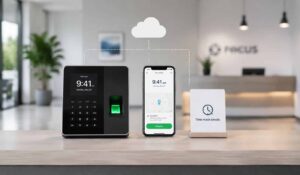
An employee clock in app is a digital time tracking solution that allows workers to record their arrival, departure, and break times using mobile devices or computers.
Unlike traditional time clocks that require physical presence at a specific location, these apps provide flexibility for remote work, field service, and multi-location businesses.
The app typically includes GPS tracking to verify employee location, photo capture for identity verification, and real-time synchronization with payroll systems. Workers simply open the app, tap to clock in or out, and their hours are automatically recorded and calculated.
Core Components of Employee Clock In Apps
Every effective employee clock in app includes several essential components that work together to create a comprehensive time tracking solution:
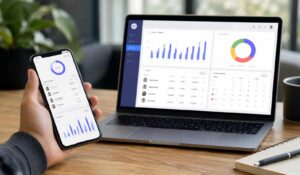
- Mobile Interface: User-friendly app for iOS and Android devices that employees can access from anywhere
- GPS Location Tracking: Verifies employee location when clocking in to prevent buddy punching and ensure compliance
- Photo Verification: Captures employee photos during clock-in to confirm identity and reduce time fraud
- Real-Time Sync: Instantly updates attendance data across all devices and integrates with payroll systems
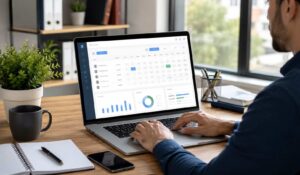
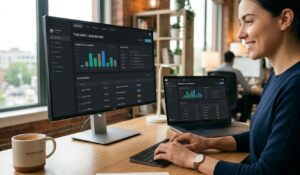
- Manager Dashboard: Provides supervisors with live visibility into who is working, break status, and overtime alerts
- Offline Capability: Allows employees to clock in even without internet connection, syncing data when connectivity returns
Employee Clock In App vs Traditional Time Tracking
The shift from traditional time clocks to mobile apps represents a fundamental change in how businesses approach workforce management. Understanding these differences helps explain why organizations are making the transition.
Traditional punch card systems and physical time clocks require employees to be at a specific location to record their hours. This works well for office environments but creates challenges for remote workers, field service teams, and businesses with multiple locations.
Quick Comparison: Employee Clock In Apps vs Traditional Time Tracking
| Factor | Traditional Time Tracking | Employee Clock In App |
| Flexibility | Fixed location, manual entry | Clock in from anywhere via mobile or web |
| Scheduling | Hard to adjust, delayed updates | Real-time updates and alerts for changes |
| Accuracy | Prone to errors and rounding | Precise timestamps and automated tracking |
| Fraud Prevention | Buddy punching risk | GPS, photo, and geofencing verification |
| Admin Work | Manual timesheets and payroll entry | Automated calculations and payroll sync |
| Efficiency | Time-consuming and error-prone | Saves time and improves workforce visibility |
Top Employee Timesheet Softwares
Explore leading employee timesheet software solutions to compare features, benefits, and find the best fit for your workforce needs.
1. HubEngage
As part of the employee experience platform, time tracking helps organizations monitor employee work hours, attendance, and productivity. It enables employees to log time easily while giving managers clear visibility into work patterns and attendance trends.
Built for simplicity and accessibility, the platform supports mobile and web-based time tracking, making it ideal for both desk-based and field employees. Real-time tracking and reporting help reduce manual errors and improve payroll accuracy.
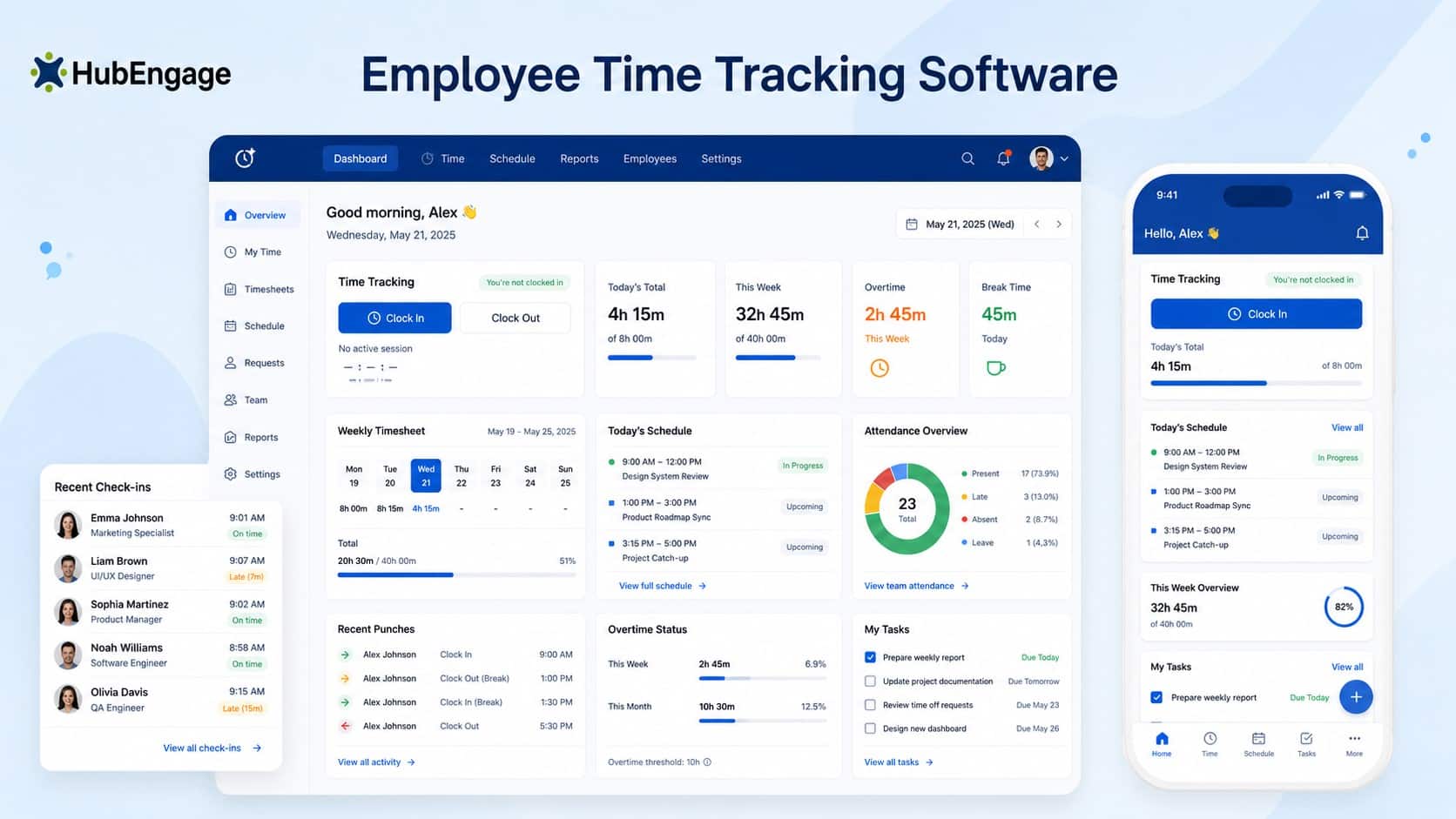
With integrations into HRIS and payroll systems, time data flows seamlessly across systems, reducing administrative effort and ensuring compliance. Time tracking works alongside scheduling, communication, and task management.
Key Features:
- Easy Time Tracking: Easy time logging and attendance tracking across mobile and web
- Real-Time Insights: Real-time tracking dashboards provide insights and reporting accuracy
- Automated Sync-up: Automated syncing with HRIS and payroll ensures accurate records
- Mobile Workforce Support: Supports desk and field employees with simple mobile access tools
- Improved Accuracy & Compliance: Reduces manual errors and improves compliance with accurate time data
Best For: Organizations looking for an all-in-one solution that blends employee timesheet software with communication and engagement tools, especially for distributed or frontline teams. Explore how HubEngage
HubEngage is highly rated with 4.6 out of 5 stars for its flexibility, cost-effectiveness, and strong engagement features, particularly appealing to mid-sized organizations looking for enterprise-grade capabilities at a lower price point.
Check out the real-world impact and success stories, you can hear from our customers describing their experience of how they improved overall employee experience using HubEngage.
2. BambooHR
BambooHR offers comprehensive employee timesheet software designed for mid-size organizations seeking integrated HR and time management solutions. The platform combines time tracking with employee data management, creating a unified system for workforce administration.
Key Features:
- Integrated HR Platform: Seamless connection between time tracking and employee records, benefits, and performance management
- Mobile Time Clock: iOS and Android apps with GPS tracking and photo verification for remote workers
- Custom Approval Workflows: Flexible approval processes that accommodate different management structures and policies
- Advanced Reporting: Detailed analytics on labor costs, overtime trends, and productivity metrics across departments
Best For: Healthcare organizations and manufacturing companies that need integrated HR and time tracking with strong reporting capabilities. Particularly effective for organizations managing both on-site and remote staff across multiple locations.
3. TSheets by QuickBooks
TSheets provides robust employee timesheet software with deep QuickBooks integration, making it ideal for organizations already using QuickBooks for accounting and payroll processing.
Key Features:
- QuickBooks Integration: Direct synchronization with QuickBooks payroll, eliminating double data entry and reducing errors
- GPS Tracking: Real-time location tracking for field workers with geofencing capabilities to ensure accurate time capture
- Job Costing: Detailed project and job tracking that integrates with QuickBooks for accurate profitability analysis
- Kiosk Mode: Shared device functionality for manufacturing floors and hospitality venues where employees share terminals
Best For: Small to medium businesses in manufacturing and hospitality that use QuickBooks for accounting. Excellent for organizations with field workers or multiple job sites requiring location verification.
4. Kronos Workforce Central
Kronos delivers enterprise-grade employee timesheet software designed for large organizations with complex needs at work, particularly in healthcare and manufacturing sectors.
Key Features:
- Advanced Scheduling Integration: Sophisticated scheduling tools that connect with time tracking for comprehensive workforce management
- Compliance Management: Built-in features for FLSA compliance, union rules, and industry-specific labor regulations
- Biometric Time Clocks: Hardware integration with fingerprint and facial recognition systems to prevent time theft
- Predictive Analytics: AI-powered insights that help optimize staffing levels and reduce labor costs
Best For: Large healthcare systems, manufacturing facilities, and hospitality chains that need enterprise-level functionality with advanced compliance and analytics capabilities.
5. Deputy
Deputy focuses on employee timesheet software for shift-based industries, offering strong mobile capabilities and user-friendly interfaces designed for frontline workers.
Key Features:
- Shift Management: Integrated scheduling and time tracking specifically designed for shift workers in hospitality and healthcare
- Mobile-First Design: Intuitive mobile apps that make it easy for employees to clock in, request time off, and communicate with managers
- Real-Time Notifications: Instant alerts for schedule changes, shift reminders, and overtime thresholds
- Task Management: Ability to assign and track specific tasks alongside time tracking for comprehensive productivity monitoring
Best For: Hospitality venues, healthcare facilities, and retail operations with shift-based workers who need flexible scheduling and mobile time tracking capabilities.
| Software | Best For | Key Features | Integrations |
| HubEngage | Frontline & distributed teams | All-in-one platform with time tracking, communication, and insights | HRIS, payroll |
| BambooHR | Mid-size organizations | Integrated HR + time tracking with strong reporting | HR, payroll |
| TSheets (QuickBooks) | SMBs using QuickBooks | Job costing, payroll sync, and field tracking | QuickBooks |
| Kronos (UKG) | Large enterprises | Compliance, advanced scheduling, and analytics | Enterprise systems |
| Deputy | Shift-based teams | Scheduling + time tracking with real-time alerts | POS, payroll |
Key Features of Employee Clock In Apps
Understanding the essential features helps you evaluate which employee clock in app will best serve your organization. The most effective solutions combine ease of use with robust functionality.
Time Tracking and Attendance Management
Employee clock in apps capture accurate clock-in and clock-out times, calculate total hours, and handle shifts, breaks, and overtime. Notes and edits create clear records, improving payroll accuracy and reducing manual errors.
GPS and Location Verification
GPS and location tools confirm employees are at the right worksite when clocking in. Geofencing restricts clock-ins to approved areas, helping prevent time fraud and ensuring compliance for field teams and multi-location operations.
Integration Capabilities
Top employee clock in apps integrate with payroll, HR, scheduling, and accounting systems. This automates data flow, reduces manual entry, improves accuracy, and creates a unified workflow from time tracking to payroll processing.
Geofencing and Alerts
Geofencing sets virtual boundaries for job sites, while alerts notify managers about late clock-ins, overtime, or missed punches. These features improve compliance, reduce errors, and help managers take quick action in real time.
Offline Mode and Sync
Offline functionality lets employees clock in without internet access. Data is stored locally and syncs automatically when connectivity returns, ensuring accurate tracking in remote areas like construction sites, factories, or field locations.
Mobile and Remote Employee Clock in solutions
The rise of remote work and mobile workforces has made traditional time tracking methods obsolete for many organizations. Employee clock in apps designed for mobile and remote workers address unique challenges while maintaining accuracy and compliance.
Remote Work Considerations
Remote employees need the ability to clock in from home offices, co-working spaces, or any location where they perform work. The best employee clock in apps for remote workers include features like project-based time tracking, task categorization, and productivity monitoring.
These apps often integrate with collaboration tools like Slack, Microsoft Teams, or project management platforms. Employees can start time tracking directly from their work applications, creating a seamless workflow between time tracking and actual work activities.
Field Service and Multi-Location Support
Field service teams and employees who work across multiple locations need robust GPS tracking and location verification. The employee clock in app should allow managers to set up multiple work sites, create geofenced areas, and track travel time between locations.
Some apps include features specifically designed for field service, such as customer check-in capabilities, work order integration, and mileage tracking. These features help create a complete record of field activities while simplifying the administrative burden on both employees and managers.
Offline Functionality
Not all work locations have reliable internet connectivity. Manufacturing facilities, construction sites, and rural locations often experience connectivity issues that can disrupt time tracking.
The best employee clock in apps include robust offline functionality. Employees can clock in and out even without internet access, and their data automatically syncs when connectivity returns. This ensures accurate time tracking regardless of location or network conditions.
Employee Clock In App Pricing and ROI
Understanding the costs and potential return on investment helps justify the expense of implementing an employee clock in app. Let us explore the pricing and ROI of such softwares
Pricing Models and Cost Factors
Most employee clock in apps use a per-employee monthly pricing model, typically ranging from $2–$5 for basic plans and $8–$15 for advanced features. Additional costs can include setup, training, hardware, and integrations. Vendors often provide discounts for annual billing or larger teams, helping organizations reduce overall subscription costs.
ROI and Cost Savings
Organizations using employee clock in apps commonly reduce time theft by around 2–8% of total payroll costs. Automation minimizes manual errors and administrative work, improving payroll accuracy. Most businesses achieve ROI within 3–6 months, and ongoing savings from efficiency gains and reduced labor costs often exceed the initial investment.
Additional Benefits
Beyond direct savings, employee clock in apps improve scheduling efficiency and reduce overtime expenses. Built-in compliance features help lower the risk of labor law violations and penalties. Enhanced reporting enables better staffing decisions, while improved transparency and flexibility contribute to higher employee satisfaction and stronger retention rates.
Quick ROI & Pricing Summary
| Category | What to Expect | Business Impact |
| Pricing | $2–$15 per employee/month | Scales with team size |
| ROI Time | 3–6 months | Fast payback period |
| Payroll Savings | 2–8% reduction | Lower labor costs |
| Admin Efficiency | Automated tracking & payroll | Saves manager time |
| Workforce Impact | Better scheduling & transparency | Higher productivity & retention |
While pricing varies significantly between solutions, the potential savings often exceed the implementation costs.
How to choose an Employee Clock In App?
Selecting the right employee clock in app requires careful evaluation of your specific business needs, workforce characteristics, and existing technology infrastructure. The wrong choice can create more problems than it solves.
Assess Your Workforce Requirements
Start by understanding how your employees work across locations, shifts, and roles. Identify if your workforce is remote, field-based, or office-based. Different industries have unique needs, so ensure the app supports your environment, whether it is manufacturing, healthcare, or hospitality operations.
Evaluate Technical Requirements
Review your existing technology setup before choosing a solution. Check device compatibility, offline functionality, and real-time data sync capabilities. Some apps require hardware, while others are mobile-based. Choose a solution that fits your infrastructure and ensures smooth performance across all locations.
Consider Compliance and Security Needs
Different industries require specific compliance and security standards. Choose an employee clock in app that supports regulations like HIPAA or labor laws. Look for features like audit trails, secure data storage, and role-based access to protect sensitive employee and payroll information.
Integration with Payroll and HR Systems
Choose an app that integrates easily with payroll, HR, and scheduling systems. Seamless integration reduces manual work, improves accuracy, and ensures faster payroll processing. A unified system helps track attendance, manage employee data, and make better workforce decisions using real-time insights.

Conclusion
An employee clock in app transforms traditional time tracking into a flexible, accurate, and efficient system that benefits both employers and employees. The combination of mobile accessibility, GPS verification, and automated payroll integration creates significant value. With less manual administrative work you can get better accuracy.
Streamline your workforce management with HubEngage to unify employee communications, engagement, and time tracking in one comprehensive platform. Take a free demo and discover what our platform brings to the table.
Employee Clock In Apps FAQs
How accurate are GPS tracking features in employee clock in apps?
Modern employee clock in apps use GPS, Wi‑Fi, and cell signals to verify location with typical accuracy of 3–5 meters. Accuracy varies by device and environment, but is sufficient for confirming job-site presence and reducing buddy punching in most business use cases.
Can employees clock in without their personal smartphones?
Yes, employee clock in apps support multiple access methods, including web browsers, shared kiosks, tablets, or dedicated time clock devices. This flexibility lets organizations avoid personal device dependency while still enabling accurate time tracking across locations and worker types.
What happens if an employee forgets to clock out?
Most employee clock in apps send automatic reminders and alerts for missed clock-outs. Managers can review, edit, and approve time entries with audit trails. This ensures accurate payroll processing while reducing manual corrections and preventing time tracking errors.
How do employee clock in apps handle different time zones?
Employee clock in apps record time in UTC and display local times based on user or location settings. This ensures accurate payroll and reporting across regions, while allowing managers to view schedules and work hours consistently across multiple time zones.
Are employee clock in apps compliant with labor law requirements?
Most employee clock in apps support compliance with US labor laws by maintaining detailed records of hours, breaks, and overtime. Compliance depends on proper setup, so organizations should align app configurations with local labor regulations and policies.
Can employee clock in apps integrate with existing scheduling software?
Modern employee clock in apps easily connects with scheduling, payroll, and HR systems using APIs. This allows automatic syncing of shifts, attendance, and work hours, helping managers compare planned vs actual time and streamline workforce management processes..
Related Links
workforce management | employee time clock app | employee timesheet software