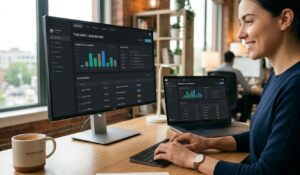
An employee timesheet app eliminates the spreadsheet chaos that costs managers hours every week — missed punches, manual entry errors, and payroll disputes that should never happen. If you manage hourly workers in manufacturing, healthcare, or hospitality, you already know how quickly time tracking problems become payroll problems. This guide covers what these apps actually do, which features matter most, how to evaluate your options, and what real ROI looks like when you make the switch.
What is an Employee Timesheet App?
An employee timesheet app is a digital tool that records, stores, and processes employee work hours — replacing paper timesheets, punch cards, and spreadsheet-based tracking with automated, real-time data collection.
The concept is simple: employees clock in and out using a mobile device, web browser, or physical kiosk, and the app captures that data instantly. Managers can see who is working, who is late, and who has exceeded their scheduled hours — all from a single dashboard. The recorded hours then feed directly into payroll, scheduling, and HR reporting.
Modern employee timesheet apps go well beyond basic clock-in and clock-out. They handle shift differentials, overtime calculations, break compliance, project-based time allocation, and geofencing for remote or field-based teams. For industries like healthcare where regulatory compliance is non-negotiable, these apps also maintain audit trails that satisfy labor law requirements.
Key Insight: According to the American Payroll Association, companies that rely on manual time tracking experience error rates between 1% and 8% of total payroll — a figure that drops dramatically when organizations switch to automated employee timesheet apps.
The distinction between a basic timesheet app and a workforce management platform matters. Basic apps record hours. Platforms integrate those hours with scheduling, communications, and HR systems to give you a complete operational picture.
Key Features of Timesheet Software
Not every employee timesheet app is built the same. Here are the features that separate genuinely useful tools from ones that just digitize your existing headaches.
Core Tracking Features
- Mobile clock-in and clock-out: Employees use their smartphones to punch in, with GPS location stamped on each entry. Essential for distributed teams and field service organizations.
- Geofencing: The app automatically restricts clock-ins to approved locations. A nurse cannot clock in from the parking lot. A hospitality worker cannot punch in from home.
- Biometric verification: Fingerprint or facial recognition prevents buddy punching — one of the most common forms of time theft in hourly workforces.
- Offline mode: Workers in areas with poor connectivity can still log time, which syncs when the connection is restored.
- Break and meal period tracking: Automatically logs required breaks and flags missed meal periods, which is critical for California and other states with strict break laws.
Management and Reporting Features
- Real-time dashboards: Managers see current attendance status without chasing down supervisors or checking physical sign-in sheets.
- Overtime alerts: The system flags employees approaching overtime thresholds before costs escalate.
- Shift differentials: Automatically applies different pay rates for evening, weekend, or holiday shifts.
- Project and task coding: Employees allocate time to specific jobs or cost centers, giving you accurate labor cost data by project.
- Audit trails: Every edit to a timesheet is logged with a timestamp and the identity of the person who made the change.
Compliance Features
- FLSA overtime calculations: Automatically applies federal overtime rules so you are not manually calculating 1.5x pay.
- State-specific labor law rules: Some apps include rule sets for individual states, particularly useful for multi-state employers.
- Document retention: Stores records for the legally required period, typically three years under the Fair Labor Standards Act.
Timesheet App vs. Manual Tracking
| Factor | Manual Tracking | Employee Timesheet App |
|---|---|---|
| Data entry | Employee or manager enters hours manually | Captured automatically at clock-in/out |
| Error rate | 1–8% of payroll (APA estimate) | Near zero for captured entries |
| Overtime visibility | Discovered after the fact | Real-time alerts before thresholds hit |
| Compliance documentation | Paper files, easy to lose | Digital audit trail, automatically retained |
| Payroll processing time | Hours of manual reconciliation | Direct export or integration |
| Buddy punching | No prevention mechanism | Biometric and geofence controls |
| Scalability | Breaks down above ~20 employees | Scales to thousands of workers |
| Cost | Low upfront, high hidden cost | Subscription fee, significant time savings |
The table above makes the operational case clear. Manual tracking feels cheaper until you calculate the manager hours spent on reconciliation, the payroll errors that require corrections, and the compliance exposure from incomplete records.
A manufacturing facility with 150 hourly workers spending an average of 12 minutes per employee per pay period on manual timesheet review is losing approximately 30 hours of manager time every two weeks — time that an employee timesheet app eliminates almost entirely.
Top Employee Timesheet Solutions
The employee timesheet app market includes tools built for very different organizational contexts. Here is a practical breakdown of the major categories and leading options.
Enterprise Workforce Platforms
These solutions combine employee timesheet app functionality with broader workforce management — scheduling, communications, compliance, and HR integration. They are built for organizations with 100+ employees and complex operational requirements.
HubEngage connects employee timesheet tracking with the full employee experience stack — communications, engagement surveys, task management, and workforce operations. For manufacturing, healthcare, and hospitality organizations that need time tracking to work alongside shift scheduling and employee communications, HubEngage provides that unified layer.
UKG (formerly Kronos) is a long-standing enterprise choice with deep payroll integration and strong compliance features. It is particularly common in healthcare and manufacturing. The implementation complexity is higher, and so is the cost.
ADP Workforce Now includes employee timesheet app capabilities as part of its broader HR and payroll suite. Best suited for organizations already using ADP for payroll who want to consolidate vendors.
Mid-Market Options
Deputy focuses on shift scheduling with timesheet tracking built in. Strong for hospitality and retail where schedules change frequently and mobile clock-in is the primary method.
When I Work is similar to Deputy, with a clean mobile interface that works well for distributed hourly workforces. Good for organizations that need an employee timesheet app without heavy configuration requirements.
SMB-Focused Tools
Homebase targets small businesses with hourly workers. Free tier available for single-location businesses. Payroll integration is available as an add-on.
Clockify is a project-based time tracker that works as a basic employee timesheet app for knowledge workers. Less suited for shift-based industries.
How to choose a Timesheet App for your organization?
The right employee timesheet app depends on four variables: your workforce type, your industry’s compliance requirements, your existing tech stack, and your growth trajectory.
Step 1: Define Your Workforce Profile
Start with the basics. How many employees do you have? Are they salaried, hourly, or mixed? Do they work from a single location or multiple sites? Do you have field-based or remote workers who need mobile clock-in?
A hospital with 500 nurses across three shifts has fundamentally different needs than a restaurant group with 80 part-time servers. The employee timesheet app that works for one will frustrate the other.
Step 2: List Your Non-Negotiable Compliance Requirements
Healthcare organizations need HIPAA-aware data handling and detailed audit trails for labor audits. Manufacturing facilities in states like California need break compliance tracking built in. Hospitality businesses with tipped employees need tip reporting integration.
Write down your top three compliance requirements before evaluating any vendor. Any employee timesheet app that cannot meet all three is eliminated immediately.
Step 3: Evaluate Integration Depth
An employee timesheet app that does not connect to your payroll system creates a new manual step instead of eliminating one. Check for native integrations with your specific payroll provider — not just “we integrate with payroll systems” but confirmation that your exact system is supported.
Also consider your scheduling software, your HR information system (HRIS), and any project management tools where labor costs need to be tracked. The benefits of unified communication platforms extend to time tracking — when your employee timesheet app talks to your communications and scheduling tools, managers spend less time chasing data across systems.
Step 4: Run a Pilot
Before committing to a full rollout, run a 30-day pilot with one team or location. Track three metrics: employee adoption rate, manager time spent on timesheet review, and payroll error rate. Compare those numbers to your baseline. If adoption is below 85% and errors have not dropped, the implementation approach needs work before you scale.
Employee Timesheet App Integrations
The value of an employee timesheet app multiplies when it connects directly to your payroll and HR infrastructure. A standalone app that requires manual export and import defeats much of the purpose.
What good Payroll Integration looks like?
Strong payroll integration means approved timesheets flow automatically to your payroll processor without manual intervention. Pay period closes, the system calculates gross pay including overtime and differentials, and the data transfers in a format your payroll system accepts natively. No spreadsheet exports. No re-keying.
The most common integrations in the market connect employee timesheet apps to ADP, Paychex, Gusto, QuickBooks Payroll, and Rippling. Enterprise platforms often include direct API connections to SAP, Oracle HCM, and Workday.
HR System Integration
Beyond payroll, your employee timesheet app should connect to your HRIS for employee data synchronization. When a new employee is added to your HR system, they should appear automatically in the timesheet app — not require a separate manual setup. When an employee is terminated, their access should be revoked automatically.
Absence management is another integration point worth examining. Approved PTO requests should appear in the timesheet system so managers are not manually reconciling approved leave against missing punches.
For organizations exploring Change Management Principles around workforce technology adoption, the integration architecture is often where implementation projects succeed or fail. A well-integrated employee timesheet app removes friction for both employees and managers. A poorly integrated one creates new data silos.
ROI and Cost Savings of Timesheet Apps
The return on investment for an employee timesheet app is measurable and typically realized within the first three to six months of deployment.
Where the Savings Come From
Payroll error reduction: Manual timesheet errors cost organizations an average of $1,400 per year per 100 employees in correction costs, according to research from workforce management industry analysis. An employee timesheet app with automated calculations eliminates most of these errors.
Overtime reduction: Real-time overtime alerts allow managers to redistribute hours before overtime is triggered. Organizations that implement proactive overtime management through their employee timesheet app typically reduce unplanned overtime by 15–20%.
Administrative time savings: A manager spending three hours per week on manual timesheet review saves 150+ hours per year when an employee timesheet app automates that process. At a $35/hour manager rate, that is $5,250 in recovered time annually — per manager.
Buddy punching elimination: The American Payroll Association estimates that buddy punching costs U.S. employers approximately $373 million annually. Biometric verification in a modern employee timesheet app eliminates this category of loss entirely.
Compliance cost avoidance: A single wage and hour lawsuit settlement can cost $50,000 to $500,000 or more. An employee timesheet app with complete audit trails significantly reduces exposure by creating verifiable records of hours worked, breaks taken, and overtime paid.
Calculating Your Specific ROI
Build your ROI case around four numbers:
- Current manager hours spent on timesheet administration per pay period
- Current payroll error rate and average cost to correct
- Current unplanned overtime as a percentage of total labor cost
- Number of locations or employees where buddy punching is a known issue
Run those numbers against the subscription cost of your employee timesheet app. Most organizations with 50+ hourly employees find positive ROI within 90 days.
Conclusion
An employee timesheet app pays for itself quickly — in recovered manager time, reduced payroll errors, and overtime you never have to pay. The right platform connects time tracking to the rest of your workforce operations, not just your payroll system.
See how HubEngage unifies time tracking, employee communications, and workforce operations in one platform — connect your hourly workforce and give managers the real-time visibility they need. Ready to get started? See a demo to learn more.
Employee Timesheet App FAQs
Can employees use an employee timesheet app on their personal phones?
Yes. Most modern employee timesheet apps offer BYOD (bring your own device) support through a mobile app available on iOS and Android. Employees download the app, log in with company credentials, and clock in from their personal device. Geofencing ensures they can only punch in from approved locations. No personal data is accessed by the employer — only work-related clock events are recorded.
How does an employee timesheet app handle employees without smartphones?
Most platforms offer multiple clock-in methods: mobile app, web browser, shared kiosk tablet, or physical time clock hardware. For manufacturing environments where workers do not carry phones on the floor, a wall-mounted kiosk or dedicated time clock terminal connected to the app is the standard solution.
What happens if an employee forgets to clock out?
The app flags the open punch to the manager, who can edit the timesheet with a reason code. The employee receives a notification to review and approve the correction. The audit trail records both the original missed punch and the manager’s correction, maintaining compliance documentation.
Is an employee timesheet app legally required?
No federal law requires a specific method of time tracking. However, the Fair Labor Standards Act does require that employers maintain accurate records of hours worked for non-exempt employees. An employee timesheet app provides the most defensible record — timestamped, tamper-evident, and automatically retained. Paper records satisfy the legal requirement but create significantly more compliance risk.
How long does implementation take?
For a straightforward deployment with one location and under 100 employees, most employee timesheet apps can be configured and launched within one to two weeks. Enterprise deployments with multiple locations, complex payroll integrations, and custom approval workflows typically take four to eight weeks. The pilot approach — starting with one team — is the fastest path to a successful full rollout.
Can an employee timesheet app track remote workers?
Yes. GPS tracking and geofencing allow managers to verify that remote or field-based employees are clocking in from approved work locations. Some apps also offer project-based time tracking so remote workers can allocate hours to specific tasks or client accounts, giving managers visibility into how time is being spent — not just whether someone is clocked in.