Your employees receive many messages every day across email, chat tools, HR systems, and newsletters. For small businesses and distributed teams, this constant flow can easily lead to missed or ignored updates.
That is why the email subject line becomes so important. A clear subject line quickly tells employees what the message is about and why it matters, helping key updates stand out and encouraging action.
Whether you are sharing company news, HR updates, or team recognition, better subject lines improve communication. Our blog will help you understand why they matter, with internal communication email templates, best practices and tips to improve them.
Why are Internal Newsletters Subject Lines important?
An employee usually sees the subject line before anything else in an internal email. That means it acts as the first decision point: open the message now, save it for later, or ignore it.
For a distributed workforce, that decision becomes even more important. Employees may be working across different locations, schedules, departments, and time zones. They cannot always rely on office conversations to learn what is happening. A strong subject line helps employees quickly understand three things:

For small business owners, effective subject lines are particularly valuable because internal communications are often managed with limited time and resources. Clear subject lines can support better communication without requiring longer emails or more frequent reminders.
Real-World Examples Of Best Subject Lines For Internal Newsletters
Finding the right wording is often easier when you have examples to work from. Here are company newsletter subject line ideas for common workplace communications.
1. Company Announcements
They should clearly communicate what is changing or what employees should expect.
- All-Hands Town Hall: Your Questions Needed by Friday
- [UPDATE] Office Relocation Timeline & Details
- Company Update: What’s Changing This Month
- New Office Hours Begin Monday
2. Leadership Messages
These should feel direct and informative rather than overly formal.
- CEO Update: Q2 Wins & Next Steps
- From the CFO: Budget Changes Explained
- A Message From Leadership: Our Priorities for Q3
- CEO Note: What We Learned This Quarter
3. Policy Changes
Employees should immediately recognize when a policy change affects their work.
- New Travel Policy: What You Need to Know
- Updated Remote Work Guidelines — Effective July 1
- PTO Policy Update: Key Changes for Employees
- Action Required: Review the Updated Expense Policy
4. Training and Development
Focus on the benefit of the training or clearly communicate deadlines.
- 🧠 Learn in 10: Microlearning Now Available
- Register Now: Cybersecurity Training Starts Monday
- New Manager Training: Save Your Spot
- Build Your Skills: Courses Available This Month
5. HR and Benefits
HR emails often contain time-sensitive information, so clarity is especially important.
- Open Enrollment Starts Monday — What’s Changing?
- New Mental Health Resource: Take a Look
- Benefits Reminder: Enrollment Closes Friday
- Your 2026 Benefits Guide Is Ready
6. Employee Surveys
Employees are more likely to participate when they know the survey is short and their feedback matters.
- We Want Your Input — 2-Minute Survey Inside
- Help Shape Our Culture: Annual Employee Feedback Survey
- Have 3 Minutes? Tell Us What You Think
- Employee Survey Closes Friday — Share Your Feedback
7. IT and Security Alerts
Security and system emails should clearly communicate urgency without creating unnecessary panic.
- Phishing Drill Tomorrow: Know the Red Flags
- System Downtime Saturday at 3 PM — Plan Ahead
- Security Reminder: Protect Your Account
- IT Update: New Login Process Starts Monday
8. Crisis and Compliance Updates
These communications should prioritize clarity, urgency, and necessary action.
- ⚠️ Weather Alert: Office Closure Procedures Inside
- Mandatory Compliance Acknowledgment Due Friday
- Important Safety Update: Please Read
- Action Required Today: Complete Compliance Training
9. Culture and Recognition
Employee emails for recognition or an employee spotlight newsletter can be more conversational and energetic.
- 👏 Shout-Outs: Nominate a Team Player by Noon
- 🎉 Welcome Our New Interns!
- Event Reminder: DEI Panel This Thursday
- Meet This Month’s Employee Champions
10. Celebrations
Such emails are a good place to use a warmer tone.
- 🥳 10-Year Work Anniversary: Thanks, Toni!
- 🎉 Cheers to Our Newest Promotions — See Who’s Moving Up!
- Celebrating 5 Years Together!
- Big Milestone: Congratulations to the Customer Success Team
Tips to write better Internal Newsletters Subject Lines
Explore some practical tips that will help you improve your internal email subject lines and boost employee engagement.
1. Put the Most Important Information First
Start with the key message so employees understand it quickly. Busy workers scan emails fast, especially on mobile devices. Lead with the main update or deadline.
Example: “Open Enrollment Starts Monday: What to Know” is clearer than long introductions.
2. Tell Employees What Action to Take
Clearly state what employees must do so nothing is missed. Use action words like register, review, or complete. This reduces confusion and increases response rates.
Example: “Action Required: Complete Security Training by Friday” is better than vague subject lines.
3. Keep Subject Lines Short and Specific
Short subject lines are easier to read and rarely get cut off on mobile screens. Focus on one clear idea only. Remove extra words that do not add value.
Example: “Quarterly Town Hall: Submit Questions by Thursday” works better than long descriptions.
Strategies for Testing and Optimizing Your Subject Lines
Writing good internal newsletter subject lines should not be a one-time exercise. To keep up to that below are some strategies you can use before you use an internal newsletter software to send emails:
| Topic | What It Means | Simple Example | Why It Matters |
| A/B Testing | Compare two subject lines to see which performs better | A: Employee Survey: Share Your Feedback
B: Have 2 Minutes? Help Improve Your Workplace |
Helps you find what employees actually prefer |
| Monitor Metrics | Track how employees interact with emails | Open rate, click-to-open rate, clicks, survey responses, video views | Shows if emails are actually being read and used |
| Beyond Open Rate | Don’t rely on opens alone | High opens but low clicks = weak content | Ensures messages drive real action, not just attention |
| Document Learnings | Keep a record of what works best | Track top-performing subject lines over time | Helps build a repeatable internal comms strategy |
| Key Insight | Look for patterns in employee behavior | Deadlines, questions, and short subject lines often perform better | Improves future email engagement and clarity |
Create best subject line for internal newsletter with HubEngage
As an important part of our employee experience platform, our internal communications email software helps organizations manage internal communications.
With AI capabilities you can create effective subject lines for internal newsletters that improve open rates and employee engagement.
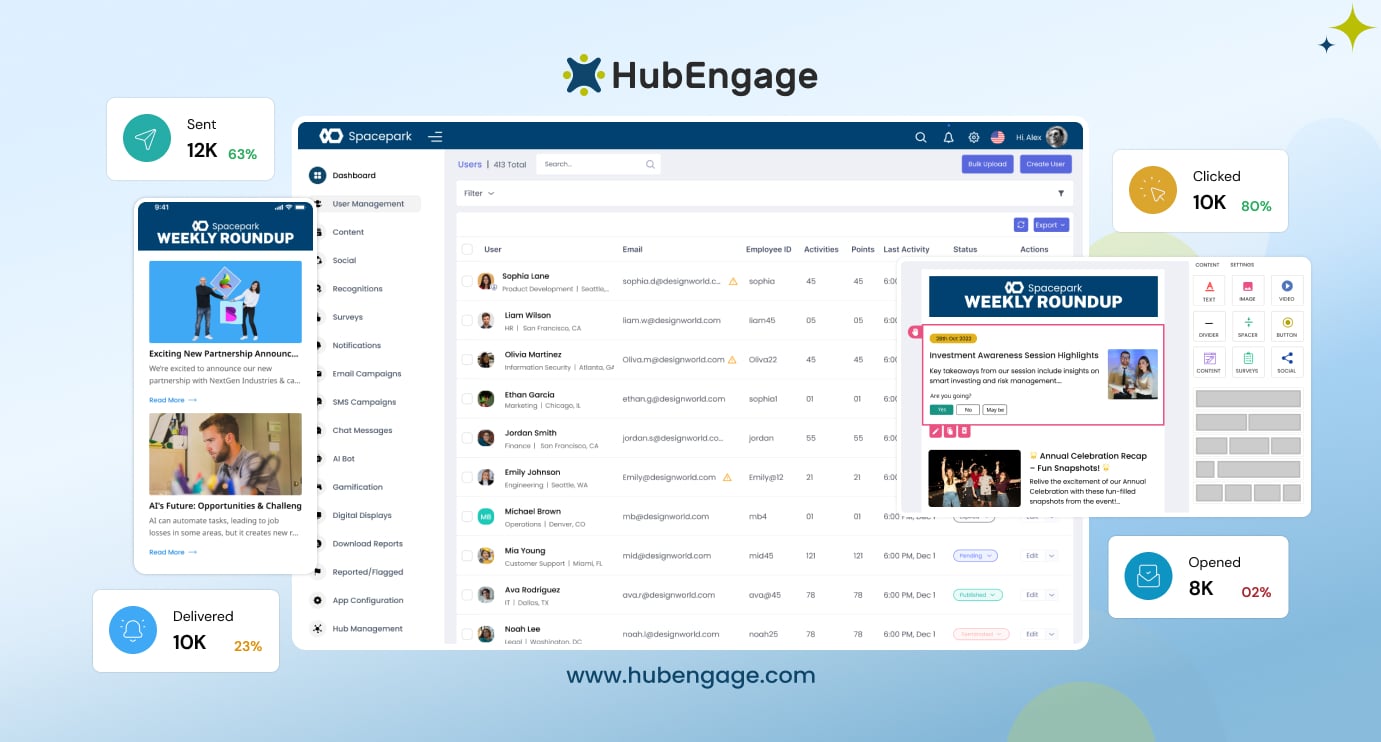
Like a CRM for employees, it connects with HRIS and payroll systems to keep employee data centralized and up to date. This allows teams to segment audiences and send targeted, personalized email campaigns across departments, roles, and locations.
With automation, scheduling, multi-channel delivery, and analytics, companies can improve communication effectiveness and ensure the right message reaches the right employees at the right time.
Conclusion
An effective internal newsletter subject lines should be clear, relevant, and action-oriented to cut through inbox noise and improve employee engagement.
Small improvements like prioritizing key information, setting expectations, and testing variations can significantly boost communication success across distributed teams.
Over time, data-driven insights help you refine what resonates best with your team. To take your internal communications to the next level you can explore our Employee Experience Platform by taking a demo today.
FAQs on Examples Of Best Subject Lines For Internal Newsletters
What length works well for examples of best subject lines for internal newsletters?
If they are kept under 60 characters or about 6–10 words. Short subject lines are easier to read on mobile and desktop. Always focus on clarity first so employees quickly understand the message purpose.
Are emojis professional enough for internal newsletters?
Yes, emojis are professional when used carefully and in the right context. They work well for celebrations or announcements but should be avoided in serious updates. Always use them sparingly and ensure they support clarity, not distract from the message.
What are the common examples of best subject lines for internal newsletters?
The best internal newsletter subject lines clearly explain value and content. Examples include “This Week: Team Wins and Updates” or “Monthly Company News: 5 Things to Know.” Clear, simple wording helps employees quickly understand why they should open the email.
How can small businesses improve internal email open rates?
Small businesses can improve open rates by sending fewer but more relevant emails. Use clear subject lines, segment audiences, and include deadlines when needed. Tracking engagement and keeping communication consistent also helps employees stay informed and more likely to open messages.
Should every internal email use “Action Required” in the subject line?
No, “Action Required” should only be used for important tasks or deadlines. Overusing it reduces its impact and can cause employees to ignore urgent messages. Use it only when immediate attention or action is truly necessary.
Related Links
internal newsletter software | internal communications email software | internal communication email templates | company newsletter | employee spotlight newsletter