Key Takeaways
- Structure beats improvisation: A phased onboarding plan creates consistency and reduces manager-by-manager variability.
- One hub reduces friction: New hires perform better when policies, training, contacts, and FAQs live in one place.
- Preboarding matters: The first impression starts before day one, not when someone opens their laptop.
- Managers and peers shape the experience: HR can coordinate onboarding, but direct managers and buddies make it real.
- Automation helps scale the human parts: Reminders, surveys, task routing, chatbots, and recognition free teams to focus on coaching and connection.
Employee Onboarding Best Practices
1. Implement a Structured 30-60-90 Day Plan
What the phases should look like?
A useful 30-60-90 framework starts before day one and builds toward independent performance by day 90. For example, a customer support hire might follow this path:- First 30 days: Complete access setup, learn core tools, study product basics, and understand escalation paths and team norms.
- Days 31 to 60: Resolve straightforward tickets independently, shadow complex cases, and begin meeting early quality and response benchmarks.
- Days 61 to 90: Manage a regular queue, hit target service levels, and contribute process feedback or improvement ideas.
How to operationalize it in a platform?
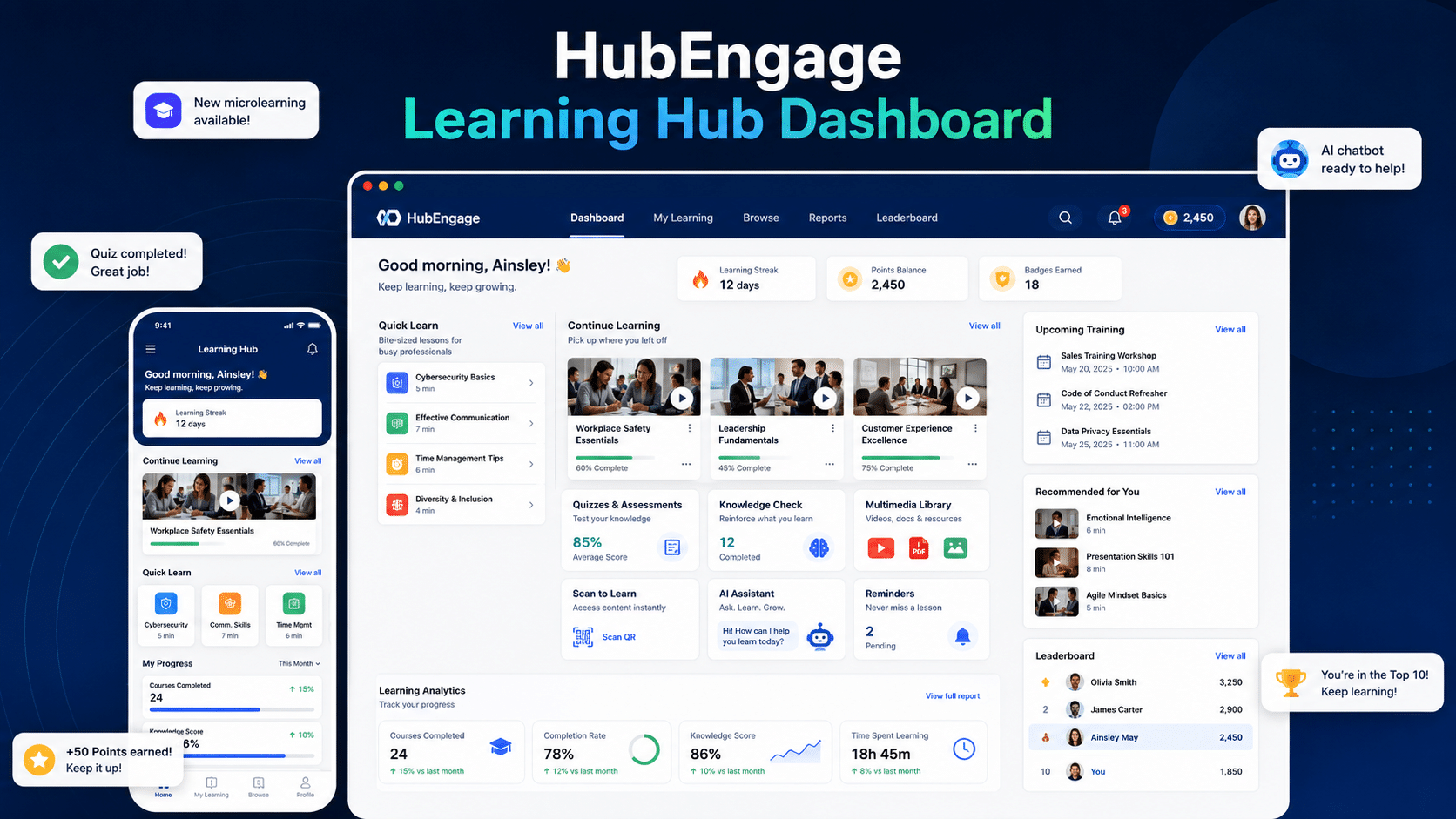
Start with role-based templates. That saves time and reduces variation between managers. HR can build one onboarding flow for company-wide requirements and add role, location, or department-based layers for items like system access, compliance training, certifications, or customer workflows. In a platform like HubEngage, HR can assign milestone tasks to HR, IT, facilities, and the hiring manager at the same time, then automate reminders, approvals, and completion tracking from one place. That matters at scale. A 30-60-90 plan only works if the underlying tasks happen on time. Documentation should be built into the plan, not handled as a separate admin project. Teams that standardize forms and acknowledgments early can move faster without creating confusion later. Using employee onboarding forms and templates that standardize key paperwork helps keep the process consistent while still leaving room for role-specific steps. Add feedback checkpoints at each phase. If a new hire understands the goals but still lacks system access or training context, that is an onboarding design issue, not a motivation issue. A unified platform makes those breakdowns visible early, which is the primary advantage of automation. It does not replace manager judgment. It gives managers and HR a shared system for acting on time.2. Create a Centralized Digital Welcome Hub
What belongs in the hub?
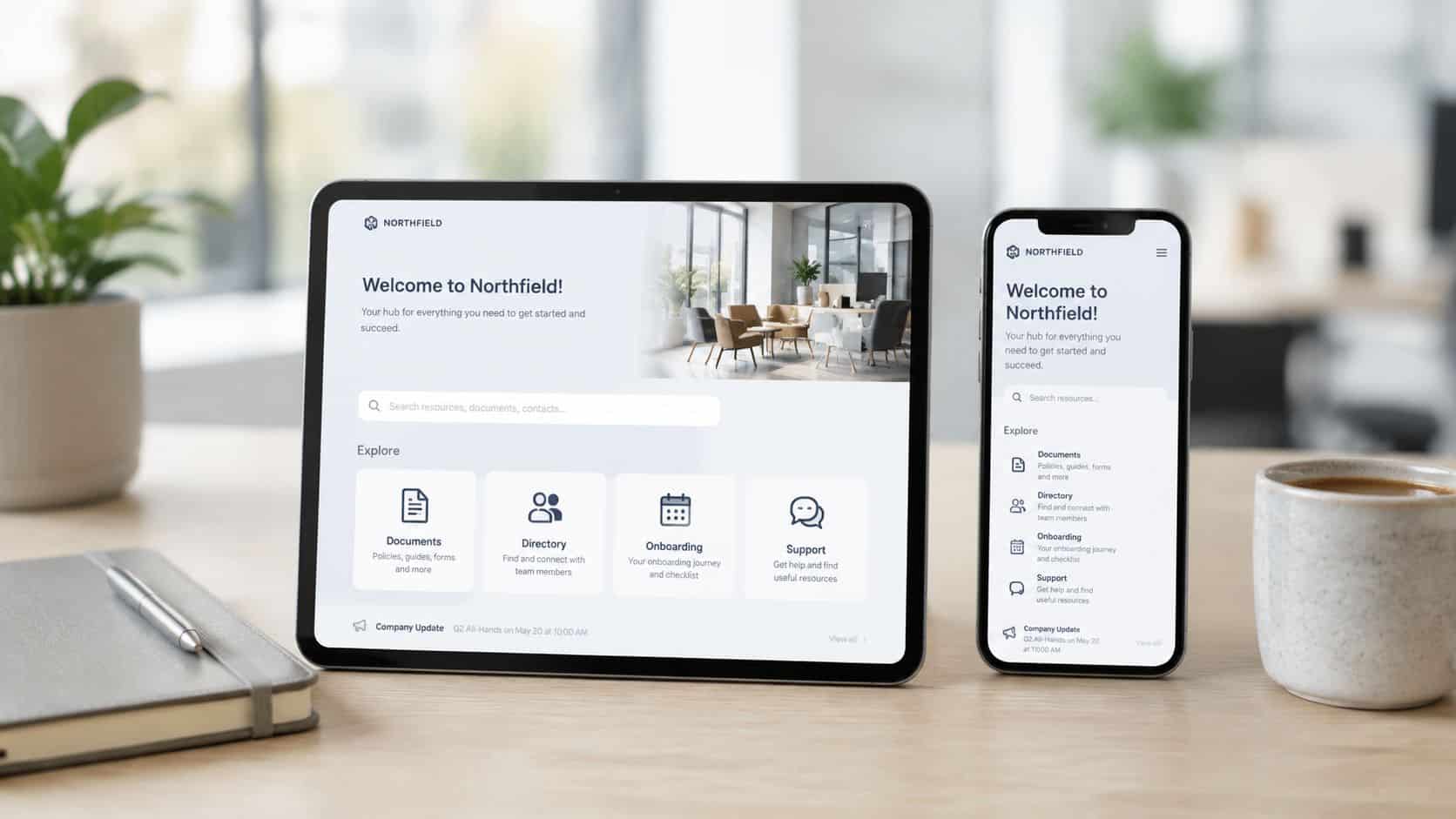
The most useful welcome hubs are organized around new-hire tasks, not internal ownership. Don’t make people guess whether content belongs to HR, IT, legal, or operations. Include:- Core resources: Policies, benefits details, payroll information, and compliance content
- People guidance: Team directory, reporting lines, key contacts, and manager expectations
- Getting-started help: Tool guides, process maps, FAQs, and short explainer videos
- Culture content: Leadership welcome messages, company story, values examples, and recognition moments
Make it searchable and conversational
New hires rarely ask perfect questions. They ask, “Where do I find PTO?” or “Who approves expenses?” or “What’s our holiday schedule?” That’s why AI chatbots matter. A chatbot inside the welcome hub can answer policy, operations, and training questions in plain language. HubEngage also supports automated FAQ creation, which turns repeated questions into reusable knowledge. For frontline and deskless workers, this matters even more. Traditional intranet-first onboarding often fails when people don’t have regular corporate email access. A mobile-accessible hub with push notifications, SMS support, and simple navigation is much closer to how distributed teams work.3. Automate Preboarding and First-Day Logistics
What to automate before day one?
Start with the tasks that are repetitive, deadline-driven, and cross-functional. In one platform, that usually means building a workflow that covers:- Access setup: Device requests, account creation, security credentials, and app permissions
- Communication sequence: Personalized welcome email or SMS, first-week agenda, and key contact details
- Task routing: HR, IT, payroll, facilities, and manager assignments with due dates
- Document completion: Forms, acknowledgments, and signatures, ideally through templates like these employee onboarding forms and templates
- Peer support setup: Early introductions and mentor coordination using a workplace mentorship framework
A practical example
For a hybrid sales hire, the workflow can begin the moment the offer is marked accepted. The platform sends a welcome message, opens IT and payroll tasks, delivers a mobile checklist, and prompts the manager to upload territory notes and first-week goals. If any step stalls, the right owner gets a reminder instead of HR chasing updates manually. By day one, the employee already has the meeting schedule, access instructions, and a clear starting point. HubEngage supports this kind of orchestration across channels, which is useful for employees who are traveling, working in the field, or not yet active in every core system. That is the larger advantage of using a single platform across all 10 onboarding practices. It turns scattered tasks into one connected journey with visible ownership, fewer delays, and a much stronger first impression.4. Assign a Dedicated Mentor or Buddy
New hires don’t just need formal instruction. They need a safe person to ask the small questions they don’t want to ask their manager five times. A buddy closes the gap between official onboarding and real workplace navigation. That includes simple things like how meetings usually run, where files live, which Slack channel matters, and how the team prefers to escalate issues. This is also where belonging starts. Archie reports that 70% of new hires decide in the first month whether the role is a good fit, and 29% decide in week one. A good buddy helps make that early window feel less isolating and more navigable.What works in a buddy program?
The most effective buddy programs are lightweight but structured. Don’t just assign a name and hope for the best. Use a simple pattern:- Week one support: Daily availability for quick questions and introductions
- First month rhythm: Scheduled check-ins, usually short and informal
- Guided prompts: Shared talking points on culture, communication norms, and role transitions
- Visibility: Recognition for mentors who actively help new hires succeed
Where companies get it wrong?
They overload the buddy with formal training responsibility. That’s usually a mistake. The manager owns performance expectations. HR owns process design. The buddy should own informal support and connection. When organizations blur those lines, the program becomes inconsistent and often fizzles out. Keep it simple, give the buddy prompts, and use pulse surveys to check whether the pairing is helping.5. Make Manager Involvement a Priority
New hires judge the quality of onboarding by the quality of manager contact. A polished checklist helps, but it does not replace clear direction, fast feedback, and regular access to the person who sets priorities. This is also where fragmented onboarding usually breaks down. HR may automate forms, IT may handle access, and L&D may assign training, but the manager still determines whether the new hire understands what success looks like. A single employee experience platform helps by pulling those threads together. Managers can see tasks, learning progress, milestone dates, and feedback in one place instead of chasing updates across email, chat, spreadsheets, and separate systems.What strong manager involvement looks like?
Managers need a simple system they can repeat. Use a practical 90-day cadence:- Week 1: Set priorities, explain team norms, confirm what good performance looks like, and schedule recurring one-on-ones
- Weeks 2 to 4: Review progress on early assignments, answer role-specific questions, and remove blockers quickly
- Days 30, 60, and 90: Assess progress against documented goals, adjust the ramp plan, and identify any support gaps
- Ongoing: Connect daily work to team outcomes so the employee understands why each task matters
Use technology to make follow-through easier
Good systems reduce administrative friction and make good manager behavior easier to sustain at scale. For example, role-based dashboards can show whether the employee completed required learning, which check-ins are overdue, what questions surfaced in pulse surveys, and whether first-month goals were set. That lets managers coach from current information instead of reacting after the first missed signal. If your onboarding process still depends on documents and calendar memory, start by standardizing the manager workflow inside a repeatable employee training program framework. Keep the process visible, time-bound, and tied to milestones the manager can act on. Short manager videos can help here too, especially for distributed teams. A quick walkthrough on expectations, team workflows, or common first-month mistakes often gets watched more consistently than a long written brief. For teams building those assets, this guide for marketing teams on training videos has useful production ideas that also apply to internal onboarding content. Automation should support the manager, not replace the manager. The platform handles reminders, visibility, and workflow. The manager handles trust, judgment, and coaching.6. Immerse New Hires in Company Culture and Values
Culture often determines whether onboarding feels connected or transactional. New hires decide quickly whether company values shape daily work or sit in a slide deck no one uses. That gap gets wider in hybrid and distributed teams. People cannot rely on hallway observation to learn how decisions get made, how feedback is delivered, or what behavior earns recognition. Companies need to design those signals into the onboarding experience and deliver them through the same platform that handles the rest of the journey. Turn values into repeatable experiences Culture sticks when employees see it in context. A welcome message from leadership helps, but it should be followed by concrete proof. Show how teams collaborate across functions. Share customer stories that explain what good work looks like. Highlight recognition moments that connect a company value to a specific action. This is one place where a unified employee experience platform matters. Instead of scattering culture across an intranet, chat threads, PDFs, and live sessions, keep it in the same system that manages onboarding tasks, communications, learning, and recognition. That gives every new hire a consistent path and gives HR a way to scale culture delivery without turning it into a manual process. A practical setup usually includes:- Leadership context: Short videos on mission, expectations, and how leaders make trade-offs
- Values in action: Real examples from teams, customers, and frontline situations
- Social participation: Community spaces, introductions, and early recognition moments
- Behavior cues: Examples of how meetings run, how feedback works, and how teams handle decisions
Build culture into the first 30 days
Culture onboarding works best as a sequence, not a one-time event. Week one should cover the basics of mission, values, and team norms. Weeks two through four should reinforce those ideas through stories, recognition posts, manager prompts, and short learning modules tied to real work situations. For example, a company that says collaboration matters should show the actual workflow between departments. A company that says safety matters should use realistic scenarios, peer examples, and daily habits, not policy text alone. Teams can organize those assets inside a repeatable employee training program framework so culture content is assigned, tracked, and refreshed alongside operational onboarding. That matters at scale because culture is usually the first thing to get inconsistent across locations, business units, and worker types.Use content formats people will actually consume
Long documents rarely shape behavior. Short, role-relevant content performs better, especially on mobile. Useful formats include:- Microlearning: Brief videos, quick reads, and short quizzes on values and rituals
- Employee stories: Spotlights that show how teams solved problems or served customers
- Live moments: Ask-me-anything sessions, welcome circles, or office hours with leaders
- Recognition content: Public praise tied to a specific value or behavior
7. Deliver Role-Specific, Customized Learning Paths
One-size-fits-all onboarding creates two bad outcomes at once. Some employees get overloaded with irrelevant material, while others still don’t get what they need. Role-specific learning paths fix that by sequencing training based on function, location, access level, and seniority. This is especially important for organizations with frontline, deskless, and distributed workers. Generic onboarding guides often assume people sit at desks with email and intranet access. Many don’t. In fact, the underserved angle in the source material notes that 74% of global employees are considered frontline or deskless, and onboarding dropout rates for deskless workers are 2.5x higher than corporate peers due to tool fragmentation. That gap is exactly why mobile-first onboarding design matters.Build training around the job, not the org chart
A retail associate, field technician, nurse, and software engineer shouldn’t receive the same onboarding journey. They need different tools, different timing, and different ways to access information. Use segmented learning paths such as:- Role path: Job-specific tasks, systems, and required knowledge
- Location path: Site rules, facilities info, or local compliance requirements
- Manager path: Extra content for people leading teams
- Delivery path: Mobile-first modules for deskless workers, deeper desktop content for desk-based roles
Keep the modules short and trackable
Short modules work better than long orientation dumps. A frontline employee can complete a five-minute mobile lesson between tasks. A new engineer can review one architecture walkthrough before pairing with a teammate. Gamified completions, quizzes, and progress tracking help maintain momentum, but relevance matters more than novelty. If the content clearly helps the employee do the job, adoption follows.8. Utilize Multi-Channel Communication
Onboarding fails when companies assume every employee works the same way. They don’t. Desk-based employees may rely on email, chat, and intranet pages. Frontline workers may depend on mobile alerts, text messages, or digital signage in break rooms. Remote teams may need a mix of push notifications, live calls, and searchable content. Employee onboarding best practices should reflect that reality instead of forcing everyone through a single communication path.Match the channel to the message
Use channels intentionally rather than broadcasting everything everywhere. A simple communication split looks like this:- Email: Longer instructions, welcome notes, and summaries
- SMS or push: Urgent reminders, first-day logistics, and time-sensitive updates
- Mobile app: Task completion, policy access, and quick reference content
- Digital signage: Public welcomes, milestone reminders, and culture visibility
- Chat integrations: Team introductions and day-to-day collaboration for desk-based workers
Practical example for a deskless workforce
Consider a healthcare system onboarding a new technician. An email alone may never get read in time. A better sequence is a welcome SMS, a mobile link to required documents, app-based reminders for training, and digital signage recognition in the facility. That approach reaches the employee in the channels they use. For distributed trade and frontline teams, this isn’t a nice extra. It’s the difference between an accessible process and one people drop out of halfway through.9. Gamify the Onboarding Experience
Gamification works best when it reinforces useful behavior, not when it turns onboarding into a gimmick. Done well, it adds momentum. New hires see progress. Managers get visible signals of engagement. HR gets a consistent way to encourage completion of important tasks, not just mandatory compliance items. This is particularly effective for actions that are easy to delay, such as reading policies, finishing microlearning, completing profile setup, or responding to surveys.Where gamification helps most?
A practical onboarding gamification model can reward:- Knowledge behaviors: Reading key documents, completing FAQs, passing quizzes
- Participation behaviors: Commenting on a welcome post, joining groups, or introducing themselves
- Feedback behaviors: Completing pulse surveys at scheduled intervals
- Milestone completion: Finishing week-one tasks, manager check-ins, or training modules
A practical example
A new employee might earn points for acknowledging critical documents, finishing a safety micro-quiz, completing their profile, and submitting a day-seven survey. Their welcome announcement can also appear automatically across the platform and on digital signage, where coworkers can comment and welcome them. That’s a simple but effective way to turn onboarding into a social experience instead of a solitary checklist.10. Gather Continuous Feedback with Automated Surveys
Early onboarding feedback has a short shelf life. If you wait until the end of a new hire’s first quarter to ask what went wrong, you miss the chance to fix confusion, access issues, or manager gaps while they still affect the experience. The better approach is to build feedback into the onboarding system itself. A unified employee experience platform can trigger surveys automatically at the right moments, route responses to HR and managers, and tie sentiment back to specific onboarding steps. That turns feedback from a manual HR follow-up into an operating signal you can act on quickly.What to measure beyond task completion?
Completion data shows whether people clicked through required steps. It does not show whether onboarding is working. Track questions that reveal readiness, friction, and connection:- Role clarity: Do employees understand what success looks like in the first 30 days?
- Manager support: Are check-ins happening, and are they useful?
- Access and enablement: Can new hires find systems, policies, and training without asking for help repeatedly?
- Belonging: Do they feel included by their team and connected to the organization?
- Confidence to perform: Do they feel prepared to do the job with reasonable independence?
A practical survey cadence
Keep the cadence simple and tied to moments that already exist in the onboarding journey.- Day 3 to 5: Ask about first-week clarity, tool access, and first impressions
- Day 14: Check manager support, training pace, and unanswered questions
- Day 30: Measure role confidence, team connection, and blockers to productivity
- Day 60: Review progress, learning effectiveness, and cross-functional support
- Day 90: Assess overall onboarding quality, cultural fit, and readiness for the next phase