What are internal communications tools used for?
Effective internal communication tools and platforms help with organizational success. Choosing the right internal communication tool early helps organizations avoid confusion as they grow.
ResearchGate shows that companies with strong internal communication strategies are 3.5 times more likely to do better than their competitors.
Also, Economic Times shows that employees spend over 25% of their time searching for information. A problem that modern internal communications software can easily solve.
Well‑designed employee communication tools not only streamline updates and improve visibility, they can also boost productivity by 20 to 25% and gives better teamwork as per McKinsey.
This guide explores what internal communication platforms are, why they matter, the benefits, the best categories, and even free internal communication tools that businesses can try before investing in advanced solutions. It also connects how team communication apps fit into a broader internal communications ecosystem and how they support teamwork.
Key Takeaways:
- Strong internal communication makes productivity better as well as helps organizations scale up as teams grow.
- Best internal communication tools are intranets, email, chat, SMS, surveys, and AI-powered employee support system.
- Using too many digital tools creates confusion. Having a unified platform makes the communication simple and easy to use.
- Free internal communication tools help teams start but lack security, analytics, scalability, and advanced multi-channel capabilities.
- Upgrading becomes necessary when compliance, analytics, automation, and regular multi-channel communication is needed.

Top 10 Internal Communication Tools
When you choose any internal communication platform, it is important to look for features that make your work easy, improves engagement, and help your team connect smoothly. Below are the best tools for internal communication:
1. HubEngage
HubEngage is an all‑in‑one internal communication and work experience platform designed for large and distributed workforces. It helps organizations communicate with employees through multiple channels from a single platform.
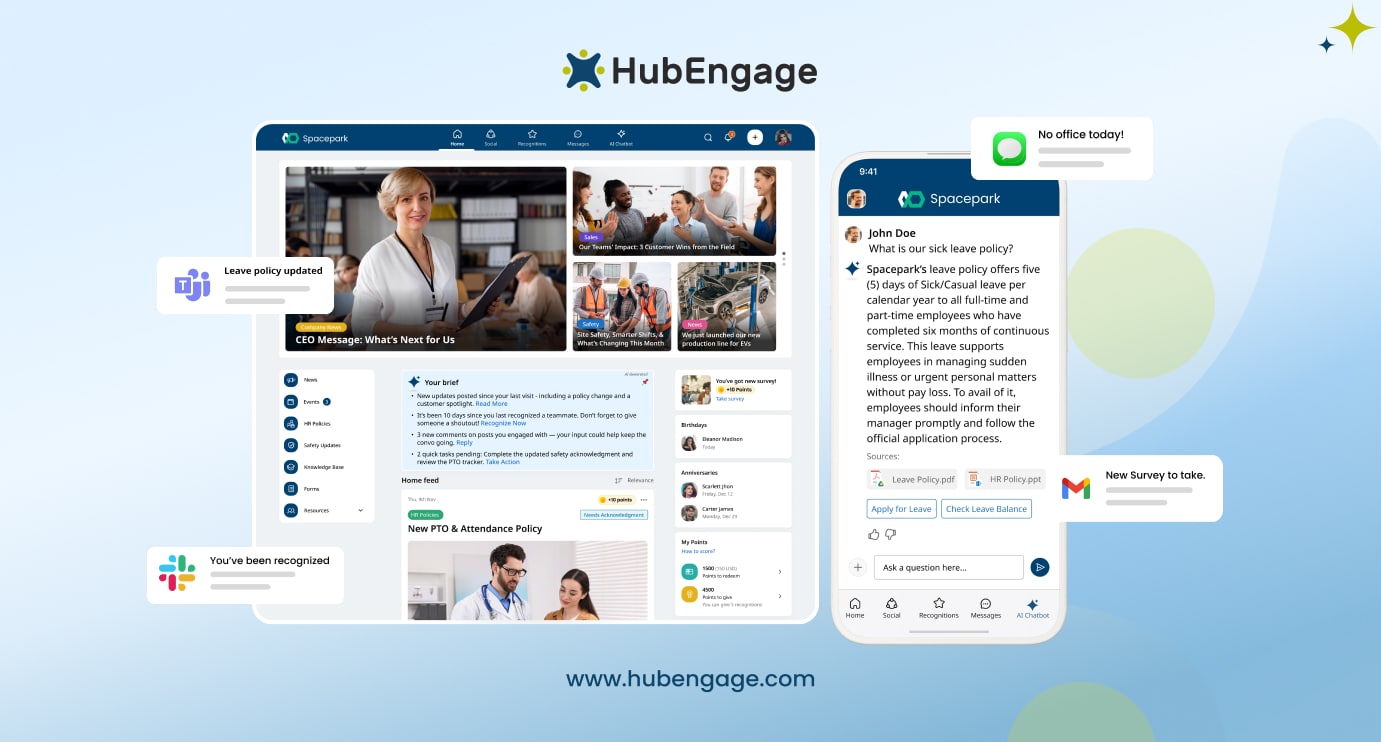
Supported communication channels:
Before we check out the complete list of categories, it is important to see a common problem i.e. using too many tools. Many organizations end up with long email threads, too many messages, SharePoint links, texts, and endless meetings which creates a lot of confusion than having good communication.
When employees don’t know which channel to rely on for their information, important updates are missed, or ignored. Leaders waste time duplicating messages across channels which impacts the quality of work.
Studies show that tool sprawl is a top driver of poor communication. A streamlined approach can solve this. Every organization should start with five essential internal communications tools mentioned below.
| Tool | Purpose | Example Vendors |
| Modern Intranet & Employee Apps | Central hub for company news, policies, documents, and resources accessible across devices for employees. | HubEngage, SharePoint, Simpplr, Workvivo |
| Chat & Instant Messaging | Enables real-time communication, group chats, and collaboration between employees or teams. | Slack, Microsoft Teams, Google Chat, HubEngage |
| Email Platforms | Sends internal newsletters and announcements with segmentation, automation, and analytics for employee communication. | ContactMonkey, Workshop, PoliteMail, HubEngage |
| Employee Text Messaging Platforms | Delivers urgent alerts and updates instantly to employees, especially frontline or non-desk workers. | AlertMedia, TextMagic, SimpleTexting, HubEngage |
| Digital Signage | Displays company announcements, recognition, and updates on workplace screens or smart TVs. | ScreenCloud, Poppulo, Yodeck, HubEngage |
| Meeting & Video Tools | Supports virtual meetings, video conferencing, and remote collaboration across teams. | Zoom, Microsoft Teams, Google Meet, Webex |
Features of HubEngage
- Multi‑channel communication platform
- Employee recognition and rewards
- Surveys and employee feedback tools
- AI‑powered personalization and targeting
- Analytics and engagement dashboards
- HR and enterprise system integrations
Pros of HubEngage
- Supports multiple communication channels in one platform
- Designed for both desk and frontline employees
- Strong engagement features like recognition and surveys
- Advanced targeting and personalization capabilities
Cons of HubEngage
- May require onboarding and training for full feature use
- Enterprise features may be more than small teams need
2. Loom
Loom is a video messaging platform that allows teams to record and share quick video updates. It is commonly used for asynchronous communication, training, and product demonstrations.
Features of Loom
- Screen and webcam recording
- Instant video sharing via links
- Video comments and reactions
- Editing and trimming tools
- Integrations with productivity tools
Pros of Loom
- Makes communication more visual and engaging
- Saves time compared to long meetings
- Simple and easy‑to‑use interface
Cons of Loom
- Limited broader internal communication features
- Mainly focused on video messaging
3. Workvivo
Workvivo is an employee experience platform designed to improve company culture and engagement through social‑style communication.
Features of Workvivo
- Social intranet and activity feeds
- Employee recognition and shout‑outs
- News, events, and announcements
- Surveys and sentiment tracking
- Mobile employee communication app
Pros of Workvivo
- Strong focus on employee engagement
- Familiar social media‑style interface
- Mobile‑friendly for distributed teams
Cons of Workvivo
- Limited advanced communication channels compared to all‑in‑one platforms
- Can feel similar to social networks rather than structured communication tools
4. Staffbase
Staffbase is a leading internal communications platform focused on helping organizations reach employees across multiple communication channels.
Features of Staffbase
- Employee communication mobile app
- Internal email communication tools
- Company intranet solutions
- Analytics and engagement reporting
- Employee surveys and feedback
Pros of Staffbase
- Strong enterprise communication capabilities
- Good support for frontline employees
- Robust analytics and campaign tracking
Cons of Staffbase
- Pricing can be higher for smaller companies
- Implementation may require planning for large enterprises
5. Blink
Blink is a mobile‑first employee communication platform designed mainly for frontline and deskless workers.
Features of Blink
- Mobile employee app
- Secure team messaging
- Company news and updates
- Employee directory and resources
- Integrations with workplace tools
Pros of Blink
- Designed specifically for frontline employees
- Easy mobile access
- Combines communication and productivity tools
Cons of Blink
- Limited intranet capabilities
- May not cover all enterprise communication needs
6. Unily
Unily is a digital workplace and intranet platform used by enterprises to centralize communication, collaboration, and knowledge management.
Features of Unily
- Modern intranet platform
- Personalized employee dashboards
- Knowledge and document management
- Integration with Microsoft 365
- Employee engagement tools
Pros of Unily
- Highly customizable intranet solution
- Strong integrations with enterprise systems
- Scalable for large organizations
Cons of Unily
- Implementation can be complex
- Requires planning and configuration for full value
7. ContactMonkey
ContactMonkey is an internal email communication platform designed to improve employee email campaigns and analytics.
Features of ContactMonkey
- Internal email newsletter creation
- Employee engagement analytics
- Email personalization and segmentation
- Survey and feedback tools
- Outlook and Gmail integration
Pros of ContactMonkey
- Strong internal email communication capabilities
- Easy integration with email clients
- Detailed engagement tracking
Cons of ContactMonkey
- Primarily focused on email communication
- Limited multi‑channel communication features
8. LumApps
LumApps is an employee experience and intranet platform that helps organizations deliver personalized internal communication.
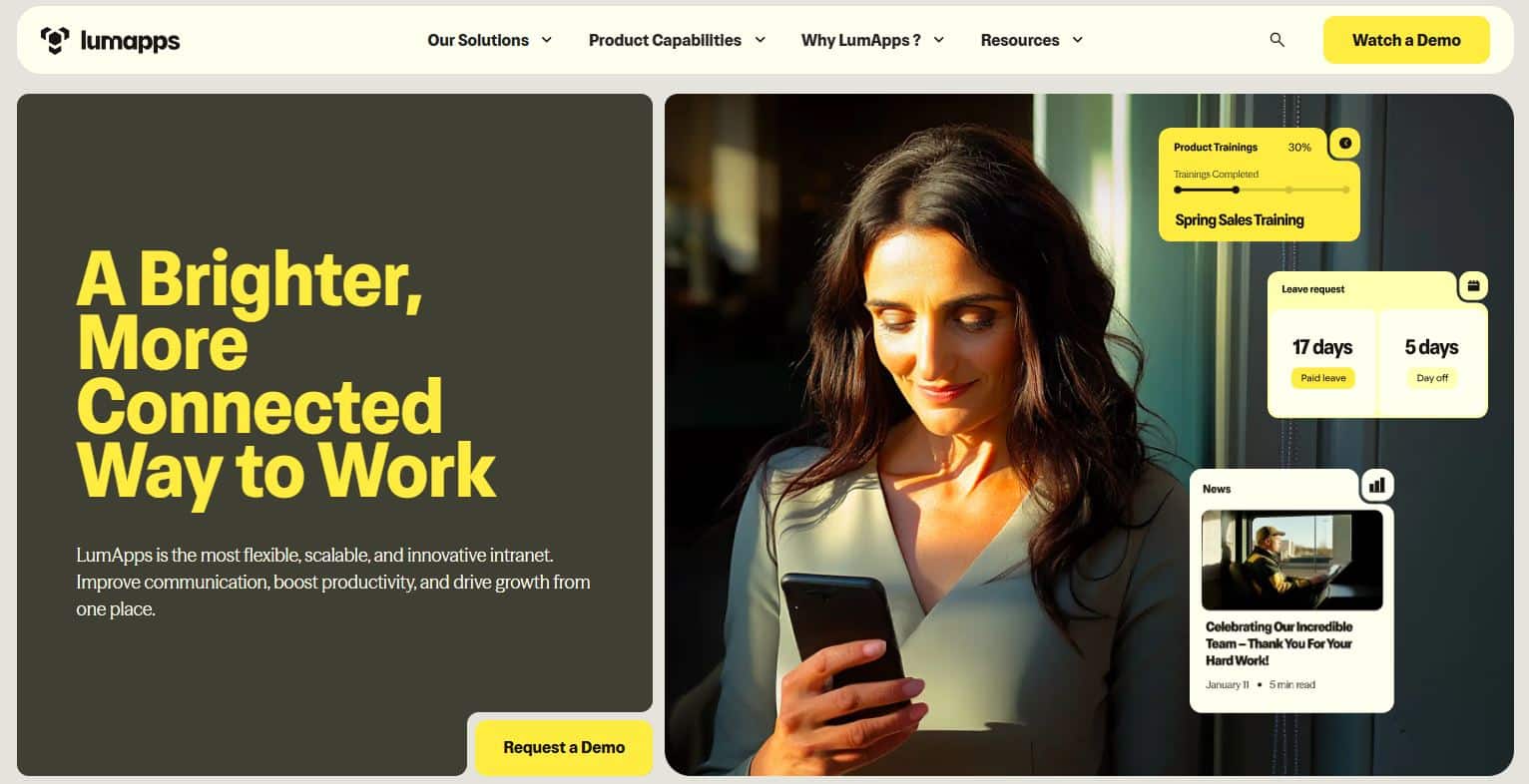
Features of LumApps
- Cloud intranet platform
- Personalized content delivery
- Employee communities and collaboration
- Knowledge management tools
- Integration with Google Workspace and Microsoft 365
Pros of LumApps
- Strong personalization and content targeting
- Scalable enterprise platform
- Integrates well with major productivity suites
Cons of LumApps
- Setup may require IT involvement
- Advanced customization may take time
9. Poppulo
Poppulo is an internal communications platform that helps organizations manage employee messaging, digital signage, and communication campaigns.
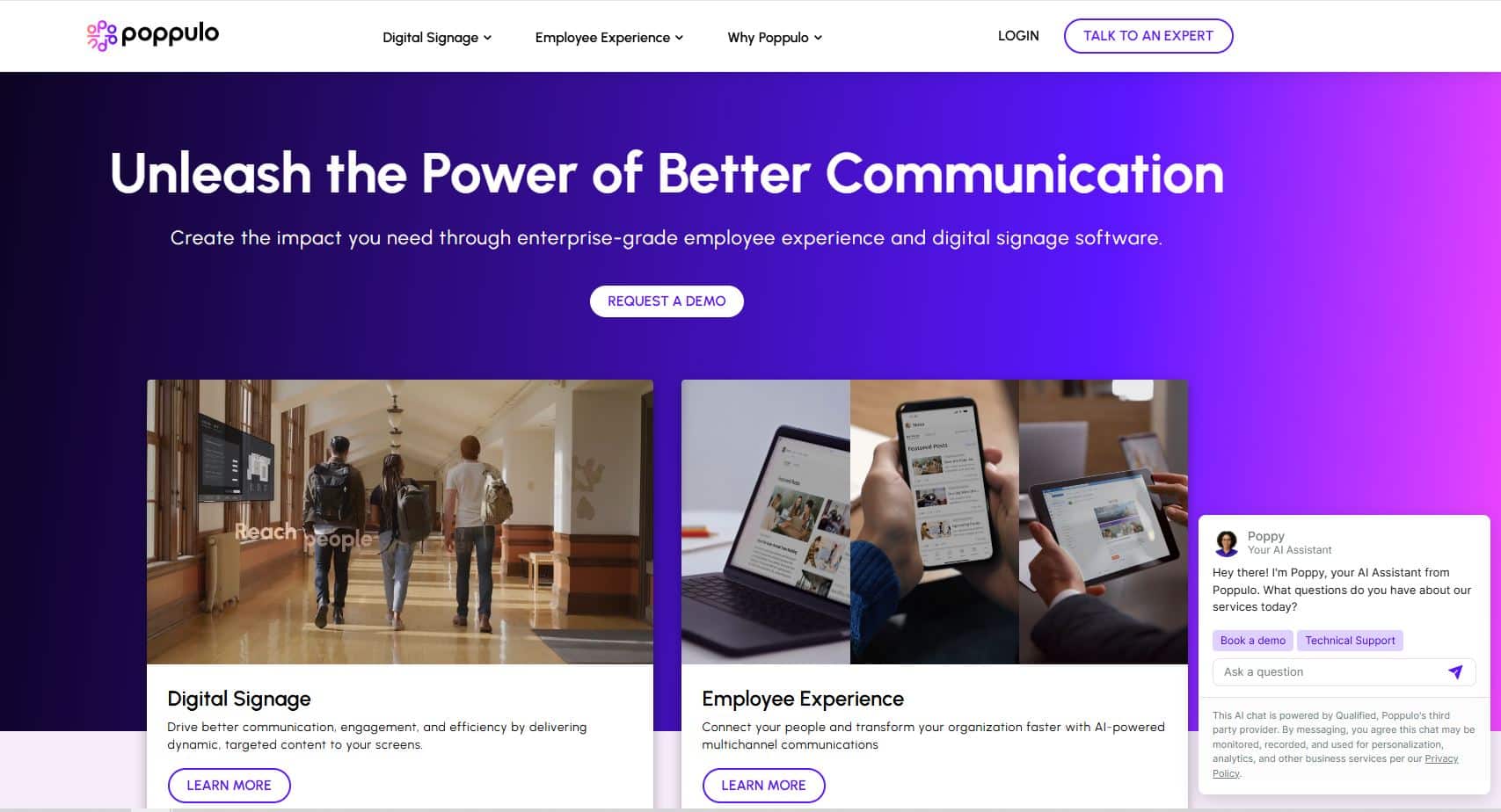
Features of Poppulo
- Internal email communication tools
- Digital signage management
- Employee communication analytics
- Campaign planning and reporting
Pros of Poppulo
- Strong analytics and communication insights
- Supports multiple communication channels
- Good for enterprise communication teams
Cons of Poppulo
- Interface may require training
- Higher cost for smaller organizations
10. Appspace
Appspace is a workplace communication platform that combines digital signage, employee apps, and workplace management tools.
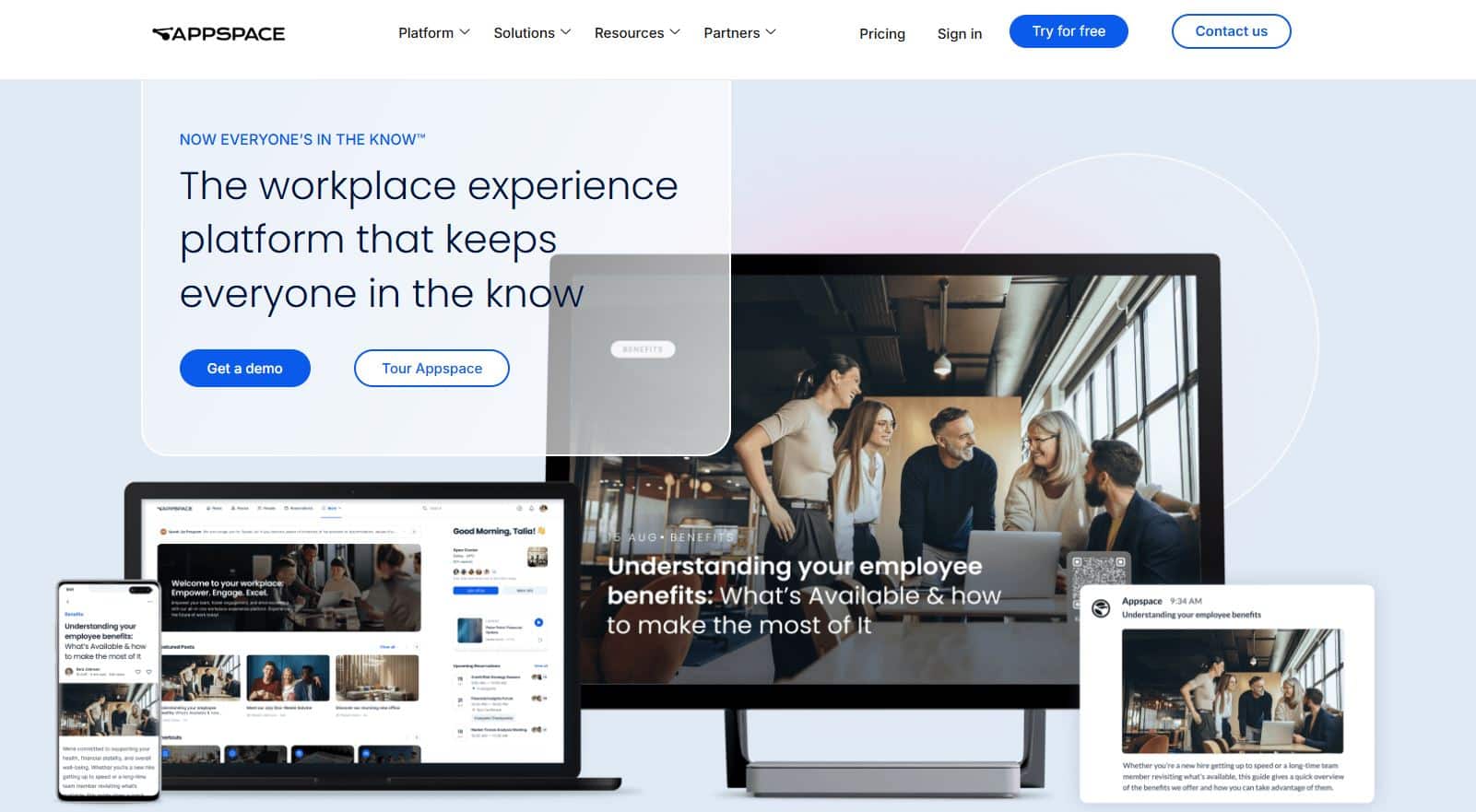
Features of Appspace
- Digital signage and workplace displays
- Employee communication app
- Workplace reservation and scheduling tools
- Content management for announcements
Pros of Appspace
- Strong digital signage capabilities
- Useful for hybrid workplaces
- Combines workplace management with communication
Cons of Appspace
- Focused heavily on workplace experience rather than full communication suite
- May require integration with other tools
11. Allo
Allo is an AI-powered employee engagement and communication platform designed to simplify internal communication for small and mid-sized teams. It centralizes announcements, recognition, and feedback in one app while automating routine communication tasks.
Features of Allo
- AI-powered employee engagement platform
- Automatic recording and transcription of team interactions
- Smart push notifications for company updates
- Real-time engagement analytics and feedback tracking
- Employee recognition and rewards automation
- Integrations with workplace tools and productivity apps
Pros of Allo
- Uses AI to automate communication and engagement tasks
- Easy-to-use platform for small and growing teams
- Real-time insights into employee engagement trends
- Helps reduce administrative work for HR and managers
Cons of Allo
- Primarily designed for small to mid-sized teams
- May not include advanced enterprise communication features
Examples of Free Internal Communication Tools
If you are a small business or a growing team then, having free internal communication tools can be a helpful way to get started especially if you are not ready to get a paid platform. They allow teams to test different options, improve communication quickly, and engage employees without any cost.
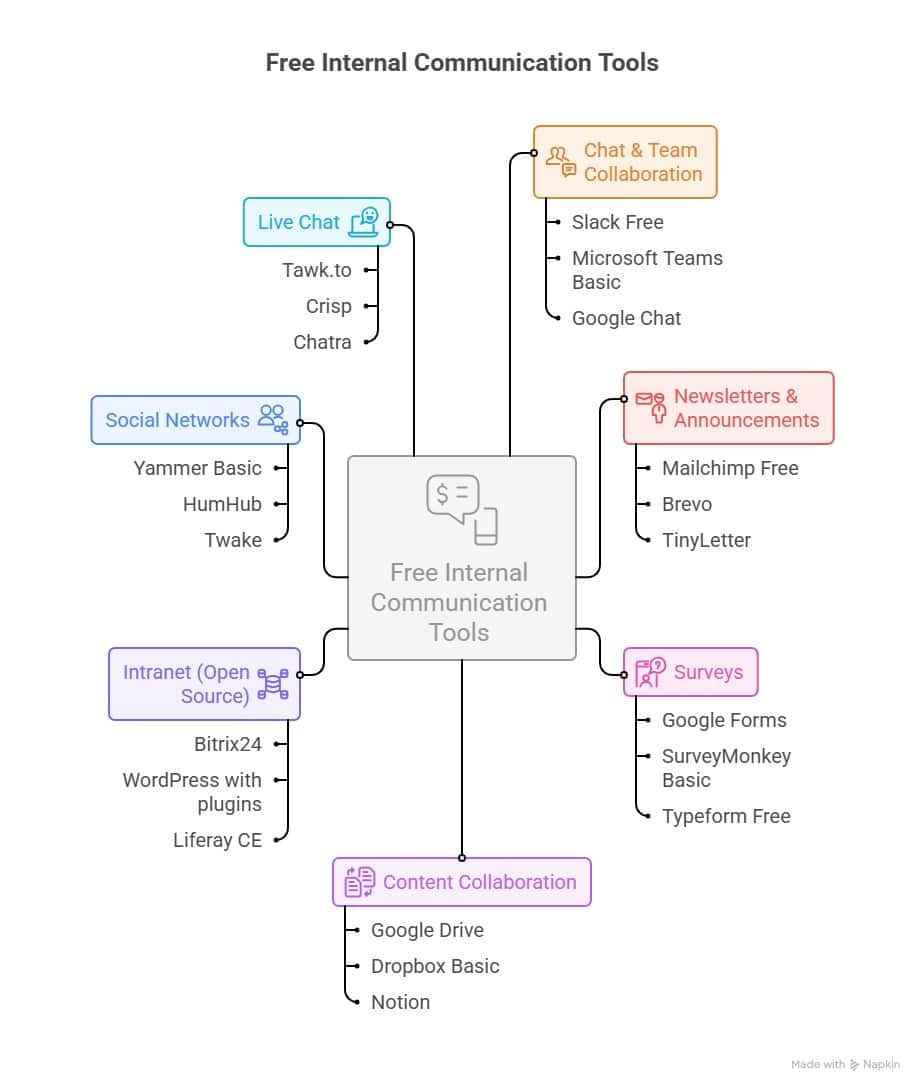
These are useful basic tools, but free versions often come with limits on users, integrations, and support. Also, they may not have high security and good analytics system.
How to select the right Internal Communication Software?
Selecting the right internal communication platform requires evaluating key factors and building a channel matrix.
Criteria for Choosing Internal Communication Software
While selecting an internal communication software, it is very important to know what all factors one needs to keep in mind. By knowing these, you can check different options and compare them. Also, you can list your needs first and choose a solution that easily fits them.
- Employee mix (desk‑based, frontline, hybrid)
- UI/UX: Simple for all employee types.
- Mobile-first: Must be accessible via smartphones.
- Channels: Channels to reach employees (SMS, intranet, email, signage)
- Customization: Reflect company branding.
- Comprehensive: Cover all communication channels.
- Multi-channel: Intranet, email, digital signage, text messaging with integrations into MS Teams, slack and whatsapp.
- Multi-lingual: Auto-translate for global teams.
- Integrations: HRIS, payroll, daily apps.
- Security: ISO 27001, SOC2, GDPR.
- Support: Vendor responsiveness.
- Cost: Transparent, scalable pricing.
| Factors | Importance |
| UI/UX | Simple experience for all employee types |
| Mobile-first | Accessible anytime via smartphones |
| Customization | Reflects company branding and identity |
| Comprehensive | Covers all internal communication needs |
| Multi-channel | Supports intranet, email, messaging, signage |
| Multi-lingual | Auto-translates for global workforce |
| Integrations | Connects HRIS, payroll, and daily tools |
| Security | Meets ISO, SOC2, GDPR standards |
| Support | Responsive and reliable vendor assistance |
| Cost | Transparent and scalable pricing model |
Build a Channel Matrix for Clarity
One of the best ways to simplify your selection is to create a channel matrix that shows which tool is used for what type of communication, the target audience, and the frequency.
- Email – weekly leadership updates, newsletters, policy changes
- SMS/Text – urgent alerts, outages, emergency notifications
- Chat – daily questions, fast team collaboration
- Intranet – evergreen policies, directories, knowledge resources
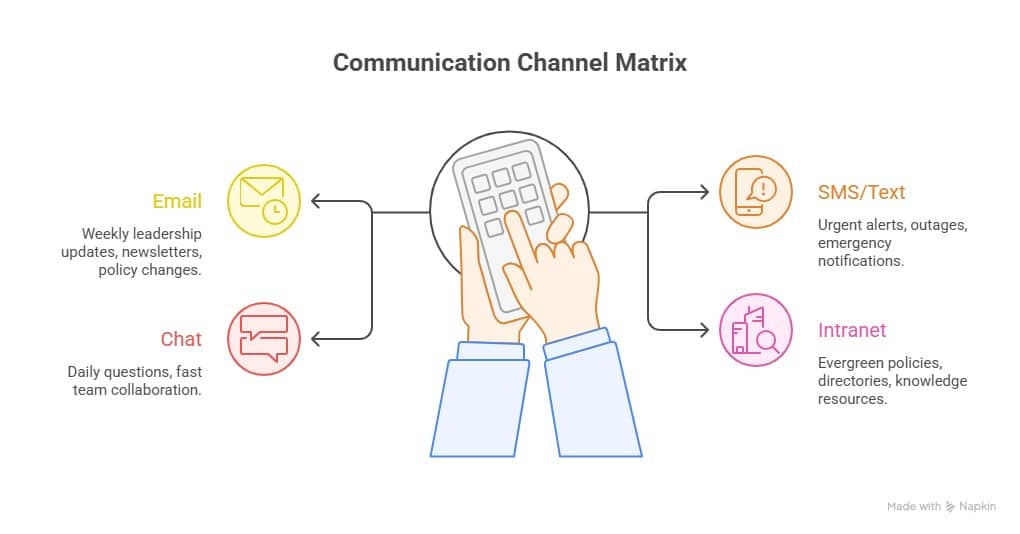
This step helps avoid confusion, prevents missed messages, and shows employees where to find information. Creating this plan early keeps communication consistent and makes it easier to see if new tools are really needed or if current ones can be improved.
👉 Check out our Internal Communication Software RFP Template & Scorecard for better selection.
How HubEngage Fits Small Businesses & Growing Teams?
HubEngage delivers the scalability and security of enterprise software without the challenge of managing multiple free tools. It brings chat, email, surveys, intranet, social, live chat, gamification, and AI automation into one branded platform ideal for small teams that want to start simple but grow seamlessly.
Check out this review by Joy Drake S which describes how HubEngage helped them streamline and achieve better internal communications.
I really like the language translation feature in HubEngage. It is very helpful because it lets us translate languages easily. We have many employees across different countries and regions, and with this feature, when they communicate in their own language, we can immediately translate it into our preferred language.
It truly helps us understand what they are communicating. We have been using it for quite some time, and there have been no drawbacks. The customer support team proactively shares updates before they roll out, which helps us navigate the platform smoothly.
The setup process is extremely, extremely straightforward, requiring only my email and company information, making it easy to identify what works best for us. Overall, HubEngage has been incredibly beneficial for both me and our organization.
Benefits of Internal Communication Software
Using internal communication platform comes with lot of benefits as mentioned below:
Improved Information Flow
Ensures employees receive timely updates, announcements, and resources across the organization.
Higher Employee Engagement
Interactive communication channels help employees feel more connected, informed, and valued.
Faster Decision Making
Real-time communication tools allow teams to collaborate quickly and resolve issues faster.
Better Collaboration Across Teams
Centralized platforms make it easier for departments to share knowledge and work together.
Increased Productivity
Employees spend less time searching for information and more time completing important tasks.
Stronger Company Culture
Consistent messaging, recognition programs, and transparent communication reinforce organizational values.
What is the cost of an internal communication platform?
It can be different based on the size of your organization, the number of channels you need, and if you choose separate tools or an all‑in‑one solution. Most point solutions such as chat apps, email platforms, or intranets start with low per‑user pricing, but costs add up quickly when organizations combine multiple tools. For example, a company using Slack, Mailchimp, SharePoint, and a separate SMS provider may spend far more than expected because each tool has its own licensing, limits, and control.
Whereas, unified internal communication platforms generally give different pricing based on active users ranging from a few dollars per user per month for small teams to enterprise plans with advanced security and automation. Beyond licensing fees, organizations should also think about hidden costs like IT maintenance, onboarding time, integration work, and employee adoption challenges.
Platforms like HubEngage are designed to reduce total cost of ownership by putting intranet, email, SMS, chat, surveys, recognition, and AI automation into a single system. This eliminates multiple vendors, work the admin work easy, and gives you measurable ROI. With this you can improve engagement, reduce support tickets, and strengthen communication.
How do internal communication tools support remote and hybrid teams?
These tools give the structure, continuity, and connectivity to function smoothly. With employees present in different locations, time zones, and schedules, these tools unify communication so everyone gets the right information at the right time. Modern intranets give distributed teams a single source of truth for policies, updates, and resources, while mobile apps ensure ground and remote‑only staff stay connected without needing a laptop or corporate email.
Real‑time chat and collaboration tools help teams maintain good workflow and decrease challenges caused by poor communication. Employee texting fills critical gaps when urgent updates must cut through many notifications. Video meeting platforms support face‑to‑face interaction, strengthening trust and teamwork even when teams are fully remote.
AI chatbots also play a growing role by giving remote employees 24/7 access to answers about HR, IT, or company processes, reducing support tickets and helping new hires onboard faster.
For organizations moving to hybrid as well as remote workforces, choosing tools that are mobile-first, safe to use from any device, and connected across different channels is important. To explore purpose‑built solutions for remote, hybrid, and deskless teams, see our guide which is about the Best Hybrid & Deskless Team Communication Apps.
Conclusion
Internal communication tools are no longer “nice‑to‑have” add‑ons as they are important infrastructure for modern organizations. From intranets as well as employee apps to email platforms, texting, chat, and AI assistants, each plays an important role in keeping employees informed, connected, and engaged. However, the real power comes when these tools work together in a coordinated strategy.
Companies can try to stick together multiple point solutions, but this often leads to confusion, higher costs, and lower adoption. A unified multi‑channel platform like HubEngage simplifies the experience by bringing every channel such as email, SMS, chat, intranet, recognition, surveys, and AI into one seamless hub. The result is continuous messaging, better engagement, and measurable ROI that proves the value of internal communications.
👉 Explore how HubEngage can help you unify, gamify, and engage your workforce: Book a Demo
FAQs
What are internal communication tools used for in organizations?
Internal communication tools help companies share updates, announcements, and important information with employees quickly. They keep teams informed, improve collaboration, and ensure employees stay connected whether they work in offices, remotely, or on the frontline.
What is the best internal communication tool for large enterprises?
The best internal communication tools for large enterprises are platforms that support large workforces, mobile access, and integrations. Popular options include HubEngage, Workvivo, Simpplr, and Staffbase because they offer engagement features, analytics, and multi‑channel communication.
How are internal communication tools different from collaboration tools like Slack or Microsoft Teams?
Internal communication tools focus on company‑wide communication such as announcements, updates, and employee engagement. Collaboration tools like Slack or Microsoft Teams mainly support team messaging and project collaboration.
Which internal communication tools are best for frontline employees?
Tools designed for frontline workers include mobile employee apps, SMS messaging platforms, and digital signage. These channels help employees without regular computer access receive important updates instantly.
Can internal communication tools replace internal emails?
Internal communication tools can reduce reliance on internal emails by using push notifications, chat, and mobile alerts. However, many organizations still use email for formal communication and documentation.
How do internal communication tools improve employee engagement?
They improve engagement by enabling two‑way communication through surveys, polls, feedback channels, and employee recognition features. This helps employees feel heard and connected to the organization.
What features should an internal communication platform have in 2026?
Modern platforms should include mobile‑first access, multi‑channel messaging, AI personalization, analytics, employee surveys, integrations with HR systems, and strong security controls.
Are internal communication tools secure for enterprise use?
Most enterprise platforms include security features such as encryption, role‑based access control, and compliance with standards like SOC 2 and GDPR to protect company data.
Do internal communication tools support remote and hybrid teams?
Yes. Cloud‑based communication platforms allow employees to access updates, collaborate, and communicate from anywhere using mobile apps and web platforms.
How much does an internal communication platform cost per employee?
Most internal communication platforms cost between $2 and $10 per employee per month depending on features, integrations, and organization size.
Are there free internal communication tools available?
Yes. Some tools offer free versions with limited features, such as Slack free plan, Microsoft Teams free version, and Google Chat.
How long does it take to implement an internal communication tool?
Implementation usually takes a few weeks to a few months depending on the company size, integrations, and customization required.
Can internal communication tools integrate with HR and IT systems?
Yes. Many platforms integrate with HRIS, payroll systems, Active Directory, and productivity tools to automate employee data and streamline communication.
What industries benefit the most from internal communication software?
Industries with large or distributed workforces benefit the most. This includes healthcare, retail, manufacturing, logistics, hospitality, banking, and technology companies.
Related Links
Employee Communication Platform | Slack vs Teams | Internal Communication Strategy | Internal Communications Examples | Crisis Communication Software | Internal Communication Software Template | Worker Communication Tools | Crisis Communication | Strategic Communications | Corporate Communications | What is Asynchronous Communication | External Communication