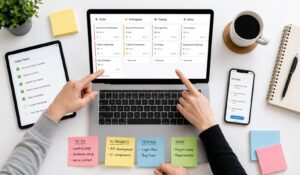
A task management app transforms how you organize work and track progress, but choosing the wrong one can create more chaos than clarity.
Around $1 million is wasted every 20 seconds collectively by organizations worldwide because of poor task management practices.
With hundreds of options promising to boost productivity, the real challenge is finding one that actually fits your workflow without overwhelming your team.
The best task management app depends entirely on your specific needs such as the size of your team, project complexity, and collaboration option.
In this guide we will walk you through exactly what to look for as well as compare the best products to help you make a decision that will actually stick.
Key Takeaways
- Choose a task management app based on team size, workflow complexity, and integrations.
- Ease of use matters the most. Tools are effective only if your team adopts them.
- Look for core features like task assignment, deadlines, collaboration, and automation.
- Integrations with email, calendars, and chat tools improve workflow efficiency.
- Free tools work for small teams; growing teams need scalable, paid features.
- The best task management apps improve visibility, accountability, and productivity across teams.

How to choose the right Task Management App?
Selecting a task management app requires evaluating your specific needs against available features. The wrong choice can disrupt productivity and create resistance among team members.
Assess your team size and structure
Individual users need different capabilities than large organizations. Solo professionals benefit from apps with strong personal productivity features, while teams require collaboration tools and shared visibility.
Small teams (2-10 people) work best with simple, intuitive platforms that everyone can adopt quickly. Large organizations need robust permission systems, advanced reporting, and integration capabilities.
Evaluate your workflow complexity
Simple workflows involving straightforward task lists work well with good apps like Trello. Complex projects with multiple dependencies and phases require more sophisticated platforms like HubEngage.
Consider how much structure your team needs. Some groups thrive with flexible, minimal frameworks, while others need detailed templates and enforced processes.
Integration Requirements
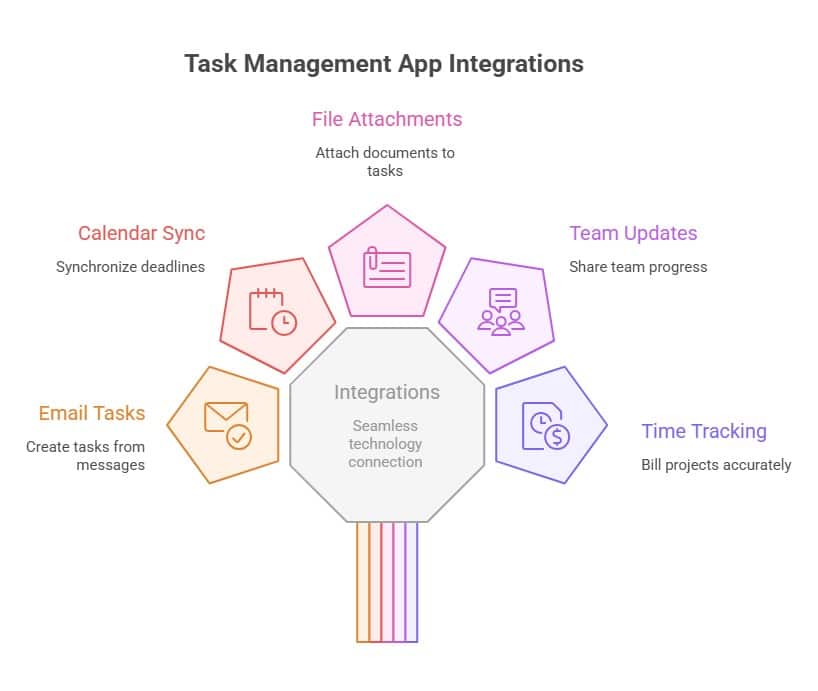
Modern teams use multiple tools for communication, file storage, and specialized work. Your task management app should connect seamlessly with your existing technology stack. Essential integrations typically include:
- Email platforms for task creation from messages
- Calendar applications for deadline synchronization
- File storage services for document attachment
- Communication tools for team updates
- Time tracking software for project billing
Necessary Features
Having the right mix of features helps your team stay organized, focused, and consistent in daily work. Look for task management app features like
- Task creation, deadlines, reminders, priorities, tags, and subtasks
- Team assignment, comments, and file sharing for team collaboration
- Progress tracking and shared calendars for visibility
- Time tracking, reports, and automation for productivity
- Integrations and mobile sync for seamless, real-time work
Budget Considerations
Task management apps range from free options to enterprise solutions costing hundreds per user monthly. Free tiers often provide sufficient functionality for small teams, while growing organizations benefit from paid features.
Calculate the total cost including user licenses, storage requirements, and premium integrations. Factor in potential productivity gains when evaluating return on investment.
| Pricing Tier | Best For | Key Benefit |
| Free Plan | Individuals, small teams | Basic task management with limited features |
| Mid-Tier Plans | Growing teams | Advanced features, integrations, collaboration |
| Enterprise Plans | Large organizations | Security, scalability, custom workflows |
Trial and Adoption Strategy
Most digital platforms offer free trials or freemium tiers that let you test functionality before committing. Use this period to involve actual users in evaluation rather than making decisions in isolation.
Successful adoption requires training and gradual implementation. Start with core features and expand usage as team comfort increases.
Security and Data Privacy Considerations
For organizations handling sensitive data, security is critical:
- Role-based access controls to limit data exposure
- Data encryption in transit and at rest
- Compliance with regulations like GDPR or HIPAA
- Audit logs for tracking activity and changes
Scalability
Choose an App that grows with you. Your task management needs will evolve as your organization grows like:
- Supports increasing users and teams
- Offers advanced features as needed
- Allows workflow customization
- Integrates with expanding tech stacks
Best Task Management Apps for organizations
The task management app market offers solutions for every team size and working style. Here are the leading platforms that consistently deliver results for different organizational needs.
| Task Management App | Best For | Key Benefit |
| HubEngage | Enterprises and frontline teams | Combines task management with communication and engagement |
| Asana | Mid-size teams with complex projects | Strong project tracking and collaboration |
| Trello | Teams preferring simple visual workflows | Easy-to-use Kanban boards |
| Monday.com | Teams needing flexible workflows | Customizable and automation-friendly |
| Todoist | Individuals and small teams | Simple and intuitive task management |
| ClickUp | Teams needing all-in-one solution | Multiple views with advanced features |
Explore more about these products in our guide on task management.
Task Management App Evaluation Checklist
We have made a checklist which you can use to compare different tools effectively:
| Evaluation Factor | Importance / Significance |
| Ease of use and onboarding | Drives faster adoption and reduces training time |
| Pricing and total cost of ownership | Ensures long-term affordability and ROI |
| Integration capabilities | Connects with existing tools for seamless workflows |
| Automation features | Saves time by reducing manual and repetitive tasks |
| Reporting and analytics | Provides insights to improve productivity and decision-making |
| Mobile experience | Enables access and updates from anywhere, anytime |
| Customer support quality | Ensures quick issue resolution and smoother implementation |
Why HubEngage is more than just a Task Management App?
Unlike traditional tools, HubEngage delivers task management as an important part of its employee experience platform that helps teams to plan, assign, and track work efficiently. While it also gives you a clear visibility into tasks, ownership, and progress across departments.
Managers can assign tasks with deadlines, monitor completion, and maintain accountability, while employees can easily manage their daily responsibilities. Real-time updates and notifications keep everyone aligned and help prevent delays.
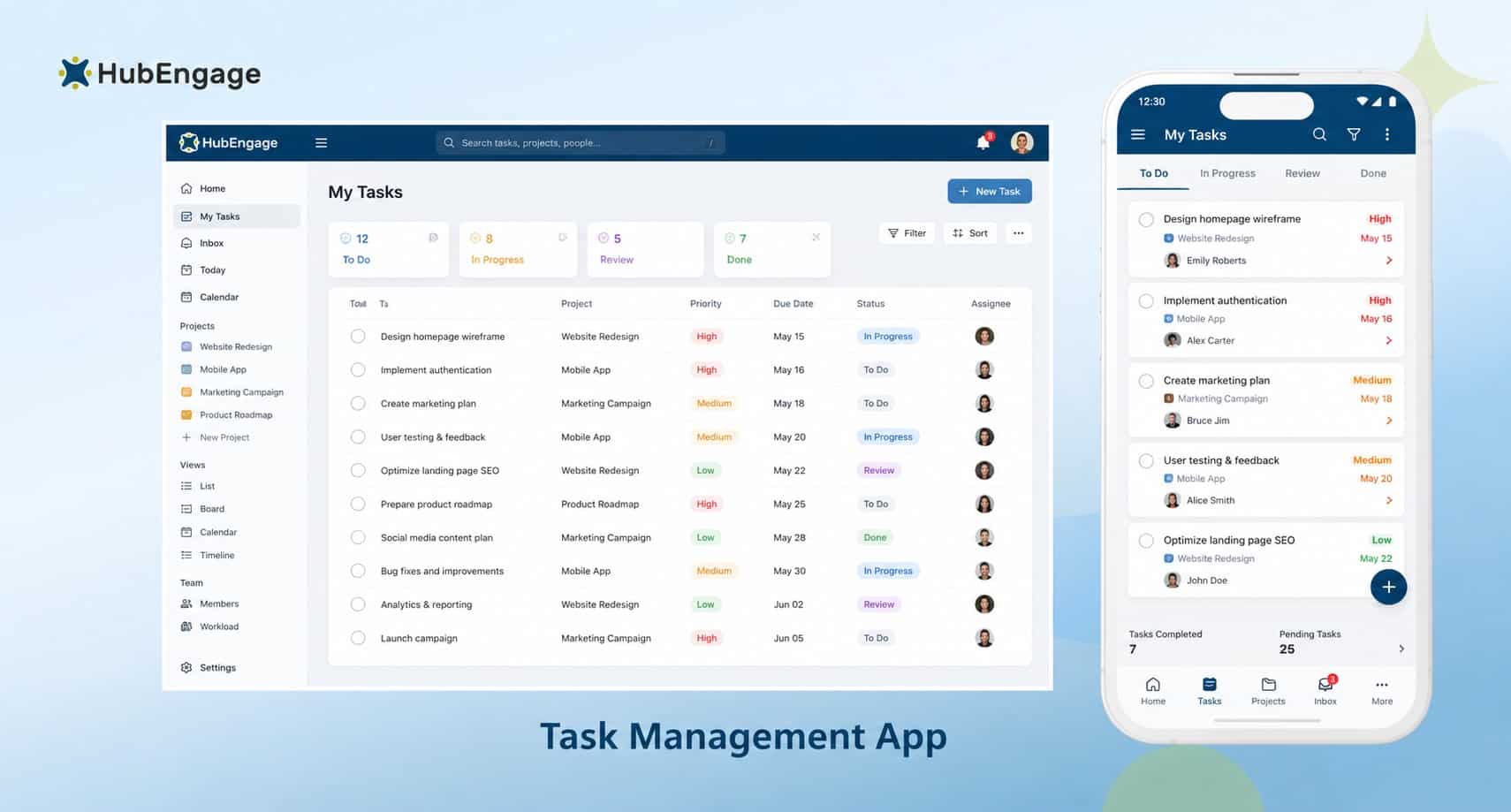
By bringing tasks, communication, and collaboration together, HubEngage ensures conversations and actions stay connected in one digital workspace thereby, reducing tool switching as well as improving overall productivity.
Key Features:
- Create, assign, and track tasks with clear ownership and deadlines
- Real-time notifications keep teams aligned and minimize delays
- Centralized task view enhances visibility across teams and projects
- Integrates communication channels to link discussions with task actions
- Improves accountability with status tracking, updates, and completion insights
Best for:
Teams looking for a simple, all-in-one solution to manage tasks alongside communication and collaboration.
Conclusion
The right task management app must be simple to fit into your workflow and support your team without adding complexity. Instead of focusing only on features or pricing, prioritize usability, adoption, and alignment with how your team actually works.
With HubEngage, you can go beyond basic task management by combining communication, engagement, and workflow coordination in one platform. This unified approach helps teams stay connected, aligned, and productive across departments, making everyday work simpler and more efficient. Get started by taking a demo and discover the possibilities.
Task Management Apps FAQs
How do I choose the best task management app for my team?
Choose a task management app based on your team size, workflow complexity, required features, and integration needs. Prioritize ease of use to ensure quick adoption.
What features should a task management app have?
A good task management app should include task assignment, deadlines, collaboration tools, automation, reporting, and integrations with your existing tools.
Are free task management apps good enough?
Free task management apps work well for individuals and small teams, but growing teams often need paid features like automation, reporting, and advanced integrations.
How do task management apps improve productivity?
Task management apps improve productivity by organizing work, increasing visibility, reducing communication gaps, and helping teams meet deadlines consistently.
Can task management apps integrate with other tools?
Yes, most task management apps integrate with tools like email, calendars, Slack, and file storage platforms to streamline workflows.
What is the difference between task management and project management tools?
Task management tools focus on daily task tracking, while project management tools handle planning, resources, and complex project workflows.
How long does it take to implement a task management app?
Implementation can take a few days to weeks depending on team size, training needs, workflow setup and change management approach.
Why choose HubEngage for task management?
HubEngage combines task management with communication and employee engagement, helping teams stay aligned, connected, and productive in one platform.
Related Links: