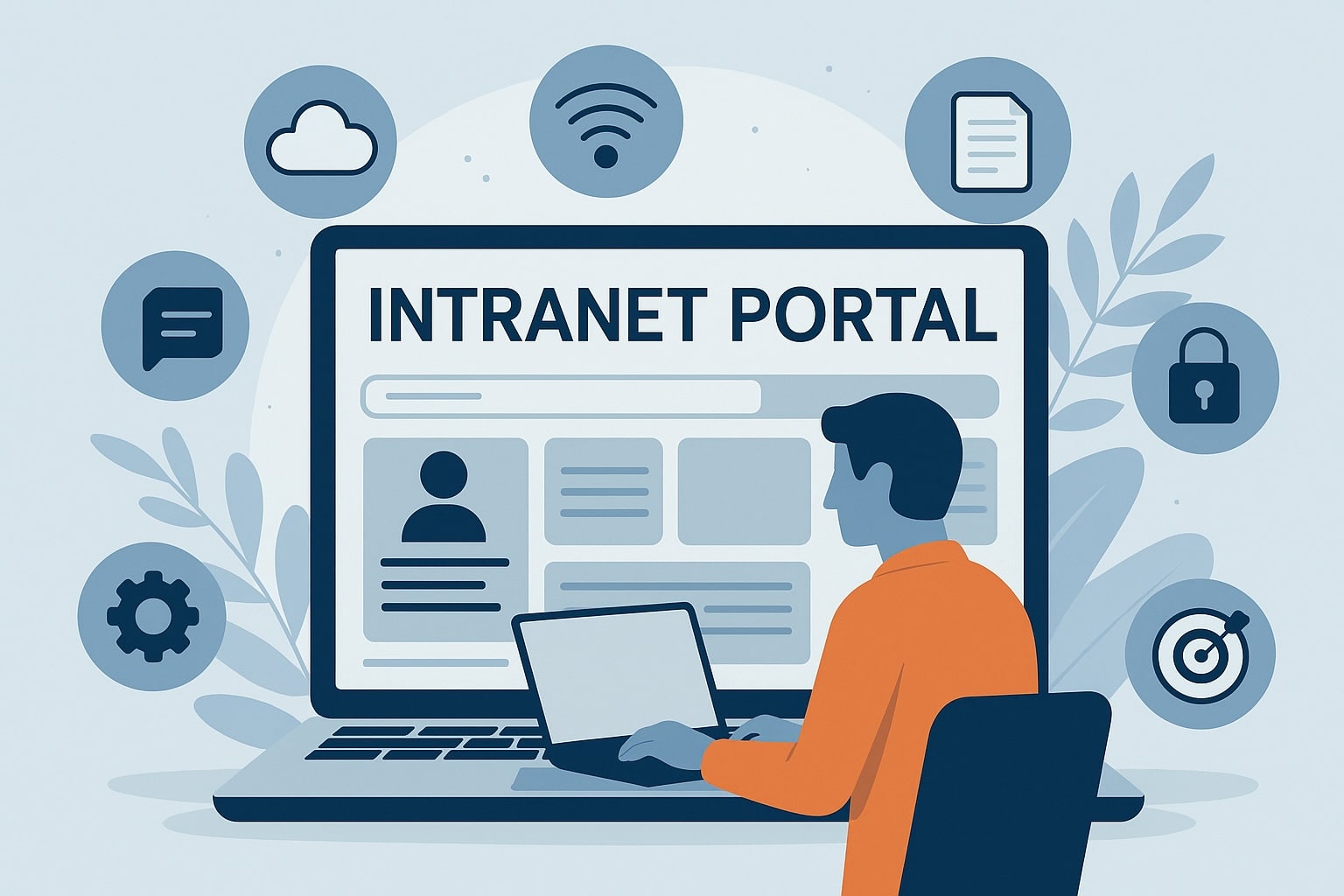
An intranet portal is more than just an internal website which has become the digital front door of your organization. Modern companies rely on these platforms to provide a single entry point where employees can access tools, resources, and communications in one secure place.
Like legacy systems that are difficult to maintain as well as fit needs of different businesses, today’s modern intranet software works as a smart digital workplace hub. In this guide, we will explain everything to know for a clear understanding.
Key Takeaways
- An intranet portal centralizes communication, tools, and documents into one easy-to-access platform.
- Modern intranet software improves productivity by reducing time spent searching for information.
- Features like personalization, automation, and integrations enhance employee experience and efficiency.
- A well-implemented intranet portal boosts engagement, collaboration, and organizational transparency.
- Cloud-based intranet solutions scale easily with business growth and workforce expansion.
- Choosing the right platform requires focus on usability, security, integrations, and vendor support.
What Is an Intranet Portal?
A centralized, and safe platform that gives employees access to company news, documents, teamwork spaces, and internal resources at one place. Its like a single entry point where teams can log in and easily find the information they need. It is private and can be used only by the users of an organization.
A modern employee intranet portal goes far away from the old web pages as it gives real-time communication, personalized content, automation, and can easily connect with the major business systems.
Generally it is like an operating system of the digital workplace which can bring people, information, and technology together which gives a unique experience.
Key Components of a Modern Intranet Portal
A modern intranet portal solution typically has the following important parts:
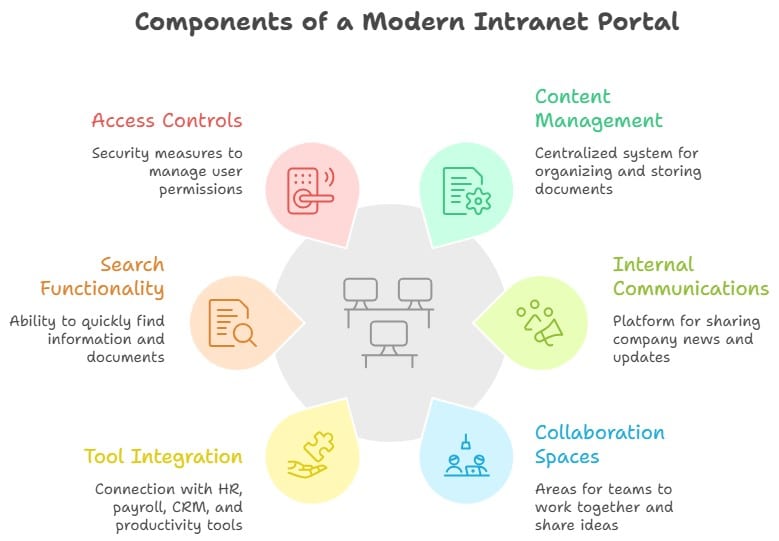
Today these portals are cloud-based which can be changed as per the size of your team as well as your business needs. Instead of switching between multiple systems, employees can get everything from one secure dashboard.
👉 Ready to modernize your digital workplace? Check out the HubEngage Employee Intranet Platform.
Why are company intranet portals important?
Such portals are important because they eliminate communication gaps and reduce information silos. When employees cannot find documents or updates quickly, productivity suffers.
With a structured Intranet Portal, we centralize information and create transparency across departments. Teams stay aligned with company goals, leadership messages reach everyone instantly, and employees can collaborate without relying on scattered tools.
Organizations that invest in the right solution often see improvements in productivity, engagement, and operational clarity.
Core Features to look for in an Intranet Portal Software
Choosing the right tool requires evaluating features that directly impact adoption and long-term success. Here are some of the features which an intranet portal must have from our point of view.
Personalization capabilities
A strong employee intranet portal should deliver personalized content based on role, department, or location. When employees see relevant announcements and tools tailored to them, engagement increases and noise decreases.
Advanced search and filtering
An effective intranet web portal must include intelligent search with filters, tags, and indexing. Employees should be able to locate policies, forms, or knowledge articles within seconds.
Automation tools
Automation reduces manual processes. From onboarding workflows to approval processes and scheduled announcements, automation features improve efficiency and consistency.
Integration APIs
A scalable intranet portal solution integrates seamlessly with existing systems such as Microsoft 365, Google Workspace, HRIS platforms, payroll tools, and CRM software. Integration APIs reduce tool switching and create a connected digital ecosystem.
Security controls
Security is non-negotiable and hence such softwares include role-based access, single sign-on (SSO), encryption, and compliance certifications to protect sensitive company data.
Mobile responsiveness
A mobile-ready Intranet Portal ensures frontline and remote employees can access updates, documents, and communication tools from any device. A responsive design drives higher adoption across the workforce.
Business Benefits of an Intranet Portal
Implementing the right Intranet Portal delivers measurable business value as it brings everyone at one place together for better functioning of a business . Also, it gives following advantages to your business:
Streamlined communication
We can centralize company announcements, leadership messages, policy updates, and department communications into one structured system. This reduces reliance on email overload and scattered messaging tools.
Operational efficiency
By acting as a single access point, it reduces the time employees spend hunting for tools or documents. According to McKinsey, employees spend up to 20% of their workweek searching for internal information an intranet can significantly cut this time.
Faster decision-making
When accurate information is accessible in real time, leaders and teams can make informed decisions quickly. A well-structured intranet web portal improves organizational agility.
Improved knowledge access
Knowledge management becomes easier when documents, SOPs, and training resources are searchable and organized. An employee intranet portal preserves institutional knowledge and reduces duplication.
Enhanced employee experience
Recognition programs, surveys, feedback channels, and social features built into intranet portal software contribute to a stronger workplace culture and higher engagement. Companies with high employee engagement see 21% higher profitability.

How to implement an intranet portal?
A successful rollout requires strategic planning and structured execution. Here is a simple way which we recommend you to take while implementing an intranet web portal.
1. Define Clear Objectives and Success Metrics
Identify your business goals, communication gaps, and measurable KPIs such as adoption rates, engagement levels, and search efficiency.
2. Select the Right Intranet Portal Platform
Choose an intranet portal software provider that aligns with your organization’s size, scalability needs, integration requirements, and industry standards. Use the below checklist while picking the right intranet portal.
| Factor | What to Consider |
| Scalability | Can it grow with your workforce? |
| Security & Compliance | Certifications and data protection features |
| Integrations | Works with your existing tech stack |
| User Experience | Simple, intuitive design for adoption |
| Vendor Support | Training, onboarding, and customer success programs |
👉 To understand more in detail check our complete guide on how to pick intranet providers.
3. Design Information Architecture and User Experience
Organize content logically. A clean navigation structure ensures employees can move through the intranet web portal without confusion.
4. Configure Integrations, Security and Permissions
Before launching, you should connect important systems, set up role-based permissions, as well as compliance safeguards to keep the sensitive information safe.
5. Launch, Train Employees and Monitor The Change
Provide instruction material, short training sessions, and continuous support for the new users. After launching, check the analytics to make the right changes in the system that fits well with the users needs.
Best Intranet Portal Software Platforms
Here are some of the leading intranet portal solutions that you can use in your business.
| Platform | Best For | Key Features | Pricing (from) |
| HubEngage | All-in-one comms and HR | Surveys, recognition, multi-channel messaging, gamification | $ |
| Staffbase | Employee experience | Internal comms, branded mobile app | $$$ |
| LumApps | Enterprise organizations | Integrations with Google & Microsoft, content targeting | $$$ |
| Workvivo | Culture-driven comms | Social feeds, engagement tools | $$ |
| Simpplr | Modern UI | AI-driven search, governance | $$$ |
| Interact | Mid-market orgs | Knowledge management, analytics | $$ |
| Axero | SMBs & mid-sized | Collaboration, document sharing | $ |
👉 Explore our roundup of the best intranet platforms in more detail.
HubEngage Intranet Portal
HubEngage’s modern intranet platform helps companies set up a digital intranet quickly and effectively. It brings together internal communications, employee engagement, recognition, surveys, and content management into one centralized place.
Our platform works well for small as well as large companies by helping ground staff and remote workers to easily communicate. Also, it gives strong security controls to keep the company’s data safe. Its user-friendly interface helps in easily using the platform without the need of too much training.
The below review by Musliah describes how our intranet portal helps with better employee engagement and productivity.
After using the HubEngage intranet portal, our team’s communication has improved a lot. Before, important messages often got lost in group chats or bulletin boards. With HubEngage, everyone gets updates quickly through the mobile app, even on the shop floor. The platform helps us share safety reminders, announcements, and training videos with all employees easily. It also boosts morale by giving recognition and clear information. The system is easy to use, and people use it daily. Overall, HubEngage has made our internal communication stronger and more reliable for every team member.
Request a Personalized Intranet Portal Demo
An intranet is like a safe gate to your digital workplace that can connect employees as well as help them get all the data they want in one place. From improving productivity to strengthening communication, these systems help organizations of all sizes.
If you are looking for an intranet portal software, the best next step is to see the platform in action. We suggest you request a personalized demo to see how an intranet portal can go along with your communication, HR, and operational goals.
FAQs
What is the purpose of an intranet portal?
Intranet Portal helps in bringing together communication, tools, and information all under one digital workplace environment which is safe as well as easy to use.
How is an intranet portal different from a website?
A website is public and customer-facing which is mostly under the front-end part of a business. On the other hand, an intranet web portal is private which comes under the back end part of the business. It is made only for employees as well as the stakeholders.
What features should an employee intranet portal have?
An employee intranet portal should have communication tools, document management, search function, smooth connectivity, personalization, and strong security controls.
How secure is an intranet web portal?
Modern intranet portal software has security codes, single sign-in, role-based permissions, and compliance certifications to keep the internal data safe.
How long does it take to set up an intranet portal?
Most cloud-based intranet portal solutions are good to use in just a few weeks to a few months. But, it all depends on how complex the business problems are as well as how easily we can connect other software with an intranet portal.
Can an intranet portal easily connect with an existing business system?
Yes, an intranet portal solution can easily connect with HR platforms, payroll systems, project management tools, CRM software, and other tools for businesses.
How much does intranet portal software generally cost?
The price depends on the size of a company, the features in it, business needs, and vendor pricing models. Most intranet providers provide different pricing based on the number of users and the modules chosen.
Related Links:
Employee Intranet | Intranet Software