At 7:30 a.m., a manufacturing plant manager faces a broken machine, two employee absences, a pending quality report, and routine inventory checks. Every department needs attention, but deciding what comes first is difficult. Without clear task priority levels, everything feels urgent making workforce management difficult. Maintenance gets delayed, production slows, and employees spend time on routine work while critical issues remain unresolved. For businesses managing office, remote, and frontline employees, setting clear task priority levels helps teams understand what needs immediate action and what can be scheduled later. Our blog will help you understand different priority levels of tasks, various methods and rules of setting the priority of those tasks to improve workflow management across distributed teams.
Key Takeaways:
- Task priority levels help teams organize work based on urgency, business impact, deadlines, and dependencies.
- Clear priorities reduce unnecessary interruptions, improve accountability, and prevent important tasks from being overlooked.
- Methods like the Eisenhower Matrix, ABCDE, and MoSCoW help managers make consistent prioritization decisions.
- Office, remote, and frontline teams require different priorities based on their responsibilities and operational risks.
- AI-powered task management software can support prioritization through automation, notifications, and workload visibility.

Why is it important to set task priority levels?
Setting task priority levels helps managers distribute work effectively, avoid operational delays, and keep employees focused on important responsibilities. Some key benefits include:
1. Improved Productivity
Employees focus on high-impact activities instead of switching between less important tasks.
2. Reduced Operational Delays
Identifying critical tasks early prevents disruptions across departments, locations, and shifts.
3. Improved Accountability
Defined priorities clarify task ownership, responsibilities, and expected completion timelines.
4. Better Team Collaboration
Shared priorities help office, remote, and frontline employees coordinate work more effectively.
What are the different task priority levels?
Task priority levels are ranking categories that indicate how urgently a task needs attention and how important it is to business operations. Organizations commonly use labels such as Critical, High, Medium, Low, and Backlog.
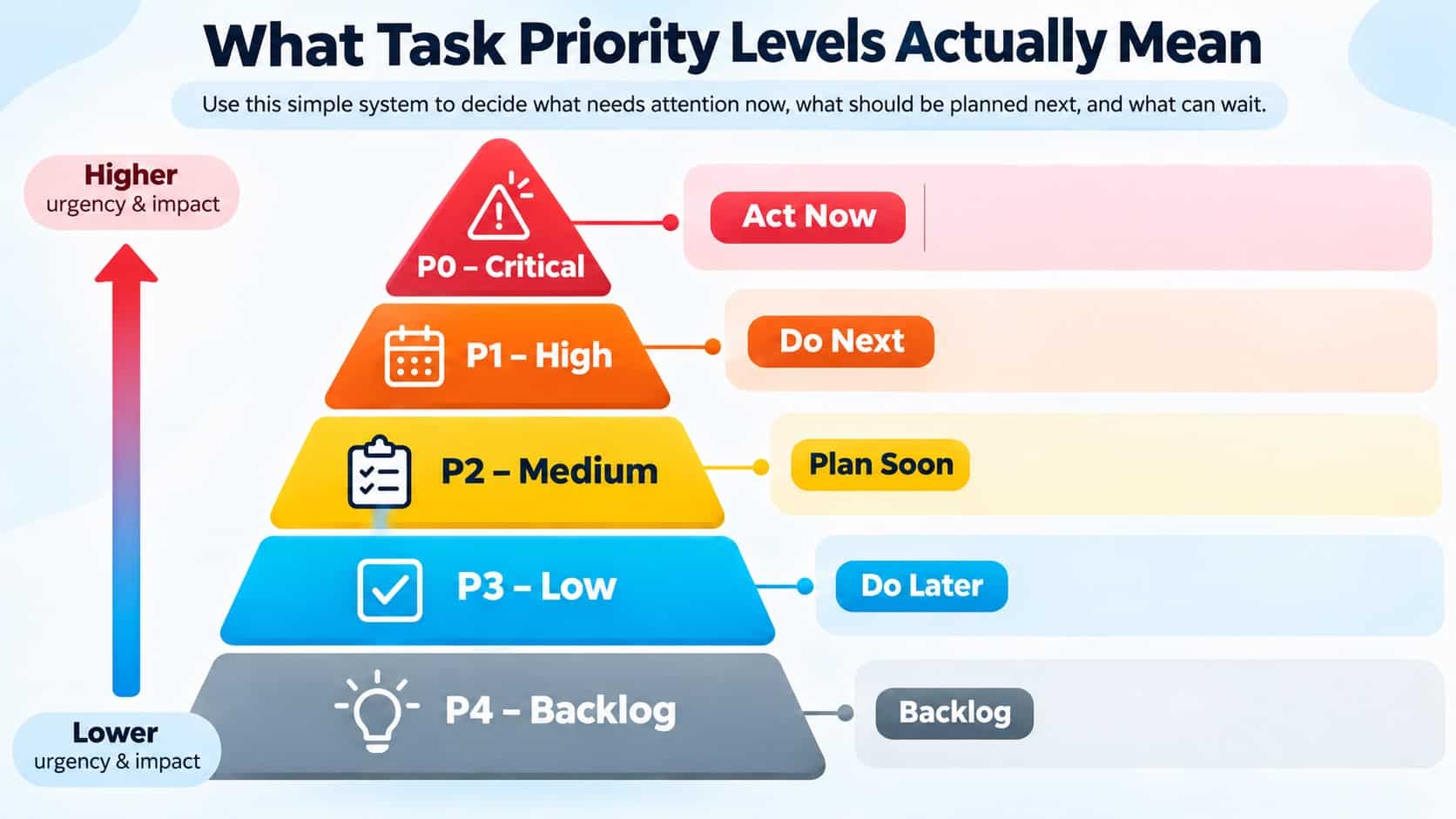
Priority codes are not universal. Some organizations use P1 for Critical and P5 for Lowest. What matters is defining one consistent system for your teams. Here is a practical five-level system:
| Priority Level | Meaning | Recommended Action |
| P0 – Critical | Safety emergencies, major outages, or serious operational risks. | Take immediate action and escalate. |
| P1 – High | Important tasks with significant business impact or approaching deadlines. | Complete as soon as practical. |
| P2 – Medium | Necessary activities supporting regular operations and team goals. | Schedule within normal workflows. |
| P3 – Low | Routine tasks with limited immediate business impact. | Complete when capacity allows. |
| P4 – Backlog | Optional improvements or activities without pressing deadlines. | Revisit during planning sessions. |
A task should receive high priority because of its consequences, not simply because someone labels it urgent.
Top Methods To Set Task Priority Levels
Different prioritization techniques help managers evaluate tasks based on urgency, importance, available resources, and business impact. Here are six practical methods to improve task management across teams.
1. Eisenhower Matrix
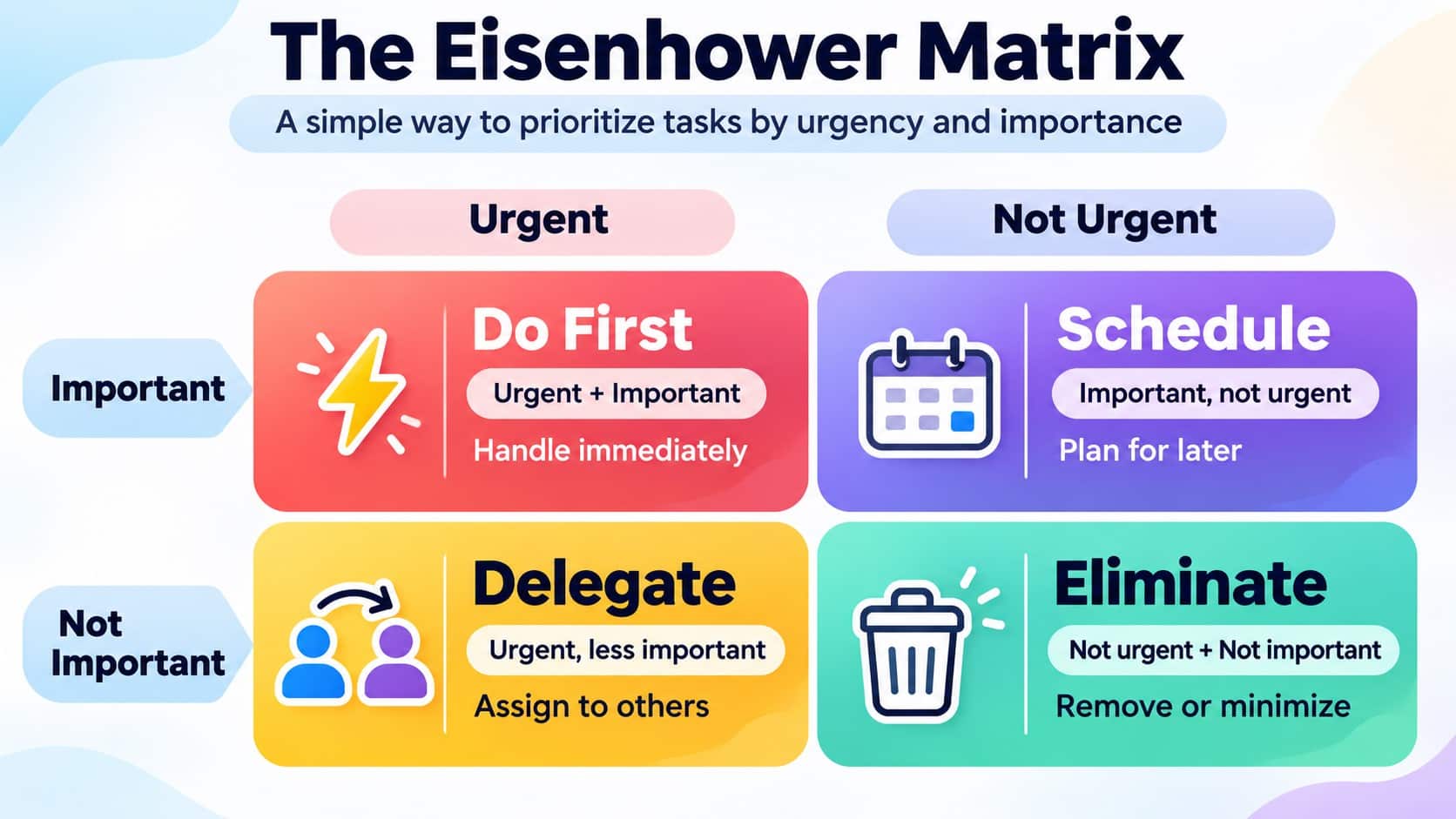
The Eisenhower Matrix organizes tasks into four categories: Do First, Schedule, Delegate, and Delete. It helps managers distinguish between urgent and important work, making it useful for handling competing deadlines and daily responsibilities. A frontline supervisor can use this method to immediately address safety hazards, schedule routine inspections, and delegate less critical administrative tasks.
2. Eat That Frog Method
This method encourages employees to complete their most challenging or impactful task early in the day. It is particularly useful for reducing procrastination, improving concentration, and preventing important assignments from being postponed. An office employee who completes a complex financial report before moving on to routine emails, meeting notes, and administrative updates.
3. MoSCoW Prioritization
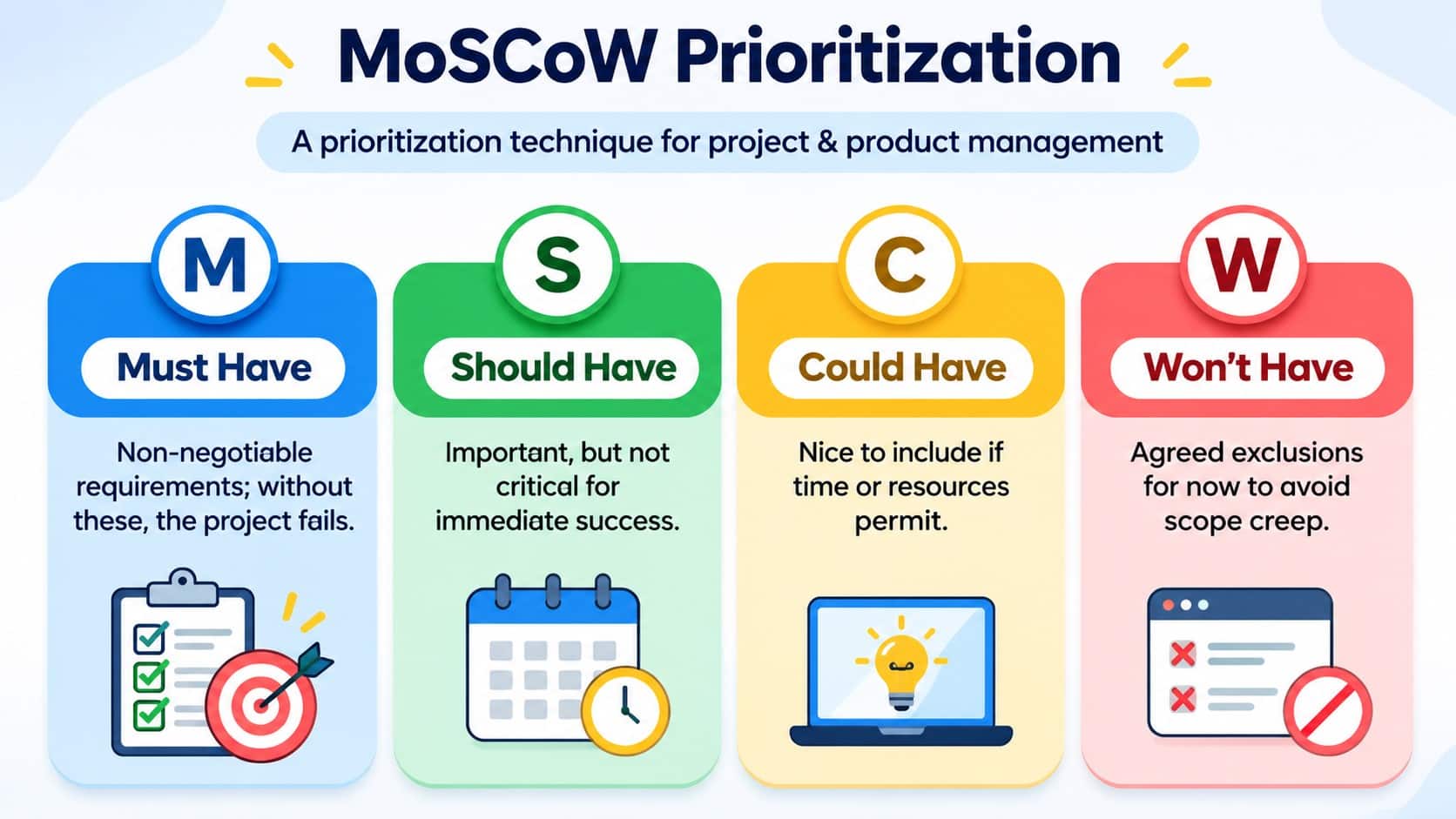
MoSCoW categorizes tasks into Must Have, Should Have, Could Have, and Won’t Have this time. It helps project teams identify essential deliverables, manage limited resources, and adjust priorities when business requirements change. Remote project teams can apply this approach by categorizing task management software features as Must Have, documentation as Should Have, and optional design improvements as Could Have.
4. RICE Scoring
RICE evaluates tasks using four factors: Reach, Impact, Confidence, and Effort. It helps managers compare different initiatives based on their expected value and required resources, making it useful for project planning and process improvements.
RICE Score = (Reach × Impact × Confidence) ÷ Effort
In manufacturing operations, managers can compare proposed process improvements based on employees affected, expected benefits, confidence in the results, and implementation effort.
5. ABCDE Method
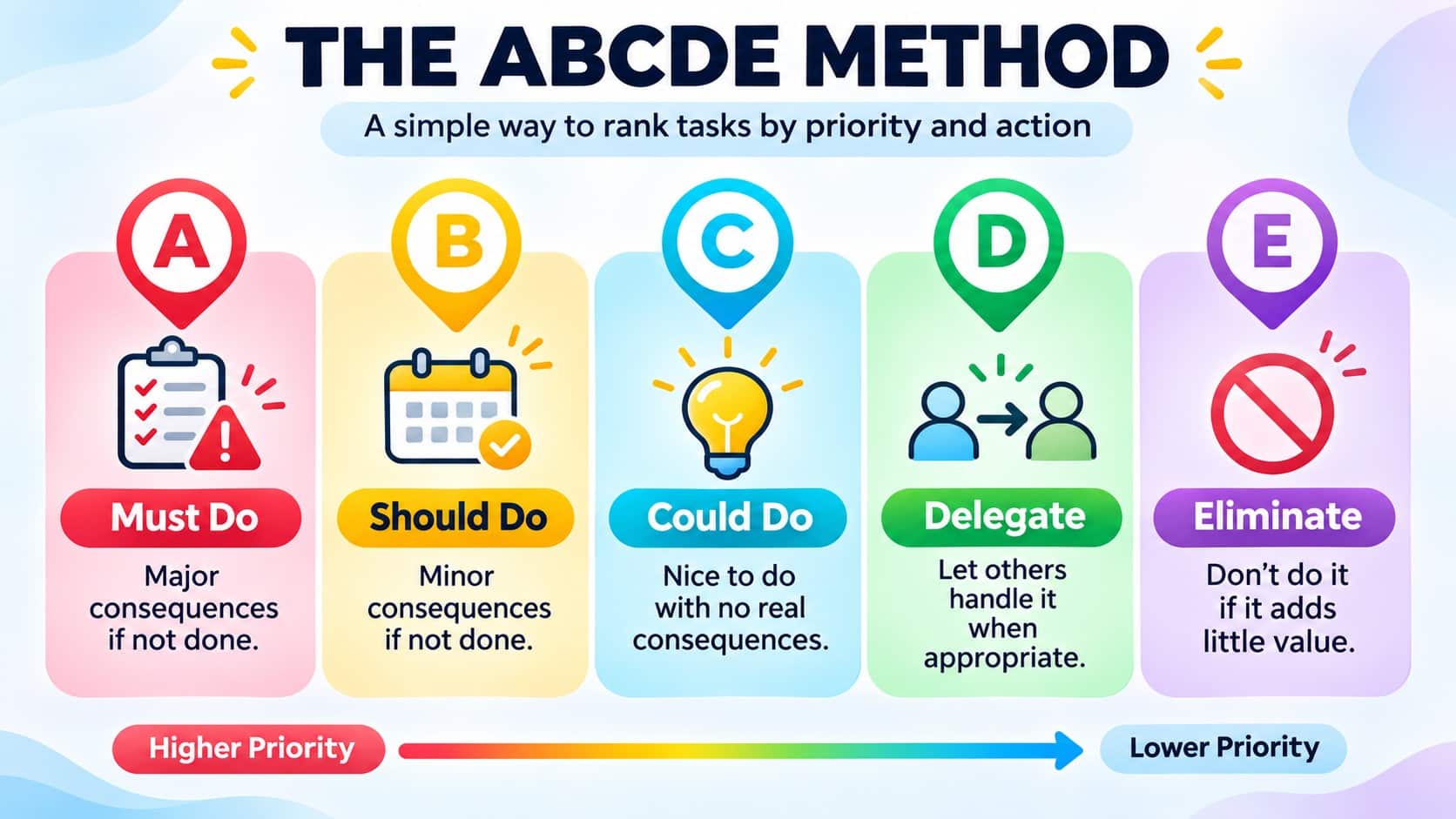
The ABCDE method ranks tasks from A (most important) to E (eliminate). Managers can further prioritize assignments using numbers like A1 and A2. This method works well for employees who need a clear order for completing daily tasks. In an office setting, a manager might classify urgent payroll approvals as A1, weekly reports as B1, and optional document updates as D.
6. Ivy Lee Method
The Ivy Lee method involves listing six important tasks at the end of each workday and ranking them by priority. Employees complete these tasks sequentially the following day, helping reduce multitasking and maintain a structured daily workflow. A remote team leader, for instance, can prioritize six assignments for the next day, starting with project approvals and finishing with routine documentation updates.
Comparison of Task Prioritization Methods
| Method | Best For | Main Advantage |
| Eisenhower Matrix | Daily task management | Separates urgency from importance |
| ABCDE | Individual workloads | Provides a clear execution order |
| MoSCoW | Project and delivery teams | Clarifies essential requirements |
| Eat That Frog | Individual productivity | Encourages focused work |
| RICE Scoring | Product and project teams | Supports evidence-based comparisons |
| Ivy Lee | Daily work planning | Keeps priorities simple |
Managers can combine methods based on their team’s needs rather than relying on one technique.
Task Priority Levels Examples Across Different Teams
Task priority levels help organizations identify which activities require immediate attention and which can be completed later. However, if may differ based on if employees work in offices, remotely, or on the frontline. The following table explains this well.
| Priority Level | Office Teams | Remote Teams | Frontline Teams |
| P0 – Critical | Resolve major system outages or security incidents. | Restore essential remote systems during widespread outages. | Address workplace safety emergencies or dangerous equipment failures. |
| P1 – High | Complete urgent client reports or approvals. | Resolve major project blockers affecting deadlines. | Handle serious customer complaints or operational disruptions. |
| P2 – Medium | Prepare weekly reports and attend planned meetings. | Complete assigned projects and routine team updates. | Perform scheduled inspections and inventory checks. |
| P3 – Low | Organize documents and update internal records. | Update project documentation and shared resources. | Organize supplies and update routine checklists. |
| P4 – Backlog | Explore optional workflow improvements. | Research new collaboration tools or productivity ideas. | Suggest improvements to routine operational processes. |
A shared priority system improves coordination, reduces delays, and supports consistent task management across distributed teams.
How to set the correct task priority levels?
Managers can establish effective task priority levels by checking the below factors before assigning work.
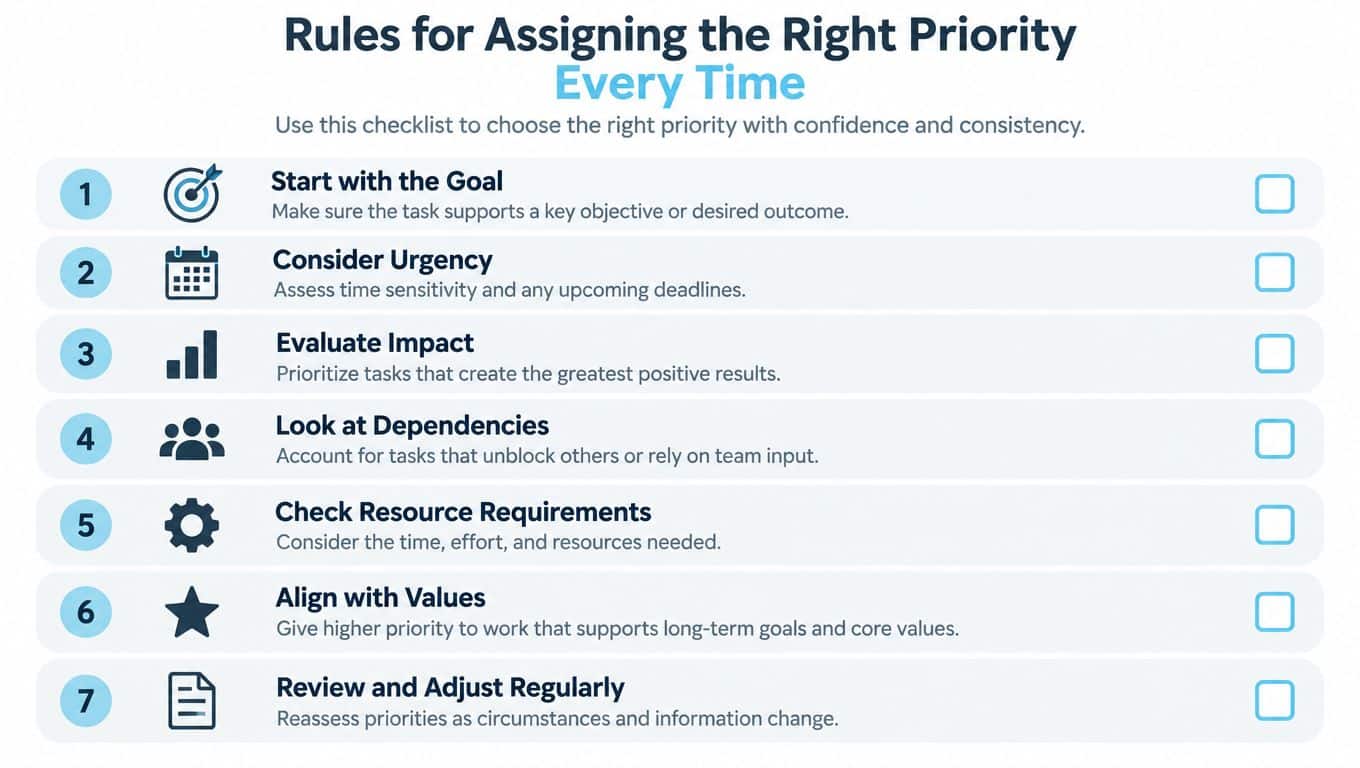
1. Focus on Business Goals
Check whether each task supports business goals, commitments, and outcomes that move the organization forward.
2. Check Deadline Urgency
Review deadlines, service commitments, and operational risks before deciding which assignments require immediate team attention.
3. Measure Operations Impact
Assess how delays affect safety, compliance, revenue, customers, and productivity across daily critical business operations.
4. Review Task Dependencies
Identify unfinished tasks blocking colleagues or departments, especially approvals that delay payroll or essential operations.
5. Check Business Needs
Estimate staffing, time, equipment, and effort needed, then assign priorities based on available team capacity.
6. Stick to Business Values
Prioritize work reflecting company values, long-term objectives, and employee needs while supporting everyday business decisions.
7. Revisit and Update Priorities
Review priorities when deadlines, staffing, or conditions change to keep employees focused on essential work.
How AI helps in setting up task priority levels?
AI can support task prioritization by analyzing deadlines, workloads, historical task data, and possible operational risks. A Stanford’s study of what workers want from AI surveyed 1,500 workers and consulted 52 AI experts. It found that 41% of examined tasks fell into either a low-priority zone or a “Red Light” zone involving low worker desire despite high AI capability. Workers primarily wanted repetitive work removed, more time for higher-value activity, better quality, human oversight, and agency.
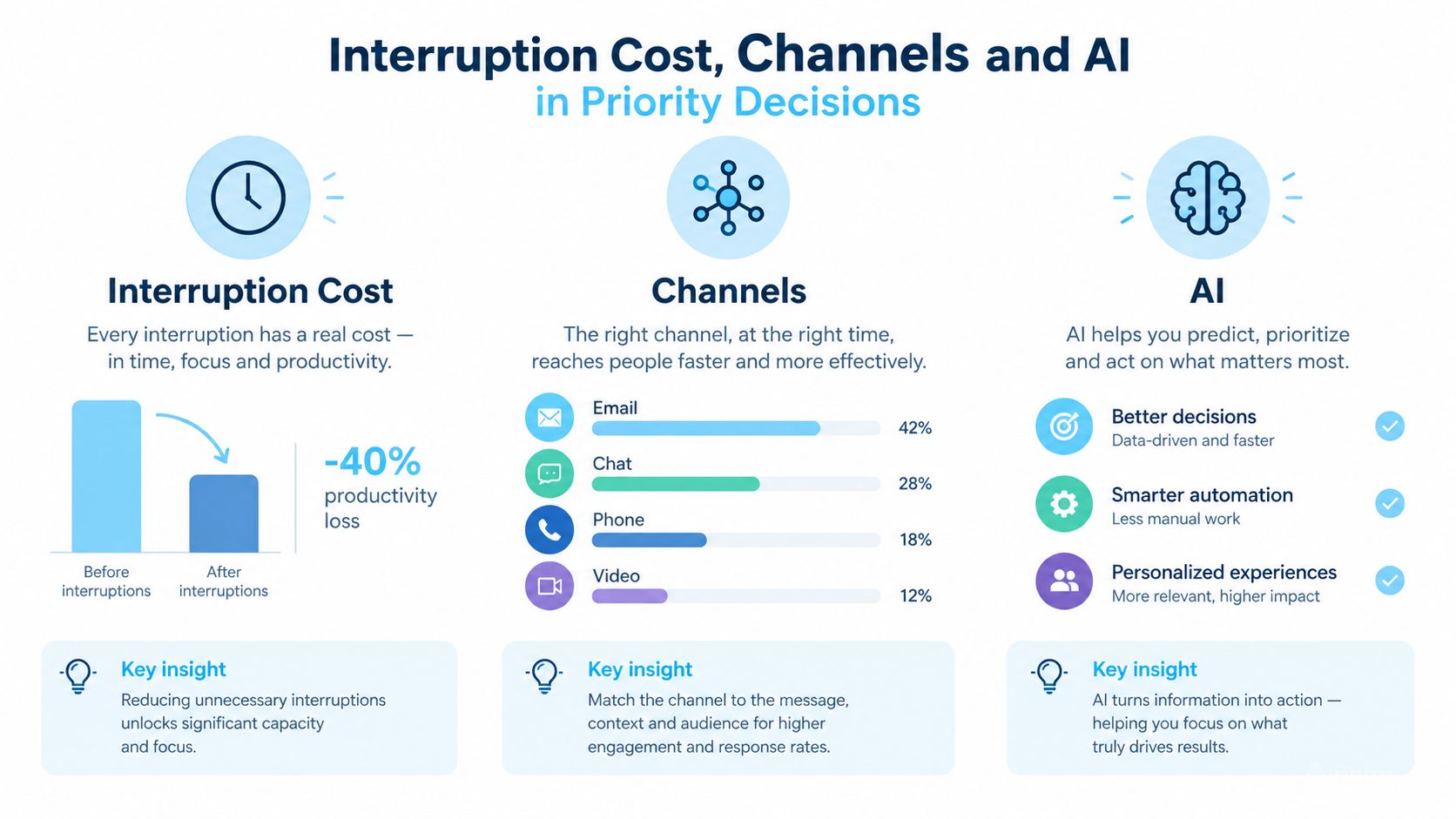
If a well-trained chatbot can answer the request safely and accurately, the request probably shouldn’t interrupt a human at the critical or high tier.
For organizations managing variable shifts, AI staff scheduling can connect staffing decisions with the work that needs attention. Common applications include:
1. Automated Classification
Suggest priority levels based on task descriptions and predefined business rules.
2. Bottleneck Detection
Identify task dependencies and potential issues that could delay project completion.
3. Workload Analysis
Identify employees or teams managing excessive high-priority tasks and workloads.
4. Predictive Insights
Analyze recurring delays and suggest improvements to existing workflows and task schedules.
Manage Task Priority Levels Easily With HubEngage
The task management module is an important part of our AI-powered employee experience platform, helping businesses organize, assign, prioritize, and track tasks across distributed teams. Managers can set task priority levels, assign responsibilities, establish deadlines, and monitor progress through centralized dashboards.
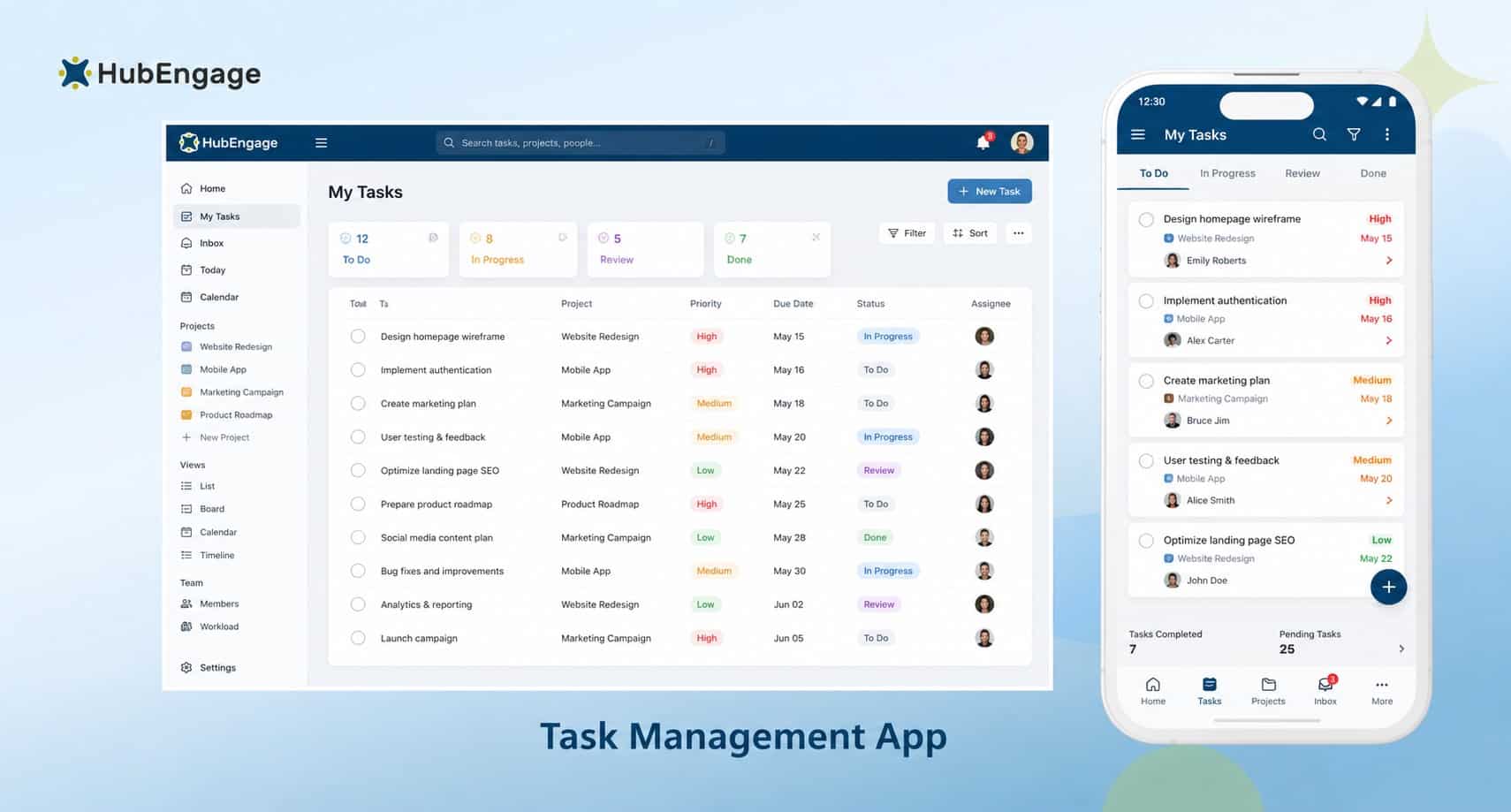
Real-time notifications keep office, remote, and frontline employees informed about important assignments and updates. By easily connecting with employee communication, scheduling, learning, and collaboration tools, this task management app reduces the need to switch between multiple applications while improving task visibility, team accountability, and overall workflow efficiency.
Conclusion
Setting clear task priority levels helps businesses organize workloads, reduce delays, and improve productivity. Whether employees work remotely, in offices, or on the frontline, consistent priorities support better decisions and accountability.
HubEngage’s AI-driven task management module helps managers assign, prioritize, and track tasks while keeping teams aligned across locations. Explore the capabilities of our employee experience platform by scheduling a demo.
FAQs About Task Priority Levels
1. How do task priority levels improve efficiency?
Task priority levels improve efficiency by helping employees identify important activities, manage deadlines, reduce unnecessary interruptions, and complete high-impact work before less urgent tasks.
2. What role managers play in Setting Task Priority Levels?
Managers evaluate urgency, business impact, and available resources. They assign responsibilities, communicate expectations, resolve competing priorities, and regularly adjust workloads based on changing business needs.
3. How can task prioritization methods be adapted for different teams?
Office teams can prioritize approvals and deadlines, remote teams can focus on project dependencies, and frontline teams can prioritize safety, customer needs, and operational continuity.
4. Which KPIs measure the effectiveness of task priority levels?
Businesses should monitor on-time completion rates, resource utilization, project cycle time, stakeholder satisfaction, and the number of priority conflicts to evaluate workflow improvements.
5. How automation helps with setting up task priority levels?
Automation can classify routine requests, trigger reminders, route assignments, and update task statuses. Managers remain responsible for reviewing critical priorities and handling unusual situations.
Related Links
workforce management | task management software | task management app | AI staff scheduling