Online staff scheduling is the process of creating, managing, sharing, and updating employee schedules through digital software. Instead of using spreadsheets, paper calendars, or group chats, you can assign shifts, track availability, approve time-off requests, and share updates in real time.
Using ai staff scheduling is especially valuable for frontline teams in healthcare, manufacturing, retail, hospitality, logistics, and field services, where schedules often change due to demand, absences, skills, or locations.
Online scheduling reduces errors, improves shift coverage, controls labor costs, and gives employees greater visibility into their working hours. Our blog will help you understand online staff scheduling and choose the right solution.
Key Takeaways
- Online staff scheduling helps businesses create, manage, and update employee schedules in real time using digital tools instead of spreadsheets or paper rosters.
- For frontline, deskless, and distributed teams, online staff scheduling improves shift visibility, reduces confusion, and keeps employees informed from any device.
- Online staff scheduling supports workforce management by connecting schedules with time tracking, payroll, labor planning, compliance, and employee data.
- Businesses can reduce labor costs by preventing overstaffing, controlling overtime, and filling open shifts faster.
- Common scheduling types include fixed, flexible, rotating, and on-call schedules, depending on industry needs.
- The right online staff scheduling tool improves employee experience by offering mobile access, advance schedule visibility, time-off requests, shift updates, and better work-life balance.

How Online Staff Scheduling fits into Workforce Management?
Online staff scheduling is a key part of workforce management, helping businesses plan staffing, track attendance, manage payroll, handle absences, maintain compliance, forecast labor needs, and ensure the right people work in the right place at the right time.
As per the National Retail Federation, U.S. retailers using data-driven scheduling can decrease labor costs and improve business output. Connecting scheduling with time tracking and payroll streamlines operations, automates approved-hour transfers, improves accuracy, and gives leaders centralized visibility into labor trends and workforce performance.
Without a clear scheduling plan, organizations risk higher costs, poor service, employee frustration, and missed coverage. Online staff scheduling helps reduce these risks by giving managers better control and employees better visibility.
Common Types of Employee Scheduling
Different industries use different scheduling methods based on the nature of their business. Here are the most common types of employee scheduling.
| Scheduling Type | Description | Best For | Main Benefit | Challenge |
| Fixed Scheduling | Employees work the same shifts regularly. | Businesses with stable demand | Creates routine and simplifies planning | Limited flexibility |
| Flexible Scheduling | Employees choose from available shifts or approved hours. | Businesses supporting employee preferences | Improves flexibility and fills open shifts | May create coverage gaps |
| Rotating Scheduling | Employees rotate between different shifts. | 24/7 operations and shift-based industries | Shares less desirable shifts fairly | Can cause fatigue |
| On-Call Scheduling | Employees remain available when urgent needs arise. | Healthcare, IT, maintenance, and field service | Supports quick emergency response | May increase employee stress |
Importance of Online Staff Scheduling
Online staff scheduling may seem like a basic administrative task, but it has a major impact on business performance. A strong scheduling process helps in following ways:
1. Cost Management
Businesses can control labor costs by matching employee hours with demand. Managers can reduce overtime, avoid overstaffing, prevent understaffing, and plan shifts using budgets, availability, skills, and expected workload.
2. Operational Efficiency
Online staff scheduling helps managers assign the right employees to each shift. Teams can prepare for busy periods, reduce confusion, prevent missed shifts, and respond quickly when staffing needs change.
3. Employee Satisfaction
Employees get clearer, more predictable work schedules. Workers can check shifts, request time off, update availability, and swap shifts, helping them plan personal responsibilities and reduce workplace stress.
Key Metrics of Online Staff Scheduling
To understand whether your scheduling process is working, managers should track a few important metrics.
| Metric | Function | Importance |
| Schedule adherence | Shows whether employees work their assigned shifts. | Identifies communication issues and schedule problems. |
| Overtime hours | Tracks extra hours worked by employees. | Helps control labor costs and spot understaffing. |
| Open shifts | Shows unfilled shifts. | Helps prevent service delays and employee burnout. |
| Absenteeism rate | Measures missed scheduled shifts. | Highlights staffing risks and engagement concerns. |
| Labor cost percentage | Compares labor costs with revenue or budget. | Supports better workforce cost management. |
| Shift swap frequency | Tracks how often employees change shifts. | Shows whether schedules match employee availability. |
| Employee satisfaction score | Measures how employees feel about scheduling. | Helps improve morale, work-life balance, and retention. |
Tracking these metrics in an staff scheduling template gives managers a clearer view of scheduling performance and helps them make better decisions.
What are the benefits of Online Staff Scheduling?
Online staff scheduling gives businesses and employees several practical benefits.
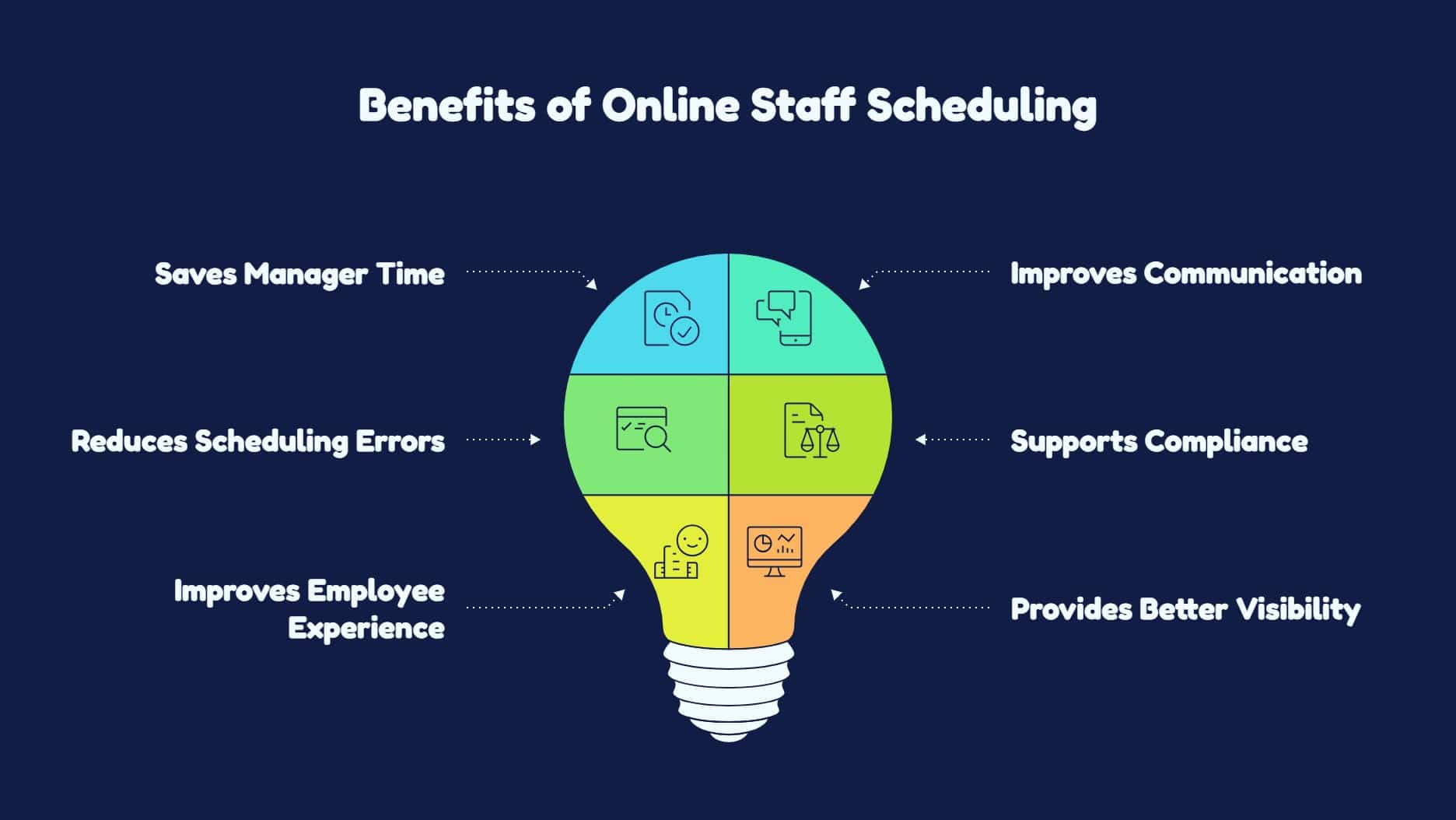
- Saves Manager Time: Create, adjust, and publish employee schedules faster without manual spreadsheets.
- Improves Communication: Share real-time schedule updates through mobile apps and online platforms.
- Reduces Scheduling Errors: Avoid double-booking, missed availability, and unqualified shift assignments.
- Supports Compliance: Track overtime, breaks, rest periods, and employee certifications more easily.
- Improves Employee Experience: Let employees view schedules, request changes, and stay informed.
- Provides Better Visibility: Monitor labor costs, coverage gaps, overtime, and scheduling trends in one dashboard.
Challenges of Online Staff Scheduling
Online staff scheduling is powerful, but it can still create following challenges if it is not implemented correctly:
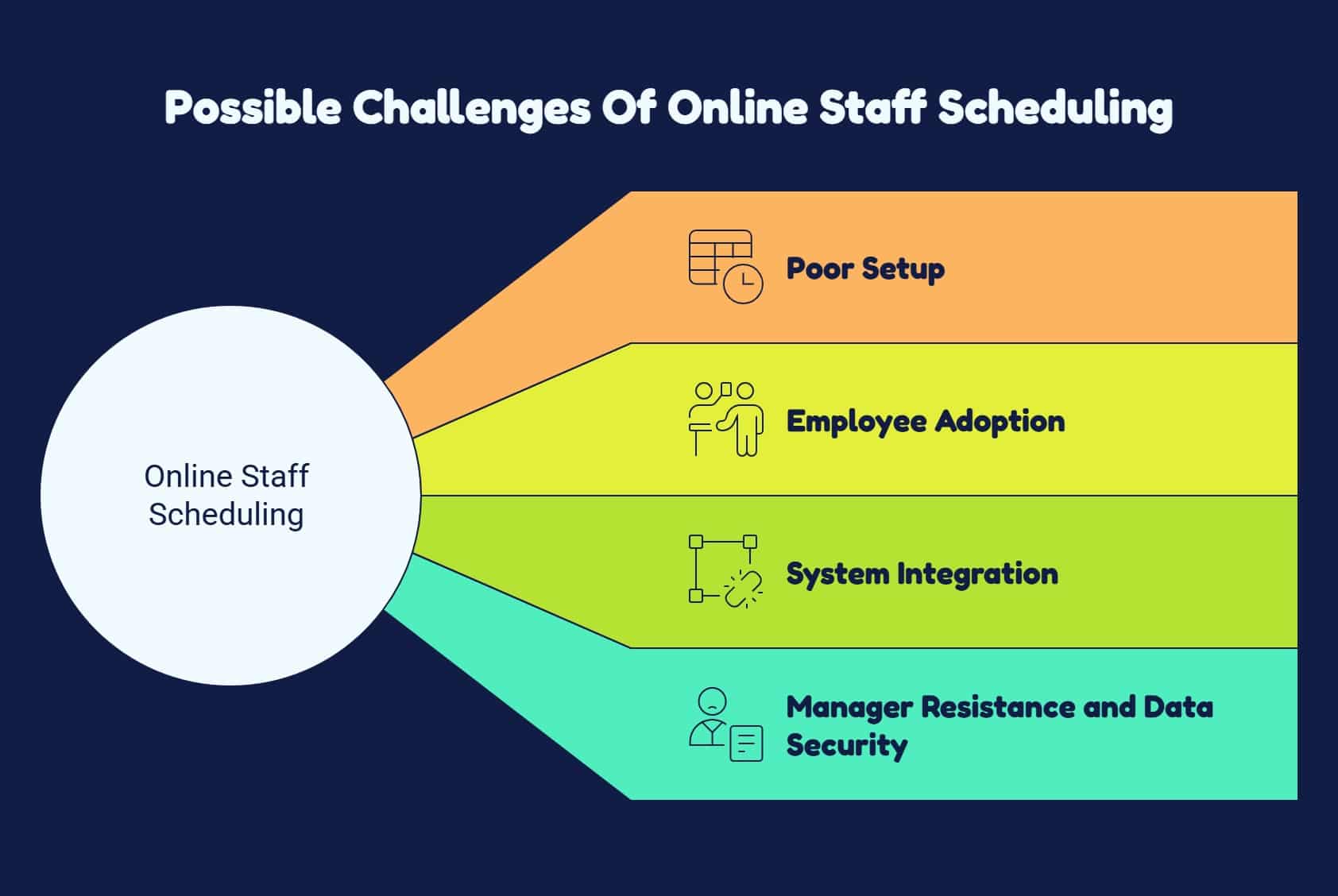
- Poor Setup: Inaccurate availability, skills, locations, or scheduling rules can create errors.
- Employee Adoption: Workers may need training to use digital schedules, submit availability, and request time off.
- System Integration: Without payroll, HR, or time-tracking integrations, managers may still enter data manually.
- Manager Resistance and Data Security: Managers may resist changing old processes, while businesses must protect sensitive employee information.
Online Staff Scheduling Best Practices
Look out for below practices that will also help you in create an employee schedule and to get the best results:
- Document Scheduling Rules: Define work hours, break rules, overtime limits, skill requirements, labor budgets, and employee availability.
- Involve the Team Early: Ask managers about scheduling challenges and employees about availability and shift preferences.
- Publish Schedules Early: Give employees advance notice so they can plan ahead and avoid last-minute conflicts.
- Enable Mobile Access: Let frontline and deskless workers check shifts and receive updates from their phones.
- Track Scheduling Metrics: Monitor overtime, open shifts, absenteeism, and labor costs regularly.
Choose HubEngage Free Online Staff Scheduling Tool
We offer an employee scheduling module as a part of our employee experience platform which helps organizations manage shifts across frontline, hybrid, remote, and distributed teams.
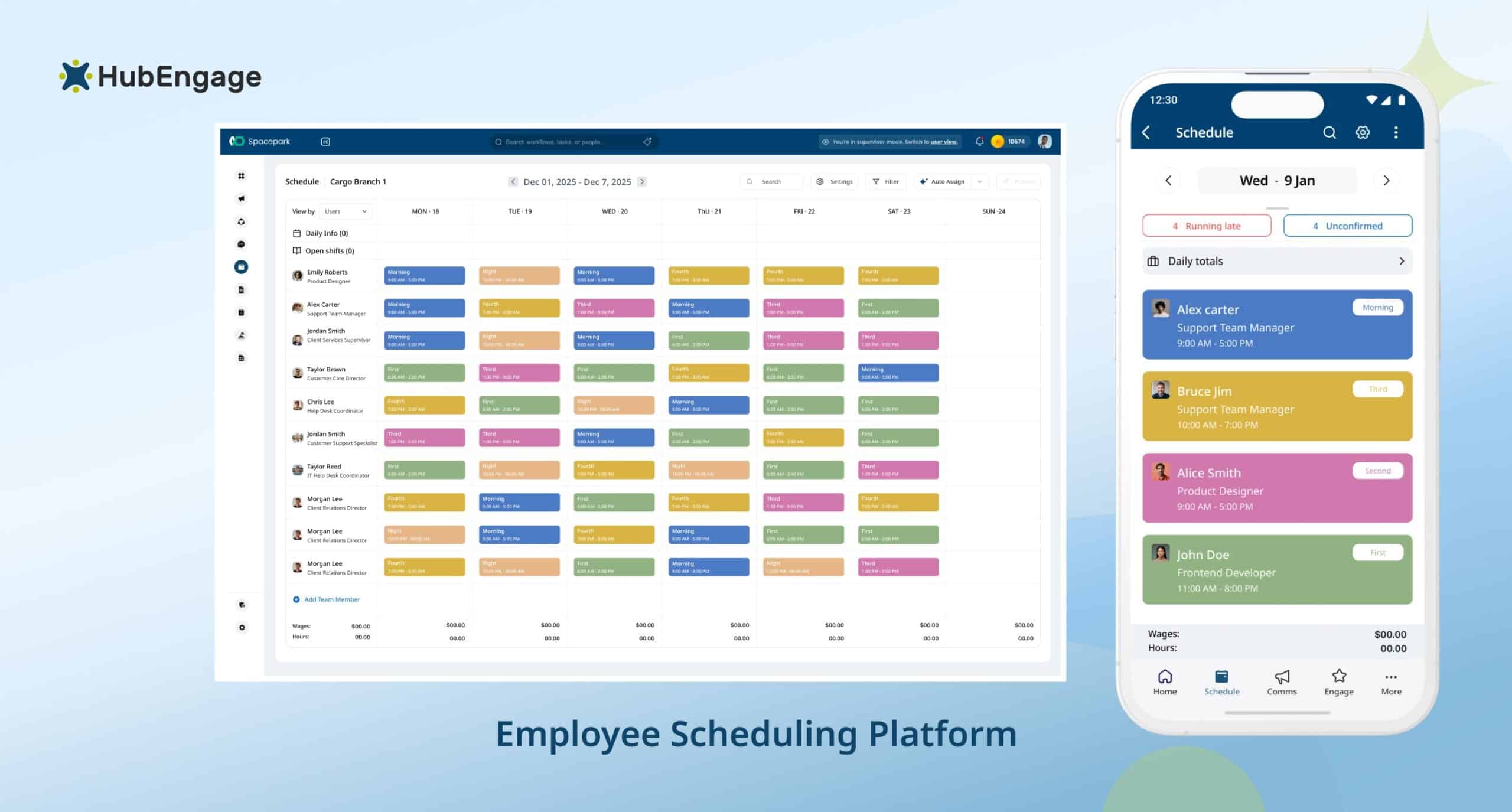
Managers can create, assign, and update schedules in real time, while employees access shifts, receive notifications, and stay informed from any device. An employee scheduling software is especially valuable for deskless workers who may not use desktop systems regularly and prefer a mobile-first access.
Integrated communication, engagement, HRIS, and employee data tools help align schedules with roles, locations, and availability, reducing confusion, missed shifts, and coordination gaps across teams.
Conclusion
Online staff scheduling helps frontline, deskless, and distributed teams work with greater clarity, consistency, and less stress. By connecting schedules with communication, time tracking, and employee engagement, businesses can improve coverage, control labor costs, and create a more positive employee experience.
A connected approach also helps managers respond quickly to changes while keeping employees informed and supported. To discover how our employee experience platform can simplify scheduling, sign up for a demo today.
FAQs About Online Staff Scheduling
How is online staff scheduling helpful for deskless and remote teams?
Online staff scheduling helps deskless and remote teams check shifts, receive updates, request time off, and stay informed from a mobile device. This reduces confusion and keeps employees connected across locations.
Which industries prefer online staff scheduling?
Online staff scheduling is useful for healthcare, manufacturing, hospitality, retail, logistics, field service, restaurants, security, education, and other industries that depend on shift-based or frontline employees.
What are the best free online staff scheduling tools?
The best free online employee scheduling software is easy to use, mobile-friendly, and designed for real shift-based teams. HubEngage is a great option for teams that want scheduling connected with employee communication and engagement.
How does online staff scheduling improve employee experience?
It improves employee experience by giving workers clear schedules, advance notice, mobile access, and easier ways to share availability or request changes. This supports better work-life balance and reduces scheduling stress.
How do employees check a schedule on an online staff scheduling app?
Employees usually log in to the scheduling app from their phone or computer, open their schedule view, and check assigned shifts. Many apps also send push notifications when schedules are published or updated.
Related Links:
employee scheduling software | ai staff scheduling | staff scheduling template | create an employee schedule | online employee scheduling software