Still building your team schedule from scratch every week? Using a good staff scheduling template can help managers plan shifts faster, reduce confusion, and give employees a clear view of their work hours. For frontline and deskless teams, scheduling affects coverage, customer service, overtime, employee stress, and daily communication. Since many employees do not sit at desks or check email often, they need workforce management that are simple, updated, and easy to access. A template gives managers a ready structure for shifts, breaks, roles, locations, and total hours. Our blog will help frontline teams create clearer, accurate, and more reliable schedules quickly.
Key Takeaways
- A staff scheduling template helps managers plan employee shifts without starting from scratch every week.
- It is useful for frontline and deskless teams because it gives employees clear shift details, locations, duties, and work hours.
- The best templates include employee names, job roles, shift times, break periods, locations, total hours, and manager notes.
- Templates work well for small teams, but growing teams need scheduling software with automation, mobile access, alerts, and shift swaps.
- Mobile-first scheduling improves communication because employees can view updates from anywhere, not just from a breakroom notice board.
How Staff Scheduling Templates Help Frontline Teams?
Frontline and deskless employees need simple, clear, easy-to-access schedules because they may not use laptops, email, or office systems often. A staff scheduling template helps managers share shift times, roles, locations, breaks, and duties before work starts. It reduces missed shifts, last-minute questions, and coverage confusion. Retail, clinic, and warehouse teams can use it to plan staffing from one view.
Benefits of Work Schedule Templates
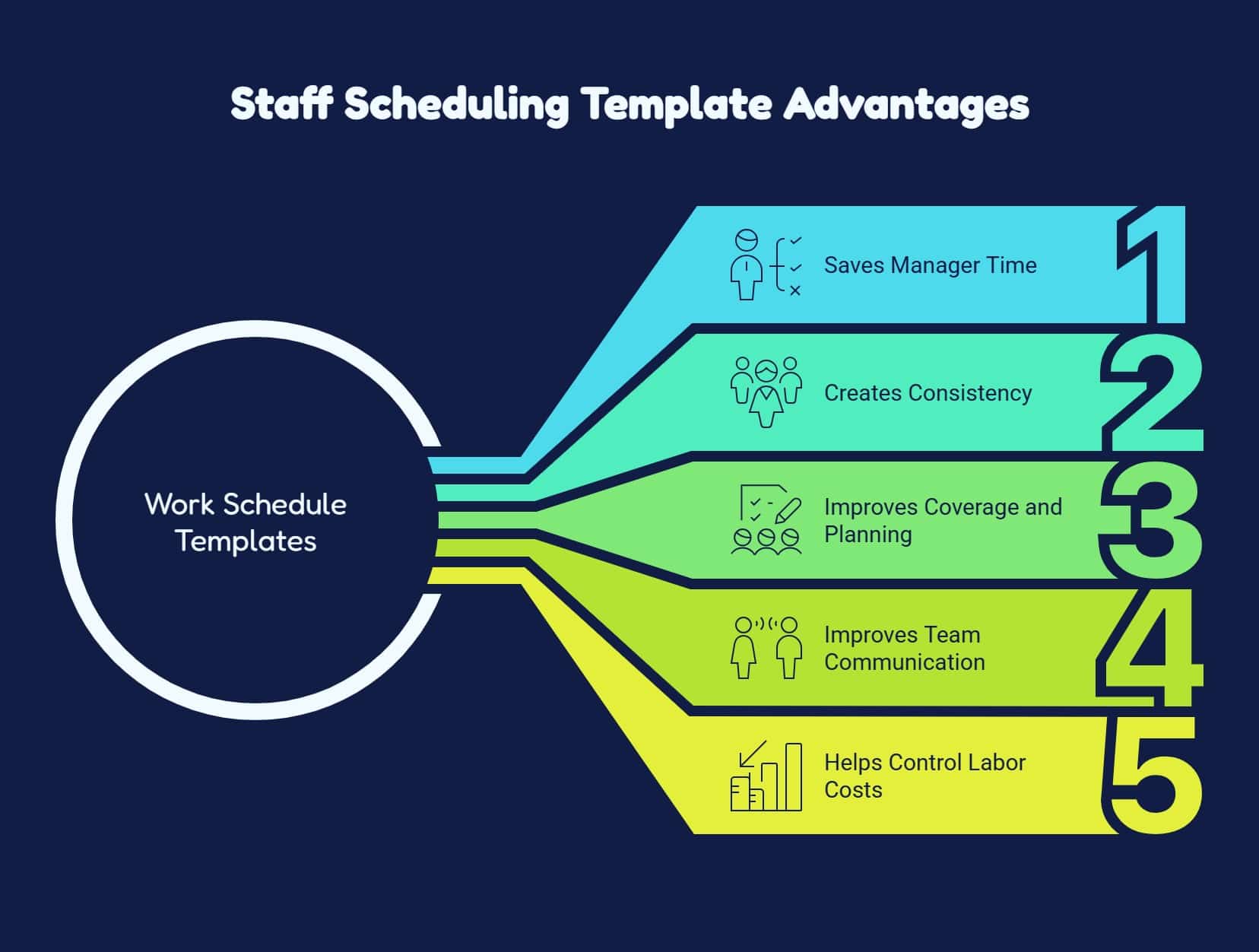
Explore how work schedule templates save time, improve coverage, reduce confusion, and help managers control labor costs for frontline teams.
1. Saves Manager Time
Templates give managers a ready format to update shifts, availability, leave requests, and staffing needs faster each week with ease.
2. Creates Consistency
A standard format helps employees find shifts quickly and lets managers rotate hours, weekends, and responsibilities more fairly across teams.
3. Improves Coverage and Planning
Templates help managers match staffing to busy periods, reduce coverage gaps, avoid overstaffing, and plan shifts before problems happen daily.
4. Improves Team Communication
Clear templates show who works when, where, and in which role, reducing shift questions, confusion, and missed updates for employees.
5. Helps Control Labor Costs
Tracking hours in one template helps managers spot overtime risks, balance workloads, prevent overstaffing, and manage labor budgets effectively.
Excel vs. Scheduling Software
Compare Google Sheets, Excel, and scheduling software to understand which option fits your team size, shift complexity, and need for automation.
| Factor | Excel | Scheduling Software |
| Best for | Small teams with simple schedules | Growing teams with complex shifts |
| Cost | Low-cost or free | Paid, but more automated |
| Customization | Easy to edit and format | Structured with built-in scheduling tools |
| Reminders | Manual follow-up needed | Automatic alerts and notifications |
| Overtime tracking | Must be checked manually | Can flag overtime risks |
| Shift swaps | Managed manually | Employees can request or swap shifts |
| Mobile access | Basic access on mobile | Mobile-first experience for frontline teams |
| Best choice when | Your team is small and stable | You need real-time updates and approvals |
Best Employee Schedule Templates to Use
Compare the most useful employee schedule templates for frontline teams and choose the right format based on shift patterns, coverage needs, and planning timelines.
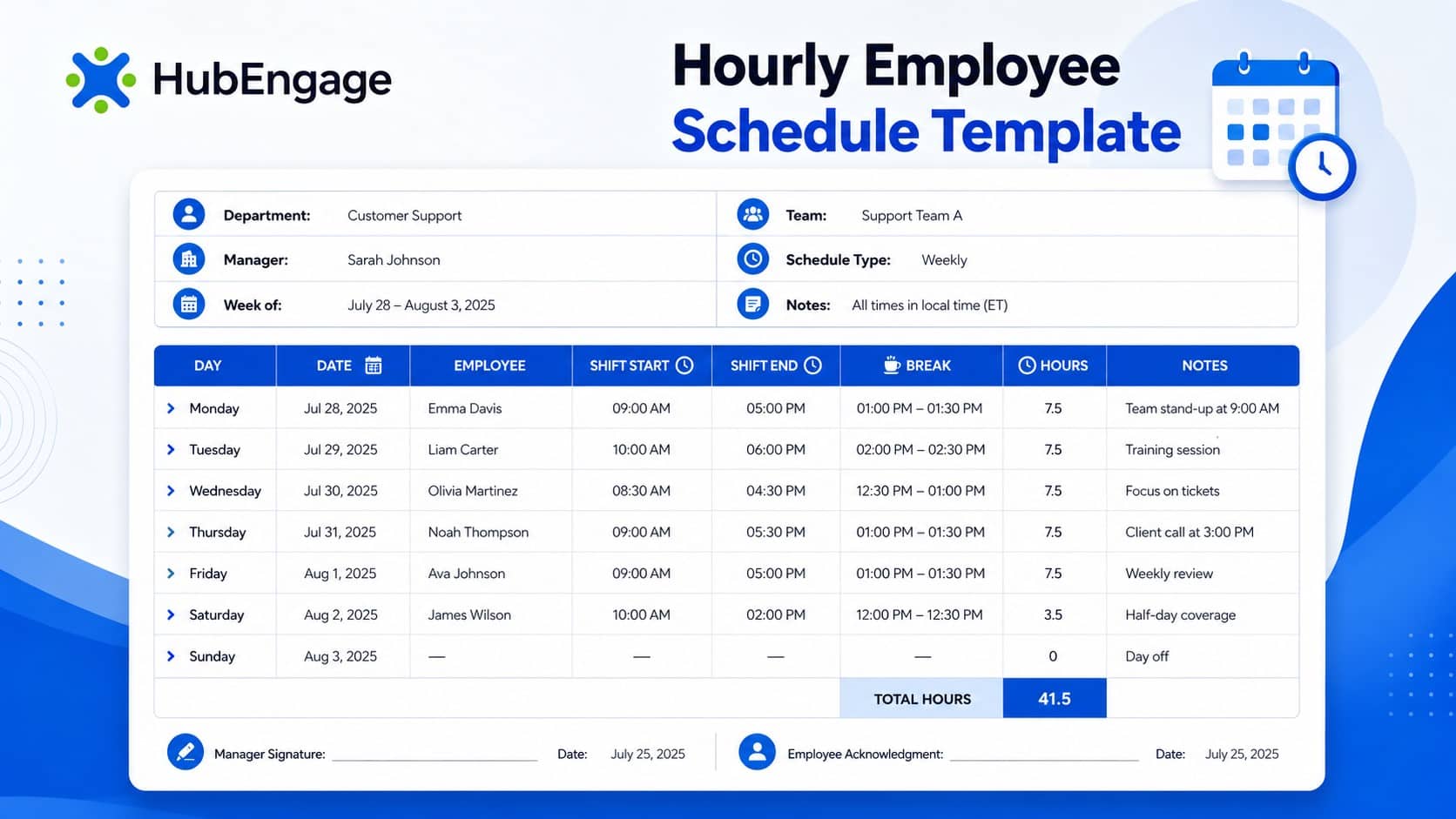
1. Hourly Employee Schedule Template
Use this template when staffing needs change by hour. It helps restaurants, retail stores, warehouses, call centers, and service teams assign employees to specific time blocks, cover peak periods, reduce gaps, and control labor costs throughout the day smoothly daily.
2. Weekly Work Schedule Template
Helpful for teams with steady weekly patterns, rotating weekends, or fixed shift groups. It gives managers a clear seven-day view while helping employees plan ahead, understand responsibilities, and manage personal commitments with fewer last-minute scheduling surprises each week.

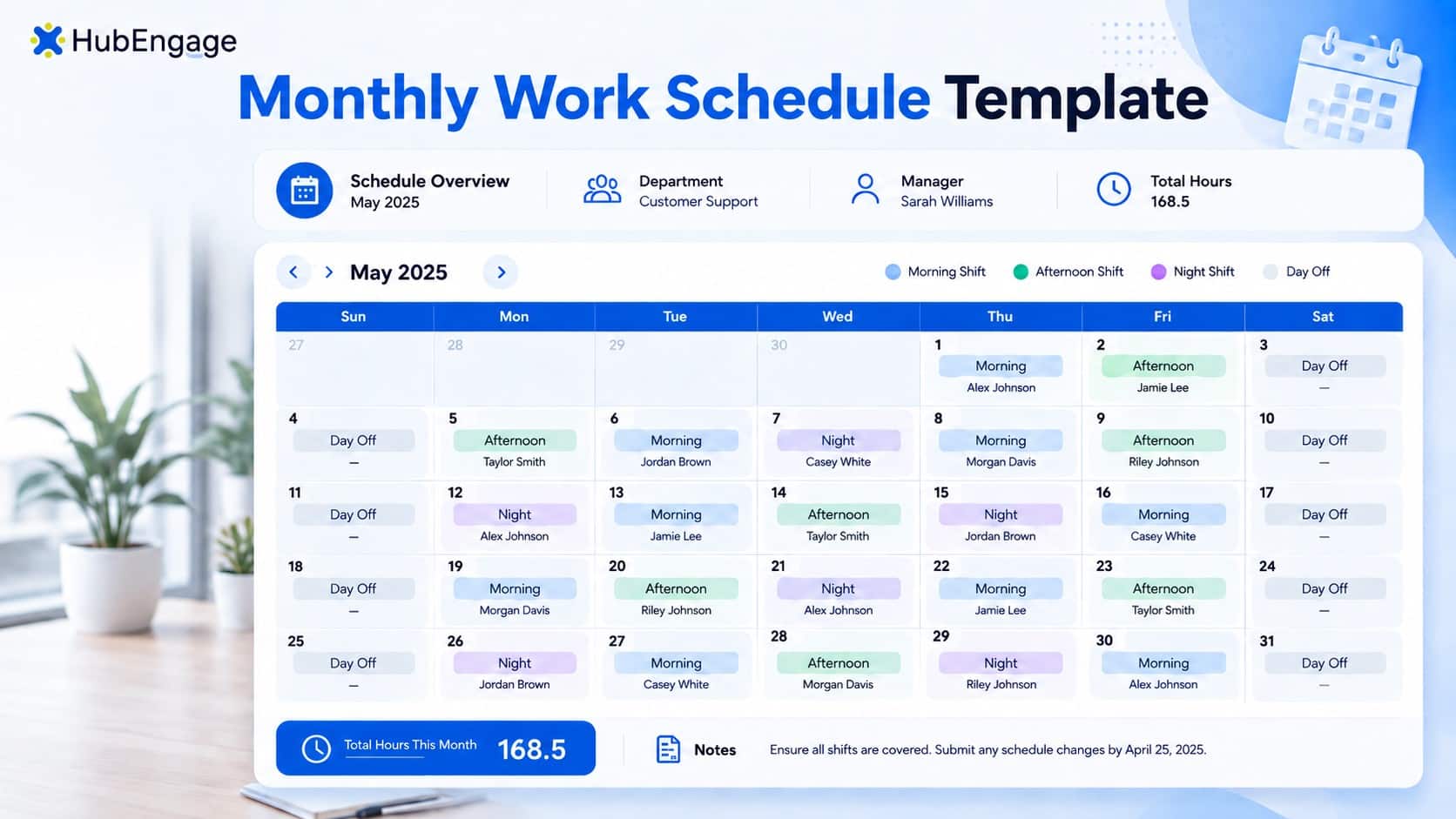
3. Monthly Staff Schedule Template
Good choice when employees need advance notice or schedules stay fairly predictable. It helps healthcare, security, hospitality, manufacturing, and multi-location teams plan vacations, holidays, staffing gaps, peak demand, and long-term coverage needs more clearly across the month in advance.
4. Rotating Shift Schedule Template
Perfect for teams that share early, late, weekend, or overnight shifts. It supports 24/7 operations by rotating difficult shifts more fairly, reducing burnout, improving coverage, and preventing the same employees from always receiving less desirable schedules every week.

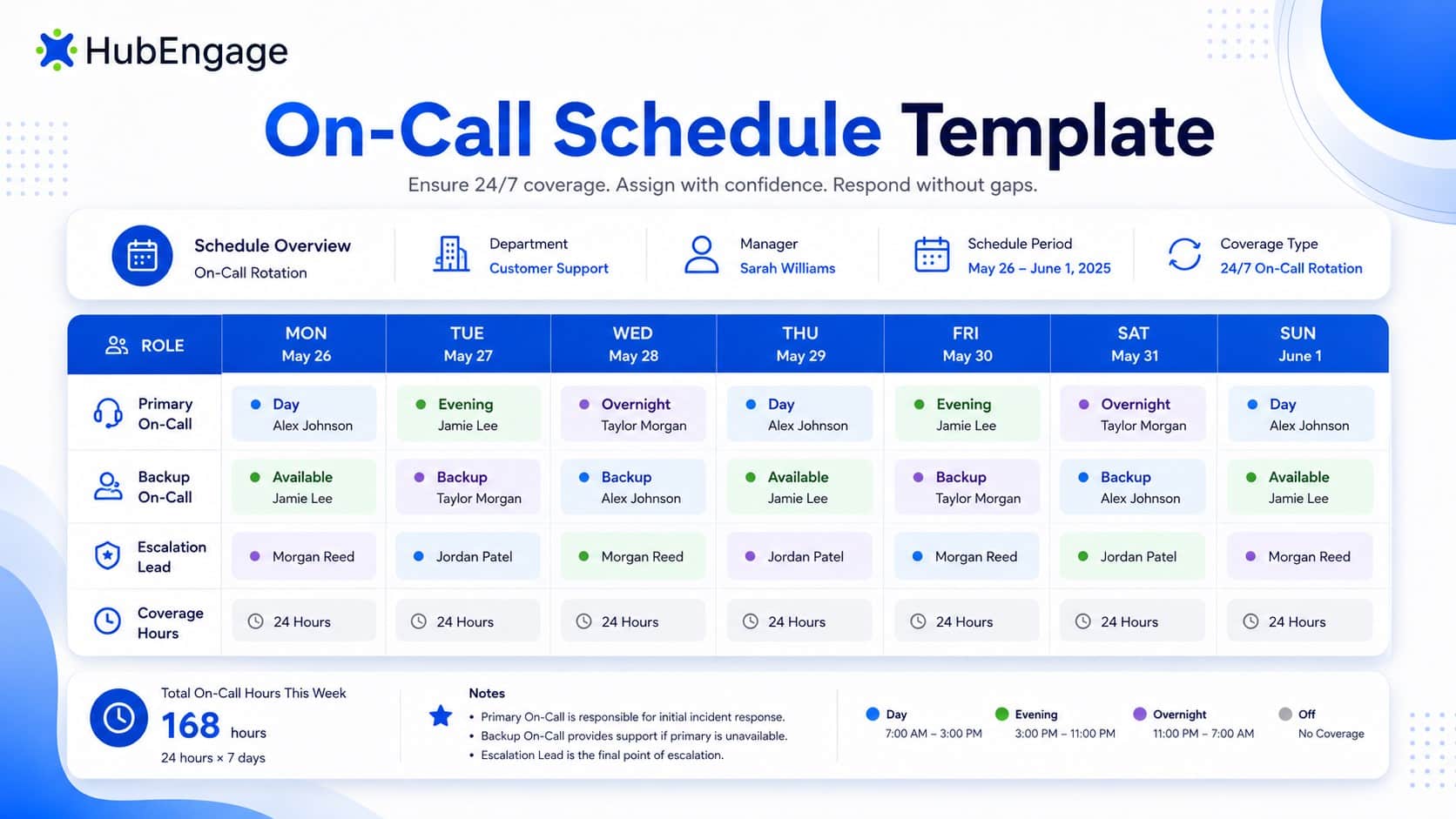
5. On-Call Schedule Template
Quite helpful for staff that need backup coverage outside regular hours. It helps maintenance, healthcare, emergency response, IT support, and operations teams clearly list who is available, when they can respond, and how managers should contact them during issues.
How to Create a Staff Scheduling Template?
Follow these simple steps to create an employee schedule that organizes shifts, roles, breaks, locations, and updates in one clear place.
1. Choose Your Schedule Format
Start by deciding whether you need a daily, weekly, monthly, hourly, or rotating schedule. For most small businesses, a weekly schedule is the easiest place to start.
2. Add Your Team Details
Create rows for employee names and columns for days, shifts, hours, roles, and notes. Keep the layout clean so employees can find their information quickly.
3. Add Shift Blocks
Use clear blocks for opening, morning, afternoon, evening, closing, overnight, or custom shifts. Color coding can help managers see coverage quickly, but make sure the schedule is still readable without color.
4. Include Breaks and Total Hours
Add break times and total hours so managers can check workload, staffing balance, and possible overtime before publishing the schedule.
5. Add Location and Task Notes
If employees work across different sites, departments, or duties, include this information in the template. For example: “Front desk,” “Loading dock,” “Floor support,” “Closing duty,” or “Inventory count.”
6. Share the Schedule Early
Publish the schedule as early as possible so employees can plan transportation, childcare, appointments, and personal responsibilities.
How HubEngage improves your Staff Scheduling?
Our staff scheduling tool is an important part of the employee experience platform which helps businesses plan, manage, and update workforce schedules with ease. Its AI-powered capabilities support accurate schedule management by aligning shifts with roles, locations, availability, and business needs.
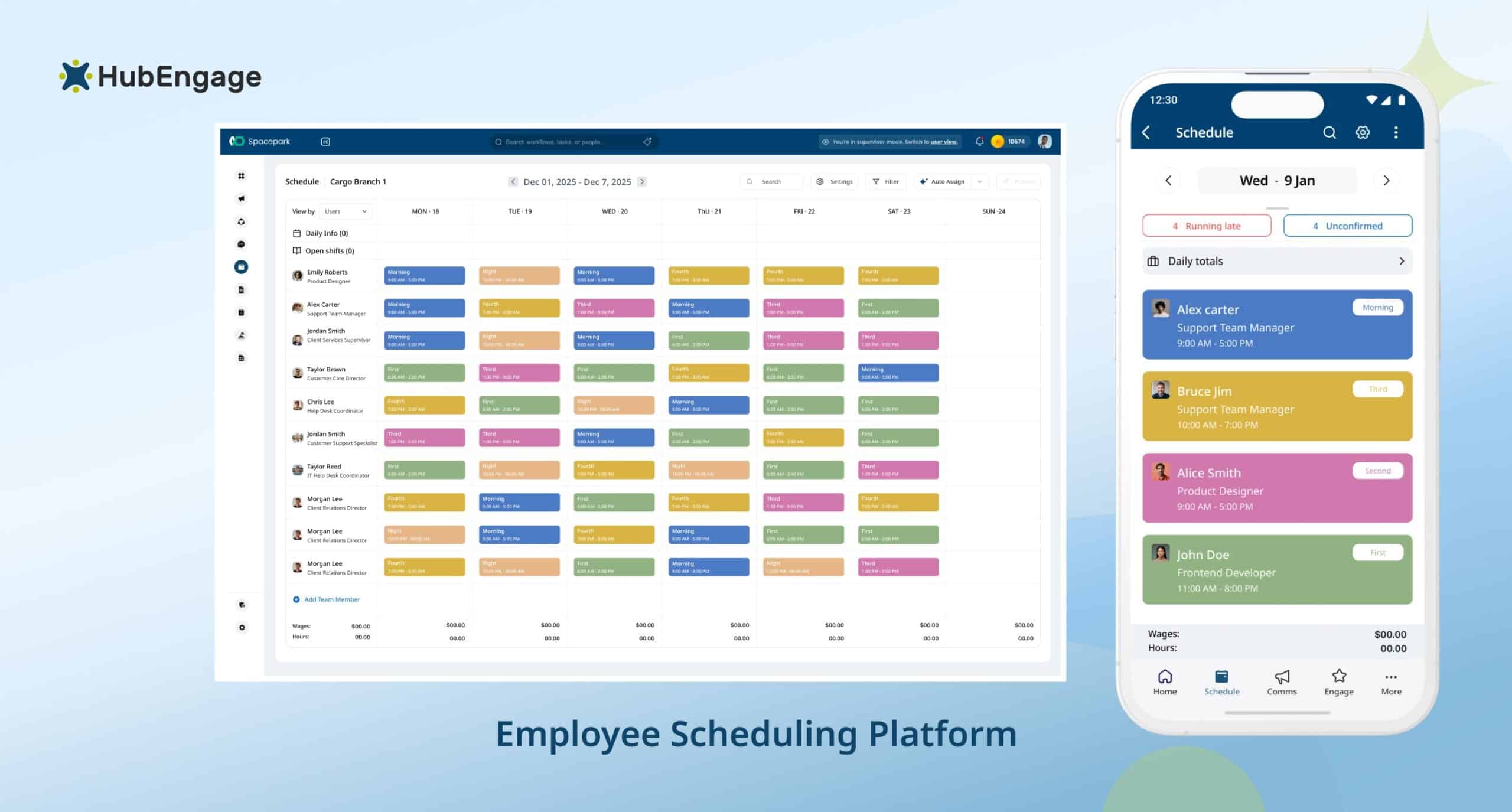
Mobile-first access helps frontline, deskless, and remote teams view schedules, receive alerts, and stay informed wherever they work. Managers can share real-time updates through mobile, email, SMS, and digital signage, reducing confusion and missed shifts.
With smooth HRIS and system integrations, this employee scheduling software helps optimize your current scheduling infrastructure, improve coordination, and prevent operational loss caused by coverage gaps or delays.
Staff Scheduling Best Practices
Explore these staff scheduling best practices to improve mobile access, reduce overtime risks, follow labor rules, and manage frontline shifts more efficiently.
1. Use Mobile-First Access
Give employees mobile access so they can check shifts, updates, and changes from any location, instead of relying on printed schedules or office systems they may miss between shifts daily.
2. Watch for Overtime
Review weekly hours before publishing schedules to avoid accidental overtime, especially when employees pick up extra shifts, work across locations, or cover last-minute staffing gaps during busy operating periods too.
3. Plan Breaks Carefully
Add break times directly into the schedule so managers can plan coverage, follow workplace rules, and ensure employees can step away without disrupting daily operations during active shift hours properly.
4. Follow Labor Laws
Check federal, state, and local scheduling rules before finalizing shifts, especially for overtime, breaks, minors, predictive scheduling, and industry-specific workforce compliance requirements that affect frontline staffing decisions and costs daily.
5. Use Integrations When Possible
Connect scheduling with payroll, time tracking, leave management, tasks, and communication tools to reduce duplicate work, improve accuracy, and keep workforce data aligned across managers, employees, locations, and systems daily.
6. Use AI and Automation
Using automation or ai staff scheduling helps forecast staffing needs, flag overtime risks, recommend coverage, send alerts, and reduce manual scheduling work for busy frontline managers handling changing shift demands every day.
Conclusion
A Staff Scheduling Template gives frontline and deskless teams the structure they need to plan shifts, reduce confusion, manage coverage, and control labor costs. It is a strong starting point for small businesses which have limited infrastructure and too much budget constraints.
However, growing workforces often need mobile access, automation, alerts, and real-time updates to stay aligned. To simplify scheduling and connect it with communication, tasks, and engagement, explore our employee experience platform by taking a demo today.
FAQs on Staff Scheduling Template
1. For whom an employee staff schedule template is useful?
A staff schedule template is useful for restaurants, retail stores, clinics, warehouses, salons, hospitality teams, manufacturing teams, and any business that manages hourly, frontline, deskless, or shift-based employees.
2. Which collaboration platform offers the best employee schedule template?
The best platform depends on your team size and needs. Small teams may start with Google Sheets or Excel. Growing frontline teams often need scheduling software with mobile access, alerts, automation, and shift management.
3. What U.S. labor laws should be considered while creating a staff scheduling template?
When creating a staff scheduling template in the U.S., consider FLSA rules for minimum wage, overtime, hours worked, recordkeeping, and youth employment. Covered nonexempt employees must receive overtime pay after 40 hours in a workweek. Also check state and local rules for meal breaks, rest breaks, predictive scheduling, minor workers, and schedule-change penalties, because stricter state or local laws may apply.
4. How do you use a shift schedule template in Google Sheets or Excel?
Create columns for days, employee names, start times, end times, breaks, roles, locations, and notes. Add total hours and share one updated version with the team.
5. How far in advance should schedules be posted?
At minimum, aim to post schedules one week ahead. Two weeks is better for frontline employees because it gives them time to plan transportation, childcare, appointments, and personal commitments.
Related Links
| employee scheduling software | ai staff scheduling | how to create an employee schedule | workforce management