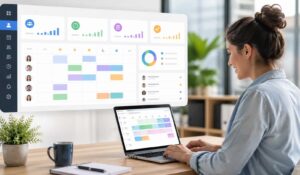
Managing shift coverage across a 200-person manufacturing floor or a 24/7 hospital ward is not a spreadsheet problem. It is a systems problem — and a staff scheduling app is the system built to solve it.
If you are managing hourly workers across multiple locations, dealing with last-minute callouts, or watching managers spend hours every week building schedules manually, this guide covers everything you need to evaluate, choose, and implement the right staff scheduling app for your organization.
Key Takeaways
- A staff scheduling app automates shift planning, availability tracking, and schedule communication, reducing manual scheduling work by up to 70%.
- Modern scheduling software helps control labor costs by preventing overtime, optimizing staffing levels, and providing real-time workforce visibility.
- Key features include shift scheduling, mobile access, shift swapping, compliance management, labor forecasting, and payroll integration.
- Compared to spreadsheets and manual scheduling, staff scheduling apps improve accuracy, reduce scheduling conflicts, and scale easily across multiple locations.
- Successful implementation depends on proper integration with HR, payroll, and communication systems, plus strong manager and employee adoption.
- Organizations using staff scheduling apps typically achieve ROI within 6–12 months through lower overtime costs, reduced administrative work, better compliance, and improved employee retention.
What Is Staff Scheduling Software?
A staff scheduling app is a digital tool that automates and manages the process of assigning employees to shifts, tracking availability, handling time-off requests, and ensuring adequate coverage across teams and locations. It replaces manual scheduling methods — spreadsheets, whiteboards, phone chains — with a centralized, real-time system that both managers and employees can access.
The category sits within a broader ecosystem of workforce management software, which includes time tracking, payroll integration, and labor forecasting. A staff scheduling app may be a standalone product or part of a larger employee experience platform.
Key Insight: Organizations that switch from manual scheduling to a staff scheduling app report an average 70% reduction in time spent building weekly schedules, according to workforce management industry research.
Here is how the core concept maps to the industries that rely on it most:
- Manufacturing: Shift-based operations with strict headcount requirements per line or station
- Healthcare: Credential-based scheduling where a licensed RN cannot simply be swapped for an LPN
- Hospitality: Variable demand scheduling tied to occupancy rates, events, and seasonal peaks
The terms employee scheduling software, staff scheduling software, labor scheduling software, and personnel scheduling software all refer to the same category. Vendors use them interchangeably. What matters is the feature set, not the label.
Key Features of Staff Scheduling Apps
Not all staff scheduling apps are built the same. The features that matter depend heavily on your industry and workforce size. Here is what to look for across the core functional areas.
Shift Creation and Template Management
A strong staff scheduling app lets you build recurring shift templates, copy previous weeks, and apply rules automatically — minimum hours per role, maximum consecutive days, required certifications per shift. This is where the time savings begin.
Availability and Preference Collection
Employees submit their availability directly in the app. The system flags conflicts before the schedule is published. This eliminates the back-and-forth that makes manual scheduling so time-consuming.
Real-Time Notifications and Shift Swaps
When someone calls out, the app broadcasts the open shift to eligible employees and lets them claim it — without a manager making ten phone calls. Automated notifications through mobile push alerts or SMS keep the process moving quickly.
Time and Attendance Tracking
Many staff scheduling apps include clock-in and clock-out functionality tied directly to the schedule. This creates an automatic link between who was scheduled and who actually worked, which feeds directly into payroll.
Labor Forecasting and Demand Planning
More advanced platforms use historical data to predict staffing needs. This is particularly valuable in hospitality and retail, where customer volume drives labor requirements. AI-driven scheduling tools can generate recommended schedules based on predicted demand, reducing both overstaffing and understaffing.
Compliance and Overtime Management
Labor law compliance — predictive scheduling laws, overtime thresholds, mandatory rest periods — is built into the scheduling rules engine. The app flags violations before the schedule goes live, not after a complaint is filed.
Reporting and Analytics
A staff scheduling app should tell you your scheduled hours versus actual hours, your overtime costs by department, your fill rate for open shifts, and your schedule adherence rate. These numbers connect scheduling decisions to labor cost outcomes.
Staff Scheduling App vs Manual Scheduling
The comparison between a staff scheduling app and manual scheduling is not really about convenience. It is about scale, accuracy, and cost.
Comparison: Staff Scheduling App vs Manual Scheduling
| Dimension | Staff Scheduling App | Manual Scheduling |
|---|---|---|
| Time to build schedule | 30–60 minutes for 100+ employees | 4–8 hours per week |
| Error rate | Low — rules engine catches conflicts | High — human oversight misses gaps |
| Employee visibility | Instant mobile access | Depends on posting location |
| Last-minute changes | Automated broadcast to eligible staff | Manager makes individual calls |
| Compliance tracking | Built-in rule enforcement | Manual review required |
| Labor cost visibility | Real-time cost tracking | Calculated after the fact |
| Scalability | Handles 10 to 10,000+ employees | Breaks down above ~50 employees |
The labor cost visibility point deserves emphasis. Manual scheduling produces schedules that look correct on paper but routinely generate unexpected overtime because no one is tracking cumulative hours in real time. A staff scheduling app surfaces that cost before it happens.
For organizations managing more than 50 hourly employees, manual scheduling is not a cost-saving measure — it is a hidden cost that shows up in overtime, scheduling errors, and manager time spent on administrative tasks instead of operations.
How to Choose a Staff Scheduling Solution
Choosing the right staff scheduling app requires matching the platform’s capabilities to your specific operational requirements. Here is a structured evaluation process.
Step 1: Define Your Scheduling Complexity
Before you evaluate any platform, document your actual scheduling requirements:
- Number of employees and locations: A single-site operation with 30 employees has very different needs than a multi-site healthcare system with 500 nurses across six facilities.
- Shift types: Do you run fixed shifts, rotating shifts, split shifts, or on-call coverage? Not every staff scheduling app handles all of these well.
- Credential and certification requirements: Healthcare organizations need a platform that tracks certifications and prevents scheduling employees in roles they are not qualified for.
- Union rules and labor agreements: Some industries have collective bargaining agreements that impose specific scheduling rules — seniority-based shift assignment, mandatory break intervals, overtime distribution requirements.
Step 2: Evaluate Integration Requirements
A staff scheduling app that does not connect to your payroll system creates a data entry problem. Evaluate integration with:
- Your HRIS or HR platform
- Your payroll processor
- Your time and attendance system
- Your communication tools (email, Slack, Microsoft Teams)
Step 3: Assess Mobile Accessibility
For frontline workers in manufacturing, healthcare, and hospitality, mobile access is not optional. Evaluate the quality of the mobile app, not just its existence. Can employees view their schedule, request time off, pick up open shifts, and swap shifts entirely from their phone?
Step 4: Consider Implementation Timeline
A staff scheduling app is only valuable when your workforce actually uses it. Evaluate the vendor’s onboarding support, training resources, and typical time-to-adoption for organizations of your size.
Top Staff Scheduling Apps and Platforms
The staff scheduling app market includes purpose-built scheduling tools and broader workforce management platforms. Here is how the major categories break down.
Purpose-Built Scheduling Apps
These tools focus specifically on scheduling, with strong shift management, availability tracking, and open shift broadcasting. They tend to be easier to implement and better suited to small-to-midsize organizations.
- When I Work: Popular with retail, hospitality, and healthcare organizations under 500 employees. Strong mobile experience.
- Deputy: Covers scheduling, time tracking, and task management. Used widely in hospitality and healthcare.
- Homebase: Targets small businesses with hourly workforces. Includes basic HR and payroll features.
Workforce Management Platforms
These are enterprise-grade systems that include scheduling as one component of a broader labor management suite.
- UKG Pro Workforce Management (formerly Kronos): Dominant in manufacturing and healthcare. Handles complex union rules, credential tracking, and large-scale multi-site operations.
- Workday Workforce Management: Integrated with the Workday HCM suite. Strong for organizations already using Workday for HR and payroll.
- SAP SuccessFactors: Enterprise-level platform with scheduling capabilities embedded in the broader SAP ecosystem.
Employee Experience Platforms with Scheduling Integration
Platforms like HubEngage sit at the intersection of workforce operations and employee engagement. HubEngage unifies employee communications, scheduling coordination, and engagement tools — connecting the operational layer (who works when) with the experience layer (how employees feel about their work environment). For organizations where employee retention and engagement are as important as shift coverage, this integration matters.
The employee experience layer is increasingly recognized as a retention driver. Frontline workers who receive clear schedules, can manage their availability through a mobile app, and feel connected to their organization are more likely to stay. A staff scheduling app that operates in isolation from the rest of the employee experience misses that connection.
Implementation and Integration Considerations
Selecting a staff scheduling app is the easy part. Successful implementation is where most organizations run into problems.
Data Migration
Your existing schedule data, employee records, and historical shift information need to move into the new system accurately. Errors in this phase — wrong availability windows, missing certifications, incorrect pay rates — create downstream problems that take weeks to untangle.
Manager Training
Managers are the primary users of a staff scheduling app. They need to understand how to build schedules, approve time-off requests, handle open shifts, and read the analytics. Plan for structured training, not just a walkthrough video.
Employee Adoption
Frontline employee adoption is the most common implementation failure point. If employees do not use the app to check their schedules, submit availability, or request shift swaps, the system cannot deliver its value. A clear communication plan — explaining what the app does, how to download it, and what changes for them — is essential.
Organizations that connect scheduling adoption to broader employee communication strategies see higher uptake. The Benefits of Unified Communication Platforms apply here: when scheduling lives inside a platform employees already use for company news and team communication, adoption rates improve significantly.
Payroll Integration Testing
Before go-live, test the payroll integration thoroughly. Run a parallel payroll cycle using both your old system and the new staff scheduling app. Confirm that hours, overtime calculations, and pay codes transfer correctly before you shut down the old process.
Compliance Configuration
Work with your legal or HR team to configure the compliance rules correctly from day one. Predictive scheduling laws in cities like San Francisco, New York, and Chicago impose specific requirements around schedule notice periods and change penalties. These need to be built into the system before the first schedule is published.
ROI and Cost-Benefit Analysis
The business case for a staff scheduling app typically rests on four measurable outcomes.
Labor Cost Reduction
Overtime is the primary target. A staff scheduling app with real-time hour tracking and overtime alerts reduces unplanned overtime by giving managers visibility before the threshold is crossed. Industry data from the Society for Human Resource Management indicates that organizations using automated scheduling tools reduce overtime costs by 15–25% in the first year.
Manager Time Recovery
If a manager spends six hours per week building and adjusting schedules, that is 300 hours per year spent on administrative work. A staff scheduling app typically reduces that to one to two hours per week. For a management team of ten, that is 2,000+ hours per year redirected to operational work.
Turnover Reduction
Schedule unpredictability is one of the top drivers of frontline worker turnover. Employees who receive advance notice of their schedules, can manage their availability through a mobile app, and have a transparent process for requesting changes are measurably more likely to stay. Turnover costs for an hourly worker typically run 50–75% of annual salary when you account for recruiting, training, and lost productivity.
Compliance Risk Reduction
A single predictive scheduling violation in a jurisdiction with enforcement can result in penalties of several hundred dollars per affected employee per violation. For a 200-person operation, the math on non-compliance risk is significant. A staff scheduling app that enforces compliance rules automatically removes that exposure.
Evaluating Total Cost of Ownership
When calculating ROI, account for:
- Software licensing or subscription fees (typically per-employee per-month pricing)
- Implementation and data migration costs
- Training time and productivity impact during transition
- Ongoing support and system administration
Most organizations with 100+ hourly employees see positive ROI within six to twelve months of full adoption.
Conclusion
A staff scheduling app is not a nice-to-have for organizations managing hourly workforces at scale — it is a core operational tool. The ROI case is clear, the implementation path is well-established, and the cost of staying with manual scheduling compounds every week.
Schedule a demo at HubEngage to see how unified employee communications, scheduling coordination, and engagement tools work together to reduce turnover and improve workforce operations across manufacturing, healthcare, and hospitality. Ready to get started? Visit HubEngage to learn more.
Staff Scheduling Apps FAQs
What is the difference between a staff scheduling app and workforce management software?
A staff scheduling app focuses specifically on shift creation, coverage management, and employee availability. Workforce management software is a broader category that includes scheduling plus time and attendance, labor forecasting, payroll integration, and compliance management. Many organizations start with a staff scheduling app and expand to a full workforce management platform as their needs grow.
Can a staff scheduling app handle union rules and collective bargaining requirements?
Enterprise-grade staff scheduling apps and workforce management platforms can be configured to enforce union rules — seniority-based shift assignment, mandatory overtime distribution, rest period requirements, and more. Purpose-built scheduling tools aimed at small businesses typically do not support this level of configuration. If union compliance is a requirement, it must be on your evaluation checklist from the start.
How long does it take to implement a staff scheduling app?
Implementation timelines vary significantly by platform and organization size. A purpose-built scheduling app for a single-site operation of 50 employees can be live in two to four weeks. An enterprise workforce management platform for a multi-site healthcare system may take three to six months. The primary variables are data migration complexity, integration requirements, and the scope of compliance configuration needed.
What should frontline workers expect when their organization adopts a new staff scheduling app?
Frontline workers typically gain mobile access to their schedules, the ability to submit availability and time-off requests digitally, and a transparent process for claiming open shifts or requesting swaps. The transition period requires some adjustment, but most employees report higher satisfaction with digital scheduling once they are comfortable with the mobile app. Clear communication before go-live — explaining what changes and why — is the most important factor in smooth adoption.
How does AI-driven scheduling work in a staff scheduling app?
AI-driven scheduling uses historical data — past shift patterns, call-out rates, demand fluctuations — to generate schedule recommendations. Rather than building a schedule from scratch, a manager reviews and adjusts an AI-generated draft. This is particularly valuable for field service organizations and hospitality operations where demand is variable and predictable. The AI does not replace manager judgment; it reduces the time spent on the mechanical parts of schedule building.