Managing employee experience becomes more difficult when people work across different offices, shifts, job sites, time zones, and devices. Leaders cannot always see how employees are feeling, where communication is failing, or which workplace issues require immediate attention.
Employee pulse surveys help organizations collect frequent feedback through short and focused questions. Unlike long annual surveys, pulse surveys make it easier to identify changing employee needs and respond before small concerns become larger problems.
However, simply sending more surveys does not guarantee useful insights. Organizations need a clear survey strategy, relevant questions, inclusive distribution methods, and a strong follow-up process.
Our blog explains the most important employee pulse survey best practices for building trust, increasing participation, and improving the employee experience across a distributed workforce.
Key Takeaways
- Keep pulse surveys short, focused, and easy to complete.
- Make surveys accessible to remote, frontline, hourly, and deskless employees.
- Ask questions connected to a clear business or employee experience goal.
- Protect employee confidentiality to encourage honest feedback.
- Share survey findings and explain the actions leaders will take.
- Track feedback trends across teams, locations, roles, and shifts.
- Avoid surveying employees more often than the organization can respond.
Why Pulse Survey Best Practices matter for Distributed Teams?
Distributed employees often have very different workplace experiences. An office employee may receive regular updates from managers, while a frontline employee working an evening shift may miss the same information. Remote employees may struggle with isolation, while deskless employees may have limited access to company systems.
A company-wide engagement score can hide these differences. Pulse surveys allow leaders to compare feedback across departments, job roles, locations, shifts, and employment types. This helps them understand where the employee experience is working and where additional support is needed.
Regular feedback also gives employees a stronger voice. When employees see that their input leads to visible improvements, trust and participation can increase over time.
List of 8 Pulse Survey Best Practices
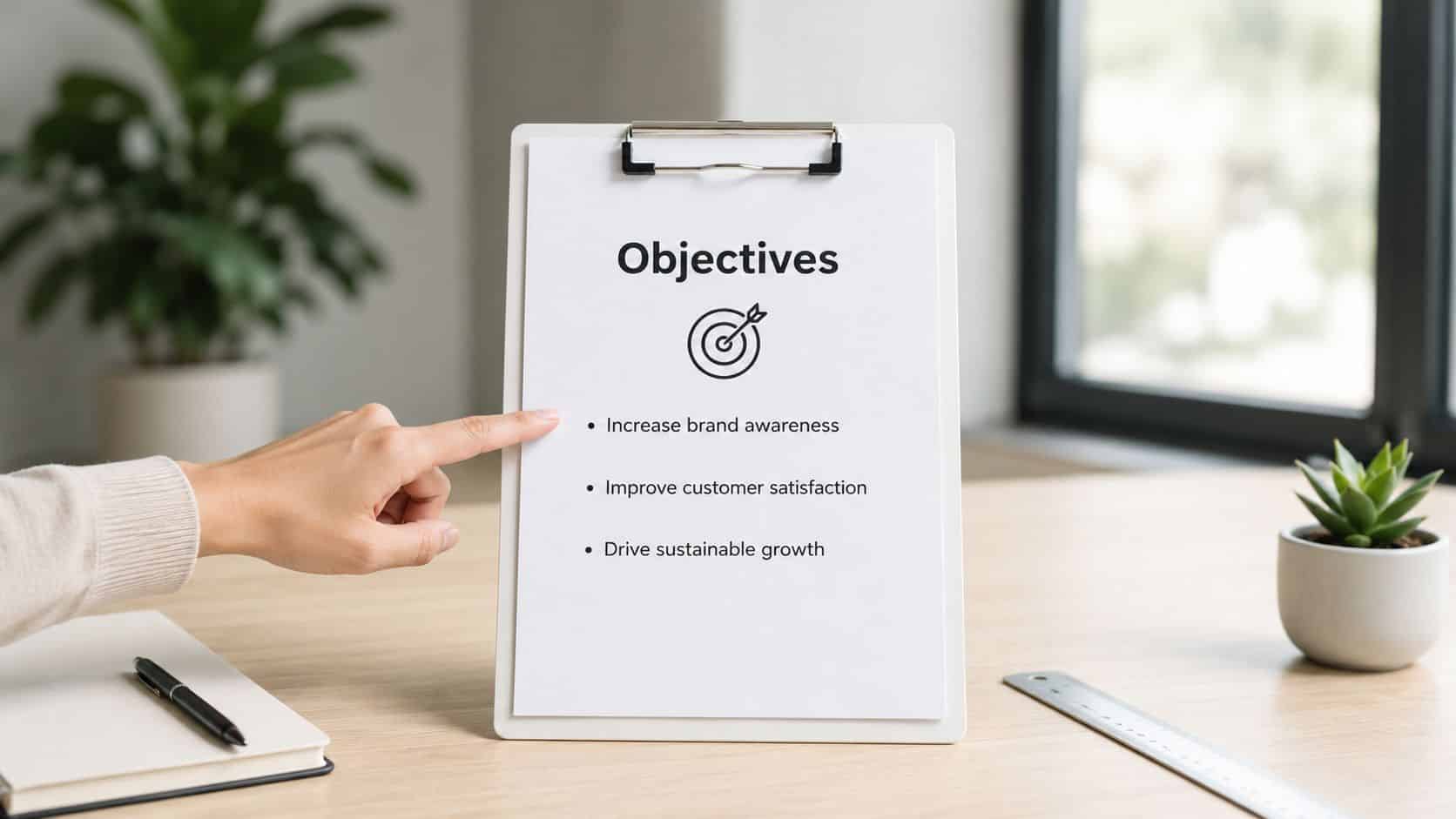
1. Set Clear Objectives and Define Measurable Outcomes Before Launch
A pulse survey without a defined outcome becomes noise fast. The strongest programs start by naming the exact business problem, whether that’s confusion after a scheduling change, morale after a reorganization, or confidence in a new safety process. That focus matters even more for frontline teams, where workers have less time to answer and less patience for questions that don’t affect their day-to-day reality.
The opening question should be simple, but the intended action should be specific. A retail chain rolling out a new scheduling system might measure whether employees understand how the change affects flexibility, while a healthcare team implementing safety updates might check confidence before rollout and again after the team has lived with the new process. A manufacturing site can use a pulse to test whether managers are communicating production changes clearly enough for operators to adjust in real time.
Make the survey usable before you make it measurable
In practice, that means involving the leaders who will act on the results. Department managers, site leads, and frontline supervisors should help define what success looks like in their own environment, because a corporate metric rarely captures a shift-level issue. The result is tighter survey design, better response quality, and less chance that employees see the pulse as another data collection exercise.
A useful discipline is to limit each pulse to 1 to 3 core objectives and establish a baseline before expecting movement. That keeps the survey focused and makes later trend tracking meaningful instead of vague. HubEngage’s goal-setting framework is a strong reference point for turning communication into measurable action, especially when teams need a single system that connects messaging, surveys, and follow-through proven frameworks for successful goal setting in the workplace.
2. Keep Surveys Short and Mobile-Optimized for Higher Completion Rates
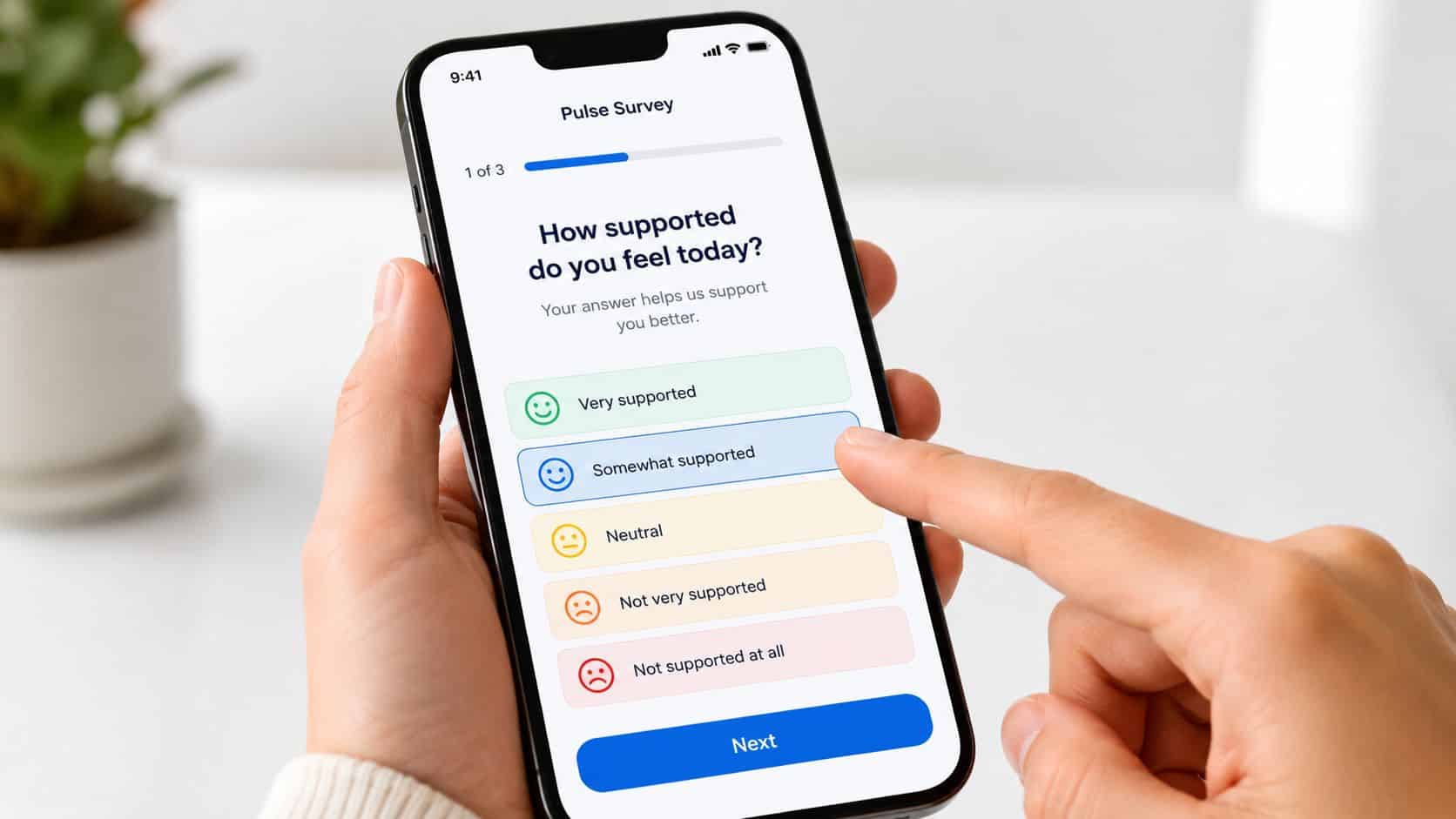
Length is not a cosmetic issue in pulse surveys, it’s an operational one. The shorter the survey, the more likely a shift worker, driver, nurse, or store associate will finish it during a real break, on a phone, without abandoning it halfway through. That’s why the best pulse survey best practices keep the format extremely tight and mobile-first, rather than trying to squeeze in annual-survey habits.
The mobile experience matters because many frontline employees live inside their phones for work updates, not desktop portals. A survey should adapt cleanly to small screens, use large touch targets, avoid heavy scrolling, and work when connection is weak. If the platform doesn’t behave well on a handset, the feedback program is already losing the people it most needs to hear from.
The practical standard is to use simple scales and single-select items where possible. One logistics team can ask drivers three fast questions at shift change, about route communication, whether delivery details arrived on time, and whether any safety issues need escalation. A restaurant group can use a single morale question plus optional comments between service periods. A bank training branch staff can send a brief check-in by SMS after a learning session to see whether the material feels usable in the next customer interaction.
The lesson is straightforward. Keep the survey short, test it on the devices people use, and set expectations that it will take only a minute or two to finish. HubEngage’s mobile approach is relevant here because distributed teams need one channel that fits daily work patterns instead of forcing people into disconnected tools: mobile apps for distributed workforce.
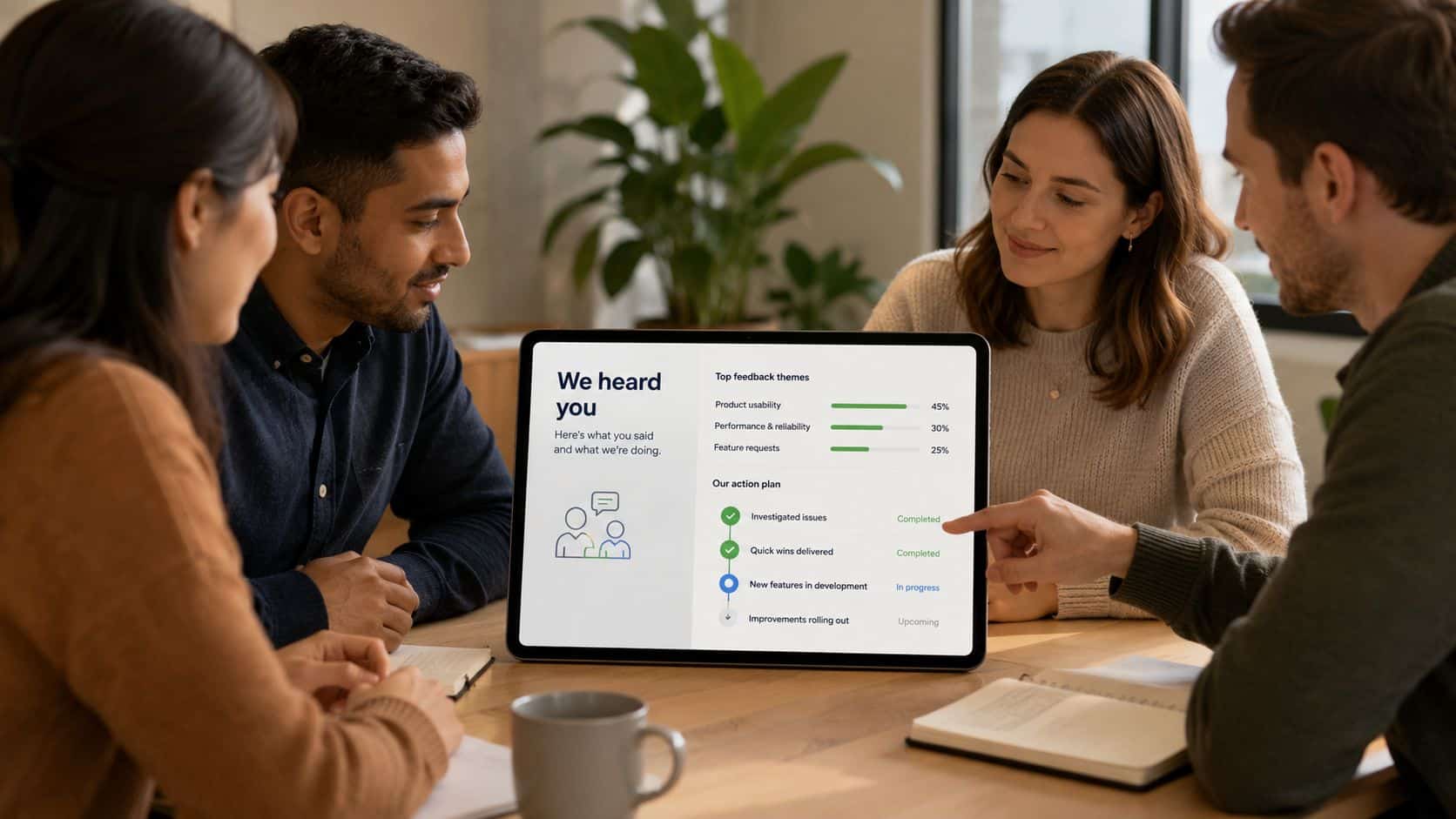
3. Close the Feedback Loop by Communicating Results and Visible Actions
Surveying without follow-up is how trust erodes. Employees notice when leaders collect sentiment, analyze it, and never say what changed. In frontline settings, that silence is especially damaging because workers already assume their feedback disappears into another system they don’t control.
The fix is simple in principle and hard in execution. Share results quickly, explain what patterns showed up, and connect those findings to visible actions. If a plant team reports frustration about parts shortages, the operations lead should say what inventory change is coming and when. If nurses report confusion about scheduling policy, the chief nursing officer should explain the reasoning in a format staff consume, whether that’s a short video, unit huddle, or app message.
Speed matters more than polish
A good loop doesn’t need a glossy report. It needs a specific response, delivered while the survey is still fresh in people’s minds, through the same channels employees already use daily. For many organizations, that means in-app messaging, SMS, digital signage, or team huddles, not a one-off email no one reads. The point is to make the action visible where the work happens.
One retail organization can make this even more concrete with a store dashboard that shows engagement movement and which items are already being addressed. For a helpful example of how internal video can reinforce the loop, see how internal communication video works. HubEngage’s feedback-loop workflow fits this pattern well because it supports communication, action, and follow-up in the same place what is a feedback loop.
4. Use AI-Powered Sentiment Analysis to Uncover Themes and Prioritize Action
Open-text comments are where pulse surveys often become most valuable, and also where teams get overwhelmed. A large frontline organization can collect hundreds or thousands of comments fast, and manual review makes it easy to miss urgent patterns or let bias shape what gets escalated. AI helps by clustering themes, reading sentiment, and flagging recurring issues that would otherwise stay buried.
The biggest value is speed with context. AI can surface repeated concerns about staffing, workload, safety, or process friction, then route the right themes to the right leader before the next weekly review. That doesn’t replace judgment. It gives HR, operations, and site managers a shorter path from raw comments to action.
Let humans validate the pattern before they change the process
The most useful setup combines automated theme detection with human review. If AI flags a wave of concern around safety or a specific site’s maintenance backlog, leaders can confirm the pattern, look for operational causes, and escalate it quickly. That is especially useful for distributed teams where one location can be drifting while the rest of the organization looks fine on a dashboard.
This is also where automation saves admin time. Instead of reading every comment line by line, managers can focus on the two or three issues that need attention. HubEngage’s automation and AI layer is relevant because it can help convert open-text feedback into workflows, alerts, and summary insights instead of another static report: how to increase survey response rates.
5. Target Pulse Surveys by Department, Team, or Role for Relevance and Response
Broadcasting the same pulse to every employee sounds efficient until the results come back generic. A retail associate, a nurse, a plant technician, and a desk-based administrator don’t live in the same work reality, so they won’t need the same questions. Relevance improves response quality, and targeted surveys also show employees that their time is being respected.
That’s why role-based design is one of the most overlooked pulse survey best practices. A healthcare network can use separate prompts for nurses, administrators, and physicians. A manufacturing site can send a safety pulse only to the departments using a new protocol. A restaurant group can separate morning and evening shift staff so the survey reflects their different operational pressures.
Segment tightly enough to be useful, not so tightly that it becomes chaos
The key is audience design. HRIS fields like department, role, location, shift, and tenure can automatically route the right survey to the right people, which removes manual list-building errors and keeps the process manageable. Smaller groups can be surveyed more frequently if the topic is specific, while broad, company-wide pulses should stay limited to topics that apply across the workforce.
HubEngage’s segmentation approach is relevant for both SMBs and larger enterprises. Smaller organizations can replace disconnected tools with one platform, while larger ones can orchestrate surveys through existing HRIS, payroll, LMS, and workforce systems so the audience logic stays accurate: why you should segment your employee surveys.
6. Establish Cadence and Consistency, Regular Pulse Beats, Not Random Checks
The strongest pulse programs feel predictable. Employees know when the survey arrives, what it covers, and why it’s recurring. That regularity matters because trend analysis only works when the cadence is stable, and trust rises when the survey looks like a routine check-in instead of a crisis reaction.
For frontline and distributed teams, predictability also lowers friction. A weekly or bi-weekly pulse on the same day can fit into a shift rhythm, while random requests create confusion and lower completion.
Match cadence to how fast the organization can act
Many teams stumble. Surveying faster than the organization can analyze, respond, and communicate creates feedback debt, not insight. The cadence should align with the speed of change and the bandwidth of managers, because the best pulse survey best practices are about action capacity, not just frequency.
A call center can use a Monday pulse to spot late-week morale dips. A retail chain can check stores bi-weekly and coach the locations that drift. A healthcare facility can rotate weekly themes so it covers staffing, training, communication, and safety without bloating any one survey. HubEngage can help by making that cadence visible inside the same workforce experience layer employees already use, which reduces the chance that surveys feel random or disconnected.
7. Ensure Anonymity and Psychological Safety to Encourage Honest Feedback
People won’t tell the truth if they think the response can be traced back to them. That’s especially true when the feedback touches a manager, a schedule, a safety issue, or a policy that already feels unpopular. In pulse programs, anonymity is not a nice-to-have, it’s the foundation of usable data.
The design needs to protect both identity and confidence. That means not collecting unnecessary identifiers, using a platform that separates response capture from reporting, and making sure comments are reviewed in a way that avoids exposing who said what. Frontline workers need to hear that clearly before they answer, not after the survey is already closed. Employees trust anonymous surveys when the process is consistent and the results come back in aggregate, not when the platform merely says it is anonymous.
Make the promise visible in the way you report
A manufacturing plant can uncover more candid safety concerns once employees believe their feedback is protected. A healthcare team can get deeper comments about manager communication and workload when the survey can’t be traced through metadata or reporting views. A retail organization can build trust by ensuring even analysts see only aggregated results, which makes participation feel safer over time.
The practical takeaway is simple. Communicate anonymity in the invitation, verify the technical controls, and redact any comment details that could identify an employee. HubEngage’s platform approach matters here because psychological safety and reporting rules need to be built into the workflow, not bolted on later
8. Integrate Pulse Survey Data with HRIS and Operational Systems for Context and Action
Survey data gets much more useful when it sits next to workforce data. A pulse score alone tells you how people feel. Connected to HRIS, scheduling, payroll, LMS, or operational systems, it starts to explain where the friction sits and which teams need help first. That’s the difference between reporting sentiment and improving execution.
For distributed organizations, integration is the only realistic way to see patterns at scale. If engagement is lagging in one location, leaders need to know whether that site has a manager transition, a part-time staffing imbalance, or a training gap. If comments about communication are rising, it helps to know whether the affected teams share a schedule, a shift pattern, or a supervisor with a short tenure.
The best setups do more than display correlated data. They trigger workflows. A safety concern can open an incident ticket. A low-engagement location can alert the manager with a suggested resource. A training concern can connect to LMS completion data so leaders can see whether the issue is knowledge access or something deeper.
HubEngage is built for this kind of orchestration because it connects communications, engagement, operations, and continuous learning in one system, with native integrations that help teams unify survey data with the systems they already run. That matters for SMBs that want to replace tool sprawl and for larger organizations that need a connected layer across HRIS and workforce platforms.
Pulse Survey Best Practices Comparison
| Practice | 🔄 Implementation Complexity | ⚡ Resource Requirements | ⭐ Expected Outcomes | 📊 Ideal Use Cases | 💡 Key Advantages / Tips |
|---|---|---|---|---|---|
| Set Clear Objectives and Define Measurable Outcomes Before Launch | Medium, stakeholder alignment and planning required | Low–Medium, leadership time, measurement setup | ⭐⭐⭐⭐, focused, actionable results and higher ROI | Strategic initiatives, rollouts, change adoption | Connect 1–3 objectives to outcomes; set baselines and action thresholds |
| Keep Surveys Short and Mobile-Optimized for Higher Completion Rates | Low, simple design + mobile testing | Low, UX testing, mobile-friendly build | ⭐⭐⭐⭐, much higher completion and faster feedback | Frontline/hourly staff, SMS/app delivery, shift-based work | 5 questions max; test on real devices; use progress bars |
| Close the Feedback Loop by Communicating Results and Visible Actions | Medium, requires comms plan and follow-through | Medium, dashboards, comms, manager time | ⭐⭐⭐⭐⭐, builds trust, increases future participation | Distributed teams, sensitive issues, post-survey action needed | Share results within 5–7 days; be specific about actions and timelines |
| Use AI-Powered Sentiment Analysis to Uncover Themes and Prioritize Action | Medium–High, model tuning and validation needed | Medium–High, AI tools, integration, analyst oversight | ⭐⭐⭐⭐, rapid theme detection and prioritization at scale | Large-volume open-ends, multiple locations, trend detection | Train on org data; validate themes with HR; set alerts for urgent keywords |
| Target Pulse Surveys by Department, Team, or Role for Relevance and Response | Medium, requires segmentation rules and clean HRIS data | Medium, HRIS integration, admin for multiple audiences | ⭐⭐⭐⭐, more relevant, actionable feedback and higher completion | Diverse-role organizations, targeted rollouts, role-specific changes | Map segments first; automate audience selection; avoid too many simultaneous surveys |
| Establish Cadence and Consistency: Regular Pulse Beats, Not Random Checks | Low–Medium, scheduling and template setup | Low, automation + planning calendar | ⭐⭐⭐⭐, trend tracking, habit formation, early issue detection | Ongoing monitoring, trend analysis, routine check-ins | Choose sustainable frequency; use consistent wording and schedule |
| Ensure Anonymity and Psychological Safety to Encourage Honest Feedback | Medium, technical anonymity controls and governance | Medium, secure platform, policy, and access controls | ⭐⭐⭐⭐⭐, candid, high-quality feedback on sensitive topics | Sensitive topics, frontline workers fearing reprisal | Clearly communicate anonymity; verify technical protections; redact identifiers |
| Integrate Pulse Survey Data with HRIS and Operational Systems for Context and Action | High, multiple integrations and governance required | High, IT, analytics, connectors, secure data pipelines | ⭐⭐⭐⭐⭐, contextual, predictive insights and automated actions | Large orgs seeking root-cause analysis and targeted interventions | Start with 1–2 integrations; enforce data governance; train leaders on interpretation |
Conduct AI-Driven Employee Surveys with HubEngage
We bring you an AI-driven survey platform which helps organizations build questionnaires, track employee satisfaction, collect real-time feedback, and convert survey insights into meaningful action.
Teams can create surveys quickly using prebuilt templates or AI-assisted custom questions, then share them through web, mobile apps, SMS, email, intranet, and digital signage. Employees can submit responses from any location or device, helping improve participation among frontline, deskless, remote, and office-based teams.
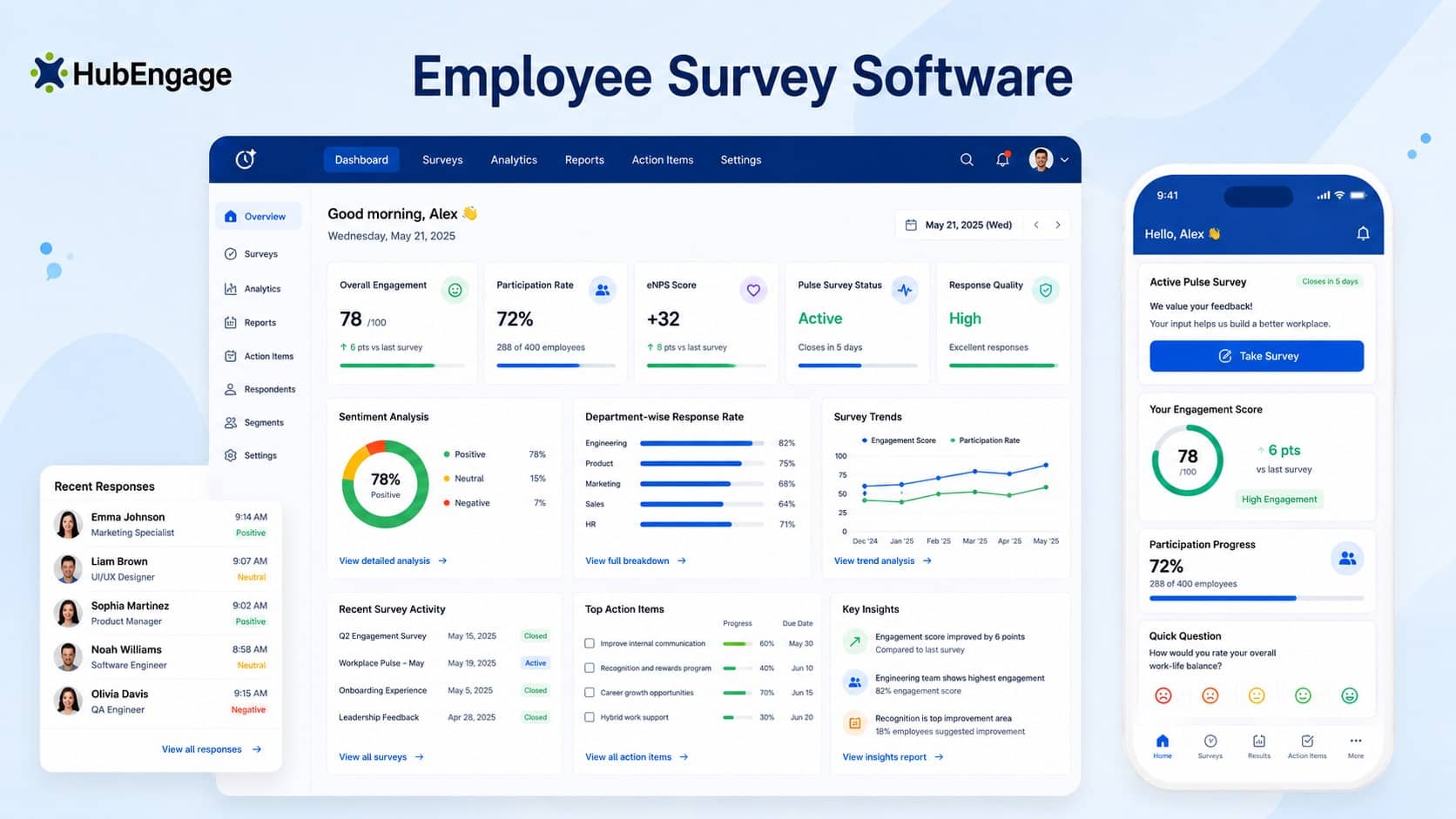
AI-powered sentiment and theme analysis automatically identifies common trends, concerns, and important feedback topics without time-consuming manual review. The platform also supports pulse surveys, employee lifecycle surveys, anonymous responses, 30+ languages, automated reminders, and gamified incentives such as points and gift cards.
With secure integrations, SSO, HRIS connectivity, and ISO 27001, SOC 2, HIPAA, and GDPR compliance, HubEngage enables HR teams to collect, understand, and respond to employee feedback faster.
Conclusion
Employee pulse surveys give distributed organizations a practical way to understand employee needs across locations, roles, shifts, and work environments. The best surveys are short, accessible, confidential, and connected to a clear goal.
Most importantly, leaders must communicate findings and take visible action. A consistent feedback process helps employees feel heard while giving organizations better information for improving engagement, communication, and workplace culture.
Explore the our employee experience platform and request a demo to strengthen employee listening across your workforce.
Related Links
employee survey tools | employee engagement surveys | how to measure employee satisfaction | mobile apps for distributed workforce | what is a feedback loop | how to increase survey response rates | why you should segment your employee surveys |