A hospital administrator tracking 400 nurses across three shifts. A hotel GM managing housekeeping, front desk, and kitchen staff across two properties. A plant supervisor coordinating line workers who never sit at a desk. What do they all have in common? They are all trying to manage, engage, and retain people using tools that were not built for their reality.
Employee experience software changes that. This article explains what it is, how it works, which features matter most, and how to choose the right platform for your organization.
What Is Employee Experience Software?
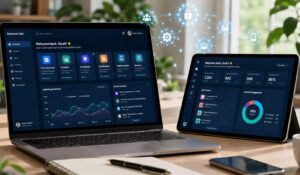
Employee experience software refers to a category of digital platforms designed to improve how employees interact with their employer across the entire lifecycle — from onboarding to daily communication to performance feedback and beyond.
Key Insight: Employee experience software is not just an HR tool. It is an operational layer that connects frontline workers, managers, and leadership through a single digital environment.
Unlike traditional HR systems, which focus on administrative tasks like payroll and compliance, employee experience software prioritizes how people feel at work — their sense of connection, recognition, and purpose. The goal is measurable: organizations with strong employee experience report 40% lower turnover and significantly higher customer satisfaction scores, according to research from Gallup’s employee engagement studies.
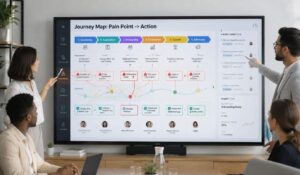
The concept maps directly to the journey employee takes through your organization. Employee experience software supports that journey at every touchpoint.
What Is Employee Experience Software vs HR Management Systems
This is the question most buyers ask first — and the distinction matters.
Comparison: Employee Experience Software vs HRMS
| Dimension | Employee Experience Software | HR Management System (HRMS) |
|---|---|---|
| Primary focus | Engagement, communication, culture | Payroll, compliance, records |
| Primary user | Frontline and deskless employees | HR administrators |
| Core output | Connection and retention | Transactional accuracy |
| Employee interaction | Daily, mobile-first | Occasional, form-based |
| Key metrics | Engagement scores, eNPS, retention | Headcount, hours, compliance |
| Integration role | Sits above HRMS as experience layer | Core system of record |
An HRMS software manages the mechanics of employment. Employee experience software manages the human side of it. Most organizations need both — but they serve different purposes and different users.
A nurse does not log into Workday to feel connected to their hospital. They log into a mobile app to read a shift update, submit a recognition for a colleague, or complete a quick employee satisfaction survey. That is where employee experience software lives.
Key Features of Employee Experience Platforms
Not all employee experience software is built the same. These are the features that separate platforms with real impact from those that just look good in a demo.
- Mobile-first communication: Deskless workers in manufacturing, healthcare, and hospitality cannot access email all day. The platform must reach them on their phones, in real time, in their language.
- Clock in clock out app integration: Time tracking is often the first daily touchpoint an employee has with any employer system. A clock in clock out app embedded within the experience platform creates a natural entry point for communication, recognition, and updates — rather than treating time tracking as an isolated administrative task.
- Employee satisfaction survey tools: Pulse surveys, onboarding surveys, and exit surveys built into the platform give managers real-time visibility into team sentiment. The employee satisfaction survey function should be lightweight, mobile-friendly, and tied to actionable reporting.
- Recognition and rewards: Peer-to-peer recognition, manager shoutouts, and milestone celebrations are directly linked to retention. Platforms that make recognition visible across the organization amplify its impact.
- Two-way communication channels: Town halls, team feeds, direct messaging, and manager check-ins. Employees need to speak, not just receive.
- Onboarding and training delivery: New hire journeys, compliance training, and skill development delivered through the same platform employees use every day — not a separate LMS they forget exists.
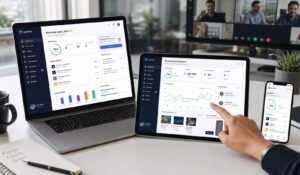
- Analytics and reporting: The employee experience manager needs data to act on. Usage rates, survey completion, engagement trends, and communication reach should be visible in one dashboard.
Top Employee Experience Software Solutions
The market for employee experience software has grown substantially. Here are the platforms most commonly evaluated by organizations in manufacturing, healthcare, and hospitality.
HubEngage is built specifically for organizations with large frontline and deskless workforces. It combines communication, recognition, surveys, training, and time tracking — including clock in clock out app functionality — in a single platform. The employee experience manager gets a unified view of engagement across every location and shift.
Workvivo focuses on social communication and culture, with strong recognition features. It works well for organizations where culture visibility is the primary gap.
Qualtrics EmployeeXM leads in survey depth and analytics. It is a strong fit for organizations running formal employee experience primepoint programs where research-grade data matters.
Simpplr emphasizes intranet and knowledge management, with engagement features layered on top. It is well-suited for hybrid and remote knowledge workers.
Beekeeper targets frontline workers with mobile-first communication, shift management, and operational workflows. Strong in hospitality and manufacturing.
The right choice depends on your workforce type, your primary gap, and how deeply you need the platform to integrate with your existing HR stack.
How to Choose the Right Employee Experience Platform
Choosing employee experience software is not a features checklist exercise. It is a strategic decision about where your biggest workforce problem actually lives.
Work through these questions before evaluating vendors:
- Who is your primary user? A platform built for office workers will fail a manufacturing floor. Confirm the platform is genuinely mobile-first and works offline or in low-connectivity environments.
- What is your biggest gap right now? Communication breakdown, low recognition, poor onboarding, high turnover, or lack of data? Each platform has different strengths. Match the platform to the gap, not the other way around.
- How will you measure success? Define your baseline before you buy. Turnover rate, eNPS, survey response rate, and time-to-productivity for new hires are all measurable. The employee experience manager needs clear KPIs from day one.
- Does it integrate with your HRMS and clock in clock out app? Data silos kill adoption. The platform should connect to your payroll system, scheduling tools, and time tracking without requiring manual exports.
- What does implementation actually look like? Ask for a realistic timeline, a dedicated implementation contact, and references from organizations similar to yours in size and industry.
The Benefits of a Company Intranet are often cited as a starting point for employee experience — and they are — but modern employee experience software goes well beyond static content. It delivers dynamic, personalized, two-way communication at scale.
Implementation and ROI Considerations
The most common implementation mistake is treating employee experience software as an IT project. It is a change management project that happens to involve technology. Change Management Principles apply directly here: leadership alignment, clear communication about why the platform exists, and a phased rollout that builds adoption before adding complexity.
A realistic implementation timeline for a 500-person organization runs 8 to 12 weeks from contract to full deployment. That includes configuration, integration testing, manager training, and a soft launch with a pilot group.
ROI shows up in three places:
- Retention: Replacing a frontline worker costs 30% to 50% of their annual salary. Even a 5% reduction in turnover delivers measurable ROI in year one.
- Productivity: Employees who feel informed and recognized perform better. Engagement-linked productivity gains are well-documented across industries.
- Compliance and accuracy: Integrated clock in clock out app functionality reduces time theft and payroll errors — a direct cost saving that is easy to quantify.
Employee Experience Software Pricing and Vendors
Pricing for employee experience software follows a per-employee-per-month model in most cases. Costs vary based on workforce size, feature set, and integration complexity.
Typical Pricing Ranges by Platform Type
| Platform Type | Best For | Pricing Model | Typical Range |
|---|---|---|---|
| Full-suite platforms | Large, multi-location workforces | Per employee/month | Contact for quote |
| Communication-focused | Frontline and deskless teams | Per employee/month | Contact for quote |
| Survey and analytics | Data-driven HR teams | Per employee/month | Contact for quote |
| Intranet-first | Hybrid and remote teams | Per seat/month | Contact for quote |
Pricing varies significantly based on organization size, contract length, and which modules you activate. Most vendors require a custom quote for organizations above 250 employees. Request a detailed breakdown of implementation fees, support costs, and integration charges — these are often not included in the headline per-seat price.
Conclusion
Employee experience software closes the gap between what HR systems track and what employees actually need to feel connected, informed, and valued. For manufacturing, healthcare, and hospitality organizations managing large frontline workforces, the right platform is the difference between a retention strategy that works and one that does not.
See how HubEngage unifies communication, recognition, and workforce operations for frontline teams — without the complexity of building it across disconnected tools. Ready to get started? Book a demo to learn more.
Employee Experience Software FAQs
How is employee experience software different from an engagement survey tool?
An engagement survey tool is a single feature. Employee experience software is a platform that includes surveys alongside communication, recognition, training, and analytics. The survey is one signal. The platform acts on that signal through daily interactions that shape how employees actually feel at work.
Can employee experience software work for shift-based or deskless workers?
Yes — and this is where the category has evolved most rapidly. Platforms like HubEngage are built specifically for manufacturing, healthcare, and hospitality workforces where employees do not sit at desks. Mobile-first design, offline functionality, and clock in clock out app integration are now standard features in platforms targeting these industries.
What role does the employee experience manager play in platform selection?
The employee experience manager typically owns the platform selection process, working alongside HR, IT, and operations. Their job is to translate workforce data into action — which means they need a platform that surfaces the right signals and gives them tools to respond.
How long does it take to see results from employee experience software?
Most organizations see measurable improvements in survey participation and communication reach within 30 to 60 days of launch. Retention impact typically becomes visible in quarterly data, 3 to 6 months post-implementation. The key is establishing a baseline before launch so you have something to measure against.
Does employee experience software replace HRMS platforms?
No. Employee experience software sits alongside your HRMS, not in place of it. Your HRMS handles payroll, compliance, and records. Employee experience software handles the human layer — connection, recognition, communication, and culture. The two systems should integrate, not compete.
Related Links:
employee experience platforms | employee experience platform | employee experience tool | digital employee experience platform | employee experience solution | employee engagement vs employee experience | employee experience after covid-19 | employee experience