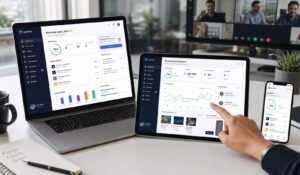
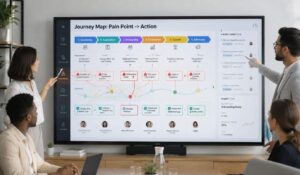
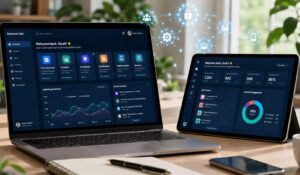
Employee experience tools transform how organizations connect with their workforce. These platforms unify communications, measure engagement, and streamline operations to create meaningful workplace connections. If you’re looking to improve employee satisfaction and retention, this guide covers the top employee experience tool options worth implementing.
Traditional HR software excels at managing payroll, benefits administration, and compliance requirements. These systems handle the operational backbone of employee management—tracking hours, processing payments, and maintaining personnel records.
Employee experience platforms complement these functions by focusing on the human elements that HR systems often overlook. They prioritize employee satisfaction, engagement, and workplace culture over purely administrative tasks.
Key Takeaways
- Employee experience tools help organizations improve employee communication, engagement, feedback, and workplace culture through one centralized digital platform.
- Unlike traditional HR software, employee experience platforms focus on employee satisfaction, real-time communication, recognition, and workforce engagement.
- Key features include employee communication tools, pulse surveys, recognition programs, analytics dashboards, self-service portals, and mobile workforce support.
- Companies using employee experience tools often see higher employee retention, improved engagement scores, better team collaboration, and stronger workplace productivity.
- Mobile-first employee experience platforms are especially valuable for frontline, remote, and distributed teams in industries like manufacturing, healthcare, and hospitality.
- Choosing the right employee experience software depends on workforce needs, integration capabilities, ease of use, security, scalability, and long-term ROI.
What Is an Employee Experience Tool?
An employee experience tool is a comprehensive platform that manages and enhances every touchpoint between an organization and its workforce. These solutions combine communication channels, feedback systems, performance tracking, and engagement features into a unified digital workplace experience. Unlike traditional HR software that focuses primarily on administrative tasks, employee experience platforms prioritize the human side of work. They create seamless interactions across the entire employee journey—from onboarding through daily operations to career development and eventual departure.Key Insight: Modern employee experience tools reduce administrative friction while increasing meaningful connections between employees, managers, and organizational goals.The best platforms integrate multiple workplace functions:
- Communication hubs that centralize company updates, team messaging, and peer recognition
- Feedback systems that capture real-time sentiment and engagement data
- Self-service portals where employees access benefits, schedules, and company resources
- Performance management tools that track goals and career development
- Analytics dashboards that help leaders understand workforce trends and satisfaction levels
Key Features of Employee Experience Platforms
Employee experience platforms share several core capabilities that distinguish them from basic communication or HR tools. Understanding these features helps you evaluate which solutions best fit your organization’s needs.Communication and Engagement Features
- Multi-channel messaging: Text, video, and push notifications reach employees regardless of their work environment
- Social recognition systems: Peer-to-peer appreciation and milestone celebrations that build positive workplace culture
- Company news feeds: Centralized updates that keep distributed teams informed and aligned
- Event management: Tools for organizing company meetings, training sessions, and social activities
Feedback and Analytics Capabilities
- Pulse surveys: Regular, brief questionnaires that track employee satisfaction trends over time
- Real-time sentiment analysis: Automated monitoring of communication patterns to identify engagement issues early
- Custom reporting dashboards: Visual analytics that help managers understand team dynamics and performance
- Action planning tools: Features that help leaders respond to feedback with concrete improvement initiatives
Self-Service and Productivity Tools
- Digital employee handbooks: Searchable company policies and procedures accessible from any device
- Benefits enrollment: Streamlined processes for health insurance, retirement plans, and other employee benefits
- Shift scheduling: Tools for managing work schedules, time-off requests, and coverage coordination
- Learning management: Training modules and certification tracking integrated into daily workflows
Employee Experience Tools vs HR Software
The distinction between employee experience tools and traditional HR software reflects a fundamental shift in workplace priorities. While both serve important functions, they approach employee management from different angles.Comparison of HR Software vs Employee Experience Tools
| Aspect | Traditional HR Software | Employee Experience Tools |
|---|---|---|
| Primary Focus | Administrative compliance and record-keeping | Employee engagement and workplace satisfaction |
| User Experience | Manager and HR-centric interfaces | Employee-first design with intuitive navigation |
| Communication Style | Top-down announcements and policy distribution | Two-way dialogue with feedback loops |
| Data Emphasis | Performance metrics and compliance tracking | Engagement scores and sentiment analysis |
| Implementation Scope | HR department and management teams | Organization-wide adoption across all levels |
| Success Metrics | Process efficiency and regulatory compliance | Employee retention and satisfaction scores |
When to Use Each Approach?
Choose traditional HR software when: * Your primary needs involve payroll processing and benefits administration * Regulatory compliance and record-keeping are your main concerns * You have a small team where personal communication handles most engagement needs Choose employee experience tools when: * Employee retention and engagement are significant challenges * You manage distributed or frontline workers who need better connection to company culture * Communication gaps exist between management and employees * You want to measure and improve workplace satisfaction systematically Many organizations use both types of systems, with HR software handling administrative functions and employee experience platforms managing engagement and communication.How to Choose an Employee Experience Tool?
Selecting the right employee experience tool requires understanding your workforce’s specific needs and communication preferences. The best platform for a manufacturing company with shift workers differs significantly from what works for a remote-first technology team.Assess Your Workforce Characteristics
Start by analyzing your employee demographics and work patterns:- Work environment: Office-based, remote, hybrid, or frontline workers each need different communication approaches
- Device access: Consider whether employees primarily use company computers, personal smartphones, or shared terminals
- Technical comfort: Evaluate your team’s familiarity with digital tools and willingness to adopt new platforms
- Communication preferences: Some teams prefer instant messaging, while others respond better to structured announcements
Evaluate Integration Requirements
Your employee experience tool should connect seamlessly with existing workplace systems:- HR information systems: Integration with payroll and benefits platforms reduces duplicate data entry
- Productivity software: Connections to email, calendar, and productivity tools such as project management systems streamline daily workflows.
- Security systems: Single sign-on capabilities and security compliance protect sensitive employee information
- Analytics platforms: Data export options help you analyze engagement trends alongside other business metrics
Consider Implementation and Adoption Factors
Successful deployment depends on more than just feature sets:- Training requirements: Platforms with intuitive interfaces reduce onboarding time and increase adoption rates
- Administrative overhead: Consider how much ongoing management the platform requires from your team
- Scalability: Choose solutions that can grow with your organization without requiring complete replacement
- Support quality: Evaluate vendor responsiveness and available help resources for both administrators and end users
Budget and ROI Considerations
Employee experience tools justify their investment through improved retention, productivity, and engagement. When evaluating costs:- Compare total ownership expenses: Include setup fees, training costs, and ongoing administrative time
- Calculate retention savings: Reducing employee turnover by even small percentages often pays for platform costs
- Measure productivity gains: Better communication and engagement typically translate to measurable performance improvements
- Factor in compliance benefits: Some platforms help reduce HR compliance risks and associated costs
Top Employee Experience Tools and Solutions
The employee experience tool market includes specialized platforms designed for different workforce types and organizational needs. Here are the leading solutions worth considering:HubEngage
HubEngage specializes in connecting frontline and distributed workers through mobile-first communication tools. The platform excels in industries like manufacturing, healthcare, and hospitality where employees may not have regular computer access. Key strengths: * Mobile optimization: Native smartphone apps designed for workers who primarily use personal devices * Multi-language support: Communications in multiple languages for diverse workforces- Shift-based features: Tools specifically designed for managing rotating schedules and shift communications
- Offline capabilities: Core functions work without constant internet connectivity
Microsoft Viva
Microsoft’s employee experience platform integrates directly with Office 365 and Teams, making it attractive for organizations already using Microsoft productivity tools. Key strengths: * Seamless integration: Works within existing Microsoft workflows without requiring separate logins * Learning management: Built-in training and development tools connected to daily work activities * Analytics depth: Comprehensive insights into communication patterns and collaboration effectiveness * Enterprise security: Inherits Microsoft’s security infrastructure and compliance capabilities Best for: Medium to large organizations heavily invested in Microsoft’s ecosystem who want employee experience features integrated into existing workflows.Workday Peakon Employee Voice
Workday’s platform focuses heavily on employee feedback and sentiment analysis, with sophisticated survey and analytics capabilities. Key strengths: * Survey sophistication: Advanced questionnaire design and response analysis tools * Predictive analytics: Machine learning algorithms that identify engagement risks before they become retention problems * Manager coaching: Tools that help supervisors respond effectively to team feedback * Benchmark data: Industry comparisons that contextualize your organization’s engagement scores Best for: Data-driven organizations that want deep insights into employee sentiment and sophisticated analytics capabilities.Slack with Employee Experience Add-ons
Slack serves as a communication foundation that many organizations enhance with employee experience-focused integrations and custom workflows. Key strengths: * Flexibility: Extensive customization options through apps and integrations * Communication culture: Strong tools for building informal connections and team culture * Developer ecosystem: Thousands of available integrations for specialized needs * Adoption ease: Many employees already familiar with Slack’s interface and conventions Best for: Technology-forward organizations with employees comfortable using chat-based communication as a primary work tool.Implementation and ROI Considerations
Successful employee experience tool implementation requires careful planning and realistic expectations about adoption timelines. Most organizations see meaningful engagement improvements within 3-6 months, but full cultural integration often takes a year or more.Planning Your Implementation
Phase 1: Foundation Setup (Weeks 1-4) * Configure basic platform settings and user accounts * Import employee data and establish communication channels * Train administrators and key champions who will support broader adoption * Test core features with a small pilot group to identify potential issues Phase 2: Gradual Rollout (Weeks 5-12) * Launch platform access to department-sized groups rather than the entire organization at once * Focus initial use cases on high-value, low-complexity features like company announcements and basic feedback * Collect user feedback and adjust configuration based on real usage patterns * Establish regular communication about platform benefits and available features Phase 3: Advanced Features (Weeks 13-26) * Introduce more sophisticated capabilities like analytics dashboards and advanced survey tools * Begin measuring engagement metrics and establishing baseline performance indicators * Train managers to use platform data for team development and communication improvement * Integrate platform usage into regular management processes and meeting agendasMeasuring Return on Investment
Employee experience tools generate value through multiple channels that can be tracked and quantified: Retention Improvements: * Track turnover rates before and after platform implementation * Calculate cost savings from reduced recruiting and training expenses * Monitor exit interview feedback for changes in satisfaction-related departure reasons Productivity Gains: * Measure time savings from streamlined communication and self-service capabilities * Track reduction in help desk tickets for basic HR and company information requests * Monitor project completion rates and team collaboration effectiveness Engagement Metrics: * Use platform analytics to track communication participation rates * Monitor survey response rates and satisfaction score trends * Measure adoption rates for self-service features and company resource usageROI Reality Check: Most organizations see 15-25% improvement in key engagement metrics within the first year, with retention improvements becoming measurable after 6-12 months of consistent platform usage.
Employee Experience Tool Pricing and Comparison
Employee experience tool pricing varies significantly based on features, user count, and implementation complexity. Understanding different pricing models helps you budget appropriately and compare options effectively.Common Pricing Structures
Per-Employee Monthly Fees: Most platforms charge between $3-15 per employee per month, with pricing tiers based on feature access and administrative capabilities. Basic communication and feedback tools typically cost $3-6 per user, while comprehensive platforms with advanced analytics range from $8-15 per user. Tiered Feature Packages: Many vendors offer multiple service levels: * Basic tier: Core communication and simple feedback tools * Professional tier: Advanced analytics, custom surveys, and integration capabilities * Enterprise tier: Full feature access, dedicated support, and custom development options Implementation and Setup Costs: Beyond monthly fees, consider one-time expenses: * Platform configuration and data migration: Contact for personalized quote * Training and change management support: Contact for personalized quote * Custom integrations with existing systems: Contact for personalized quoteComparison Framework
| Evaluation Factor | Weight | Questions to Ask |
|---|---|---|
| Feature Fit | High | Does the platform address your specific workforce communication challenges? |
| Ease of Use | High | Can employees adopt the platform without extensive training? |
| Integration Capability | Medium | How well does it connect with your existing HR and productivity tools? |
| Vendor Support | Medium | What level of ongoing assistance is included in the pricing? |
| Scalability | Medium | Can the platform grow with your organization without major changes? |
| Security Compliance | High | Does it meet your industry’s data protection and privacy requirements? |