Skip to content

10 Best Learning Management Systems For Small Businesses

The global LMS market is already a $34.1 billion category today and is projected to reach $123.78 billion by 2033, which tells you everything about how central training software has become to workforce execution (Programs.com LMS statistics). For HR and IT leaders, the decision is no longer about buying a course library. It’s about choosing a system that can reach frontline, deskless, hourly, remote, and distributed employees inside the tools they already use, while supporting compliance, onboarding, skills growth, and operational follow-through.

That shift matters because the market is still moving fast. Forecasts vary, but they all point in the same direction, from USD 35.23 billion in 2026 to USD 88.41 billion by 2032 at a 16.6% CAGR in one estimate, and from $34.1 billion in 2026 to $123.8 billion by 2033 at 20.2% CAGR in another (MarketsandMarkets). In practice, the best learning management systems aren’t just content repositories. They’re infrastructure for enterprise learning, especially in organizations where managers need visibility, employees need mobile access, and admins need automation that reduces work.

Key Takeaways

  • Pick for reach, not just features. The best LMS is the one your employees will use across mobile, browser, and daily workflow channels.
  • Completion is not enough. Modern buyers need reporting that shows skill progress and operational impact, not just course status.
  • Frontline fit is the gap most lists miss. Offline access, mobile-first delivery, and low-friction access matter more than flashy authoring tools for many enterprises.
  • AI should remove admin work. The strongest AI features automate creation, search, translation, recommendations, and reminders.
  • HubEngage stands out when training needs to live inside a broader employee experience platform, not a siloed portal.

Leading Learning Management Systems

1. The Best Employee Training Software, HubEngage Employee Learning Platform

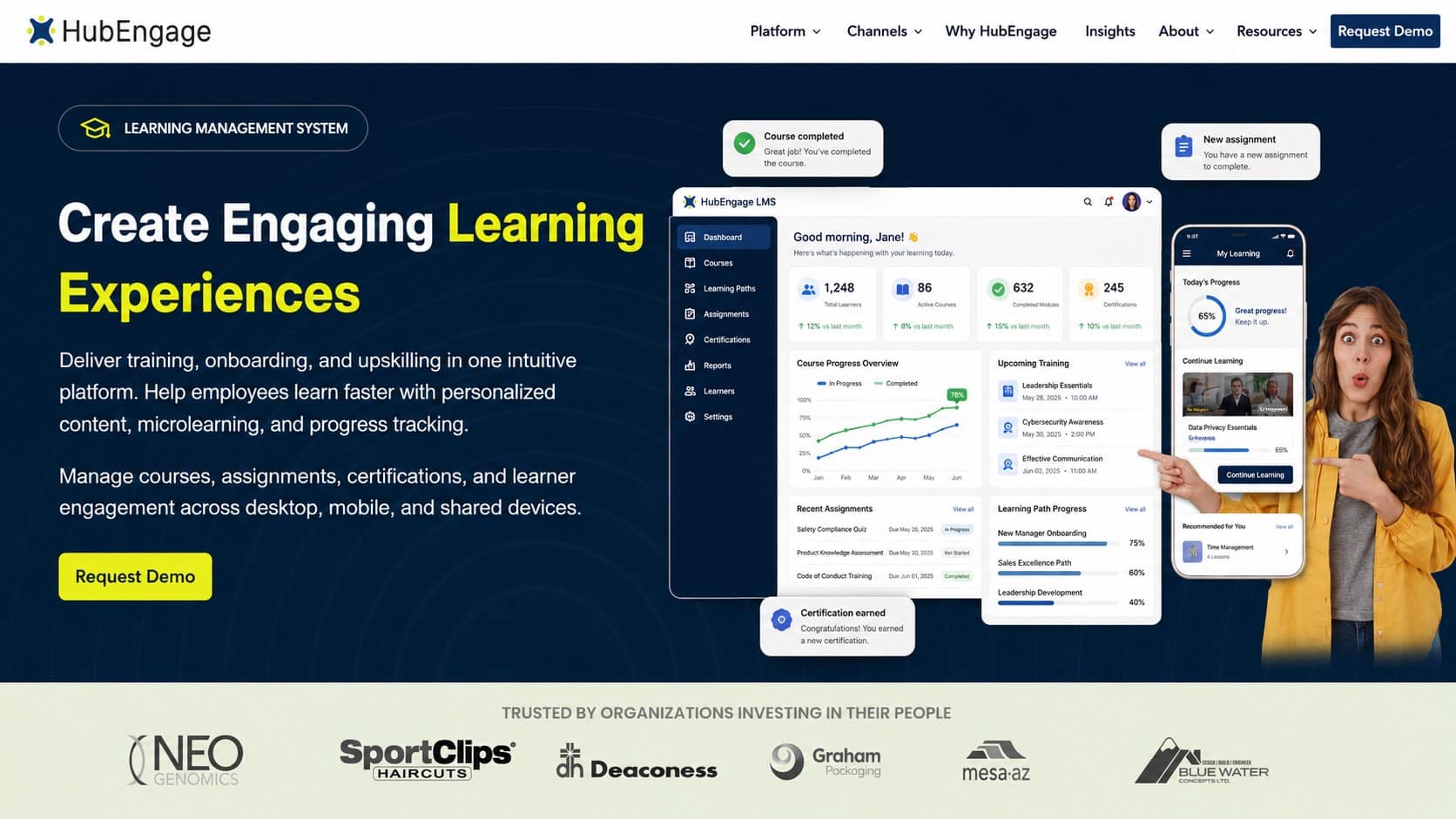
HubEngage is a practical fit when training has to live inside the employee experience instead of sitting in a separate portal. For dispersed teams, that matters because employees do not need one system for updates, another for recognition, and another for learning. One connected hub can deliver learning alongside communications, engagement, and operational workflows.

The Best Employee Training Software, HubEngage Employee Learning Platform

The strongest practical advantage is multi-channel delivery. Training can reach employees through mobile, web, intranet, Microsoft Teams, Slack, email, SMS, and digital signage, which is a better fit for frontline and hourly workers than asking them to open a standalone LMS on their own time. Bite-size microlearning, quizzes, automated reminders, and progress tracking help training fit into actual work rhythms instead of relying on memory and follow-up. For more on the platform’s approach, see HubEngage’s learning management system experience.

Why it fits modern operations?

HubEngage also stands out for orchestration. Learning modules can connect to communications, recognition, and operational workflows, so managers can prompt the right teams at the right time without chasing completion manually. That is useful for onboarding, policy updates, safety refreshers, seasonal rollouts, and role-based training where timing affects adoption.

The gamification layer can also improve adoption. Points, gift cards, and leaderboards help when training competes with shift work, service demands, or scattered schedules. For organizations that want training to sit inside the same environment as communications and engagement, HubEngage’s employee learning features support that model without forcing employees into a separate destination. That is a stronger fit for SMBs replacing disconnected tools, and for larger organizations that need coordination across HRIS, payroll, LMS, and workforce systems.

Pros

  • Multi-channel delivery: Mobile, web, Teams, Slack, email, SMS, intranet, and digital signage reach people where they already work.
  • Microlearning and reminders: Bite-size content and automated nudges support completion and retention.
  • Gamification and rewards: Points, leaderboards, and gift cards boost participation.
  • Unified analytics: Learning metrics sit alongside communications and operational data.
  • Lower tool sprawl: Training, recognition, and workflows live in one connected system.

Cons

  • Not a deep specialist LMS: Highly custom SCORM/xAPI workflows may need a more specialized platform.
  • Best value comes inside the broader platform: Smaller teams seeking only a standalone training app may find it broader than they need.

2. Cornerstone Learning, Cornerstone CSX

Cornerstone is the enterprise pick when learning has to sit inside a larger talent ecosystem. It works well for organizations that want learning, skills, performance, and content discovery connected in one vendor stack, rather than stitched together from point tools. That matters in regulated environments, global operations, and complex org structures where admin control is as important as learner experience.

Cornerstone Learning (Cornerstone CSX)

Cornerstone’s strength is depth. Curriculum management, certifications, complex structures, and enterprise learning administration all make sense when HR teams need to coordinate learning across functions, geographies, and compliance regimes. The modern LXP layer also adds AI-driven recommendations and a content marketplace, which is useful when you want employees to discover relevant development without overwhelming them with a flat course catalog. Its mobile apps help keep learning accessible for managers and workers on the move.

The trade-off is operational complexity. Cornerstone is rarely the easiest platform to roll out for small teams, and quote-based pricing can push it beyond what mid-market buyers want to absorb. But for enterprises that need deep governance and a wide partner ecosystem, that complexity can be the price of control.

For teams comparing learning architecture, HubEngage’s learning management system features offer a useful benchmark for how much a platform can simplify distribution and tracking when learning is part of a broader employee hub.

Pros

  • Deep enterprise controls: Strong fit for compliance-heavy organizations.
  • Connected talent stack: Learning, skills, and talent stay aligned.
  • Broad content ecosystem: Useful for enterprise scale and varied roles.

Cons

  • Implementation can be heavy: Smaller teams may struggle with governance overhead.
  • Quote-based pricing: Budgeting is less straightforward than with lighter tools.
  • Admin complexity: Initial setup and ongoing management can be demanding.

3. Docebo

Docebo fits organizations that need an LMS for a mixed audience, not just employees. It is built for extended enterprise learning, so it works well when the same platform has to support staff, customers, and partners without forcing every group into the same learner experience. For HR and IT leaders trying to reduce training silos, that matters because it lets learning live inside a broader ecosystem instead of another isolated system.

Docebo

Docebo’s AI features are a major part of its appeal. Content creation support, instant translations, a copilot, and AI search all help teams move faster across regions and languages, which is useful when training has to reach a distributed workforce with different needs. Broad API support and solid analytics also make it easier to connect Docebo to the rest of the HR and employee experience stack. For organizations that care about distribution as much as course delivery, that integration layer is often the difference between adoption and abandonment.

The trade-off is cost and deployment effort. Pricing is customized, so budget planning depends on vendor conversations rather than a simple rate card, and more advanced feature sets can raise the total investment quickly. Buyers should also expect implementation discipline, since larger deployments may require onboarding services before the platform is fully useful. That is a reasonable exchange for teams that need scale and flexibility, but it can be too much for leaner groups that want something lighter.

For teams thinking about microlearning and reinforcement, HubEngage’s employee microlearning approach shows a different model, where training is delivered in the flow of work instead of sitting only inside a course catalog.

Pros

  • Strong extended enterprise support: Works well for employees, customers, and partners.
  • AI-enabled efficiency: Search, translations, and copilots reduce manual work.
  • Good integration depth: Useful for complex technology environments.

Cons

  • Pricing is customized: Budgeting takes vendor engagement.
  • Setup can be involved: Implementation may need support.
  • Feature richness adds complexity: Not always the best fit for lean teams.

4. SAP SuccessFactors Learning

SAP SuccessFactors Learning is the safe choice for large organizations that already live inside the SAP ecosystem. It is built for compliance, audibility, and organizational complexity, which makes it valuable in regulated sectors and global enterprises where training records need to be reliable and traceable. If your HR architecture already runs on SAP, the integration story is one of the strongest reasons to stay within the family.

SAP SuccessFactors Learning

Curriculum management, certifications, validated options for regulated industries, and tight alignment with SAP HCM make the platform feel more like infrastructure than a standalone app. That matters for enterprise buyers who care about governance, auditability, and process control. Mobile support helps with access, but the actual value is in how completely the platform fits the larger HR and talent model.

The downside is that SAP environments can be demanding. Configuration is rarely light, and buyers should expect a serious implementation process. Pricing is also quote-based, which means you’ll need internal alignment before procurement starts. For larger organizations, that’s acceptable if the goal is to unify learning with broader HR processes. For smaller teams, it’s often more platform than they need.

HubEngage’s compliance training software is a useful point of comparison for organizations that want compliance to travel with communications and operations, especially when training has to reach mixed workforces consistently.

Pros

  • Strong compliance posture: Built for regulated environments.
  • Scales to large workforces: Appropriate for complex enterprises.
  • Tight SAP alignment: Valuable if SAP is already your core stack.

Cons

  • Configuration can be complex: New teams may need help.
  • Quote-based pricing: Less transparent than self-serve tools.
  • Admin experience can feel heavy: Not ideal for small learning teams.

5. Workday Learning, Powered by Sana

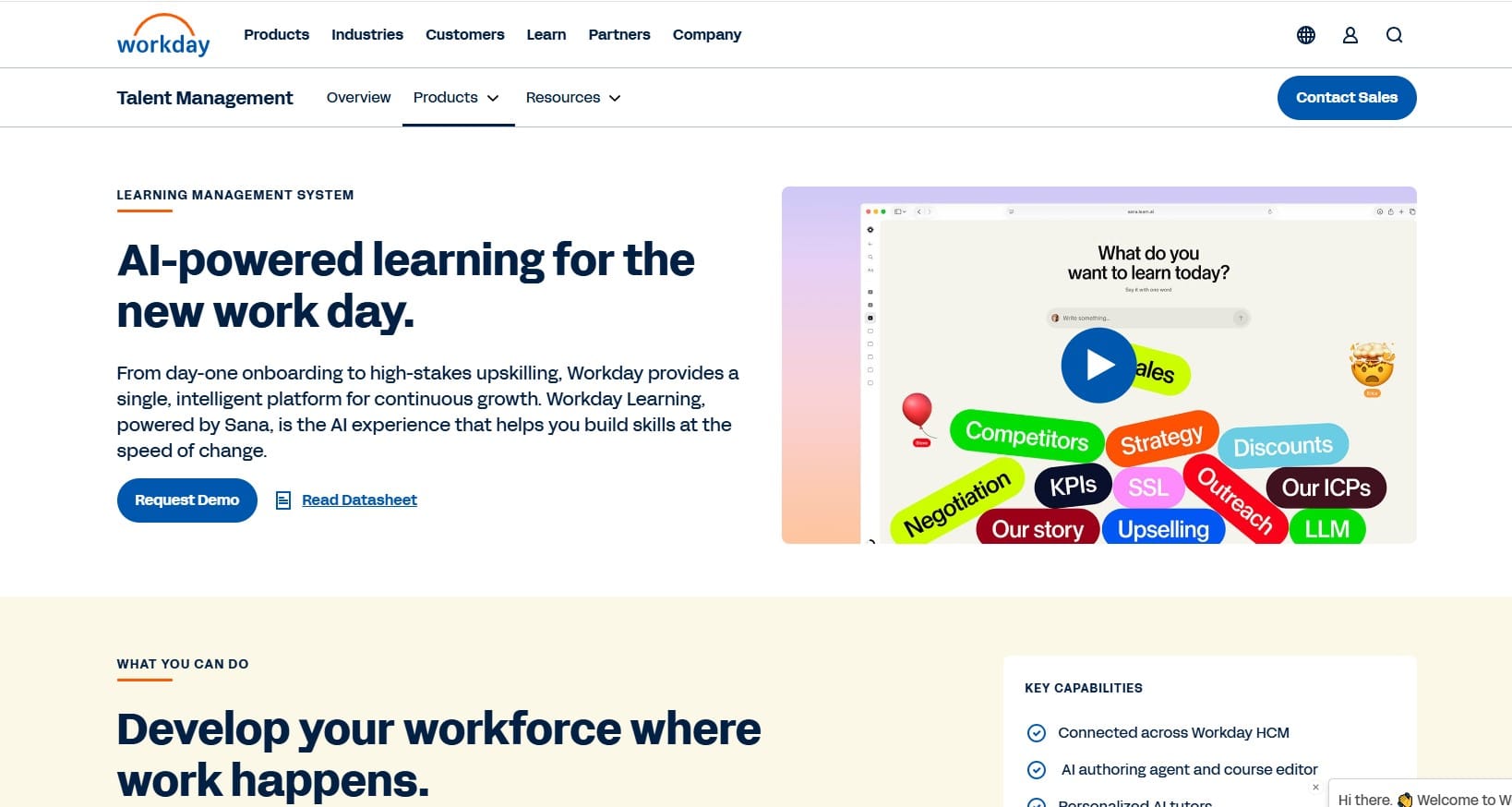
Workday Learning makes the most sense when Workday is already the center of gravity for HR and talent. The appeal is not just that learning lives in the same system. It’s that training can use the same data, identity, and governance model as the rest of the employee record. For organizations standardized on Workday, that makes administration simpler and reduces integration friction.

The newer AI-native direction matters too. Personal AI tutors, AI-assisted course creation, interactive quizzes, and skills alignment move Workday Learning closer to modern personalization models. That helps when training needs to be targeted by role or skill rather than pushed as generic mandatory content. The reporting story also improves when learning is part of the same operational stack.

The trade-off is straightforward. Workday Learning is usually not the right buy if you don’t already use Workday. It’s a platform advantage, not a standalone one. For buyers inside the ecosystem, though, the consistency of security, reporting, and identity can be a major win.

For large organizations, the real question isn’t whether the LMS is powerful enough. It’s whether it can share data cleanly with the systems that already run the business.

That’s why platforms like HubEngage matter in parallel. HubEngage is built to orchestrate learning with communications and operations, which is useful when HR and IT want one connected system for employee action instead of another isolated portal.

Pros

  • Strong fit for Workday customers: Simplifies the stack.
  • AI-native direction: Helpful for content creation and personalization.
  • Unified governance: One system for identity and reporting.

Cons

  • Not usually sold standalone: Best value depends on Workday adoption.
  • Quote-based pricing: Requires vendor engagement.
  • Ecosystem lock-in: Less flexible if your stack is mixed.

6. Adobe Learning Manager

Adobe Learning Manager is a good fit when branded learning experiences matter, especially for customer education, partner training, and externally facing academies. It has the polish you’d expect from Adobe, and that shows up in the user experience, content presentation, and overall platform feel. For businesses that care about perception as much as completion, that can be a real advantage.

Adobe Learning Manager (formerly Captivate Prime)

The licensing model is worth paying attention to. Adobe supports Registered Users and Monthly Active Users, which can be useful for large groups of occasional learners. In other words, if your audience is broad but not constantly active, the MAU model can be easier to justify than paying for everyone all the time. That’s a practical advantage for customer academies and partner ecosystems.

The limitation is authoring depth. Many teams still rely on separate tools for advanced content creation, and enterprise pricing requires a sales conversation. Adobe also makes the most sense when its broader content and brand ecosystem is part of your workflow. If you need a polished, externally facing learning environment, it’s compelling. If you need a broader employee experience layer, the fit gets narrower.

For AI-assisted employee support, HubEngage’s employee learning chatbot angle is a good comparison point, especially for companies that want quick answers and learning nudges inside existing channels.

Pros

  • Polished experience: Strong for branded academies.
  • MAU pricing option: Can suit occasional learners.
  • Good for external audiences: Useful for customers and partners.

Cons

  • Pricing is not public: Procurement takes a sales process.
  • Advanced authoring may need extra tools: Content creation can sprawl.
  • Better for academies than workforce orchestration: Not a full employee hub.

7. Absorb LMS

Absorb LMS is one of the best choices when administrators want a platform that feels approachable without giving up enterprise depth. It’s especially strong for teams that want quick time to value, embedded learning, eCommerce, and a clean user interface that doesn’t require a steep ramp-up. That combination makes it appealing to L&D teams that want results without building a six-month admin project first.

Absorb LMS

Its embedded learning approach, through Absorb Infuse, matters for operations teams that want training inside business apps rather than in a separate destination. The AI layer, including Absorb Aura and AI-assisted course creation, adds practical automation around personalization and content production. That said, some capabilities sit in separate modules, so buyers should pay attention to what’s included versus what’s add-on.

The main trade-off is cost structure. Pricing is quote-based, and larger user counts can push spend up. For enterprises that need integrations with HR systems, Salesforce, or REST APIs, Absorb does offer solid options. But if you’re comparing it to a more connected employee experience platform, the question becomes whether you want a training system or a broader workflow layer.

That’s one reason Absorb stays on many shortlists. It balances usability with enough depth to handle enterprise training without feeling overloaded.

Pros

  • Easy for admins and learners: Strong usability.
  • Embedded learning: Training can appear inside other business tools.
  • Good for extended enterprise: Useful for monetized or external training.

Cons

  • Quote-based pricing: Budgeting can be opaque.
  • Some features are modular: You may need add-ons.
  • Not a full employee experience suite: Learning can still sit separately.

8. 360Learning

360Learning is built around collaborative knowledge creation, and that’s what makes it different from most traditional LMS products. Instead of making L&D the only team that can author training, it lets subject matter experts help create and refine content. That can speed up course production dramatically when policies, products, or frontline procedures change often.

360Learning

The social layer is a major part of the appeal. Comments, reactions, and leaderboards make the learning environment feel more participatory, which can help adoption in teams that don’t respond well to static training libraries. The Team plan is also a useful entry point for smaller groups that want to pilot collaborative learning before moving to enterprise scope. That lowers the barrier to test whether the model fits your organization.

The trade-off is change management. A social, co-authoring-driven platform asks admins and managers to work differently. If your organization prefers strict central control over every learning asset, 360Learning may feel more open than you want. But if your challenge is getting experts to share knowledge quickly, that openness is exactly the point.

For enterprises thinking about connected learning and operations, HubEngage’s broader platform model offers a different path, where learning is one part of a larger employee system instead of a separate collaboration process.

Pros

  • Fast content creation: SMEs can help build learning quickly.
  • High engagement potential: Social features encourage participation.
  • Good pilot path: Team plan supports smaller rollouts.

Cons

  • Needs change management: Collaborative models require adoption.
  • Enterprise pricing is quote-based: Costs rise with scale.
  • Less controlled than traditional LMS tools: Not ideal for every compliance culture.

9. Litmos

Litmos is the pragmatic choice for teams that want to deploy quickly and support multiple audiences from one console. It’s especially useful when compliance training, customer education, and partner training all need to coexist without a long implementation cycle. The platform’s plan structure also makes the AI direction easy to understand, with tiers that include AI assistant, AI authoring, and AI video assessments.

Litmos

What makes Litmos practical is the combination of speed and breadth. It supports eCommerce, ILT/vILT, mobile apps, multi-branding, compliance features, and integrations with systems like ADP, Shopify, LTI, and APIs. That’s enough to cover a lot of real-world use cases without overcomplicating the setup. For operations teams, it’s a good fit when the priority is to get training live fast.

The main downside is pricing transparency. All tiers say “Contact for pricing,” which means budgeting requires a vendor conversation from the outset. Some organizations may also want deeper analytics or more advanced integrations than the standard package provides. Still, for distributed teams that need a solid, fast-moving platform, Litmos is often a sensible finalist.

If your organization needs training to travel alongside daily employee messaging and workflow execution, HubEngage’s employee hub model may be a better fit than a standalone LMS.

Pros

  • Quick deployment: Good for fast-moving teams.
  • Multi-audience support: Employees, partners, and customers can share one admin system.
  • Clear AI tiering: Easy to understand what the higher plans offer.

Cons

  • No public pricing: Requires sales engagement.
  • Advanced capabilities may need add-ons: Budget carefully.
  • Interface may feel more traditional: Not the most modern experience on the market.

10. LearnUpon

LearnUpon is strong when simplicity and multi-audience delivery matter more than platform sprawl. Its portal model makes it easy to separate employee, customer, and association learning without forcing a single experience on everyone. That’s useful for organizations that need white-labeled academies, certification programs, or external education alongside internal training.

LearnUpon

The practical appeal is speed. LearnUpon is known for a straightforward admin experience and implementation support, which matters when the L&D team doesn’t want to spend months learning the software before launching a program. AI-powered Create+ assessments and skills insights add a modern layer without making the platform feel bloated. Its integration breadth, including HRIS, Salesforce, HubSpot, webinars, and Zapier, also helps it fit into existing tech stacks.

The limitations are mostly around pricing visibility and advanced capability placement. There’s no public price list, and some advanced analytics and branding live in higher tiers. That said, for organizations that need a dependable platform to run multiple training audiences from one place, LearnUpon stays easy to recommend.

HubEngage’s employee training compliance software is especially relevant here, because it shows how compliance and operational learning can be embedded into broader communications and engagement workflows instead of remaining isolated in a course portal.

Pros

  • Simple admin experience: Easier to launch and maintain.
  • Strong portal structure: Great for separate audiences.
  • Deep integrations: Useful for modern HR and sales stacks.

Cons

  • No public pricing: Requires a sales process.
  • Advanced features may sit higher up the plan ladder: Check carefully.
  • Less suited to highly custom learning ops: Best for clarity and speed.

Top 10 Learning Management Systems, Feature & Pricing Comparison

Solution Core features UX / Quality Value & Pricing Target audience Unique selling points
The Best Employee Training Software, HubEngage Employee Learning Platform Microlearning, multi‑channel delivery (mobile/Teams/Slack/email/SMS/digital signage), gamification, analytics, HRIS sync 4.5★, modern, mobile‑first 💰 Best value as part of full HubEngage; quote‑based 👥 Desk, distributed & frontline workers; orgs wanting unified EX ✨ Integrated with communications, recognition & ops; one‑click orchestration 🏆
Cornerstone Learning (Cornerstone CSX) Enterprise LMS + LXP, certifications, ILT/vILT, large content marketplace 4.2★, mature enterprise UX 💰 Quote‑based; often higher for mid‑market 👥 Large enterprises & regulated orgs ✨ Deep compliance & talent management integration 🏆
Docebo Modular LMS/LXP, AI copilot & search, translations, analytics, broad APIs 4.0★, AI‑forward 💰 Customized pricing; scalable by features/users 👥 Extended enterprise (customers/partners) & branded academies ✨ Strong AI features (copilot, instant translation)
SAP SuccessFactors Learning Curriculum & certification, audit/compliance, native SAP HCM integration 4.0★, enterprise‑grade 💰 Quote‑based; tied to SAP suite footprint 👥 Global enterprises, highly regulated industries ✨ Deep SAP ecosystem & compliance tooling 🏆
Workday Learning (powered by Sana) AI tutors, accelerated authoring, Skills Cloud alignment, unified reporting 4.0★, modern, AI‑native 💰 Quote‑based; best when on Workday tenant 👥 Organizations standardized on Workday HCM ✨ Skills‑data alignment & personal AI tutors
Adobe Learning Manager MAU/Registered licensing, eCommerce, branding/marketplace, content ecosystem 3.8★, polished UI 💰 MAU can be cost‑efficient for occasional learners; enterprise quote 👥 Customer/partner academies, externally facing programs ✨ Strong branding & Adobe content integrations
Absorb LMS Embedded learning (Infuse), AI agents (Aura), eCommerce, SCORM/xAPI, integrations 4.0★, intuitive admin & learner UX 💰 Quote‑based; add‑ons may raise cost 👥 Enterprises selling training & extended enterprise ✨ Fast time‑to‑value; embedded in business apps
360Learning Collaborative authoring, social learning, leaderboards, Team plan for pilots 4.0★, highly engaging 💰 Transparent Team pricing; enterprise quote 👥 L&D teams, SMEs, organizations emphasizing co‑creation ✨ Rapid co‑authoring + social engagement
Litmos Tiered plans (incl. AI tier), AI authoring & video assessments, eCommerce, ILT/vILT 3.9★, quick deployment 💰 Tiered plans (contact sales); AI tier available 👥 Operational training, mixed audiences (employees/partners/customers) ✨ Fast rollout with packaged content
LearnUpon Multi‑portal white‑label, AI Create+ assessments, deep integrations, skills journeys 4.0★, simple admin & fast launch 💰 Quote‑based; plans include implementation resources 👥 Customer education, associations, mid‑market to enterprise ✨ Multi‑portal experience + bundled success services

Conclusion

The best learning management systems help businesses deliver training that is accessible, measurable, and easy to manage. Small businesses should look beyond course libraries and choose a platform that supports mobile learning, microlearning, automation, analytics, integrations, and frontline employees.

The right solution should reduce administrative work while improving employee skills, compliance, and engagement across every location. Explore our employee experience platform and see how connected learning can support your workforce by taking up a demo today confidently.

FAQs for the Best Learning Management Systems

1. What is the best learning management system for small businesses?

The best LMS for small businesses is easy to manage, mobile-friendly, and scalable. HubEngage is a strong option when learning must connect with employee communication, microlearning, recognition, reminders, and workforce analytics in one platform.

2. How much does a learning management system cost?

The cost of a learning management system depends on user numbers, features, integrations, support, and pricing model. Many vendors use quote-based pricing, while others charge per active user, registered user, or monthly subscription.

3. What features should the best learning management systems include?

Look for mobile access, simple course creation, microlearning, automated reminders, quizzes, certifications, progress tracking, analytics, integrations, and role-based learning. Small businesses should also prioritize easy administration, quick setup, and reliable customer support.

4. What is the difference between an LMS and an LXP?

An LMS mainly manages structured training, compliance courses, assignments, and completion records. An LXP focuses more on personalized learning, content discovery, and recommendations. Many modern platforms combine both approaches in one employee learning experience.

5. Can learning management systems support frontline employees?

Yes. The best learning management systems support frontline and deskless employees through mobile apps, short lessons, push notifications, SMS, offline access, and simple logins. Training should fit shift schedules instead of requiring desktop access.

6. How does AI improve learning management systems?

AI can help create courses, translate content, recommend learning, answer employee questions, automate reminders, and identify skill gaps. The most useful AI features reduce administrative work while making training easier to find and complete.

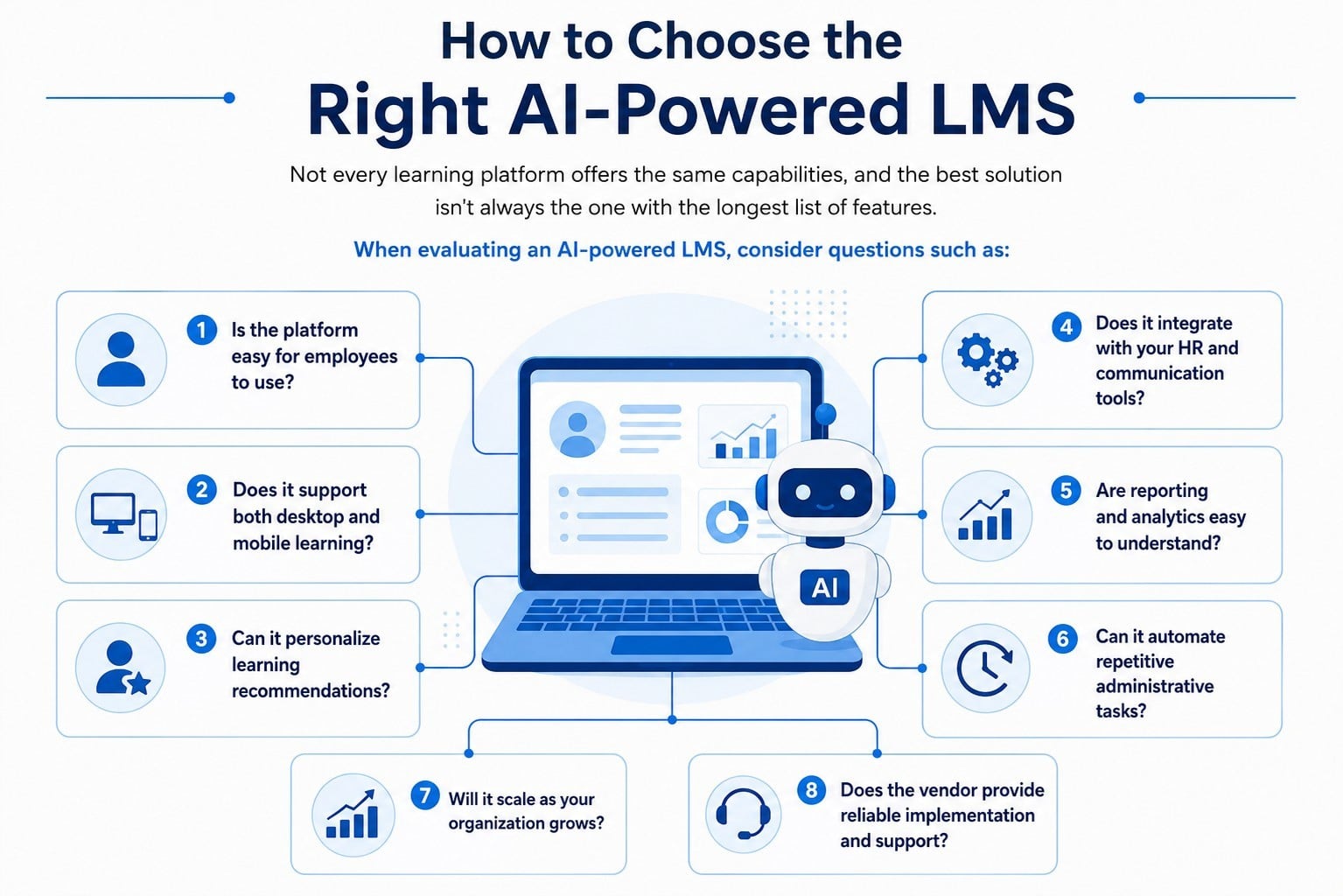
7. How do you choose the right learning management system?

Choose an LMS by matching the platform to your workforce, training goals, budget, devices, and existing software. Test mobile usability, reporting, integrations, implementation support, and learner experience before making a long-term buying decision.

Related Links

learning management system experience | learning management system features

Get Insights

Subscribe to our weekly newsletter to get more tips on effective employee engagement and communications!

Join Our Community

Join Turn On Engagement (TOE) to interact with other employee engagement and people experience professionals. Share and get new ideas!

An expert content writer specializing in creating comprehensive, insight-driven content for technology and SaaS products. With more than three years of hands-on experience working closely with HR, internal communications, and leadership teams, he helps organizations turn employee engagement challenges into measurable outcomes. His writing is grounded in real customer experiences and focuses on practical strategies that boost productivity, improve communication, and strengthen workplace culture. Known for his ability to simplify complex technology concepts, he translates them into clear, actionable insights that resonate with HR professionals, talent acquisition leaders, and business owners alike. His work consistently reflects a strong commitment to trust, credibility, and people-first innovation, supporting organizations as they navigate employee experience, digital workplace transformation, and modern workforce engagement strategies.

Other posts you might enjoy

Back To Top