Organizations today need more than a basic company portal to keep employees informed, connected, and engaged. As hybrid work, remote teams, and frontline workforces become the norm, modern intranet platforms have evolved into comprehensive employee experience hubs that centralize communication, collaboration, knowledge sharing, and employee engagement.
The best intranet platforms help organizations streamline internal communications, improve productivity, strengthen company culture, and ensure employees can easily access the information they need from any device.
In this guide, we will explore the best intranet platforms available, compare their strengths, and help you determine which solution is the right fit for your organization.
Key Takeaways
- Modern intranet platforms help organizations improve employee communication, engagement, collaboration, and knowledge sharing from a single digital workplace.
- The best intranet software supports remote, hybrid, and frontline employees with mobile access, personalized content, and real-time communication tools.
- Key features to look for include employee recognition, content management, advanced search, integrations, analytics, and employee feedback tools.
- Evaluating usability, scalability, security, integrations, and employee experience capabilities is essential before selecting an intranet solution.
- Common selection criteria include ease of use, mobile accessibility, customization options, integration capabilities, security controls, vendor support, and overall value for the organization.

Why Evaluating Intranet Software is important?
Choosing the right intranet platform is a strategic decision that impacts employee communication, engagement, productivity, and knowledge sharing across the organization. Evaluating platforms carefully helps ensure that the solution aligns with your workforce needs, technology ecosystem, and long-term business goals.
Must-Have Features in the Best Intranet Platforms
When evaluating intranet software, organizations should prioritize platforms that include:
| Feature | Importance |
| News and Announcement Management | Keeps employees informed with timely company updates and internal communications. |
| Mobile Accessibility | Ensures remote and frontline employees can access information anytime, anywhere. |
| Employee Directory | Helps employees quickly find and connect with colleagues across the organization. |
| Advanced Search Functionality | Makes it easy to locate documents, resources, and company information. |
| Content Management System | Centralizes and organizes content for better knowledge sharing and governance. |
| Employee Recognition Tools | Boosts engagement, morale, and workplace culture through peer and manager recognition. |
| Surveys and Feedback Mechanisms | Enables organizations to gather employee insights and improve engagement. |
| Analytics and Reporting | Measures communication effectiveness, platform adoption, and employee engagement. |
| Integration Support | Connects the intranet with HR, collaboration, and productivity tools for a seamless experience. |
| Security and Permissions Management | Protects sensitive information and ensures appropriate access controls. |
These features help ensure employees remain informed, engaged, and productive.
An overview of the Top Intranet Platforms
This table gives you a quick look at the top intranet solutions and how they stack up on the features that really matter.
| Platform | Best for | Key differentiator | Starting price | Frontline-ready |
| HubEngage | SMBs to enterprise; frontline-heavy teams | Only fully gamified multi-channel platform; deploys in 2–5 weeks | From $1–3/user/month | Yes, native iOS/Android, push, SMS, signage |
| Workvivo | Culture-focused mid-to-large enterprises (250+) | Social-first feed; live streaming; Zoom-native | From $20,000/year | Yes, mobile-first |
| Simpplr | Knowledge workers; mid-market | AI Auto-Governance Engine; fast deployment | Custom (quote only) | Limited; primarily desk-based |
| Staffbase | Regulated large enterprises (1,000+) | Campaign-led comms; strong editorial workflows | Custom (quote only) | Yes, strong mobile app |
| Unily | Microsoft-centric enterprises (5,000+) | Deep SharePoint integration; highly customizable | Custom (enterprise) | Yes, but resource-intensive to deploy |
| Microsoft SharePoint | Enterprises standardized on Microsoft 365 | Document management; Teams/OneDrive native | Included in M365 plans | Configurable, not native |
| Blink | Frontline industries: retail, hospitality, transport | Mobile-only; high adoption; no training required | Custom (subscription) | Yes, mobile-first only |
| Bloomfire | Knowledge management use cases | Powerful Q&A search; content repository | Custom (subscription) | Limited; not a full intranet |
Table 3: Intranet platform comparison by use case, pricing, and frontline readiness
| Important Note: Out of the eight platforms listed below, only HubEngage and Workvivo make their starting prices public. We recommend asking for the complete, all-in price from any vendor before you try to compare with others who show per-user rates. |
An In-Depth review of Intranet Platforms
List of Top Intranet Platforms
Below we cover what each platform does well, who it’s best for, and where you should research further before committing.
Prices are based on what vendors have published or, when that’s not available, on reliable third-party estimates.
HubEngage
For organizations that need to reach every employee, including those without a desk, a corporate email address, or a fixed schedule.
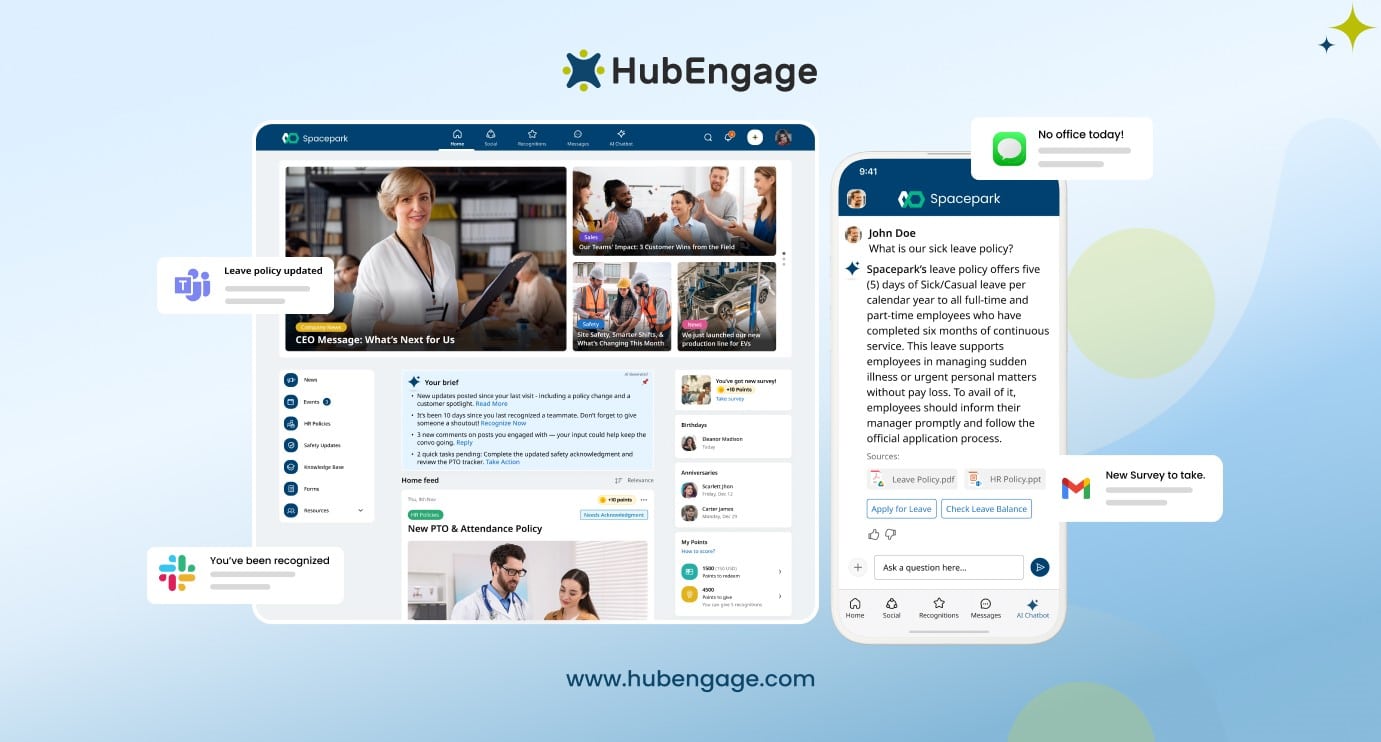
HubEngage consolidates what most organizations manage across separate tools:
- Intranet
- Mobile app
- Email newsletters
- Recognition programs
- Pulse surveys
- Instant messaging
- Digital signage
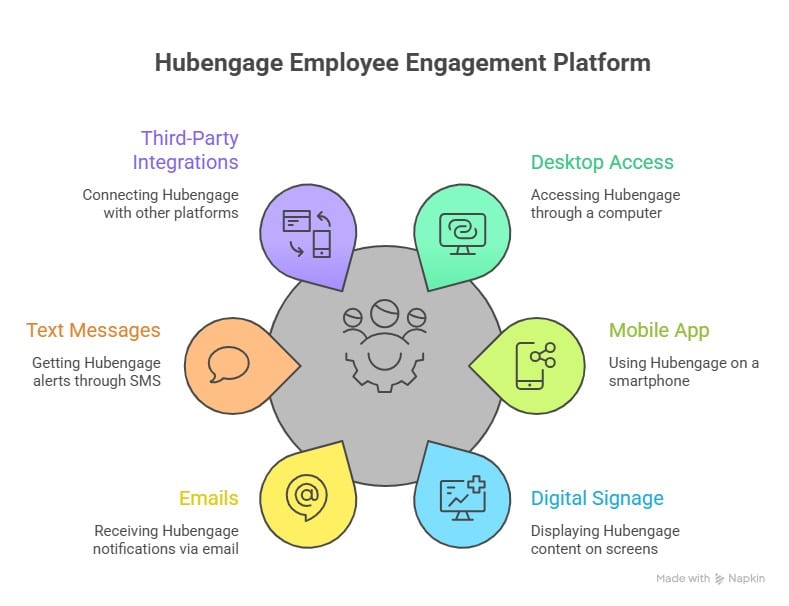
All of this content is published from a single dashboard. Whereas most platforms limit gamification to their recognition feature, HubEngage applies it across every module. Your employees earn points and rewards for completing surveys, reading updates, finishing onboarding tasks, and more. This means that platform adoption builds on its own and does not depend on a separate internal launch campaign to get people engaged.
Deployment runs two to five weeks for most organizations. Pricing starts from $1–3/user/month, and security certifications covered include ISO 27001, SOC 2, GDPR, and HIPAA.
HubEngage’s deployments span a wide range of industries and organization sizes:
- Newport Hospitality Group: 50 hotels, reaching staff from kitchen crews to event coordinators
- Pechanga Resort and Casino: Thousands of employees across three shifts under their branded app, PRC Engage
- EnerCorp: went live in six weeks for a workforce operating across remote field sites
See best intranet website examples for additional named deployments.
Best for: Mid-market to enterprise organizations with frontline or distributed workforces, and teams looking to consolidate multiple communications tools into one platform. Explore the full employee intranet platform.
Worth knowing: Organizations with simple, desk-only communication needs may not require the full feature set.
HubEngage Intranet Software honest review
Customers using out intranet platform had great experiences in solving their business challenges as noted in this review by Joseph C, one of our real estate enterprise customers.
Before using HubEngage intranet software, our internal communication was scattered and often unclear. Important updates were missed, language barriers caused confusion, and employees relied on multiple tools to stay informed.
After implementing HubEngage, everything changed. We finally had one central platform to share announcements, newsletters, and updates seamlessly. The automatic translation feature helped our global teams understand messages instantly.
The platform is easy to set up and simple for employees to use daily. As a result, communication became clearer, engagement improved, and our teams felt more connected and aligned than before.
Discover more real-world impact as well as success stories of our customers and what they say about HubEngage’s employee experience platform
Workvivo
For enterprises that want to build culture, recognition, and social connection across a distributed workforce.
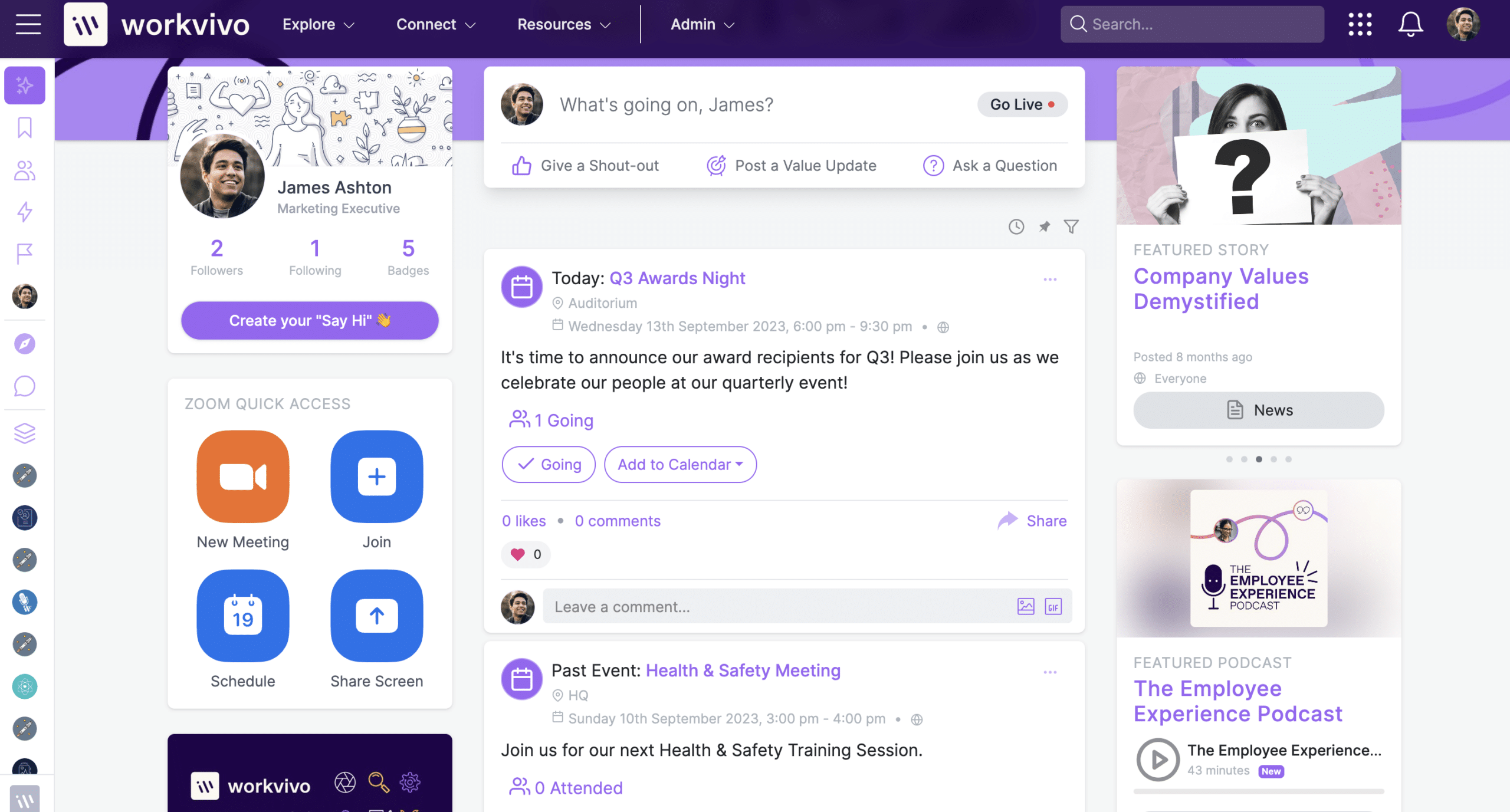
Acquired by Zoom in 2023, Workvivo takes a social-media approach to internal communications. The platform supports live streaming for town halls, podcast distribution for async communication, and automated employee journeys for onboarding and role transitions.
Workvivo AI assists communicators with content creation and campaign performance measurement. It is a Gartner Magic Quadrant Leader and a Forrester Wave Leader for intranet platforms. Notable Workvivo clients include Amazon, Ryanair, Bupa, and White Castle.
The Business plan starts at $20,000/year for organizations with 250 to 2,000 employees, with Enterprise pricing by custom quote.
Best for: Culture-focused mid-to-large enterprises where employee engagement, recognition, and social connection are the primary goals.
Worth knowing: Workvivo is stronger at social engagement than structured document management. Organizations with large volumes of policies or compliance content will likely need supplementary tools. The annual minimum makes it unsuitable for smaller teams.
Simpplr
For mid-market teams that want AI-powered personalization and low administrative overhead out of the box.
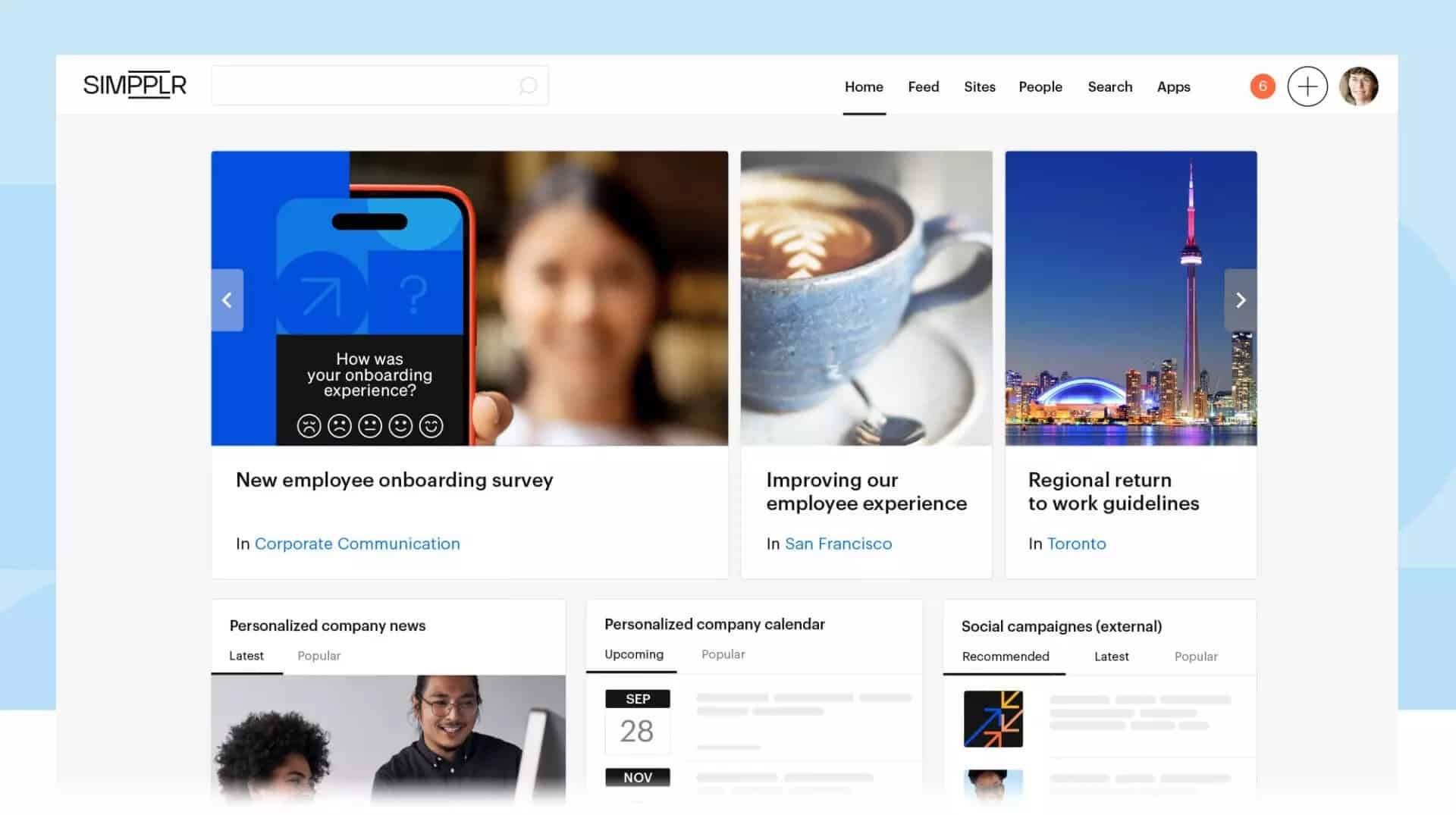
Simpplr’s standout capability is the Auto-Governance Engine, which automatically flags and removes outdated content. This solves the content governance problem without manual audits or IT involvement.
Simpplr provides AI-powered personalization, tailoring each employee’s homepage to their role and interests, and a built-in AI writing assistant reduces time spent drafting communications. They are a consistent G2 Leader in the Employee Intranet category and appears in both the Gartner Magic Quadrant and Forrester Wave. Pricing is available by custom quote only.
Best for: Mid-market organizations with primarily desk-based workforces that want a fast-to-deploy, low-maintenance intranet with strong AI capabilities.
Worth knowing: Limited multichannel reach outside the intranet makes it a weaker fit for organizations communicating across SMS, digital signage, or messaging apps. Mobile support for frontline workers is improving but not a primary strength.
Staffbase
For large enterprises in regulated industries that need structured, campaign-led internal communications at scale.
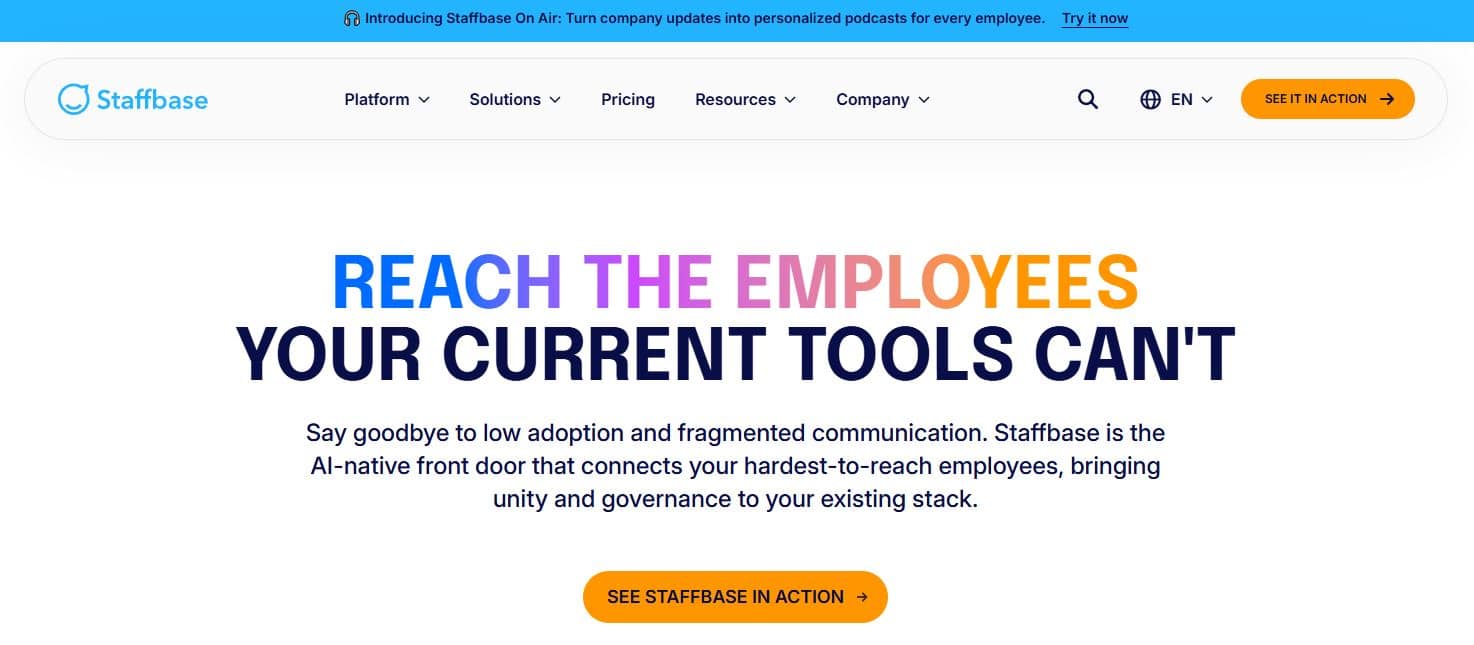
Staffbase is a communications-first platform. Where most intranet platforms start from a content hub and add communications features, Staffbase builds from the message outward. They’re equipped with a robust email design and delivery engine, mobile app, audience segmentation tools, and editorial workflows built for compliance-conscious messaging. Staffbase also integrates deeply with Microsoft 365. The starting price for Staffbase is approximately $30,000/year for 1,000 or more employees.
Its client roster reflects the enterprise scale it is built for: Samsung, DHL (600,000+ employees across 220 countries), Domino’s, Aldi, Sephora
Best for: Large enterprises in regulated industries where structured, campaign-led internal communications and editorial controls are the primary requirement.
Worth knowing: The knowledge management, page structure, and hub creation capabilities for Staffbase are more limited than Unily or SharePoint. Organizations that need rich content architecture alongside communications should evaluate this alongside a dedicated knowledge management platform.
Unily
For multinationals that need a deeply customizable, Microsoft-native digital workplace across complex organizational structures.
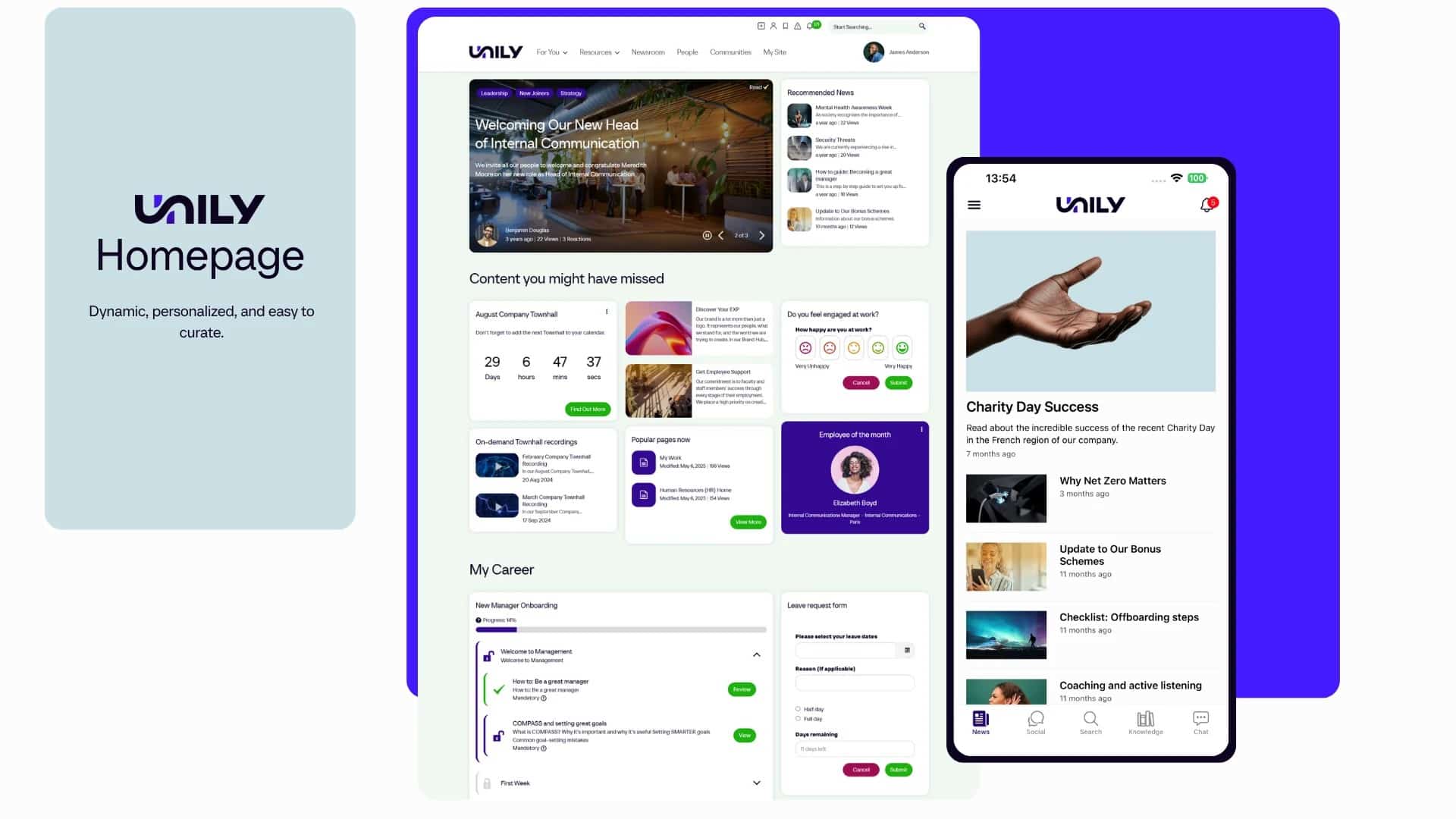
Unily enhances SharePoint with modern UX design, advanced personalization, and social features suited to enterprises managing multiple regions or subsidiaries along with brands from a single platform.
It supports multi-site management, multilingual content, and deeply customizable page layouts. Gartner also named Unily a Magic Quadrant Leader, noting that it favors larger-scale organizations with broader needs. Their pricing is based on custom enterprise licensing only.
The depth of customization comes with a corresponding cost in deployment effort. Unily implementations may be more resource-intensive and require a dedicated internal intranet team for both setup and ongoing maintenance. The mobile experience has been said to lag behind platforms built natively for non-desk employees.
Best for: Multinationals and large enterprises (typically 5,000+ employees) with dedicated IT and communications teams, complex governance requirements, and deep Microsoft 365 investment.
Worth knowing: You may need to budget for internal ownership resources alongside the platform license. Unily’s capability is proportional to the team managing it.
Microsoft SharePoint
For enterprises already standardized on Microsoft 365 that need a governed content backbone rather than a purpose-built intranet.
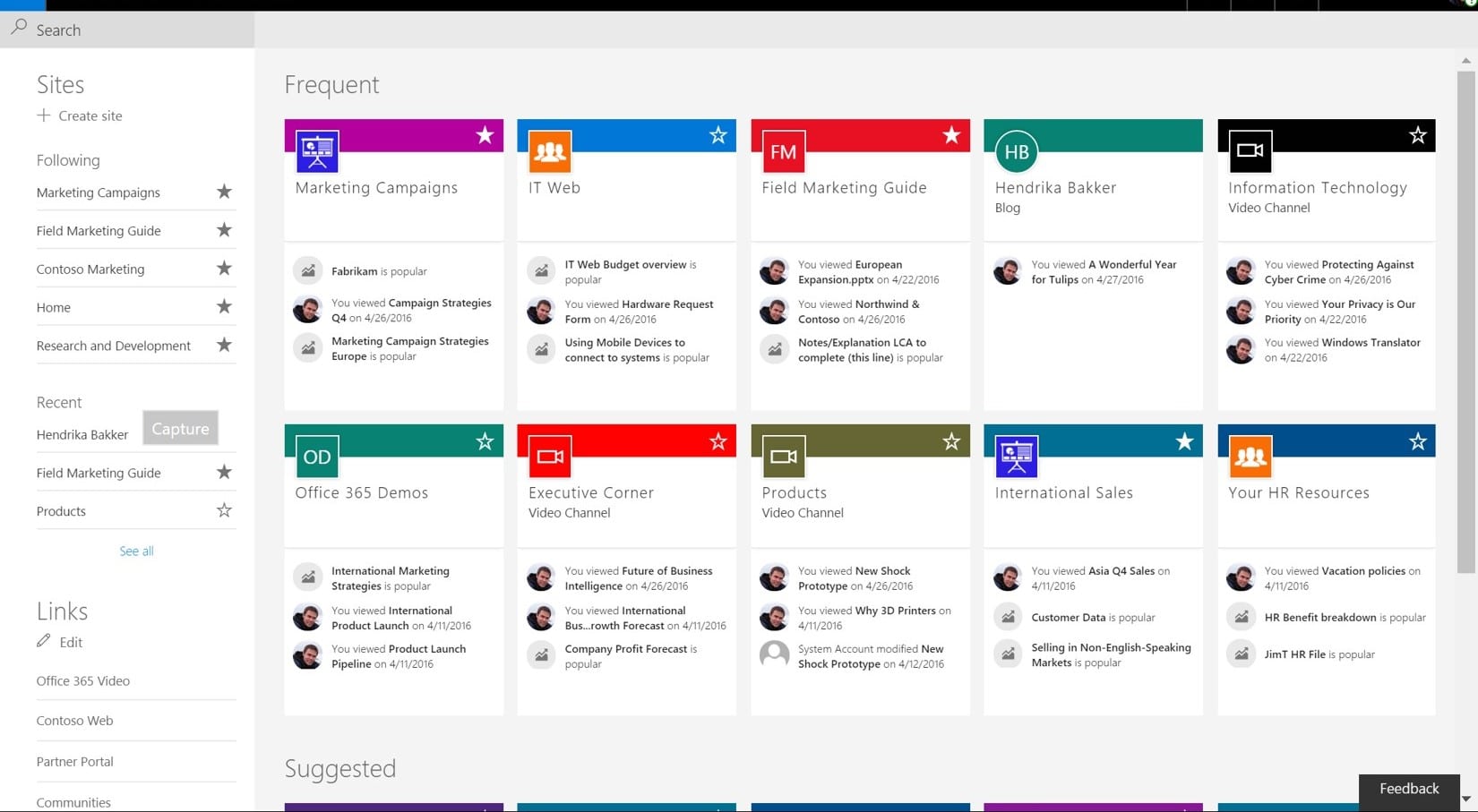
SharePoint is the default foundation for Microsoft-committed organizations, with document management, version control, content approvals, and native integration with Teams, OneDrive, and Outlook built in.
The incremental cost is low for organizations already on Microsoft 365 since SharePoint is included in most enterprise plans.
| Strength | Limitation |
| Deep Microsoft 365 ecosystem integration | Requires significant technical configuration to function as a modern intranet |
| Enterprise-grade document governance and version control | Adoption is a persistent challenge without design and change management investment |
| Scalable content permissions across large organizations | Engagement features (recognition, surveys, social feeds) require additional Viva licenses or third-party tools |
| Cost-effective for existing M365 subscribers | Not designed for frontline or deskless employees |
Table 4: Microsoft SharePoint strengths and limitations as an intranet platform
Best for: Enterprises standardized on Microsoft 365 that need a governed document management backbone and have the internal resources to configure and maintain the environment.
Worth knowing: Most organizations that choose SharePoint invest in additional tools or customization to create an experience employees will actually use day-to-day.
Blink
For frontline-heavy industries where mobile adoption and simplicity are the only requirements that matter.
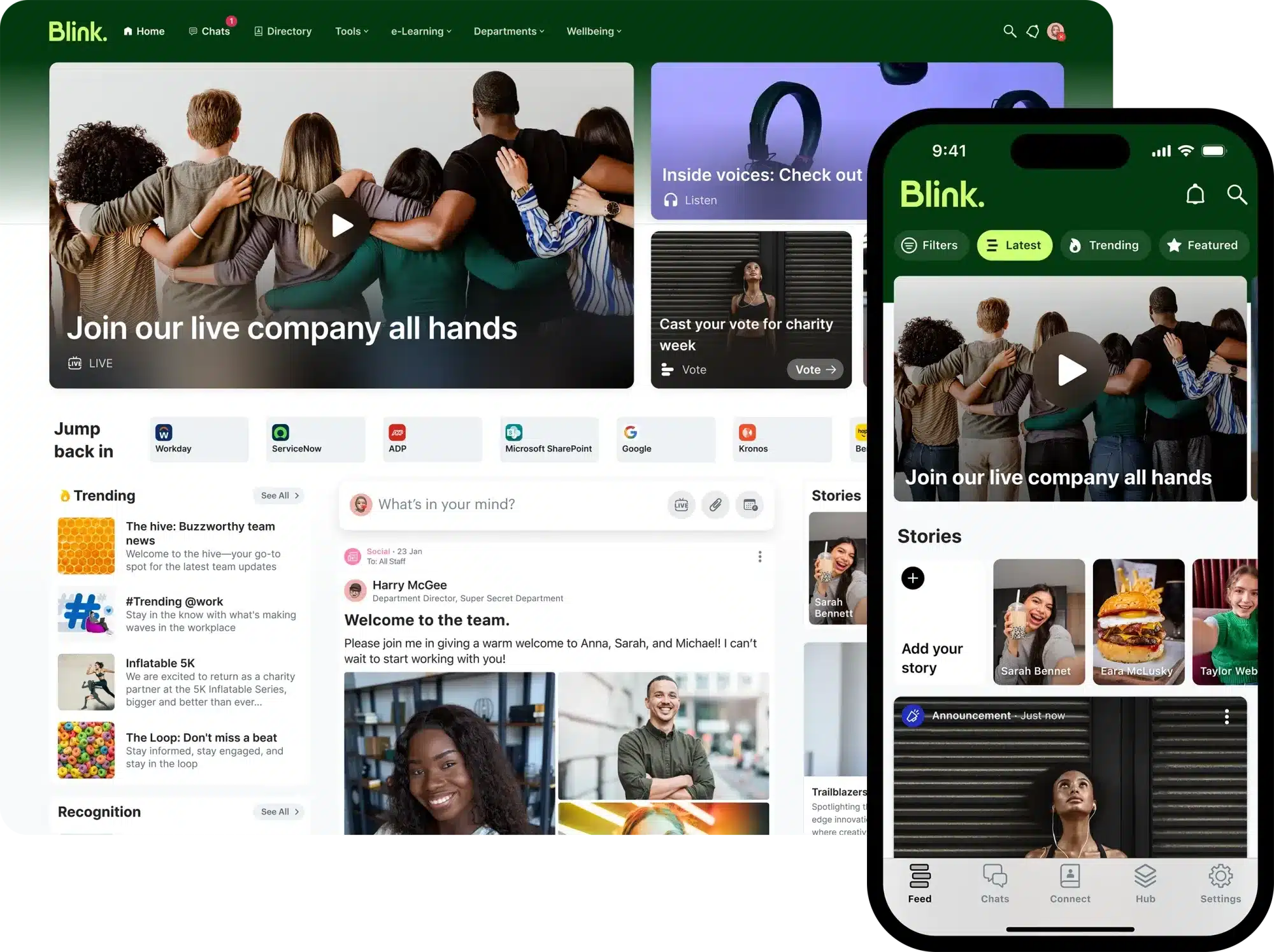
Blink combines company news, secure messaging, shift information, and digital HR forms into a single mobile app. Its design prioritizes ease; employees can start using it without training, which consistently produces high adoption rates across retail, hospitality, logistics, and transportation deployments.
Blink does not position themselves as a traditional intranet, and buyers should not expect structured content management, governance workflows, or knowledge base capabilities.
Best for: Organizations with large frontline workforces where reaching non-desk employees quickly and simply is the primary goal.
Worth knowing: Blink may not be the best as a document repository or knowledge management platform. It’s most suited for organizations whose main challenge is mobile reach, not intranet content management.
Bloomfire
For teams that need a dedicated, searchable knowledge base rather than a full intranet platform.
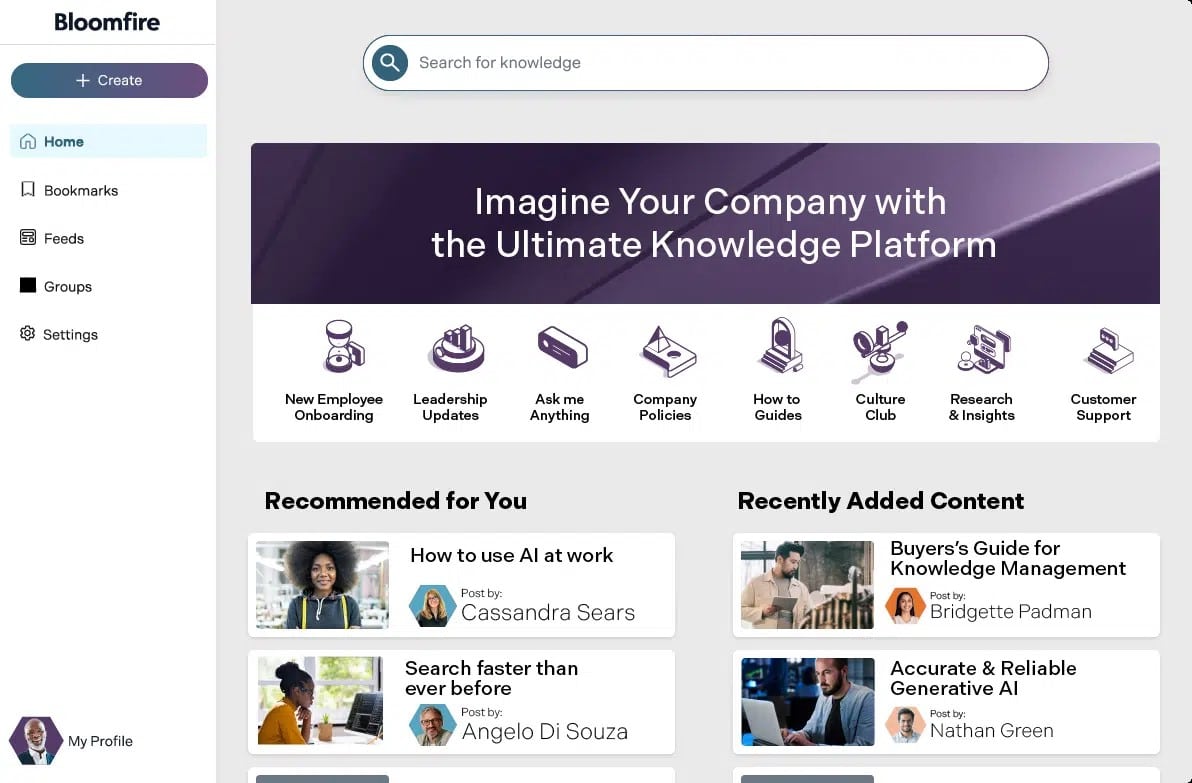
Bloomfire indexes all content, including video transcripts, PDFs, and discussion threads, and then uses AI to surface relevant results. Their Q&A feature routes employee questions to subject matter experts, building a searchable record of institutional knowledge over time. Bloomfire is particularly effective for customer-facing teams, research functions, and organizations where institutional knowledge is a competitive asset.
Best for: Sales teams, customer support functions, and research-heavy teams that need a focused, searchable knowledge base.
Worth knowing: Bloomfire is not a replacement for a full intranet. Works best when paired with a broader communications and engagement platform.
Other intranet platform vendors also worth considering
Axero suits SMBs and mid-sized companies that want a flexible combination of social collaboration, document management, and knowledge base features without enterprise-level pricing or complexity.
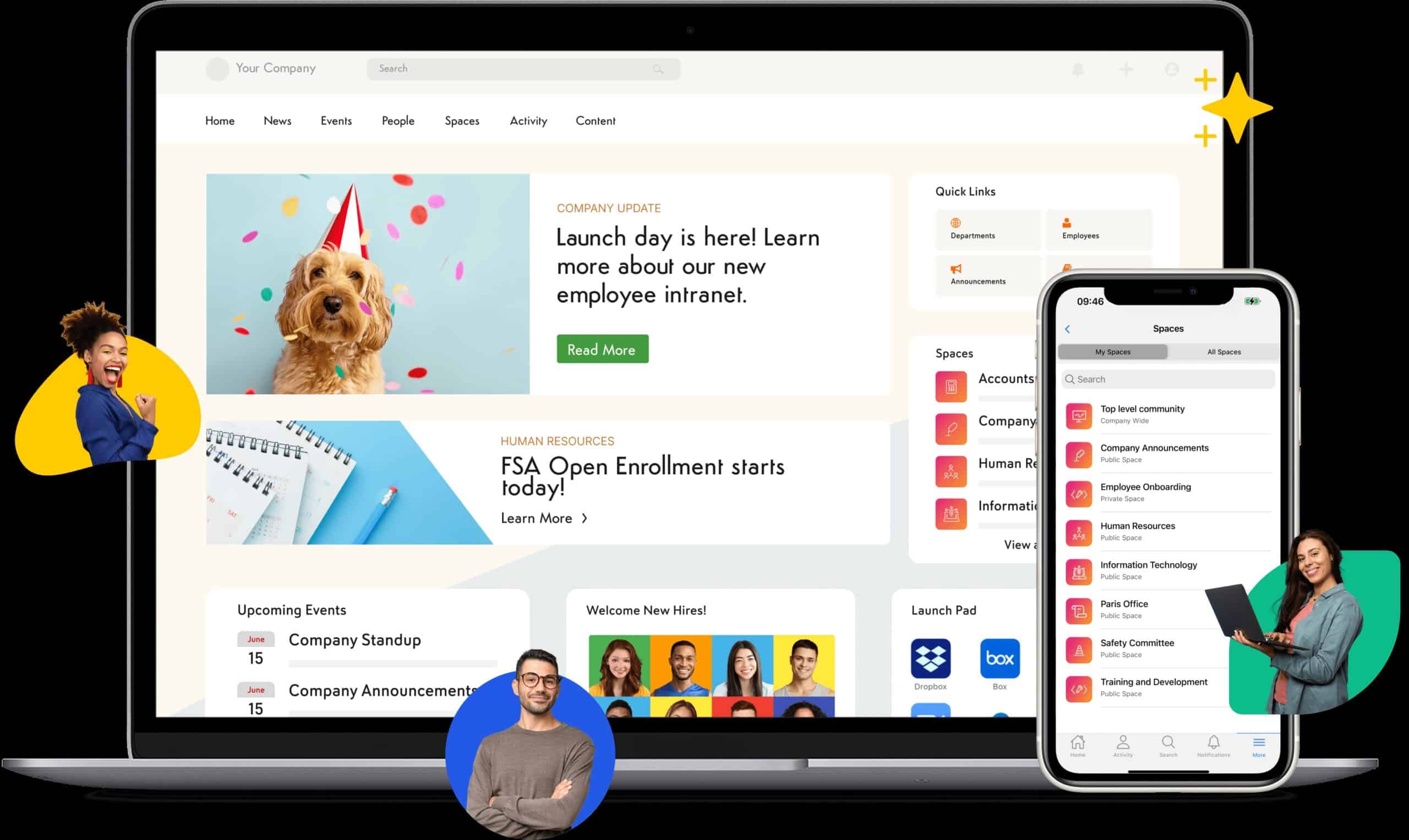
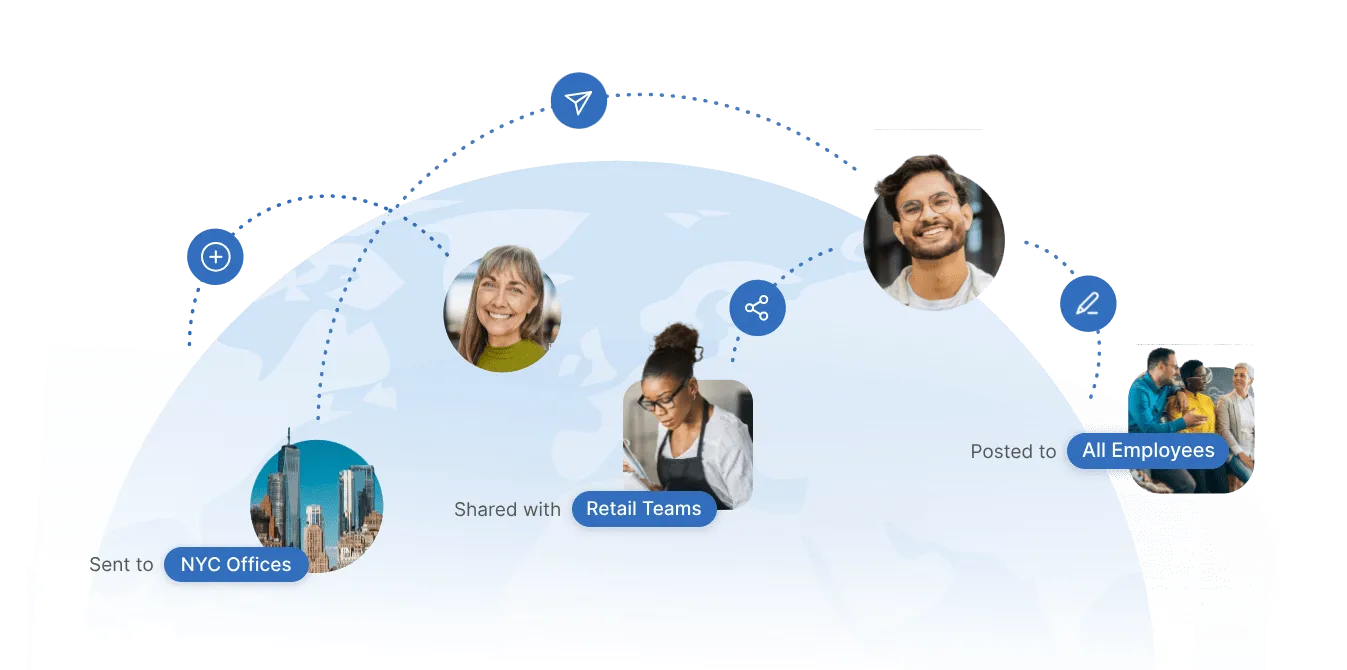
Interact is a strong fit for healthcare, finance, and government organizations where structured publishing workflows, content lifecycle management, and audit trails are non-negotiable requirements.
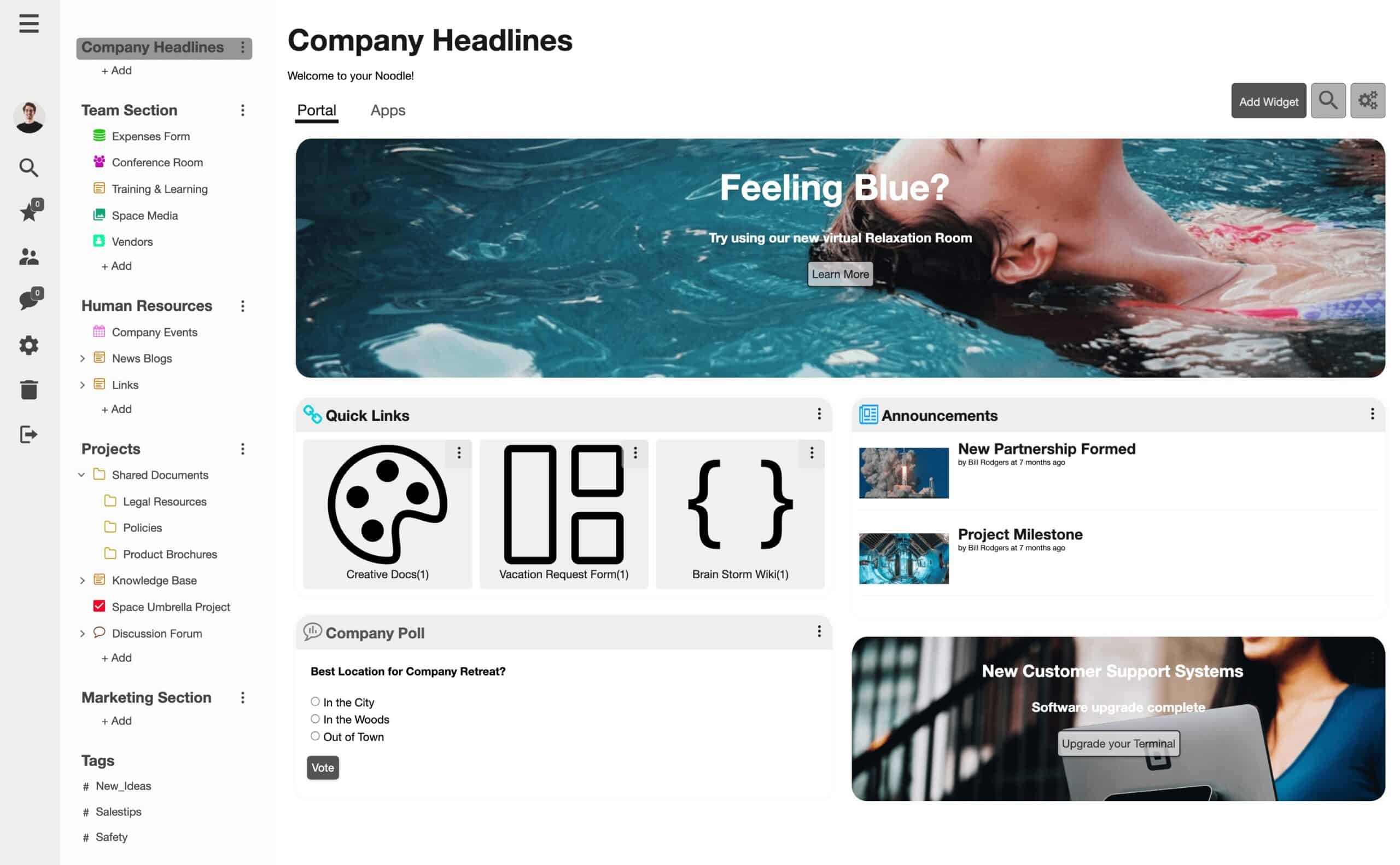
Noodle by Vialect is a social intranet platform focused on community building and knowledge sharing, suited to organizations that want an interactive collaborative workspace without the overhead of enterprise-grade intranet solutions.
Different ways to select the right Intranet Platform
A lot of intranet buying decisions are stalled when organizations evaluate platforms via product demos before they have a clear picture of the intranet requirements relevant to their workforce. The steps below will guide you towards selecting the right intranet platform vendor for your organization.
Start with your workforce type
Workforce composition is one of the most important filters to consider. It determines which capabilities are essential for your organization, and which ones you will end up paying for without using them. Try matching the platform to the majority of your workforce first, then work on verifying that it handles the rest.
- Desk-based and hybrid teams need strong content management, Microsoft 365 or Google Workspace integrations, and personalized news feeds by department or role.
- Frontline and deskless workers need native mobile apps, targeted push notifications, offline access, and branded app store deployment. Governance complexity is a secondary concern.
- Large distributed organizations need multi-site management, multilingual support, and analytics that surface communication gaps by location or business unit.
- Mixed workforces, which is the most common scenario, need a platform that handles both without forcing a compromise. This is where an employee portal layer becomes relevant, giving desk-based and frontline employees unified access to HR self-service and communications from one place.
| For IT decision-makers
HRIS integration depth is rarely covered in standard demos. Always confirm whether integrations are native and bidirectional, or reliant on third-party middleware. This difference matters for data governance and long-term maintenance overhead. |
Match platform scale to your organization’s complexity
Choosing a platform with more features than your organization needs creates overhead. However, if you buy one with less, you’re creating a ceiling you will hit within a year or two.
The size bands below are derived from published vendor positioning and pricing thresholds; treat them as a practical starting point for your consideration.
- Under 500 employees: Prioritize ease of deployment, low administrative overhead, and transparent per-user pricing. HubEngage, Simpplr, and Blink are the company intranet software options best suited to this scale.
- 500–5,000 employees: Multi-channel reach, HRIS integrations, and role-based targeting become important. HubEngage, Workvivo, Simpplr, and Staffbase all operate well across this range.
- 5,000+ employees: Multi-site management, advanced governance, compliance certifications, and dedicated vendor support matter most. Staffbase, Unily, and SharePoint are built for this scale.
Plan for rollout before you sign
Most intranet projects fail at adoption, and the best intranets are built around a clear intranet rollout strategy from day one. The three practices below apply regardless of which platform you choose.
Pilot with a high-impact group first
Frontline teams or a department with a clear communication pain point are ideal starting points. Early feedback surfaces usability issues while they are still easy to fix, and early results give the broader rollout a proof point to build from.
Build a champions program
Peer-to-peer advocacy drives sustained adoption more consistently than top-down mandates. Identifying engaged employees in each department or location to lead by example shortens the time it takes for the platform to become routine rather than new.
Track the right metrics
Active users, content reach, read receipts, and push notification open rates give an early signal of whether adoption is building or stalling. These metrics also show you when you need to intervene before disengagement becomes entrenched.
HubEngage’s guided onboarding model is structured around this approach, with most organizations going live within two to five weeks. Built-in gamification supports adoption without requiring a separate change management program. For a detailed walkthrough of the selection criteria of intranet , explore our intranet software guide.
Conclusion
The best intranet platform for your organization ultimately depends on your communication goals, workforce structure, and employee experience priorities.
By evaluating your organization’s needs against the features, integrations, scalability, and employee experience capabilities of each platform, you can select an intranet solution that helps build a more connected, informed, and engaged workforce.
Organizations seeking an all-in-one solution for communication, engagement, recognition, and employee experience may find HubEngage particularly compelling. Meanwhile, other platforms may excel in specific areas document management.
Book a free demo to explore more about our intranet platform which is a crucial part of HubEngage Employee Experience suite.
Best Intranet Platforms FAQs
How do I choose the best intranet platform for my organization?
Choose an intranet platform based on your workforce size, communication needs, integration requirements, mobile accessibility, employee engagement features, and scalability. The best solution should align with your business goals and support long-term growth.
What features should the best intranet platforms include?
The best intranet platforms typically include internal communications, content management, employee directories, mobile apps, advanced search, knowledge sharing, employee recognition, surveys, analytics, and integrations with workplace tools like Microsoft 365 and Google Workspace.
Which intranet platform is best for employee communication?
HubEngage stands out to be the best intranet platform for employee communication because they offer company news, targeted messaging, mobile access, notifications, and engagement tools that help keep employees informed and connected.
Are intranet platforms suitable for remote and hybrid teams?
Yes. Modern intranet platforms are designed to support remote, hybrid, and distributed workforces by providing centralized communication, mobile access, collaboration tools, document sharing, and easy access to company resources from anywhere.
How much does intranet software typically cost?
Intranet software pricing varies based on the number of employees, features, deployment requirements, and support levels. Most vendors offer custom pricing, while some platforms provide per-user subscription plans for smaller organizations.
Why are integrations important when selecting an intranet platform?
Integrations help employees access tools and information from a single platform. The best intranet solutions connect with HR systems, Microsoft 365, Google Workspace, collaboration apps, and business software to improve productivity and user adoption.
What are the benefits of using an employee engagement intranet platform?
An employee engagement intranet platform helps improve communication, recognition, feedback collection, knowledge sharing, and workplace culture. These capabilities can increase employee satisfaction, strengthen alignment, and support higher productivity across the organization.