Payroll is due tomorrow. Two employees forgot to clock out, one manager approved a handwritten correction with no backup, and you’re trying to decide whether a cheap wall unit, a mobile app, or a cloud platform will make this easier or just create a new mess.
That’s where most small businesses are when they start looking for the best time clocks for small business. They don’t need a flashy demo. They need a system that captures hours accurately, survives payroll week, and doesn’t create legal problems six months later.
The market has changed. Time clocks aren’t just about punching in anymore. Modern buyers increasingly care about auditability, approvals, record locks, remote access, and whether the system fits how their teams operate. If you’re comparing options, the key question isn’t “Which one has the most features?” It’s “Which one will still work when you add locations, mobile workers, payroll integrations, and compliance scrutiny?”
Key Takeaways
- Choose for operating conditions. The right system depends on whether employees work at one site, across locations, or in the field.
- Edit controls protect you. You need timestamps, approvals, and a clear history of changes before payroll is finalized.
- Biometric clocks carry compliance risk. Fingerprint and facial scans can trigger consent, storage, and retention issues that many owners do not price in.
- Distributed teams need verification tools. GPS rules, job-based punches, and mobile approvals often matter more than the device itself.
- Cheap systems create expensive admin work. Manual fixes, export issues, and weak audit trails usually cost more than the subscription you tried to avoid.
Choosing the Best Time Clock For Your Business
A time clock decision usually gets forced by a payroll problem. Hours are coming in late, edits happen by text, and nobody can show a clean record of who changed what. At that point, the question is not which tool looks modern. The question is which system will hold up when a wage dispute, missed break claim, or multi-location rollout puts pressure on your process.
Small businesses often start by comparing punch methods. That is too narrow. The stronger buying lens is operational fit. A fixed-site team needs control at one location. A distributed workforce needs location context, manager visibility, and fewer manual follow-ups. If your team works across jobsites, homes, or multiple branches, a basic wall unit solves only part of the problem. A well-built employee time clock app for mobile and distributed teams can close gaps that show up later in payroll and supervision.
A café with one entrance and one manager can do well with a simple kiosk. A landscaping company with crews leaving from home, switching jobs mid-day, and ending work off-site needs something else entirely. In that case, the hard part is not collecting a punch. It is tying time to the right job, confirming where the punch happened, and getting approved hours into payroll without a chain of texts and corrections.
Biometric tools deserve extra scrutiny here because they are often sold as a fraud fix. They can reduce buddy punching, but they also create a different category of risk. If you collect fingerprints or face scans, you may need tighter consent practices, retention rules, and vendor oversight than you would with a PIN, badge, or mobile punch. For many small businesses, that trade-off is worth it only when time theft is a proven problem and the legal requirements are clear.
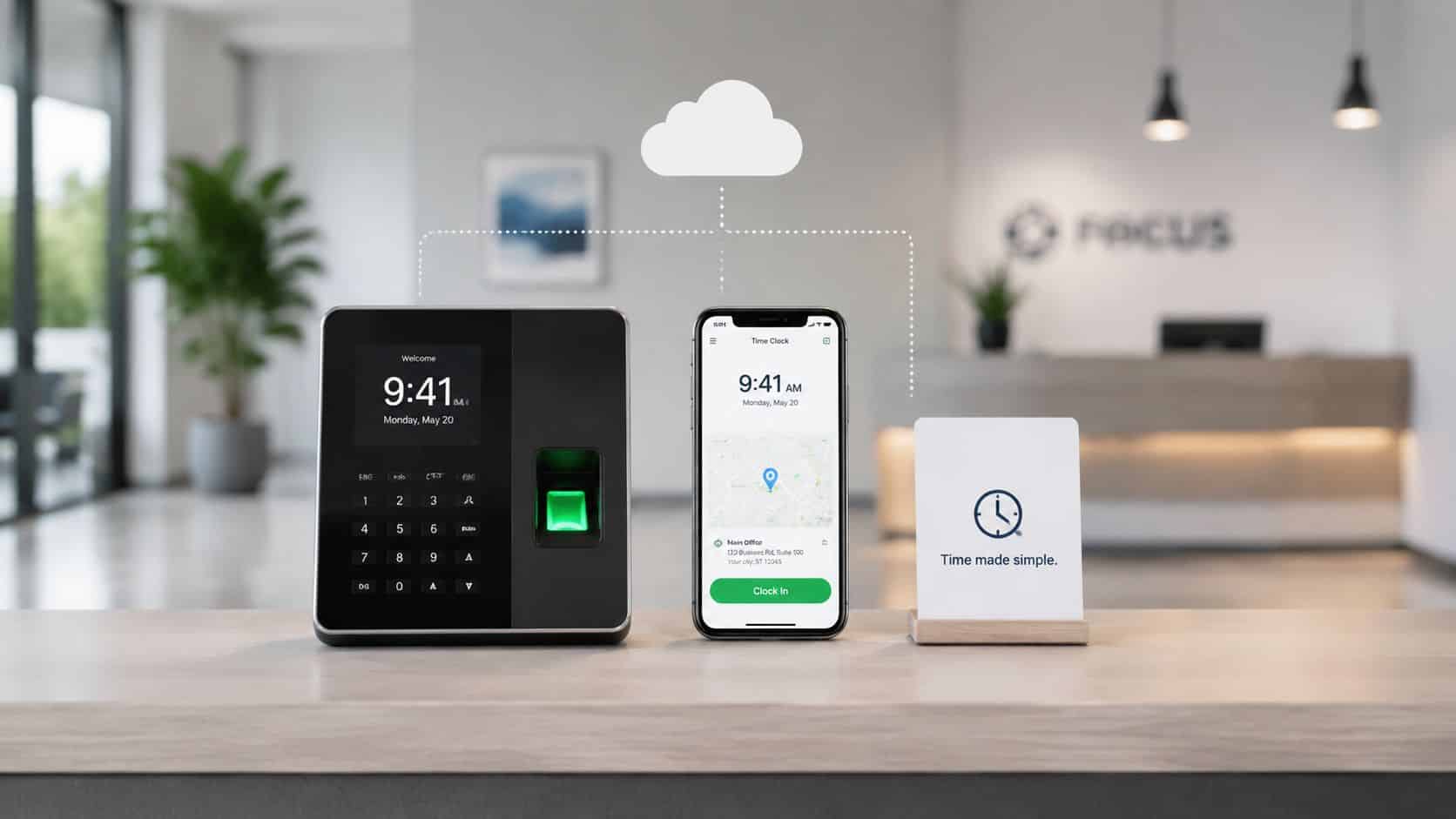
Hardware Mobile or Cloud Based Time Clocks
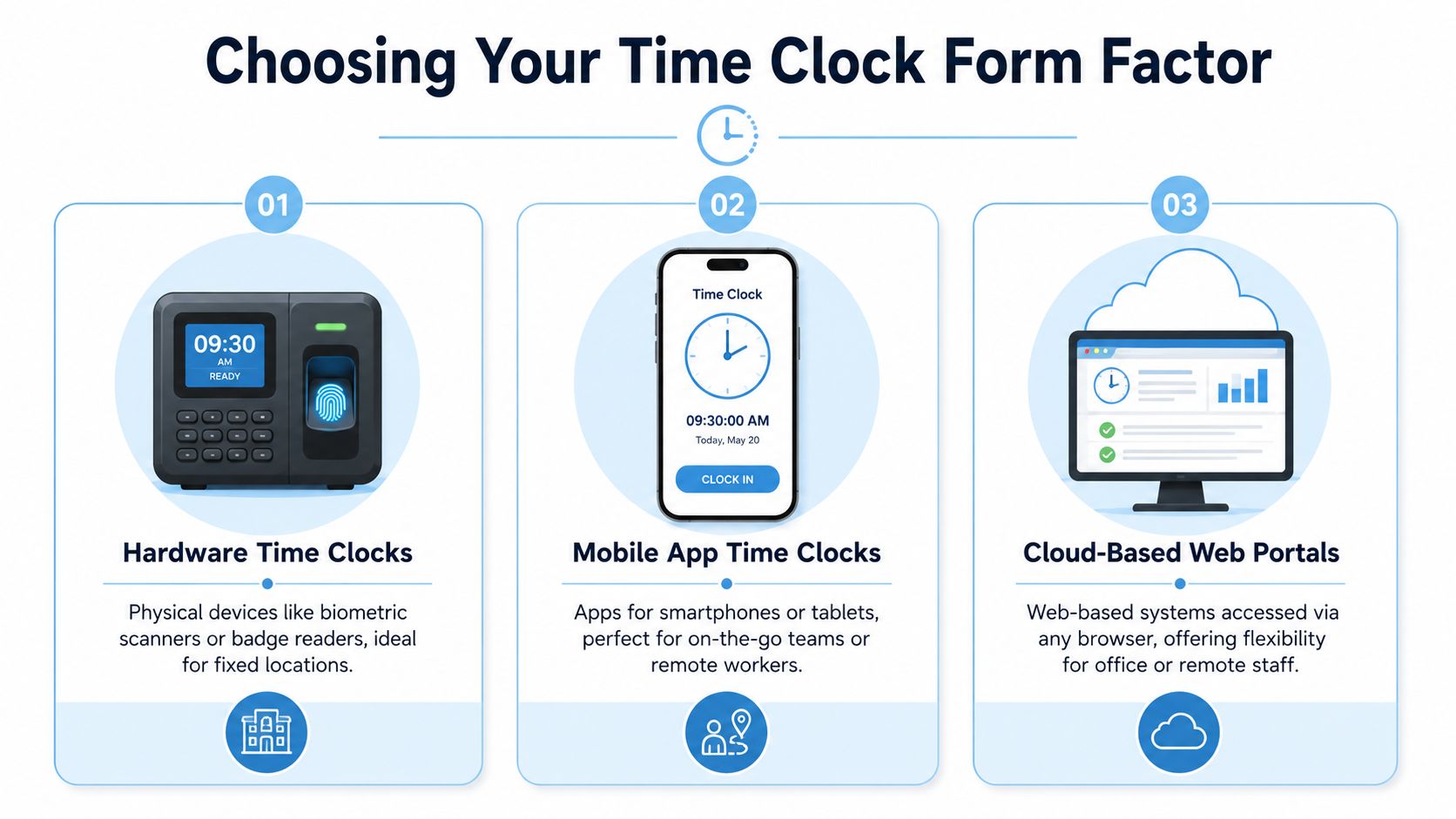
Your first decision is form factor. That choice determines more than how employees clock in. It affects supervision, adoption, privacy risk, and how much admin work managers inherit.
Quick comparison
| Type | Best fit | What works well | What usually breaks |
|---|---|---|---|
| Hardware clock | Fixed-location teams | Consistent on-site punching, easy supervision | Poor fit for mobile or remote staff |
| Mobile app | Field, distributed, deskless teams | Convenience, GPS support, real-time punches | Device policy issues, employee privacy concerns |
| Cloud web portal | Office and hybrid teams | Browser access, admin flexibility, centralized records | Dependence on internet and user discipline |
Hardware clocks
Hardware still makes sense when everyone starts and ends work in one place. Retail stores, warehouses, clinics, and light manufacturing sites often benefit from a wall unit, tablet kiosk, badge reader, or shared terminal because it creates one obvious place to punch in.
The downside is rigidity. If a supervisor opens one location while another team works off-site, the fixed device becomes a bottleneck. Hardware can also create maintenance headaches. Someone has to manage setup, replacement, access rules, and physical placement.
Biometric hardware deserves a separate warning. Many buyers treat fingerprint or facial recognition as an automatic anti-fraud upgrade. That’s incomplete. Office Depot’s guidance on time clock systems notes that biometric data is treated as sensitive data in major privacy regimes, and the GDPR classifies biometric data used for unique identification as a special category of personal data. If you’re considering biometrics, you need a notice, consent, retention, and deletion process before rollout.
Mobile app clocks
Mobile apps are often the most practical option for crews who move between sites. Technicians, cleaners, delivery teams, merchandisers, and remote staff can clock in from the phone they already carry. That reduces friction and removes the need for dedicated hardware.
They also introduce policy questions. Are employees using personal devices or company devices? What happens if someone has a dead battery, poor signal, or location services turned off? If the app collects GPS data, managers need to explain what is tracked and when.
For teams evaluating mobile-first tools, an employee time clock app for workforce management is usually the right starting point because it shows whether mobile capture can support attendance without adding another disconnected system.
Cloud-based web portals
Cloud-based web portals work best for office, hybrid, and desk-based teams. Staff can log hours from a browser, managers can review entries centrally, and payroll admins can handle exceptions without touching a physical device.
The trade-off is discipline. Web systems are flexible, but they’re easier to bypass or forget if employees don’t have a consistent routine. They also rely on internet connectivity and browser access, which may be fine for an office and a bad fit for a shop floor.
A time clock that no one uses correctly isn’t cheaper. It just shifts the cost to payroll cleanup.
Key Criteria for Selecting a Time Clock System
A small business usually feels time clock problems during payroll week. A manager is fixing missed punches, an employee is disputing an edit, and no one is fully sure which record is the original. That is the point where a cheap system stops looking cheap.

A good time clock does more than capture hours. It needs to hold up under payroll pressure, support supervisors in real time, and avoid creating compliance problems you did not plan for. For small businesses, I would judge any system against five practical criteria.
Integration with payroll and workforce systems
Manual re-entry is still one of the most expensive hidden costs in time tracking. If payroll has to export files, correct formats, and chase manager approvals outside the system, you are paying twice. Once for the software, and again in admin time.
Look for a tool that connects cleanly with payroll, scheduling, and HR records. A connected approach matters even more if you expect to grow into multi-site scheduling, shift coverage, or labor reporting. This kind of time and labor management software is a useful benchmark for what operational fit should look like.
Audit trail, edits, and record integrity
Low-cost tools often look fine during setup and fall apart during disputes. You need a clear history of punches, edits, approvals, and lock dates so managers can answer simple questions without guessing.
If an employee says an auto-deducted meal break was wrong, the record should show the original entry, the change, who made it, and when it happened. If it cannot do that, wage disputes get harder to resolve and audit prep gets slower.
This matters even more across distributed teams. Once employees are spread across job sites, home offices, or regional managers, undocumented edits create risk fast because there is no shared physical context to fall back on.
Biometric compliance and privacy controls
Many buyers skip this step and focus only on badge, PIN, or fingerprint convenience. That is a mistake. Biometric clocks can reduce buddy punching, but they also bring legal and policy obligations that are easy to underestimate.
Before choosing fingerprint or facial recognition, confirm how biometric data is stored, whether templates are encrypted, how consent is handled, and how long records are retained. State rules differ, and some businesses decide the compliance burden is not worth the fraud reduction. For a single-site café, a PIN or manager-attended kiosk may be enough. For a distributed workforce with repeated buddy punching issues, the trade-off may justify stricter controls.
User experience and training load
A system can satisfy finance and still fail on the floor. If employees need extra steps to clock in, if supervisors have to fix exceptions every day, or if the app behaves differently by device, adoption drops quickly.
Test the system from the employee side. A front-desk employee on a shared tablet, a field technician on a personal phone, and a remote coordinator on a laptop do not use the same workflow. The right product keeps those differences manageable without forcing every team into the same process.
Reporting that helps managers act before payroll
Reports should do more than total hours. Managers need to catch missing punches, early clock-ins, break exceptions, and unapproved edits before those issues hit payroll.
Good reporting also needs filters that match how the business operates. Location, department, supervisor, job code, and date range are basic. If you run multiple sites or mobile crews, exception reporting becomes far more useful than a generic hours summary.
Scalability and total cost
A system that works for one location can become expensive and awkward once you add sites, managers, or different labor rules. Subscription fees are only part of the picture. Setup, hardware replacement, support limits, implementation help, and policy administration all affect the actual cost.
Use a simple stress test:
- New location: Can you add another site without rebuilding rules and permissions?
- New manager: Can approvals, alerts, and edit rights be assigned cleanly?
- New workforce type: Can the system handle office staff, hourly crews, and mobile employees without separate workarounds?
- New privacy requirement: Can you adjust retention, consent, and access settings quickly?
If the platform struggles with those changes now, it will struggle more once your operation gets more distributed.
Top Time Clock Solutions for Small Businesses in 2026
By projection, the 2026 small-business time clock market has converged around a short list of software-led options, with comparison guides naming between 5 and 9 leading products depending on scope, as summarized by Apps365’s review of time clock options for small business. That tells you something important. The market isn’t searching for one perfect device anymore. It’s segmenting around business model, workforce type, and control needs.
Time Clock Solution Comparison
| Solution Type | Ideal For | Pricing Model | Key Features |
|---|---|---|---|
| Simple on-site clock | Single-location businesses | Usually hardware plus software or basic subscription | Kiosk mode, PIN or badge clock-in, basic approvals |
| Mobile-first system | Field and distributed teams | Usually per-user subscription | Mobile punches, GPS, geofencing, shift visibility |
| Scheduling-led platform | Shift-heavy teams | Usually subscription | Scheduling, attendance, shift changes, timesheets |
| All-in-one workforce platform | Businesses reducing tool sprawl | Usually platform subscription | Time tracking, scheduling, communication, tasks, reporting |
Best for simplicity
If you run one location and most employees start work in the same place, a simple kiosk or shared-device setup is often the most reliable choice. Think cafés, salons, small retail, or clinics. The goal is consistency.
What works?
- Fast adoption: Employees learn one routine.
- Visible compliance: Managers can spot missed punches immediately.
- Less device dependency: Staff don’t need personal phones to clock in.
What doesn’t?
- This setup struggles when employees split time across jobs, travel, or work irregular starts away from the site.
A practical example is a neighborhood restaurant. Staff arrive through the same door, managers can monitor arrivals, and a tablet by the office keeps the process simple. In that case, adding a field-ready app may create unnecessary complexity.
Best for mobile and field teams
For mobile crews, app-based systems are usually the better answer. Landscaping, home healthcare, maintenance, cleaning, and field service businesses need location-aware punches and easy approvals from supervisors who aren’t at a desk.
What to look for?
- GPS capture at punch-in
- Geofenced job sites
- Job or location selection
- Offline tolerance or delayed sync
- Manager review from mobile
Many owners often buy the wrong tool. They choose software based on payroll export alone, then discover supervisors still spend hours chasing employees’ locations. For those teams, time capture without field context is incomplete.
If you need better visibility into daily records, an employee timesheet software approach often makes more sense than a bare punch app because approvals and exceptions become easier to manage.
Best for businesses where scheduling is the real issue
Some companies think they need a better time clock. What they really need is a better schedule-to-attendance workflow. If shifts change constantly, no-shows are expensive, and managers spend their day texting updates, a scheduling-led platform will often produce better results than a standalone clock.
Good fit:
- Retail
- Hospitality
- Healthcare support teams
- Multi-shift service operations
The advantage is operational context. Employees can see where they’re supposed to be, managers can compare scheduled versus actual attendance, and approvals happen with less backtracking.
Best all-in-one platform
This category fits businesses that are tired of separate apps for scheduling, communication, tasks, and time. These platforms aren’t always the cheapest starting point, but they can be the cleanest long-term choice if your managers are bouncing between systems.
What works well in practice:
- One login for employees
- Fewer adoption problems
- Better manager oversight across shifts and tasks
- Less duplicate data entry
If your managers are using one tool to build schedules, another to message staff, and another to approve hours, your time clock problem is really a workflow problem.
The strongest recurring selection criteria in current market guidance are data quality and control features such as audit trails, edit histories, timestamps, approval workflows, and software integration. That’s the right lens. Good time clocks don’t just capture time. They produce records you can trust.
Matching the Right Time Clock to Your Workforce
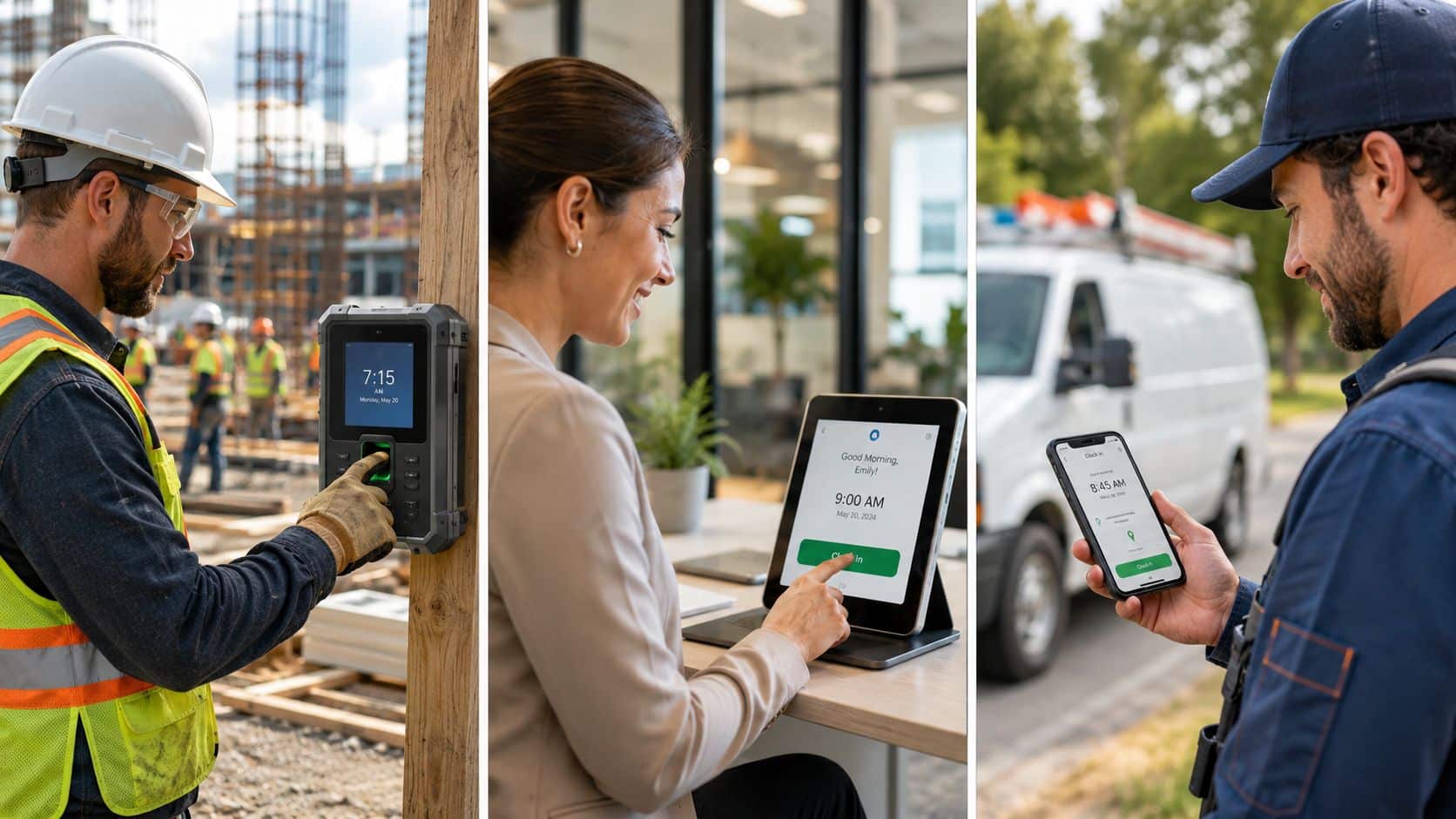
The right setup depends less on feature count and more on where work happens. A fixed-site team, a traveling crew, and a hybrid office won’t succeed with the same system.
Frontline teams at one site
A retail floor, warehouse, or production site usually benefits from a stationary clocking method. A kiosk, wall terminal, or shared tablet works because it anchors attendance to the location. Employees know where to clock in, and supervisors can quickly catch missed punches during shift changes.
This setup is strongest when people begin work in the same building and managers need visible control. It’s weaker when employees float between locations or start off-site.
Distributed and field teams
A mobile workforce needs proof of presence without turning supervisors into detectives. That’s where a mobile app with location-aware clock-ins and route-based context can help. But the bigger issue isn’t just accurate punches. It’s reducing the back-and-forth between schedules, attendance, and team communication.
Return often comes from lowering coordination overhead across multiple tools. ShiftFlow’s discussion of time clock software points to this gap by noting that many articles focus on punch accuracy or payroll export quality while under-answering whether the primary ROI comes from combining scheduling and time tracking in one place.
For distributed teams, this matters every day. A field supervisor who can see shifts, attendance, and changes in one workflow resolves problems faster than one who has to cross-check a spreadsheet, a group chat, and a payroll app. Companies exploring broader mobile workflows often benefit from these use cases for employee mobile apps because time tracking tends to work better when it sits inside a tool employees already use.
Desk-based and hybrid teams
Office and hybrid teams usually don’t need a physical device. A browser-based clock or integrated workflow works better because employees are already in front of a laptop. The challenge here is less about proving location and more about making logging time feel natural.
A finance team may need strict approvals and project coding. A hybrid support team may just need clean daily records and manager review. In both cases, forcing them onto a shop-floor style kiosk would add friction for no reason.
The best time clock for small business is the one your workforce can use correctly with minimal correction from managers.
Streamline Time Tracking with an Integrated Platform
A standalone time clock handles one task. It records hours. That’s useful, but it doesn’t fix the operational fragmentation that creates extra work for managers.
In a lot of small businesses, a significant burden comes from disconnected systems. Scheduling lives in one tool. Team messaging happens in another. Time approvals happen somewhere else. Tasks are tracked in text threads or spreadsheets. Managers end up reconciling work across apps instead of running the team.
Why integrated operations matter?
For distributed and frontline environments, time tracking works best when it sits next to scheduling, updates, and task coordination. If an employee can check a shift, clock in, receive instructions, and confirm task completion in one place, adoption improves because the workflow makes sense.
That’s especially relevant for businesses trying to optimize mobile sales teams or other mobile workforces where location, schedule changes, and fast communication all affect daily execution.
A more connected setup also gives leaders one operational view instead of scattered records. If you’re evaluating this model, employee scheduling and time tracking software is the category to watch because it addresses the coordination burden that standalone clocks leave behind.
Where HubEngage fits?
HubEngage helps organizations bring time tracking into a broader workforce experience platform that also supports communication, engagement, scheduling, task management, and learning. That matters for teams that don’t just need a punch tool. They need a system employees will consistently use throughout the workday.
Instead of adding one more app, businesses can reduce tool fragmentation and give employees a single digital hub for schedules, updates, tasks, and workforce operations.
Conclusion
The best time clocks for small business are the ones that fit how your workforce actually operates while creating accurate, defensible records for payroll, compliance, and daily management. Whether you choose a kiosk, mobile app, or cloud-based platform, the goal is to reduce manual corrections, improve visibility, and simplify workforce operations as your business grows. If you’re looking to streamline time tracking alongside communication, scheduling, and workforce management, explore the HubEngage Employee Experience Platform by scheduling a personalized demo today.
Best Time Clocks for Small Business FAQs
Do small businesses still need a physical time clock?
Sometimes. A physical setup still works well for fixed-location teams in retail, manufacturing, healthcare support, and hospitality. If everyone starts work at the same site, a kiosk or shared tablet can be the most reliable option. If employees travel, work remotely, or split time across sites, hardware usually becomes limiting.
Are biometric time clocks worth it?
They can help reduce buddy punching, but they also increase privacy and compliance risk. If you’re considering fingerprint or facial recognition, review your legal obligations before rollout. In some situations, a PIN, badge, mobile, or kiosk workflow is the safer choice.
What features matter most in a time clock system?
Start with the basics that protect payroll quality:
- Accurate punch capture: Employees need a simple, repeatable way to clock in and out.
- Approvals: Supervisors should review and approve hours before payroll.
- Edit visibility: Managers should see what changed and who changed it.
- Reporting: Admins need usable reports by date, employee, location, or team.
- Integration: The system should hand off cleanly to payroll or related tools.
Are free time clock apps good enough?
They can be, for very small teams with simple needs. The problem usually appears later. Free tools often work as entry-level systems but become restrictive when you need approvals, better reporting, stronger controls, or support across multiple sites.
What should I ask during a vendor demo?
Ask questions that expose daily friction:
- How are missed punches handled?
- Can supervisors approve from mobile?
- What does the audit trail show after an edit?
- How are multiple locations managed?
- What happens if an employee has no signal?
- How are records exported to payroll?
What’s the biggest mistake small businesses make when choosing a time clock?
They buy for the current headcount and ignore future workflow. A system might work for one location and become frustrating once you add supervisors, mobile workers, or more formal payroll controls. Choose for the next stage of your operation, not just today’s pain.