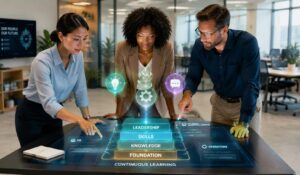
A strong learning management system experience is about more than putting up courses and checking the progress. It covers the complete journey employees follow when they get training, search for information, complete tests, get reminders, and use new knowledge at work.
This experience is especially important for frontline, remote, hybrid, and distributed employees. These workers may not use a desktop computer every day or have enough time for long training sessions. They need learning that is mobile-friendly, easy to find, relevant to their roles, and available during daily work.
Modern learning platforms combine structured training with personalized recommendations, microlearning, social learning, analytics, and AI-powered support. This creates a connected employee experience platform that helps employees build skills while helping organizations improve compliance, productivity, and workforce readiness. In this guide we will cover everything you need to know about good lms experience.
Key Takeaways
- A good learning management system experience makes training simple, mobile-friendly, and relevant.
- LMS platforms manage structured training, while LXPs support personalized and self-directed learning.
- AI can personalize learning paths, recommend content, and identify workforce skill gaps.
- Microlearning helps busy employees complete practical training without disrupting daily work.
- Mobile access is essential for frontline, remote, and distributed workforce learning.
- The right LMS should support compliance, onboarding, analytics, integrations, and continuous development..
Learning Management System Experience for Modern Workforce
The global workforce is changing quickly. Research shows, 72% of L&D professionals like blended learning which affected employees positively.
Organizations must upskill employees, manage distributed teams, maintain compliance, improve retention, and support digital transformation.
Traditional classroom training can create several challenges. It often requires travel, instructors, fixed schedules, and physical learning materials. Training quality may also vary between locations.
| Classroom Learning | Modern LMS Learning |
|---|---|
| Requires travel, instructors, and fixed schedules | Offers flexible online training from any location |
| Training quality may vary by instructor or location | Standardizes learning across teams and regions |
| Limited access for remote and hybrid employees | Supports remote, hybrid, and frontline workers |
| Can delay employee onboarding | Speeds up onboarding with on-demand courses |
| Progress tracking is often manual | Tracks completion, compliance, and performance automatically |
| Difficult and costly to scale | Scales easily as the workforce grows |
| Higher training administration costs | Reduces training and administration costs |
| Mainly supports employee training | Supports employees, customers, and business partners |
A Closer Look at Popular LMS Types
Different organizations need different learning systems based on their size, workforce structure, security requirements, and technical resources.
1. Cloud-Based Learning Management Systems
A cloud-based LMS is hosted by the software provider and accessed through the internet. Its main benefits include:
- Faster implementation
- Lower infrastructure costs
- Automatic software updates
- Remote and mobile access
- Easier scalability
- Reduced IT maintenance
2. Self-Hosted Learning Management Systems
A self-hosted LMS is installed on an organization’s own infrastructure. This model provides:
- Greater control over customization
- Internal data hosting
- Flexible system configuration
- More control over technical updates
3. Open-Source Learning Management Systems
Open-source LMS platforms give organizations access to the source code. This allows extensive customization and greater control over platform development. These systems can be cost-effective, but implementation may require developers, system administrators, and technical expertise.
4. Corporate LMS
A corporate LMS focuses on employee training, compliance, onboarding, and workforce development. Common capabilities include:
- Certification tracking
- Advanced reporting
- HR system integrations
- Automated assignments
- Skills development
- Role-based learning paths
5. Academic LMS
Academic learning systems are designed for schools, universities, and educational institutions. They commonly support:
- Course scheduling
- Student assessments
- Gradebooks
- Virtual classrooms
- Teacher-student collaboration
- Academic content delivery
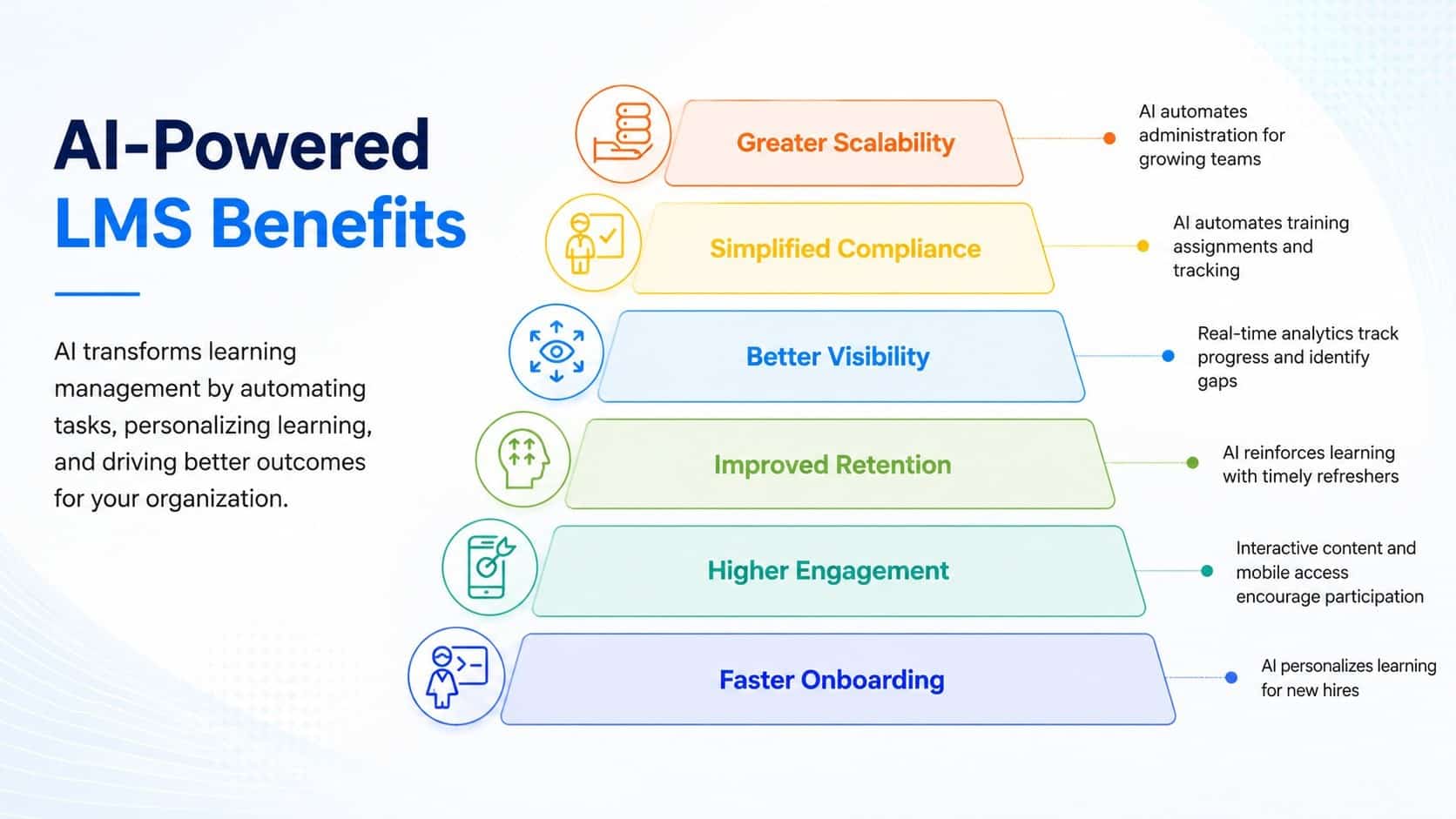
Benefits of an AI-Powered LMS for SMBs
An AI-powered LMS can help small and medium businesses improve training without increasing administrative work. Key benefits include:
Key Features of an AI-Powered Learning Management System
A modern LMS should do more than store courses. It should create relevant learning experiences and provide useful insights into workforce development. This is possible by having latest learning management system features as shown below:
| AI-Powered LMS Feature | Function |
|---|---|
| AI-powered personalized learning | Tailors training to employee roles, skills, and career goals |
| Intelligent recommendations | Suggests relevant courses, videos, and learning resources |
| Mobile learning | Gives remote, frontline, and hybrid employees access anywhere |
| Automated learning paths | Assigns training by role, department, location, or certification |
| Microlearning and interactive content | Improves engagement with short videos, quizzes, and lessons |
| Real-time learning analytics | Tracks progress, completion, engagement, and skill gaps |
| Digital workplace integrations | Connects the LMS with HR, communication, and collaboration tools |
| Social and collaborative learning | Supports peer learning, mentoring, and knowledge sharing |
Common Learning Management System Use Cases
Employee Onboarding
An LMS can automate onboarding and deliver company policies, compliance training, process guides, systems education, and role-specific learning. Structured onboarding helps new hires become productive faster.
Partner Training
Businesses can train distributors, franchisees, resellers, and channel partners. Consistent training improves product knowledge, brand standards, and sales readiness.
Employee Development and Upskilling
Continuous learning programs support leadership development, technical skills, soft skills, career growth, and internal mobility.
Customer Training
Customer education can improve product adoption, reduce support requests, and increase satisfaction. Companies can deliver tutorials, certification programs, and self-service learning through an LMS.
Compliance Training
Organizations use LMS platforms for workplace safety, cybersecurity, data privacy, industry regulations, and professional certifications. A compliance training software gives automatic reminders and completion records simplify audits.
Partner Training
Businesses can train distributors, franchisees, resellers, and channel partners. Consistent training improves product knowledge, brand standards, and sales readiness.
Sales Enablement
Sales teams need regular updates on products, competitors, sales methods, and compliance requirements. An LMS helps distribute new content quickly and track completion.
Member and Continuing Education
Professional associations can use an LMS to deliver continuing education, certifications, credentials, and paid online learning programs.
Multi-Location Training
Retail, healthcare, hospitality, manufacturing, and franchise organizations can assign location-based training while maintaining centralized oversight.
Top 5 Learning Management System Experience Tools
Here are the 5 best learning management systems that deliver good lms experience across teams:
| LMS platform | Best suited for | Key capabilities |
|---|---|---|
| HubEngage | Frontline, remote, distributed, and growing teams | Mobile learning, microlearning, AI chatbot, communications, surveys, recognition, gamification, policy delivery, and analytics |
| Cornerstone | Large organizations with complex compliance needs | Structured learning paths, certifications, workforce development, reporting, and compliance tracking |
| Docebo | Organizations seeking AI-supported personalization | Content recommendations, role-based learning, integrations, microlearning, and learning automation |
| 360Learning | Teams focused on collaborative learning | Peer-created courses, knowledge sharing, employee feedback, course creation, and engagement analytics |
| SAP learning solutions | Enterprises already using the SAP ecosystem | HR integration, enterprise training, certification management, reporting, and scalable compliance programs |
The right platform depends on learning management system requirements such as workforce size, learning goals, budget, technical resources, and integration.
LMS Technology Future Trends
Here are some of the trends of Learning Management System Experience that will emerge in future:

Conclusion
A strong learning management system experience goes beyond delivering courses. It helps employees access useful knowledge, strengthen important skills, and apply learning confidently during everyday work.
When learning is mobile-friendly, role-based, measurable, and connected to communication, feedback, recognition, and AI-powered support, it becomes a practical driver of workforce performance.
Explore the HubEngage Employee Experience Platform by scheduling a personalized demo to see to see how connected learning can support frontline, remote, and distributed employees.
FAQs on Learning Management System Experience
What is a learning management system experience?
A learning management system experience covers how employees discover, access, complete, revisit, and apply workplace training. It also includes reminders, assessments, mobile access, support, reporting, and knowledge search.
Why do traditional LMS platforms frustrate frontline employees?
Traditional systems may depend on desktops, email, long courses, and complex menus. Frontline employees need mobile access, short lessons, simple navigation, and training that fits into daily work.
What makes a good LMS experience for SMBs?
A good LMS for SMBs should be affordable, easy to manage, mobile-friendly, scalable, and relevant to employee roles. It should support onboarding, compliance, employee microlearning approach , analytics, and knowledge access.
How does AI improve the learning management system experience?
AI can recommend relevant content, automate learning paths, identify skill gaps, summarize learning data, and help employees find approved policies or training resources through natural-language questions.
Is gamification useful in employee learning?
Gamification can improve participation when it supports clear learning goals. Points, badges, leaderboards, recognition, and rewards can encourage completion and continued engagement without making training feel forced.
Related Links
employee experience platforms | employee microlearning approach | compliance training software | best learning management systems | learning management system requirements | learning management system features