Tracking employee hours across shifts, locations, projects, and schedules can be difficult. For small businesses and distributed teams, missing time may cause payroll errors, overtime problems, inaccurate billing, and unnecessary administrative work. A timesheet template creates a consistent process for recording hours, reviewing attendance, calculating wages, and tracking projects. It can support frontline workers, hourly employees, contractors, field teams, and remote staff. Whether you need daily, weekly, biweekly, monthly, or project-based tracking, the right template can simplify workforce management . Our blog explains the various timesheet templates used across industries as well as best practices to improve your company’s time-tracking process.
Key Takeaways
- A timesheet template helps businesses consistently record employee hours, overtime, breaks, projects, and attendance.
- Daily, weekly, biweekly, monthly, and project-based templates support different workforce and payroll requirements.
- Small businesses can use templates to simplify payroll and reduce manual time-tracking errors.
- Mobile-friendly timesheets are particularly useful for frontline, field, remote, and distributed employees.
- Managers should establish a consistent process for reviewing and approving employee timesheets.
- Growing teams can automate time tracking by connecting attendance, scheduling, payroll, and workforce management tools.

How Timesheet Templates helps in Workforce Management?
A reliable employee timesheet template consistently records work hours for hourly, remote, rotating-shift, contractor, and project-based teams. It replaces scattered notes and spreadsheets with one standardized process. When tracking both employees and contractors, businesses should also consider worker classification factors such as the working relationship, level of control, and worker independence.
For US businesses, accurate records support FLSA compliance, including daily and weekly hours for nonexempt employees, without requiring a specific format. Accurate timesheets can solve following challenges with give the right solution for these areas of workforce management, including:
| Timesheet Template Support | Challenge It Helps Solve |
| Payroll processing | Manual payroll corrections |
| Overtime calculation | Incorrect overtime calculations |
| Attendance tracking | Difficulty tracking remote or field workers |
| Labor cost management | Limited visibility into labor costs |
| Client and project billing | Multiple spreadsheets |
| Workforce planning | Growing administrative work |
| Scheduling | Late employee submissions |
| Compliance recordkeeping | Missing timesheets |
Digital time-tracking systems capture hours, centralize records, automate approvals, and connect with payroll or HR platforms. Timesheet data also helps managers understand how employees spend time across projects, clients, or locations.
By identifying long workdays and recurring overtime, businesses can improve scheduling, balance workloads, control labor costs, and maintain accurate workforce records.
Components of an Effective Timesheet Template
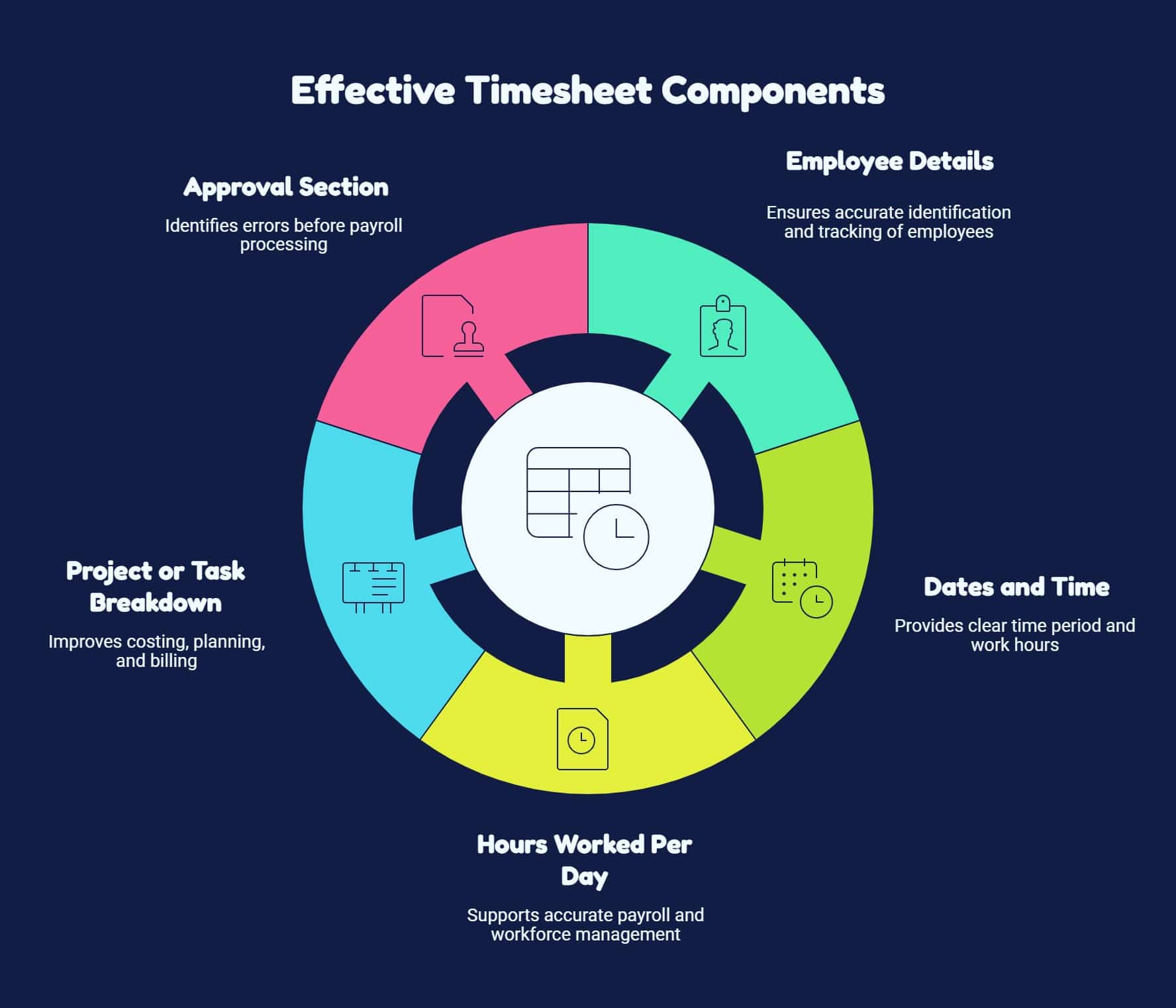
A good timesheet template should make recording time simple for employees while giving managers enough information to review and approve hours. Here are the main elements you can include.
1. Employee Details
Include employee details, department, job title, location, and team information for accurate timesheet identification.
2. Dates and Time
Clearly state the timesheet period, including workweek dates, work dates, start times, end times, and required information.
3. Hours Worked Per Day
Recording working hours is the primary purpose of any employee timesheet software, supporting accurate payroll and workforce management.
4. Project or Task Breakdown
Businesses managing multiple clients, projects, or work orders can categorize time, improving costing, planning, and billing.
5. Approval Section
Add space for employee and manager review, helping identify errors before approved timesheets reach payroll.
Different Types of Timesheet Templates
There is no single template that works for every organization. Your ideal format depends on how employees work, how frequently they are paid, and how much detail managers need. Here are five common options you can check out:
1. Daily Timesheet Template
Records workday details, including dates, start and end times, breaks, regular hours, overtime, tasks, projects, and notes, supporting accurate payroll, attendance, and project tracking.
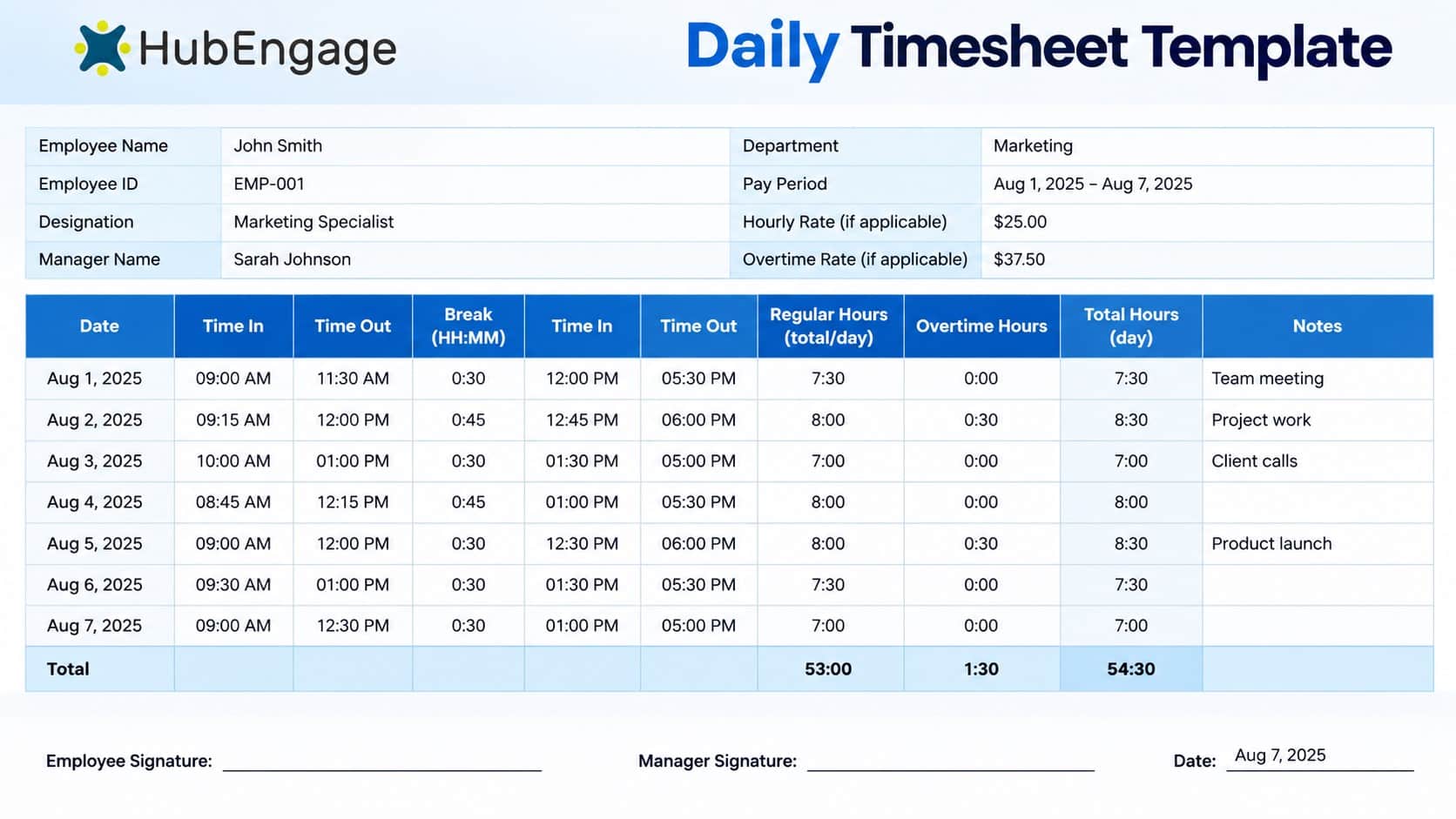
Daily tracking gives managers a detailed view of how work hours are distributed. Daily timesheets work well for employees whose hours or activities regularly change. They can be useful for:
- Contractors
- Field service teams
- Construction workers
2. Weekly Timesheet Template
A weekly timesheet template records employee hours throughout a workweek, including regular and overtime hours. It simplifies payroll, reduces paperwork, and helps managers identify scheduling issues.
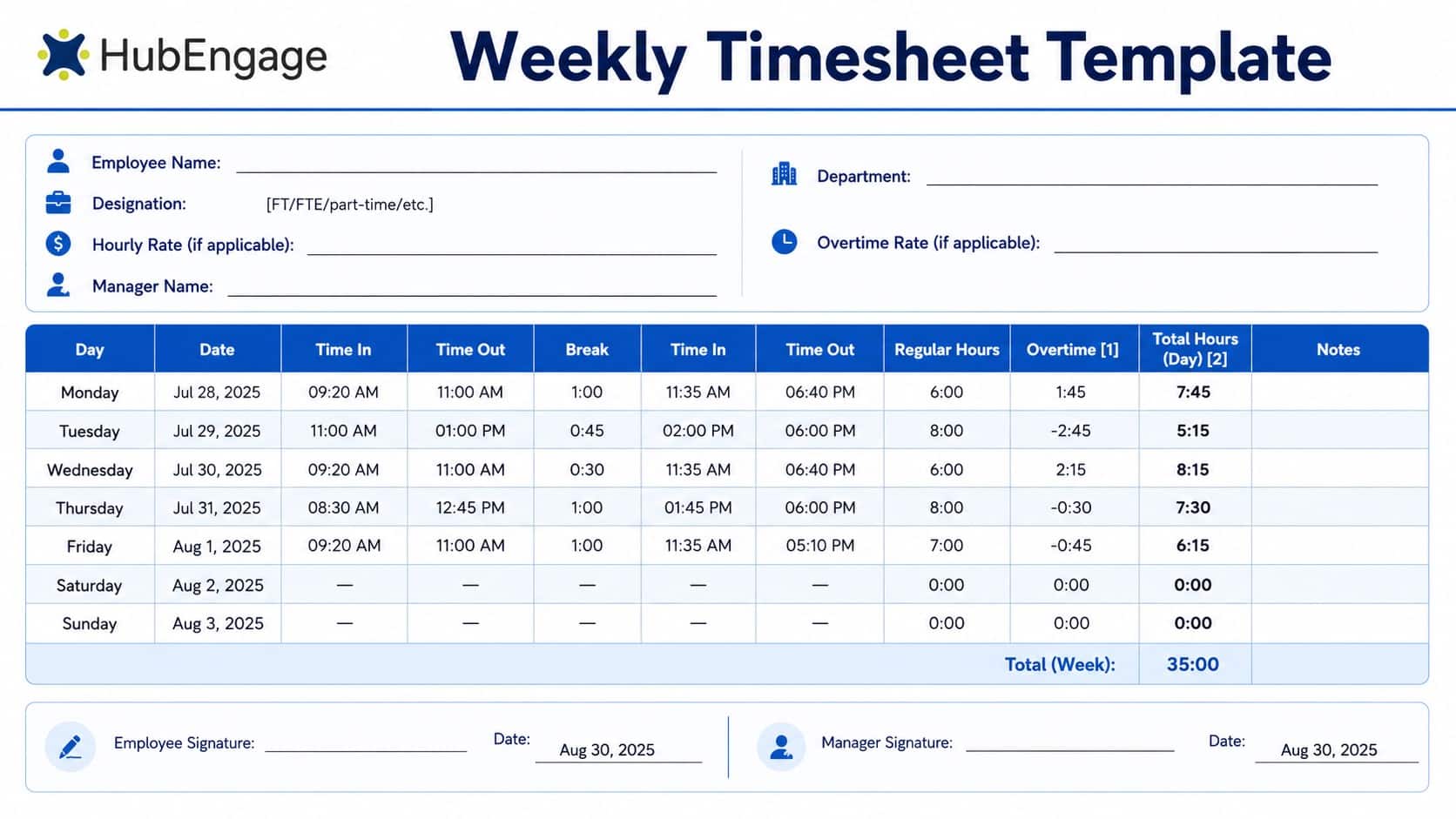
Weekly timesheets are ideal for frontline, hourly, retail, hospitality, manufacturing, construction, and small-business employees with consistent weekly schedules. They can work particularly well for:
- Manufacturing workers
- Small businesses
- Weekly payroll environments
3. Biweekly Timesheet Template
A biweekly timesheet template records two consecutive weeks of employee hours on one document. It generally provides separate daily entries for each week followed by totals for regular hours, overtime, and total hours worked.
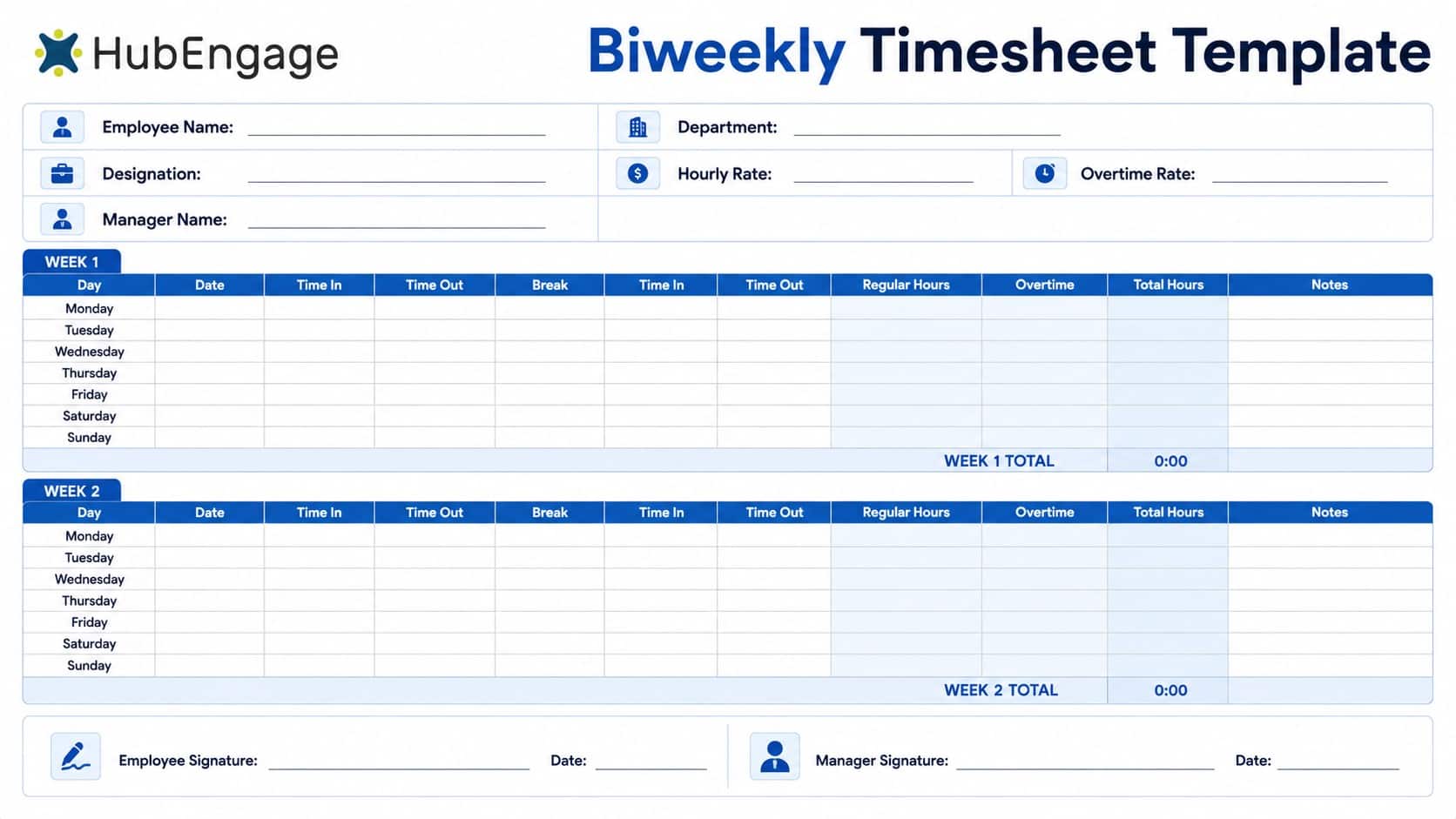
- Hourly and frontline workers with recurring schedules
- Remote and distributed employees
- Freelancers, and project-based workers
4. Monthly Timesheet Template
It records work hours across an entire month. Instead of submitting separate documents every week, employees maintain one monthly time record containing daily or weekly entries.
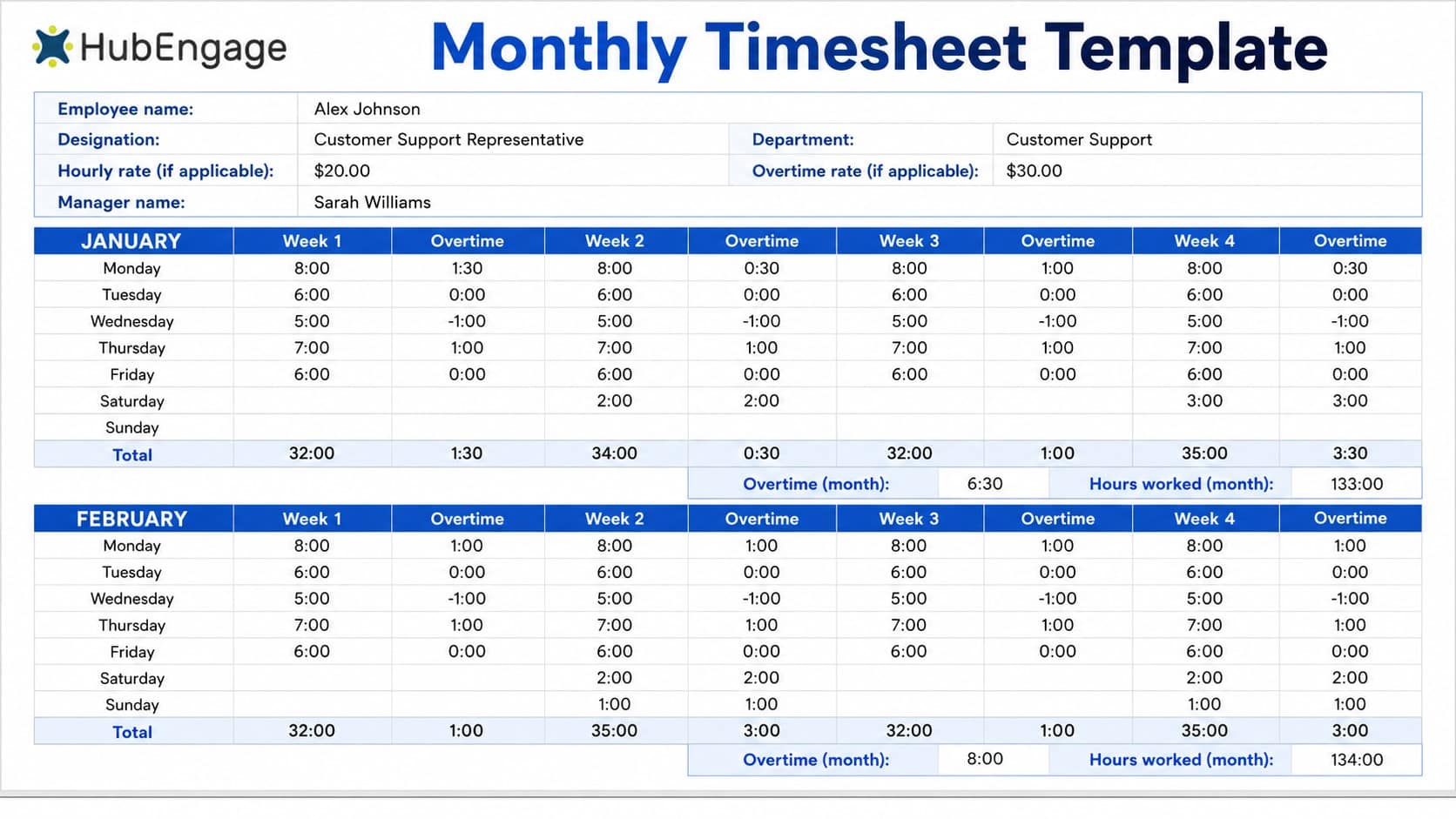
- Salaried employees
- Consultants
- Internal project teams
- Organizations using monthly reporting periods
5. Project-Based Timesheet Template
Organizes employee hours by project, client, work order, or task. It shows more than total hours worked. It reveals where employees spend their time. Businesses can monitor project progress and calculate billable hours.
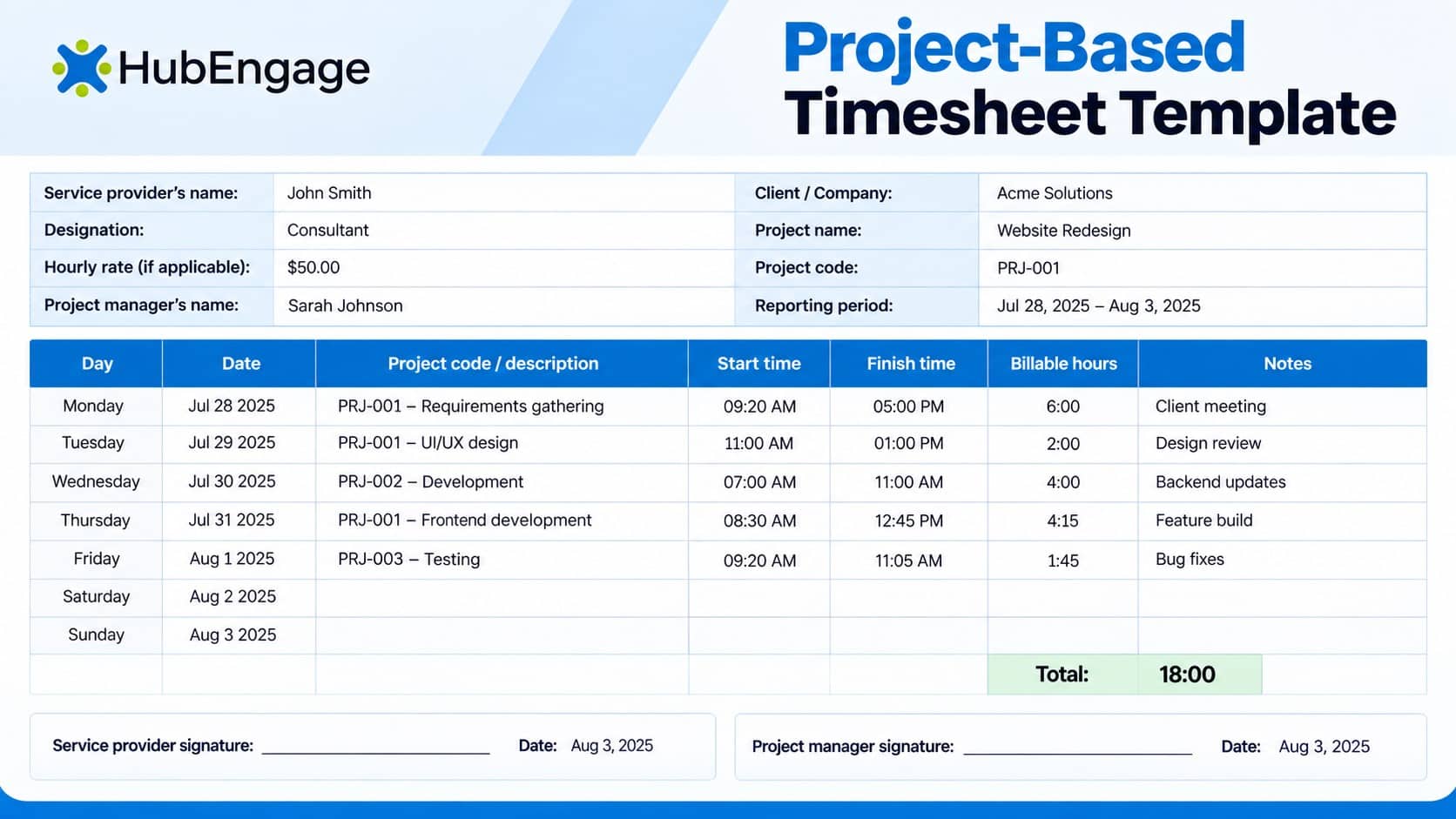
They can also understand labor costs and evaluate productivity. This information supports better resource allocation. It helps managers balance workloads across teams, projects, and client engagements. Project-based templates is beneficial for:
- Agencies
- Consultants
- Contractors
How to use a Timesheet Template effectively?
Simply creating a template is not enough; businesses also need consistent processes for completing, reviewing, and securely storing timesheets. Here are some best practices that you can follow:
1. Start With a Pre-Made Template
Use an existing work timesheet template instead of building one from scratch. Select daily, weekly, biweekly, monthly, or project-based tracking depending on your workforce.
2. Make Timesheets Easy to Access
Frontline, field, and remote employees need easy to access time and attendance system. Mobile-friendly systems let workers record hours accurately from any location, reducing forgotten entries, administrative effort, and payroll errors.
3. Customize the Required Fields
Remove unnecessary fields and add relevant details such as overtime, location, project codes, clients, hourly rates, departments, breaks, shifts, and notes. A simple format encourages consistent employee completion and adoption.
4. Create One Consistent Process
Employees should know when timesheets must be completed, how hours should be entered, and who approves them. This is especially important for distributed teams where employees and managers may rarely work in the same location.
5. Review Timesheets Before Payroll
Managers should review submitted timesheets for missing hours, unexpected overtime, incorrect project assignments, and incomplete information before approval. Addressing discrepancies promptly helps prevent payroll errors, delays, and costly corrections.
6. Store Records Securely
Keep timesheets secure and organized because they contain sensitive payroll information. Federal FLSA rules generally require payroll records for three years and wage-calculation records for two years; state requirements may vary.
HubEngage Employee Timesheet and Time Tracking
We provide you an employee clock in app module is an essential part of our employee experience platform, helping organizations accurately track shift hours, attendance, and workforce activity. With mobile-first accessibility, remote, frontline, deskless, and office employees can clock in from any location.
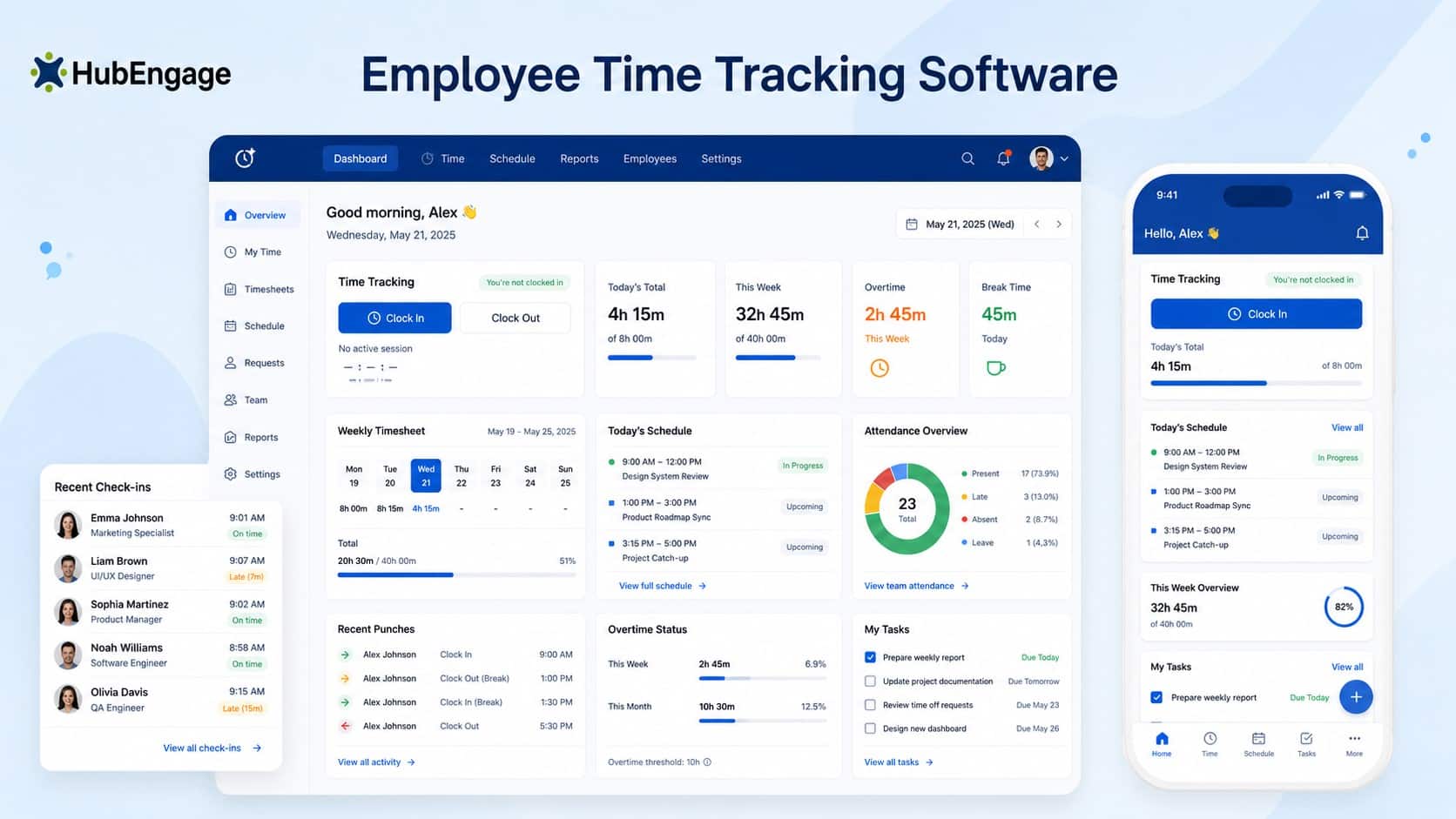
Built-in analytics highlight time-tracking gaps, attendance patterns, and workflow inefficiencies, giving leaders actionable insights to improve productivity and workforce management. Also automated syncing with HRIS and payroll makes sure the records are correct
By replacing manual processes with centralized, real-time data, HubEngage helps businesses streamline operations, strengthen accountability, and make more informed decisions across their workforce.
Conclusion
A timesheet template helps businesses organize employee hours, improve payroll accuracy, and maintain reliable workforce records. While daily, weekly, biweekly, monthly, and project-based formats can support different needs, growing frontline, remote, and distributed teams may benefit from automated time tracking.
HubEngage brings time tracking, scheduling, communication, and workforce management tools together in one connected platform, helping businesses improve visibility and efficiency. Explore our employee experience platform by taking up a demo and discovering how it can support your organization.
FAQs on Timesheet Template
1. What is a timesheet template?
A timesheet template is a structured document used to record employee work hours over a specific period. It commonly includes dates, start and end times, breaks, regular hours, overtime, tasks or projects, total hours, and manager approval.
2. What are the compliance requirements of an employee timesheet template?
The FLSA does not require employers to use a particular timesheet format. However, covered employers must maintain accurate records for nonexempt employees, including daily and weekly hours and required wage information. State and local requirements may add additional rules.
3. How can businesses automate time tracking?
Businesses can replace manual templates with time-tracking software that lets employees clock in and out through mobile or web applications. Automated systems can calculate hours, manage approvals, create reports, and send approved time data to payroll or HR systems.
4. What information needs to be present in an employee timesheet template?
An employee timesheet template should typically include employee details, dates, start and end times, hours worked, applicable breaks and overtime, project or task information, total hours, notes, and an approval section based on the organization’s requirements.
5. Who is responsible for approving an employee timesheet?
Timesheets are commonly reviewed by an employee’s supervisor, manager, or another authorized approver before payroll processing. Organizations should clearly define approval responsibilities and deadlines. Regardless of the workflow used, employers remain responsible for maintaining accurate records where required.
Related Links
workforce management | employee clock in app | employee timesheet software | time and attendance system