Manufacturing has a communication problem, and it shows up in turnover. One industry source puts annual turnover in manufacturing at 28.6%, versus a 3.6% average across industries. In practice, that means policies get missed, SOPs drift by site, and new hires learn too much from word of mouth instead of a controlled system.
That’s why an intranet for manufacturing can’t be a corporate news page with a few PDFs attached. It has to work for plant managers, operators, warehouse teams, maintenance, quality, HR, and office staff across shifts and locations. The best setups centralize news, SOPs, safety updates, and document access so every site gets the same message at the same time.
If you’re already planning a manufacturing SharePoint migration, then this blog will help you decide whether you need a document portal, a true frontline communications platform, or a broader operations hub.
Key Takeaways
- Manufacturing intranets must support frontline communication, safety updates, SOP access, engagement, beyond document storage.
- Top intranet platforms connect plant workers, supervisors, warehouse teams, and office staff across locations.
- Mobile access, signage, SMS, kiosks, and multichannel communication effectively reach deskless manufacturing employees.
- Evaluate intranets by communication reach, governance, usability, integrations, adoption, and operational effectiveness.
- Right intranet improves communication, reduces information gaps, strengthens compliance, and boosts employee engagement.

List of Best Intranet For Manufacturing Sector
Explore leading intranet platforms for manufacturing, compare key features, and find the right solution for business needs.
1. HubEngage

HubEngage stands out because it doesn’t treat the intranet as a standalone destination. It treats it as one layer in a broader employee operating system. For manufacturers, that matters because many workers won’t sit at a desk, won’t open long email threads, and won’t tolerate jumping between five apps just to find a shift notice, safety update, or task list.
The platform combines intranet capabilities with communications, recognition, surveys, messaging, learning, scheduling, time tracking, and task management. That makes it more practical than tools that publish nicely but leave operations in separate systems. For teams trying to connect plants, warehouses, drivers, field technicians, and office staff, that consolidation is usually the difference between good intentions and daily use.
Why it fits manufacturing well?
HubEngage is mobile-first, but it also supports web, email, SMS, digital signage, Microsoft Teams, and Slack. That channel mix is useful in manufacturing because access conditions vary by role. A supervisor may use Teams. A line worker may rely on a mobile app or kiosk. A breakroom may need screen-based messaging. HubEngage lets organizations push one message across those endpoints without rebuilding it each time.
Its manufacturing positioning is especially relevant for companies that need better manufacturing employee communication. Instead of only posting announcements, teams can orchestrate communications, route tasks, gather pulse feedback, and reinforce behavior with recognition and rewards. That’s a more realistic model for plant environments where adoption depends on usefulness, not just design.
What works in the real world?
HubEngage’s strongest advantage is reduction of tool sprawl. Communications, social engagement, surveys, rewards, and operational workflows live in one platform. That lowers friction for users and simplifies governance for IT and HRIS teams. It also helps content owners because they don’t have to decide which tool should carry each message.
A few strengths matter more in manufacturing than they do in office-heavy businesses:
- Multi-channel delivery: Messages can reach employees through mobile, web, email, SMS, Teams, Slack, and signage from one orchestration layer.
- Frontline usability: The platform is built for deskless and distributed workers, not only for office navigation patterns.
- AI assistance: AI supports content creation, search, employee queries, and analytics, which can reduce the admin burden on lean comms teams.
- Engagement mechanics: Gamification, points, badges, leaderboards, and rewards can help drive repeat use for training, recognition, and campaign participation.
Trade-offs to understand
HubEngage isn’t the simplest fit if you only want a basic SharePoint-style document portal. Its value comes from using the broader platform, not from buying a homepage alone. That means implementation should start with clear priorities. For example, choose whether phase one is safety communication, cross-plant news, onboarding, or supervisor task execution.
Pricing isn’t public, so early comparison shopping takes more effort. Very small manufacturers may also find the platform broader than they need. But for mid-market and enterprise environments with fragmented systems, HubEngage is one of the few options here that can realistically serve as both an intranet for manufacturing and a frontline engagement layer.
2. Microsoft SharePoint + Viva Connections

If your manufacturing business already runs on Microsoft 365, SharePoint plus Viva Connections is usually the lowest-friction path. The big advantage isn’t novelty. It’s alignment with the stack you likely already govern.
Microsoft’s marketplace also reflects where manufacturing intranets are heading. An Intranet in a Box for Manufacturing built on SharePoint Online in Microsoft 365 highlights centralized communication, collaboration, document handling, mobile-first frontline access, and targeted communication by site, shift, role, or department. That combination is close to what most manufacturers need.
Best fit
SharePoint is strong when document control, permissions, and structured content matter most. Viva Connections improves the experience by surfacing that content inside Teams, which is useful for supervisors, engineers, and other workers already living in the Microsoft environment.
This setup tends to work best for:
- Microsoft-first organizations: You already use Teams, Entra ID, and SharePoint governance.
- Multi-site manufacturers: You need targeting by plant, role, or department.
- Compliance-heavy teams: Controlled document publishing and identity management are core requirements.
Where it falls short?
The weakness is usability drift. Many manufacturing intranets built on SharePoint start strong, then become cluttered because every department wants its own structure, naming rules, and navigation. Viva helps with presentation, but it doesn’t automatically fix information architecture.
There’s also a licensing and configuration reality. Core capabilities may be available within existing Microsoft plans, but some Viva features are additional purchases. That’s manageable. What usually costs more than expected is admin time, governance work, and the internal discipline required to keep the intranet useful on the shop floor.
For manufacturers that need a controlled content hub and already trust Microsoft, this remains a very solid choice. For companies that want stronger recognition, social engagement, or cross-channel publishing without more configuration, other platforms may move faster.
3. MangoApps

MangoApps sits in the middle ground between classic intranet software and a broader employee app. That’s attractive for manufacturers that want one product for communications, knowledge, training, and lightweight work management without being forced into a pure Microsoft build.
Its manufacturing appeal is practical rather than abstract. The platform has clear relevance for safety messaging, shift communication, kiosks, multilingual publishing, and frontline access to SOP-style content. That’s closer to plant reality than feature lists that focus on executive blogs and office collaboration.
Where MangoApps does well?
MangoApps tends to work well for organizations that want more built-in frontline functionality than SharePoint offers out of the box. It combines communication tools with knowledge capture and tasking, which helps when supervisors need to do more than just broadcast updates.
The mobile experience is one of its stronger selling points. For manufacturers with mixed device access, that matters a lot. So does the ability to support plant-floor content in formats workers can consume quickly.
A useful comparison point is this MangoApps review from HubEngage, especially if you’re weighing unified employee experience platforms against more traditional intranet options.
Trade-offs and buying considerations
MangoApps is a better fit when you want one vendor to cover several employee use cases at once. It’s less ideal if your primary goal is deep Microsoft-native governance or if you already have strong training, messaging, and task tools in place.
Watch for these buying realities:
- Custom pricing: You’ll go through a sales process, and packaging can vary.
- Plan differences: SMB and enterprise offerings don’t always line up cleanly.
- Scope discipline: Because the platform covers a lot, teams should decide early whether the main use case is communications, learning, tasking, or all three.
MangoApps is a credible option for manufacturers that need broader frontline support than a document-centric intranet usually provides. It’s especially worth shortlisting when multilingual communication and kiosk access matter.
4. Staffbase
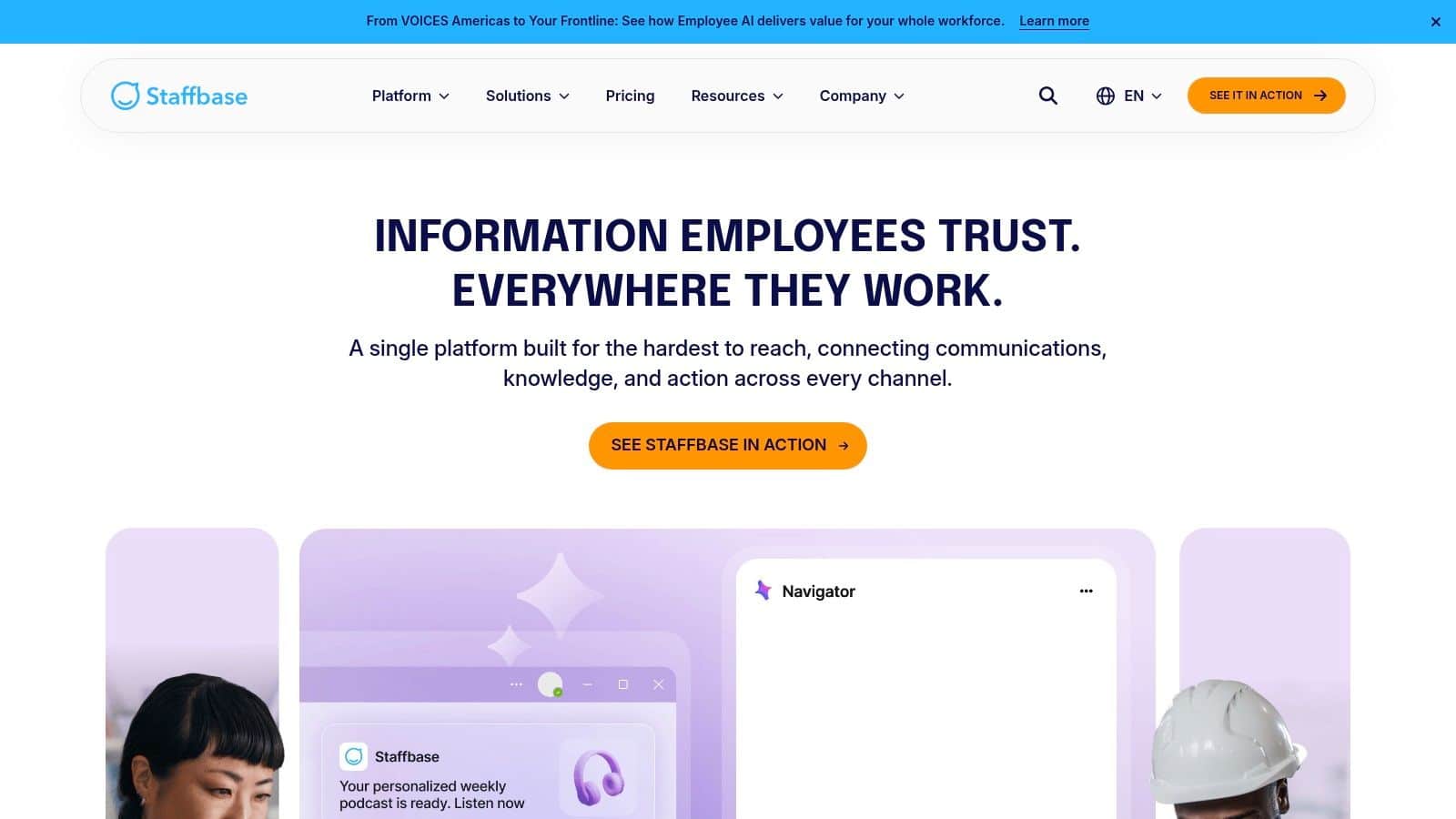
Staffbase is strong when manufacturing leaders care most about message reach, control, and acknowledgement. If you need to know whether a safety notice, policy update, or plant disruption alert successfully reached the intended workforce, Staffbase deserves a close look.
This is not a document-management-first product. It’s a communications-first platform with mature admin controls. That distinction matters. Some manufacturers need a better knowledge base. Others need a reliable way to push authoritative information across plants and shifts. Staffbase is better at the second problem.
Why manufacturers choose it?
In regulated or safety-sensitive environments, acknowledgement workflows are valuable. You don’t just publish content. You can require employees to confirm they’ve seen it. For EHS and policy communications, that’s often more useful than a beautiful homepage.
Staffbase also supports intranet, mobile app, email, and other channels from one managed system. If multilingual alerts are part of your environment, this guide to SMS platforms and multilingual employee alerts for manufacturing is a helpful lens for evaluating whether your intranet vendor can support urgent plant communication outside email.
Limits to keep in mind
Staffbase can become expensive at large scale, especially if you need add-ons like signage or expanded modules. It also isn’t the most natural fit if your intranet strategy is anchored around deep document libraries, process content, and Microsoft-native file collaboration.
Its sweet spot is enterprise communication governance. If the core requirement is to deliver mandatory reads, site-specific updates, and tracked policy communications to hard-to-reach workers, Staffbase is one of the safer bets in this category.
5. Workvivo by Zoom

Workvivo is often the right answer when a manufacturer already has systems in place but employees don’t experience them as one workplace. Instead of replacing every backend, Workvivo acts as a unifying layer across collaboration, HR, and content systems.
That makes it interesting for manufacturers with fragmented stacks. Maybe HR lives in one system, documents in another, exec communication in email, and plant updates in messaging apps. Workvivo’s value is bringing those streams together into a daily destination employees will readily open.
Best use case
Workvivo is a stronger choice for culture and adoption than for strict document control. Its social feed, recognition features, and executive communication tools help manufacturers that want to reconnect dispersed workforces and make the intranet feel alive.
That can be more important than it sounds. A dead intranet usually fails because employees don’t see it as useful or relevant. Workvivo is designed to create regular interaction, not just occasional policy viewing.
A few areas where it fits well:
- Post-merger or multi-brand environments: You need a common employee layer without rebuilding everything immediately.
- Culture repair: Recognition and social engagement need to sit alongside formal communication.
- Frontline reach: You want a mobile-accessible experience that feels more like a modern employee app than a static portal.
Workvivo Limitations
If your top priority is tightly governed SOP control, quality documentation, or manufacturing-specific workflow execution, Workvivo probably needs to sit on top of other systems rather than replace them. That isn’t a flaw. It’s just a design choice.
For manufacturers with a heavily Microsoft-centered intranet strategy, Workvivo can also introduce overlap. The question is whether that overlap is worth it for stronger engagement. In many companies, it is. In others, leaders decide to keep the intranet more utilitarian and avoid another layer.
6. LumApps

LumApps has a clear point of view on the intranet for manufacturing. It positions the platform as more than a news portal and aligns well with manufacturers that need multilingual communication, segmentation, frontline feedback, and strong editorial control.
That’s useful in complex manufacturing networks. A company with multiple plants, languages, and operating groups doesn’t just need content published. It needs the right content targeted to the right workers without overwhelming everyone else.
LumApps Advantages
LumApps is strong in campaign-style communication. If leadership needs to push change management messages, safety initiatives, or operating-model updates across a distributed workforce, its targeting and personalization capabilities are a real advantage.
Another useful lens comes from broader industry guidance that says manufacturing intranets are increasingly treated as a digital operations hub that unifies shift schedules, safety alerts, SOPs, project management, document control, role-based access, and integrations with ERP, MES, QMS, HRIS, and Microsoft tools. LumApps isn’t the only vendor moving in that direction, but that framing is the right one. Manufacturing leaders should evaluate every intranet candidate against operational usefulness, not homepage polish.
Limitations of LumApps
LumApps is usually a serious enterprise purchase. That means a stronger services component, more work on taxonomy and governance, and a longer path to a clean rollout if your content is messy. For many manufacturers, that investment is justified. For smaller teams, it can feel heavy.
LumApps is best for organizations that want communications sophistication and workforce segmentation at scale. It’s less compelling if your biggest need is simple deployment with minimal governance effort.
7. Appspace

Appspace is the easiest platform on this list to recommend when plant-floor screens matter as much as mobile apps. In many manufacturing environments, digital signage is not a side channel. It’s a primary channel.
That changes the buying criteria. If workers don’t regularly carry corporate devices and personal phone use is limited, the intranet has to reach them through kiosks, breakroom displays, room screens, and shared devices. Appspace is built for that hybrid environment.
Best fit by environment
Appspace is particularly well suited for manufacturers that want to converge intranet content with signage and workplace communications. Instead of treating screens as an afterthought, it makes them a first-class part of the employee experience.
That works well for:
- Plants with shared-device environments: Workers rely on kiosks and displays.
- Facilities with urgent visual messaging needs: Safety notices and operational updates need broad visibility.
- Organizations avoiding phone dependence: Not every communication should assume app installs.
Trade-offs
Appspace is not usually the deepest choice for document governance or complex workflow logic. Many companies pair it with Microsoft 365 or another content backbone for that reason. Its power is in distribution, signage, and hybrid workplace communication.
If your manufacturing communication strategy depends heavily on screens, Appspace moves up the shortlist fast. If signage is secondary and document-heavy collaboration is primary, another platform may be a better center of gravity.
Top 7 Intranet For Manufacturing Sector: Comparison Table
| Solution | Implementation complexity | Resource requirements | Expected outcomes | Ideal use cases | Key advantages |
|---|---|---|---|---|---|
| HubEngage | Medium–High, modular setup and enterprise configs; requires implementation resources | Moderate–High, HRIS integrations, admin support; pricing via demo | ⭐⭐⭐⭐, consolidated tools, higher engagement, measurable ROI | Distributed frontline/hybrid enterprises needing multi-channel, gamified engagement | All-in-one modular hub; strong multi-channel reach; AI-powered content & analytics |
| Microsoft SharePoint + Viva Connections | Medium, leverages M365 but needs SharePoint/Viva admin expertise | Low–Medium if on M365, may need additional Viva licenses for premium features | ⭐⭐⭐, governed intranet, document management, Teams-native delivery | Organizations already on Microsoft 365 seeking low-friction intranet | Deep M365/Teams integration; strong governance and compliance |
| MangoApps | Medium, configurable intranet + operations; enterprise sales/deployment | Medium, custom pricing; may require services for enterprise bundles | ⭐⭐⭐, good frontline tasking, knowledge capture and AI assistance | Manufacturing use cases: SOPs, safety updates, multilingual comms | Unified comms + work management; proven deployments in industrial settings |
| Staffbase | Medium–High, enterprise-grade governance and acknowledgement workflows | Medium–High, quote-based pricing that scales with users; mobile app integrations | ⭐⭐⭐⭐, reliable frontline reach, mandatory reads and tracked acknowledgements | Regulated manufacturing needing policy acknowledgements and safety comms | Strong frontline reach; mature admin controls and governance |
| Workvivo by Zoom | Low–Medium, overlay approach; simpler to add but may need change management | Low–Medium, integrates with existing stacks; quote-based pricing | ⭐⭐⭐, boosts adoption and social engagement without rebuilding intranet | Organizations wanting a unifying social intranet layer over existing tools | Focus on employee adoption, social feeds, recognition, enterprise search |
| LumApps | Medium–High, implementations often require services for governance/taxonomy | Medium–High, enterprise pricing; integration work for personalization | ⭐⭐⭐⭐, targeted campaigns, multilingual reach, analytics for change mgmt | Multi-plant/multilingual manufacturers needing targeted communications | Strong targeting/segmentation, analytics, recognized category leader |
| Appspace | Medium, signage/device integration and module configuration | Medium–High, depends on modules, signage devices and licenses | ⭐⭐⭐, improved on-site communications via signage, kiosks and mobile | Facilities reliant on breakroom/plant-floor screens, kiosks and shared devices | Tight digital signage integration; frontline packages for device-based reach |
Choosing Your Manufacturing Intranet: Selection Checklist
The right intranet for manufacturing should solve plant-floor communication problems first. Everything else comes second. If workers can’t get safety alerts, shift updates, SOPs, and site-specific announcements quickly, the platform won’t matter no matter how polished the homepage looks.
Start with access. Can the platform reach employees on mobile devices, shared kiosks, digital signage, email, SMS, or Teams, depending on how each group works? Manufacturing workforces are mixed by default. Operators, warehouse staff, supervisors, maintenance, engineers, and office teams don’t consume information the same way. Good intranet decisions reflect that instead of forcing one channel on everyone.
Then look at operational relevance. The strongest platforms now act as more than content repositories. They support the actual shape of manufacturing operations through role-based access, safety communication, SOP distribution, shift-aware publishing, and integration with systems like HRIS, ERP, MES, QMS, or Microsoft 365. If an intranet can’t connect to the systems employees already rely on, users will keep switching tools and trust will drop.
The next filter is governance. Manufacturing leaders should ask simple questions. Who owns content by plant and function? How are outdated procedures removed? Can you prove a policy was acknowledged? Can a worker find the current version of a document without searching through duplicates? Many intranet failures aren’t product failures. They’re governance failures.
For many manufacturing organizations, HubEngage is the most complete answer because it tackles the fragmentation problem directly. Instead of separating intranet content, messaging, surveys, recognition, learning, and task execution into different systems, it brings them together in one mobile-first platform. That matters in manufacturing because communication gaps are rarely isolated. They usually sit next to training gaps, engagement gaps, and workflow gaps.
If your goal is to modernize employee experience without adding more disconnected software, HubEngage is one of the strongest contenders on this list.
Conclusion
Choosing the right manufacturing intranet is about more than publishing content. It should help connect frontline and office teams, streamline communication across locations, improve access to critical information, and support daily operations.
The best platforms reduce friction, strengthen engagement, and ensure employees receive the right information when they need it most.
If you’re looking for a unified solution that brings these capabilities together, explore the HubEngage Employee Experience Platform and see how it can support your workforce by scheduling a demo.
Intranet For Manufacturing FAQs
What is an intranet for manufacturing?
An intranet for manufacturing is a centralized digital platform that helps employees access company news, SOPs, safety updates, training materials, and operational information. It connects frontline and office workers across plants, shifts, and locations.
Why do companies need intranet for manufacturing facility?
Manufacturing companies need an intranet to improve communication, reduce information gaps, and ensure employees can access accurate documents and updates. It helps standardize processes, support compliance, and keep distributed teams aligned.
What features should a manufacturing intranet include?
A manufacturing intranet should include document management, mobile access, employee communication tools, safety alerts, SOP libraries, role-based access, employee directories, and integrations with business systems like HRIS, ERP, or Microsoft 365.
How does a manufacturing intranet improve employee communication?
A manufacturing intranet improves employee communication by delivering updates through mobile apps, kiosks, digital signage, email, and messaging channels. This ensures workers receive important information regardless of location, role, or shift schedule.
Can a manufacturing intranet support frontline workers?
Yes, modern manufacturing intranets are designed for frontline workers with mobile-friendly access, multilingual content, digital forms, task management, and real-time notifications. This helps employees stay informed without needing a desk or computer.
What is the best intranet software for manufacturing companies?
The best intranet software for manufacturing depends on business needs. However, HubEngage excels well when it comes to communication, governance, and engagement.
How do you choose the right intranet for manufacturing?
You should pick it based on communication needs, workforce accessibility, integrations, governance requirements, and scalability. Prioritize platforms that support frontline employees, multiple communication channels, and easy access to operational information.
Related Links
employee intranet platform | intranet software