Skip to content

How To Engage Remote Employees: An Ultimate Guide For Distributed Workforce

Fully remote employees report the highest workforce engagement at 31%, ahead of hybrid workers at 23% and on-site workers at 19%, yet they’re also more likely to experience emotional strain and look for a new job, according to ThinkBusiness. That single pattern changes how to engage remote employees.

The old playbook treated engagement as an activity problem. Add a virtual coffee chat. Launch another Slack channel. Schedule another all-hands. In practice, that usually creates more noise, more manager work, and more tool switching.

From HubEngage’s point of view, modern organizations need one connected system of action for frontline, deskless, hourly, remote, and distributed employees. Engagement improves when communication, recognition, feedback, learning, and daily work are connected. It declines when employees have to hunt across apps, managers become the manual integration layer, and frontline teams are left out because they aren’t at a desk.

That’s the core operating question. Not “How do we make remote work feel fun?” but “How do we make it clear, visible, inclusive, and sustainable for every employee group?”

Key Takeaways

  • High engagement can hide retention risks. Remote employees may be committed to their work while still considering other jobs.
  • More activity does not always create stronger connections. Extra meetings and channels often increase friction.
  • Disconnected tools create hidden disengagement by separating communication, recognition, feedback, and learning.
  • Remote engagement strategies must also support frontline, hourly, and deskless employees.
  • Engagement is more sustainable when systems are simple, manager workloads are manageable, and outcomes are measurable.
  • Organizations should remove workplace friction before launching additional engagement programs.
The Remote Engagement Paradox

Remote engagement looks strong on paper. Retention often tells a different story. As noted earlier, fully remote employees report higher engagement than hybrid and on-site peers. That does not mean they feel anchored to the organization. In practice, remote teams can deliver strong output, respond quickly, and stay committed to their work while still feeling isolated from decision-making, unevenly supported by managers, and easy for another employer to pull away.

That tension creates a real operating problem for People teams. If leaders read engagement scores in isolation, they can miss the conditions that sit underneath them. A team may be highly engaged with the work itself but disconnected from the company, unclear on growth, or running on too much manager effort to stay aligned.

The common mistake is to treat remote engagement like a participation challenge. So companies add another event, another check-in, another survey, another channel. The calendar gets fuller. The experience gets weaker.

A remote employee should not have to search five places to find an update, give feedback, recognize a peer, complete training, and understand what matters this week. Yet that is still how many organizations run engagement. Different for chat, meetings, surveys, recognition and learning. Then managers spend their time stitching the experience together by hand.

That model breaks faster in a mixed workforce. Desk-based employees can usually work around bad systems. Frontline and deskless employees often cannot. If engagement only works for people sitting at a laptop all day, it is not an engagement strategy. It is a partial fix.

The better approach is operational. Build engagement into the flow of work, so communication, recognition, listening, and action happen in one place employees can access. That reduces tool sprawl, lowers manager load, and gives leaders a cleaner way to see what is working instead of guessing from scattered participation data.

Remote engagement is not hard because employees are distant. It is hard because the operating system behind the employee experience is often fragmented.

First Diagnose Your Disconnect

Before launching a new employee engagement program, identify where the system is breaking. Most organizations don’t have an engagement problem in the abstract. They have a specific disconnect that shows up as missed updates, inconsistent manager follow-through, low recognition visibility, or frontline exclusion.

Managers sit at the center of that system. If managers are stretched thin, under-trained, or carrying too many tools and rituals, the engagement program won’t fail because the idea was wrong. It will fail because the execution layer was already exhausted.

A flowchart titled Diagnosing Disengagement illustrating surface symptoms and root causes of employee disengagement in organizations.

Look past the visible symptoms

Low participation in a recognition program doesn’t always mean employees don’t care about recognition. It may mean the recognition lives in a separate app that no one opens during the workday.

Poor pulse survey response doesn’t always mean apathy. It may mean employees learned that feedback disappears into a dashboard and never comes back out as action.

Remote onboarding delays don’t always mean the process is weak. They often mean knowledge is split across email threads, PDFs, chats, and manager memory.

A practical diagnostic checklist

Use a quick review across these four areas.

  • Channel clarity: Can employees name where to find urgent updates, daily work information, and culture or recognition content without guessing?
  • Manager load: Are managers expected to run check-ins, recognize work, answer routine questions, coach performance, and relay executive communication manually across multiple tools?
  • Visibility equity: Do remote and frontline employees have the same practical access to recognition, learning, and updates as desk-based staff?
  • Action loop: When employees give feedback, do leaders publish what they heard and what changed?

Where tool sprawl creates disengagement?

A common failure pattern looks like this:

Breakdown What employees experience What leaders often assume
Too many channels “I missed the update.” “We already communicated that.”
Separate recognition tool “Nobody sees contributions like mine.” “We launched a recognition program.”
Manager-led information relay “It depends on who my manager is.” “Teams are handling it locally.”
Frontline excluded from systems “This stuff is for office employees.” “Everyone has access somewhere.”

When leaders ask how to engage remote employees, the first answer usually isn’t “add a program.” It’s “remove friction.” Diagnose where work, communication, and culture have drifted apart. Then fix the operating model before you add new activity.

Design Your Communication and Recognition Engine

Remote engagement becomes more stable when communication is predictable, recognition is public, and meetings are used selectively rather than by default. That requires a employee engagement plan. The strongest model today is async-default. People still meet. They just don’t need a meeting to stay aligned.

A six-step blueprint infographic for implementing asynchronous communication and employee recognition in a remote workplace setting.
Build the weekly rhythm first

A remote team doesn’t need constant availability. It needs a dependable cadence. A practical pattern looks like this:

  1. Weekly outcomes are documented early. Teams should know what matters this week without waiting for a meeting recap.
  2. 1:1s happen weekly with video when appropriate. Use them for coaching, blockers, and growth, not status collection.
  3. Team updates are posted in shared channels. Slack, Teams, or a workforce platform can work, as long as updates are visible and searchable.
  4. Recognition is immediate and specific. Generic praise fades fast. Specific recognition teaches the team what good work looks like.

What good recognition looks like?

Recognition fails when it’s delayed, manager-only, or hidden inside annual programs. It works when people can see it in the flow of work. Use examples like these:

  • Project delivery: “Shout-out to Priya for catching the handoff issue before launch and documenting the fix for the whole team.”
  • Frontline service: “Thanks to Luis for covering a late shift change and helping the store stay fully staffed.”
  • Knowledge sharing: “Appreciation to Mina for turning a repeated support question into a simple job aid everyone can reuse.”

Recognition should reduce ambiguity. The best message doesn’t just praise effort. It names the behavior, the impact, and the value behind it. “Friday wins” threads work because they create a recurring public moment for reflection without forcing a social event. Dedicated Slack or Teams channels work when leaders and peers both use them consistently. If adoption is weak, the issue usually isn’t employee resistance. It’s that no one made recognition part of the operating rhythm.

What not to do?

Some engagement tactics create exactly the opposite effect. 

  • Don’t force social time: Mandatory virtual fun often feels like another meeting.
  • Don’t bury wins in private chats: Visibility matters. If only the manager sees it, the culture doesn’t learn from it.
  • Don’t rely on heroic managers: If your recognition model only works when a few managers are exceptionally organized, it won’t scale.
  • Don’t separate communication from work: Employees engage more when updates, praise, and priorities appear where they already spend time.

AI can help here in practical ways. It can draft recognition prompts, summarize team updates, recommend content by role, and reduce the admin burden on managers. The win isn’t novelty. The win is consistency.

Operationalize Engagement for the Entire Workforce

Most employee engagement ideas shows on how to engage remote employees implicitly assumes everyone sits behind a laptop. That leaves out retail associates, warehouse staff, care teams, drivers, technicians, and hourly workers who are distributed but not “remote” in the usual white-collar sense.

That’s a major blind spot. The operating implication is clear. If structured touchpoints matter for desk-based teams, they matter just as much for the mixed workforce. The channel just has to fit the job.

A diverse group of workers including a construction employee, nurse, and retail staff collaborating using a tablet.

Two employees, two very different realities

A corporate analyst may have Slack, Teams, Zoom, email, and a calendar full of meetings. A warehouse supervisor may have a phone in a pocket, limited desktop time, and shift-based communication windows.

If both employees are part of the same company, engagement can’t depend on desktop access. It has to travel through the channels people use. That usually means mobile app access, SMS alerts where appropriate, digital signage in operational spaces, and simple workflows that don’t require VPN gymnastics or three logins.

What this looks like in day-to-day operations

Consider a retail environment. A store associate checks a mobile app before a shift, sees an updated schedule, a short product-learning module, a recognition post celebrating a top customer service moment, and a request for quick feedback on staffing communication. That’s engagement tied directly to work.

Now consider a logistics team. A driver gets a mobile-first update on a route change, accesses a safety checklist, receives public recognition for on-time performance, and can submit a support issue without calling a manager for every answer. That’s also engagement. It doesn’t look like a virtual happy hour, and it shouldn’t.

Design principles for mixed workforces

  • Use mobile-first delivery: If the employee experience only works on desktop, part of the workforce is excluded by design.
  • Keep messages role-based: Frontline teams don’t need every corporate update. They need the right operational and cultural information fast.
  • Blend work and culture: Scheduling, learning, recognition, and feedback shouldn’t live in separate universes.
  • Make access simple: Password friction kills adoption faster than most leaders realize.

A connected system proves most valuable. Otherwise, desk workers get a rich digital experience while frontline teams get screenshots of announcements pasted into group chats.

Measure Impact and Avoid Engagement Fatigue

If you can’t tell whether your engagement strategy is helping, you don’t have a strategy.

A chart visualizing four key employee engagement metrics tracking progress across three quarters with positive trends.

A better pulse survey operating model

The mechanics matter. Use rotating questions around:

  • Clarity: Do employees understand priorities and decisions?
  • Belonging: Do they feel included in the team and company?
  • Recognition: Are contributions being noticed in a timely way?
  • Growth: Can employees see development opportunities?
  • Manager support: Do they get useful coaching and follow-through?

Add one open-text question each cycle so employees can flag what changed, what’s getting in the way, or where leaders need to respond.

Avoiding engagement fatigue

One of the biggest mistakes in remote engagement is assuming more touchpoints equal better engagement. They don’t. Too many check-ins, too many social prompts, and too many surveys can turn engagement into interruption.

A better rule is to Ask for feedback at a sustainable rhythm. Then prove you used it. That means every pulse cycle should end with visible communication such as:

Where AI helps?

AI is useful here when it reduces administrative work and speeds interpretation as it can:

  • group open-text responses by theme,
  • flag repeat issues by location, manager group, or role,
  • summarize sentiment for HR and operations leaders,
  • recommend follow-up questions for the next pulse cycle.

What AI shouldn’t do is replace judgment. Leaders still need to decide which issues are structural, which are local, and which require manager coaching rather than another company-wide initiative. A good measurement system doesn’t produce more dashboards. It produces faster decisions, clearer communication, and fewer wasted engagement activities.

How HubEngage Unifies Your Remote Engagement Strategy?

Remote engagement breaks down faster when employees have to piece together the experience themselves. One app for updates. Another for recognition. A separate survey tool. Different access for corporate teams and frontline staff. Managers end up stitching the system together by hand, which is expensive and hard to sustain.

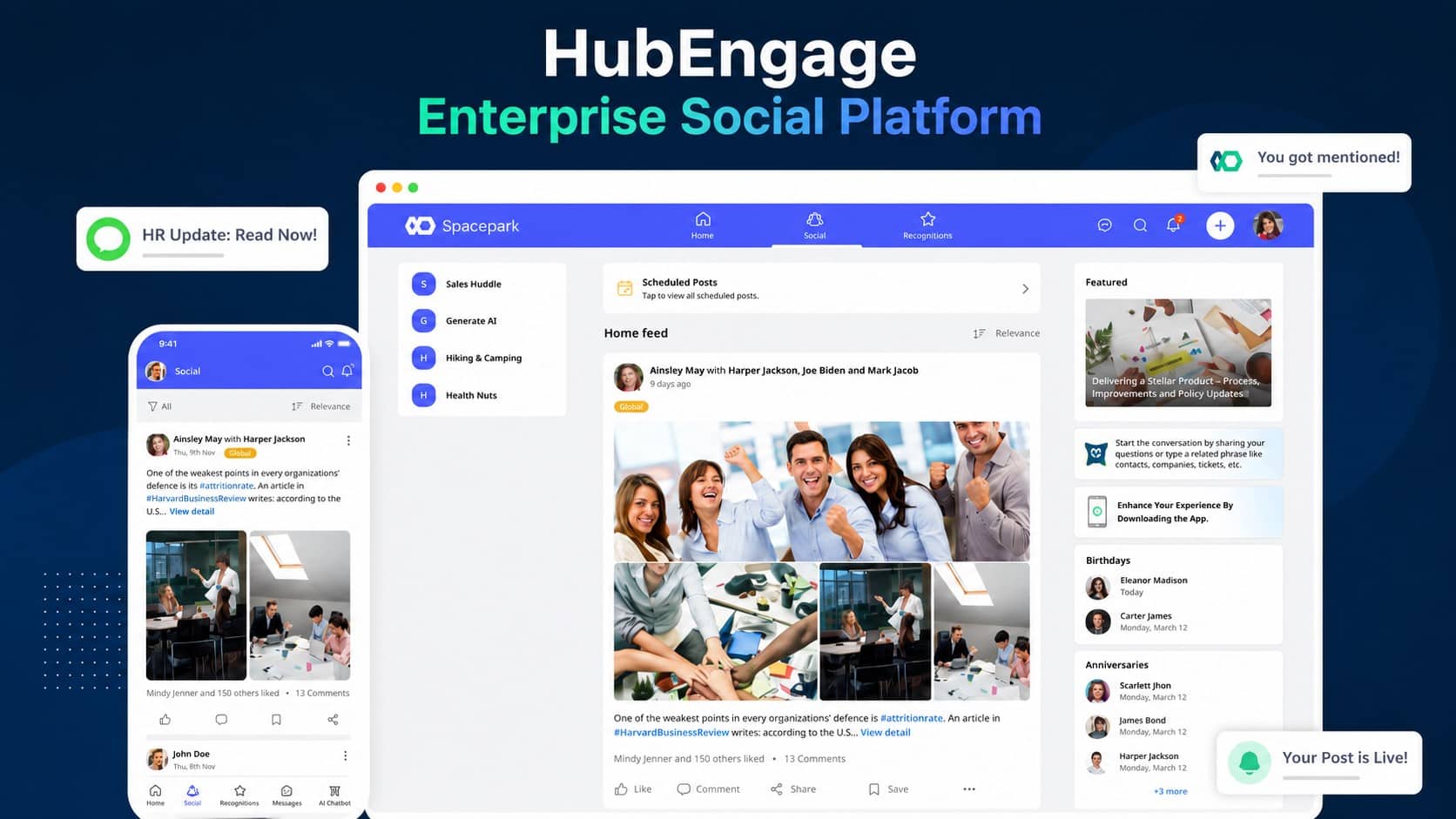
Having unified employee experience platforms addresses those operating model problems directly. For SMBs, HubEngage, Inc. can replace disconnected point solutions with one system for communications, recognition, surveys, team messaging, scheduling, tasks, and learning across mobile, web, email, SMS, digital signage, Microsoft Teams, and Slack. That matters when a small HR or operations team is already carrying onboarding, compliance, internal communications, and manager support.

For larger organizations, the value shifts from consolidation to coordination. The platform can sit across existing HRIS, payroll, LMS, and workforce systems so employees have a clearer front door and leaders have one place to run engagement programs across audiences. That reduces friction for desk-based teams, but it also helps close the gap for frontline employees who are often excluded because access depends on company email, desktop logins, or manager pass-through.

Why a connected system changes outcomes?

A connected model improves remote engagement in ways teams can maintain:

  • Less tool sprawl: Employees know where to find updates, recognition, learning, and feedback channels.
  • Better workforce coverage: Mobile, SMS, and digital signage extend reach beyond employees who sit at a desk all day.
  • Lower manager load: Managers spend less time relaying information across fragmented systems and more time coaching.
  • Cleaner execution: Communications, surveys, recognition, and follow-up actions happen in the same environment.
  • Stronger ROI visibility: Leaders can connect participation, sentiment, and adoption trends to specific programs instead of guessing which activity drove the result.

I have seen this trade-off repeatedly. Companies do not usually have an engagement ideas problem. They have an execution problem. A unified platform helps standardize the basics, reduce engagement fatigue caused by too many disconnected asks, and give HR, operations, and people managers a model they can run consistently.

If you want to see how a connected platform supports remote, deskless, and distributed workforces in one operating model, get a demo and see the platform in action.

Conclusion

Engaging remote employees requires more than virtual activities or frequent meetings. It depends on clear communication, visible recognition, useful feedback, easy access to learning, and consistent manager support.

The strongest strategies also include frontline, deskless, and distributed employees instead of focusing only on office-based remote teams. By reducing tool sprawl and connecting daily work with culture, organizations can build engagement that lasts. Explore our Employee Experience Platform by taking a demo to see how it works today.

FAQs About How to Engage Remote Employees

What is the biggest mistake companies make when engaging remote employees?

The biggest mistake is adding more activities without reducing workplace friction. Additional meetings, channels, and forced social events can create noise. Engagement improves when employees have clear priorities, easy information access, visible recognition, and supported managers.

How often should managers check in with remote employees?

Weekly one-to-one meetings are often effective when they focus on priorities, blockers, coaching, workload, and development. Frontline teams may require different formats, but structured and predictable touchpoints usually work better than irregular communication.

How do you engage remote employees across different time zones?

Use async-first communication. Document decisions, publish weekly priorities, and make recognition visible in shared spaces. Employees should not need to be online at the same time to remain informed and included.

What works better than virtual coffee chats?

Work-related engagement often produces stronger results. Clear communication, recognition in the flow of work, useful learning, manager support, mobile access, and responsive feedback loops are usually more sustainable than optional social events alone.

How do you engage frontline and deskless employees?

Design the experience around the devices and channels employees already use. Mobile applications, SMS, digital signage, role-based updates, and simple access to schedules, learning, feedback, and recognition are more effective than desktop-only systems.

Can AI improve remote employee engagement?

Yes. AI can summarize employee feedback, identify common themes, personalize communication, support knowledge search, and reduce manager administration. It works best when it supports a clear engagement strategy rather than operating as a separate tool.

How can companies measure remote employee engagement?

Companies can combine pulse surveys, open-text feedback, communication reach, recognition activity, learning participation, manager follow-through, and retention trends. The goal is to measure clarity, belonging, support, growth, and employee access, not participation alone.

Related Links

employee experience platforms | employee engagement program | employee engagement plan | employee engagement ideas | remote employees

Get Insights

Subscribe to our weekly newsletter to get more tips on effective employee engagement and communications!

Join Our Community

Join Turn On Engagement (TOE) to interact with other employee engagement and people experience professionals. Share and get new ideas!

An expert content writer specializing in creating comprehensive, insight-driven content for technology and SaaS products. With more than three years of hands-on experience working closely with HR, internal communications, and leadership teams, he helps organizations turn employee engagement challenges into measurable outcomes. His writing is grounded in real customer experiences and focuses on practical strategies that boost productivity, improve communication, and strengthen workplace culture. Known for his ability to simplify complex technology concepts, he translates them into clear, actionable insights that resonate with HR professionals, talent acquisition leaders, and business owners alike. His work consistently reflects a strong commitment to trust, credibility, and people-first innovation, supporting organizations as they navigate employee experience, digital workplace transformation, and modern workforce engagement strategies.

Other posts you might enjoy

Back To Top