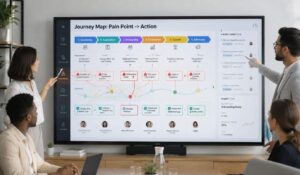
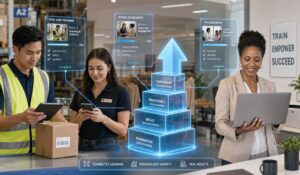
AI employee training creates real value when it improves work, not when it becomes another course employees forget. Many teams face missed updates, uneven onboarding, slow ramp-up, and disconnected AI tools. Frontline employees often feel these problems first because training is harder to access during work.
The better approach is to place AI learning inside the systems employees already use for communication, tasks, knowledge, and feedback. For example use AI bots for enterprise search and knowledge discovery as it helps improve adoption, reduce HR workload, and gives quick support.
Our blog will show you how to build practical AI employee training that improves execution, supports frontline teams, and delivers measurable business results.
Key Takeaways
- AI employee training is an operational priority, not only an L&D initiative.
- Mobile-first access is essential for frontline, hourly, and distributed employees.
- Effective programs connect learning with onboarding, communication, tasks, and knowledge access.
- Role-specific microlearning works better than generic, one-time AI workshops.
- Completion rates alone do not prove that employees can use AI effectively.
- A connected employee experience platform reduces tool sprawl and improves adoption.
What AI Employee Training looks like in Modern Workforce?
AI employee training is more than a single course about prompts. It combines learning, knowledge access, onboarding, feedback, and daily support to help employees work faster, make better decisions, and use AI responsibly.
Modern programs connect AI training with both HR and workforce operations. Employees receive the right guidance based on their role, location, skills, and daily responsibilities.
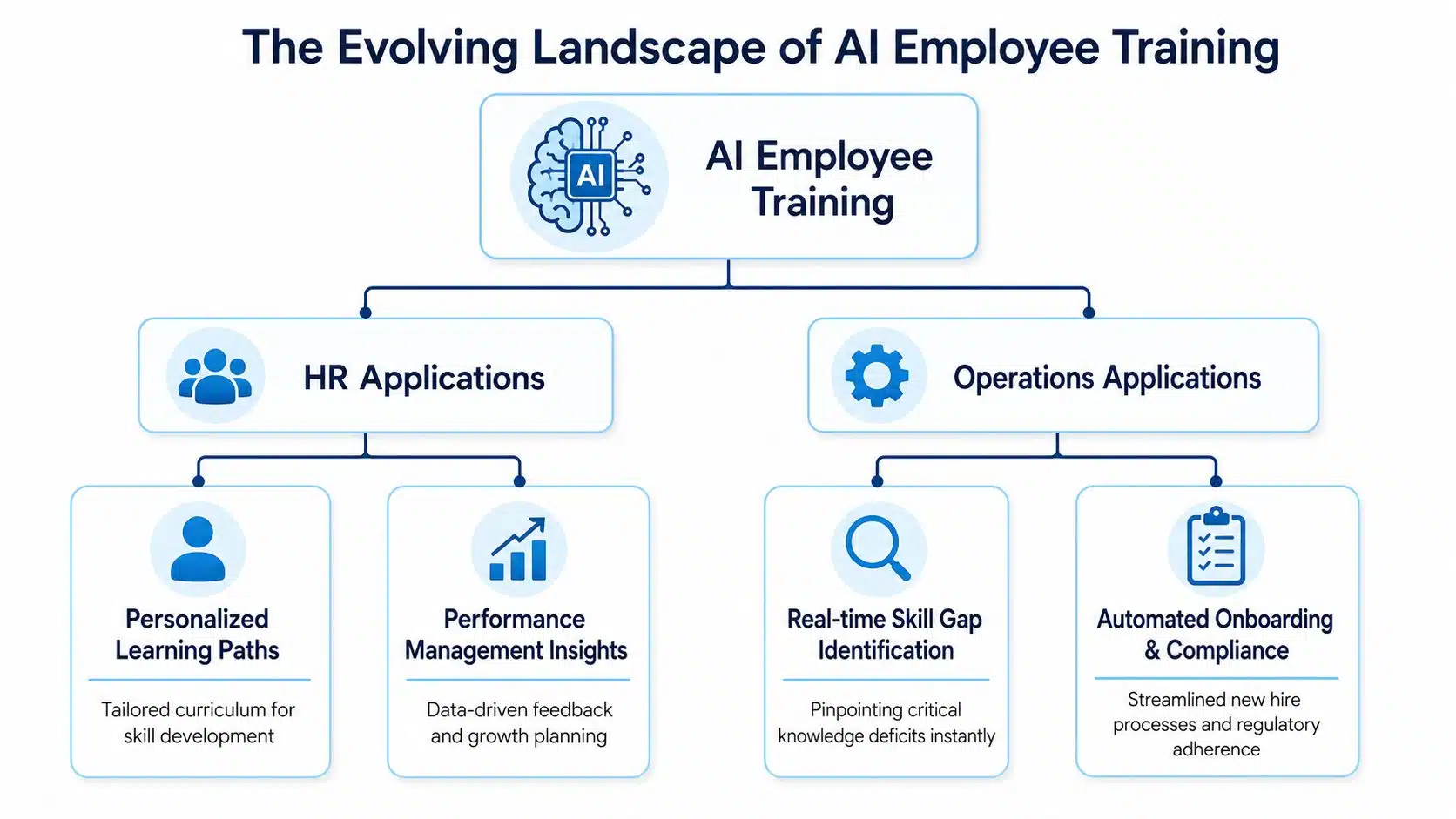
AI employee training can personalize learning, track progress, identify skill gaps, automate onboarding, and deliver quick answers during work. Short mobile lessons, role-based content, reminders, and manager support make learning easier to use. This helps employees build skills faster, stay compliant, and apply knowledge in daily tasks with greater confidence.
Why AI Employee Training is important for businesses?
AI employee training is important because many employees are already trying AI tools without clear guidance. While business leaders want teams to use AI across everyday work, it creates pressure for learning and development teams.
With the right training, employees can use AI with confidence, follow company policies, and improve their work. AI skill gaps are growing quickly. The World Economic Forum’s Future of Jobs Report shows that business leaders are concerned employees may not gain new skills fast enough.
This shows that the skills gap may grow unless organizations provide practical support. Without clear training, workers may use the wrong tools, trust poor results, or share confidential company information with public AI systems. This is why AI job training is becoming a business priority.
What are the basic AI Skills every employee needs?
Upskilling an entire workforce may seem difficult, but effective AI employee training focuses on a few practical skills that employees can use in daily work.
Basic AI Literacy
Employees should understand what AI can and cannot do. They need to know that AI creates responses from patterns, may make mistakes, and is not suitable for every task.
Prompting, Workflows, and Automation
Employees should learn to write clear prompts with context, goals, and limits. They should also understand how AI can support workflows and automate repetitive tasks.
Critical Thinking
Employees must check AI outputs for accuracy, bias, and missing information. They should know when human judgment is still required.
Ethical and Compliant AI Use
Training should explain approved tools, data-sharing rules, and company policies. Employees must understand how to use AI safely and responsibly.
Data Literacy and Privacy Awareness
Employees should know what data they can use, who owns it, and whether it contains private or confidential information. Sensitive company or customer data should never be shared without approval.
What does AI Employee Training look like in different roles and departments?
An AI employee training should match each team’s daily work as they are different from each other. Here is what it looks like across different roles and departments:
| Team or Department | AI Training Focus | Practical AI Use Case |
|---|---|---|
| Sales | Prospect research, outreach, and sales insights | Analyze prospects and create personalized pitches faster |
| Customer Service | Ticket routing, customer history, and response support | Review customer details and personalize AI-suggested replies |
| HR | Recruitment, survey analysis, and policy drafting | Analyze employee feedback and identify common concerns |
| Finance | Forecasting, reporting, and anomaly detection | Create variance reports and spot unusual spending |
| Operations | Process improvement, inventory, and maintenance | Predict equipment needs and reduce operational downtime |
| Marketing | Content creation and campaign analysis | Draft content faster and improve it for brand voice |
How to build an AI Employee Training Roadmap?
Start by assessing current skill gaps and setting clear training goals. Next, design role-based learning content connected to real work. Test the program with a small employee group and improve it using feedback. Once the approach works, expand it across the organization.

Continue tracking adoption, performance, and learning needs to keep the program useful over time. Teams building a stronger employee enablement model often start with a structured guide to creating a training program for employees, then adapt it for AI-specific use cases.
How to measure the impact of AI Employee Training?
AI employee training should be measured by changes in daily work, not only course completion or satisfaction scores. Track productivity, error reduction, time to competency, workplace adoption, and output quality.
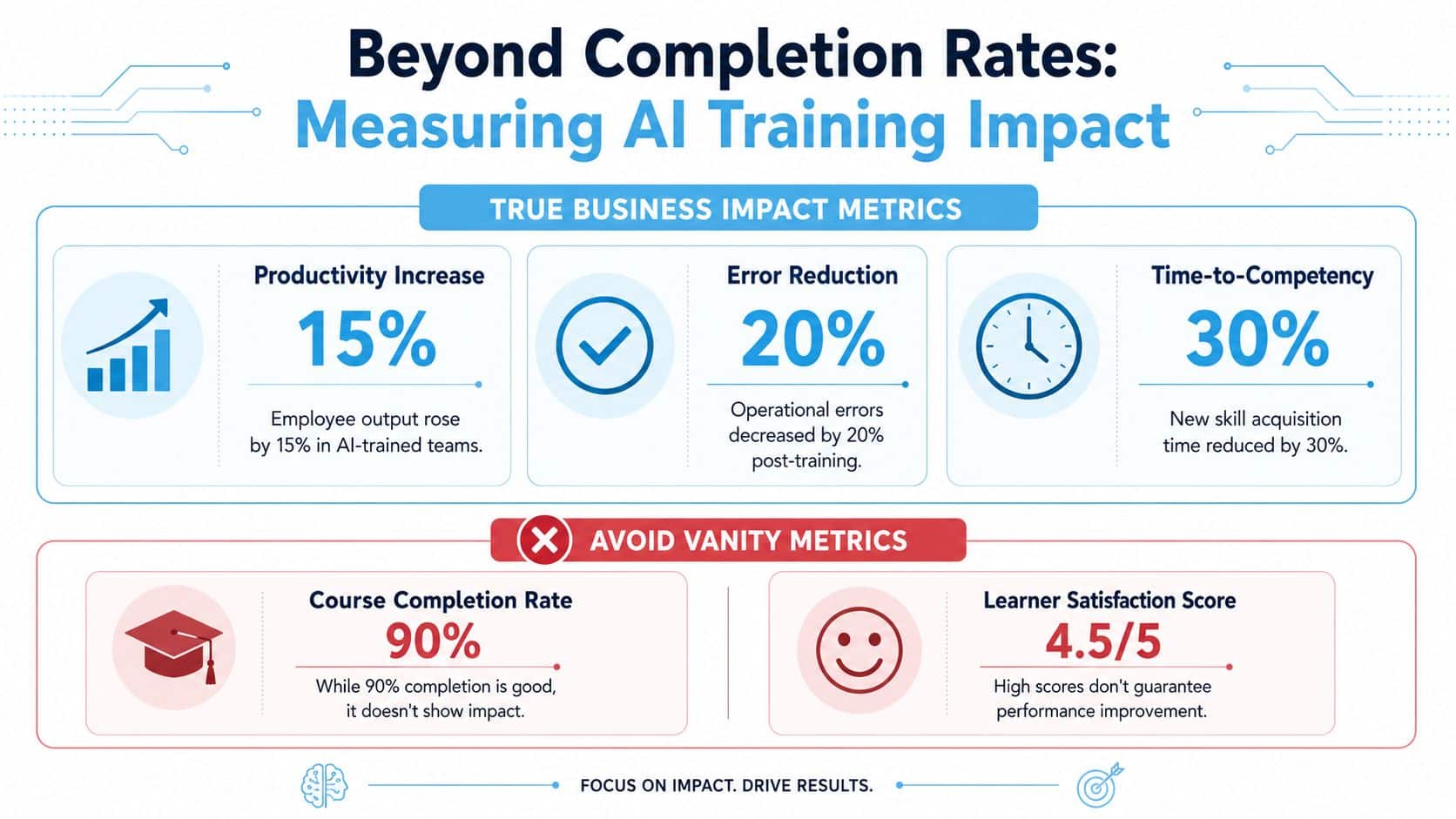
Compare results before and after training. Strong results show that training helps people work faster, make fewer mistakes, and use AI confidently.
Various Metrics to Measure the Impact of AI Employee Training
| Metric Type | Examples | What It Shows |
|---|---|---|
| Business impact metrics | Productivity, error reduction, output quality, time to competency | Whether training improves performance |
| Adoption metrics | AI tool usage, task application, manager observations | Whether employees use new skills |
| Vanity metrics | Course completion, attendance, satisfaction scores | Whether employees participated |
What Are the Biggest Barriers to AI Adoption?
The biggest AI adoption challenges are usually connected to people. Employees may not trust AI, understand how it supports their work, feel confident about data security, or have the basic skills needed to use AI tools effectively.
1. Lack of Trust
Employees may worry that AI gives wrong answers or could replace parts of their jobs. Clear training helps them understand where AI works well and where human review is still needed.
2. Limited AI Skills
Many employees do not know how to write prompts, check outputs, or use AI in daily tasks. Practical, role-based training builds confidence and improves adoption.
3. Security and Privacy Concerns
Employees may be unsure what data they can enter into AI tools. Clear policies should explain approved tools, restricted information, and safe usage rules.
4. Unclear Workplace Value
Employees are less likely to use AI when they cannot see how it helps their role. Training should use real examples connected to everyday work.
How HubEngage helps with AI Employee Training Challenges?
We help organizations deliver employee training, upskilling, and knowledge sharing directly within the flow of work. Employees can access courses, resources, and updates anytime through one centralized learning hub.
Role-based learning paths make it easy to assign content by department, location, skill, or job role. Mobile access allows frontline and deskless employees to learn wherever they work. Gamification, progress tracking, and rewards encourage participation and improve completion rates.
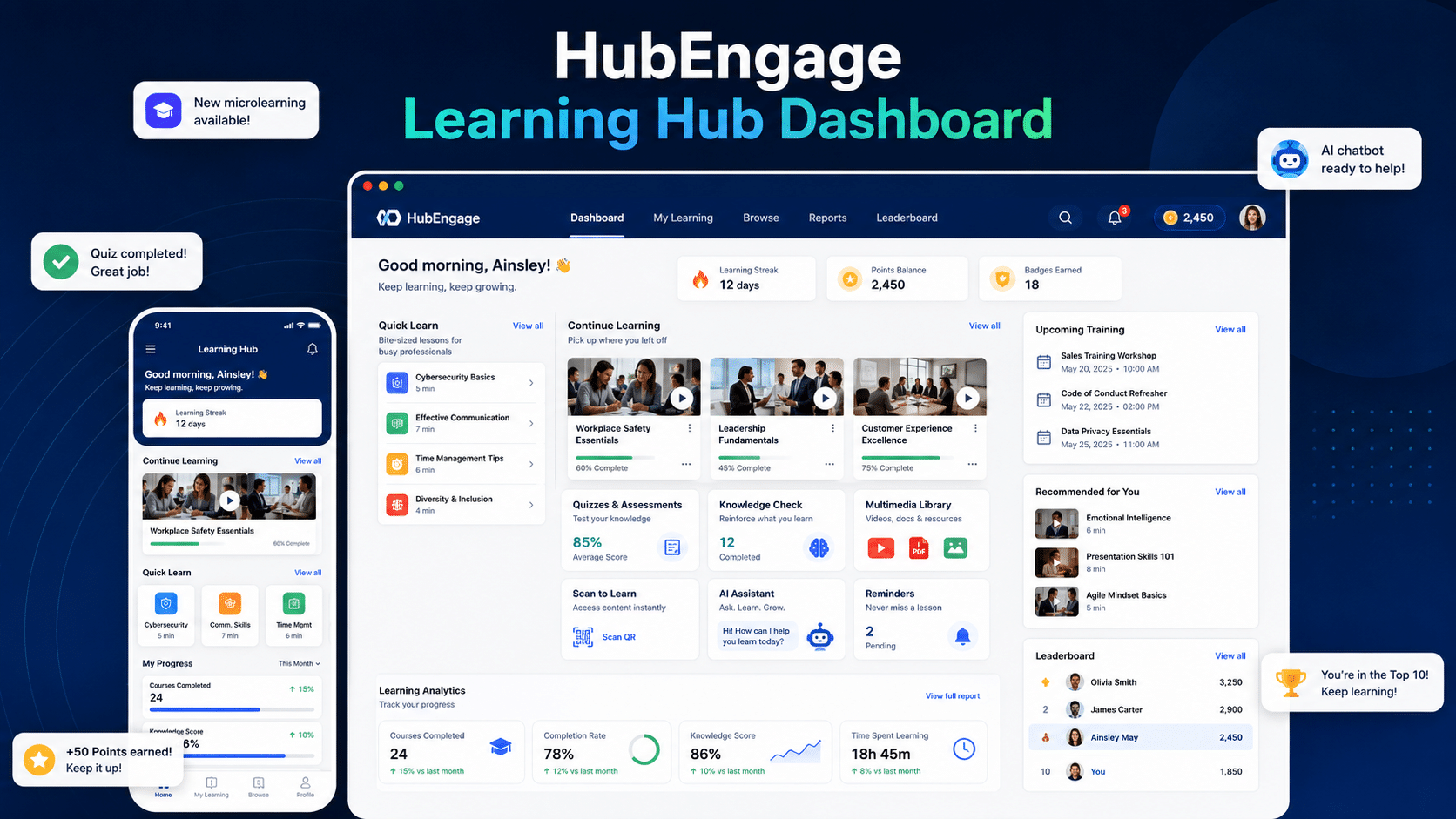
Integrated communication tools also keep employees informed about new courses, deadlines, and important updates. This creates a simple, connected learning experience that supports continuous development across the entire workforce with less friction. Our employee learning hub supports that by bringing learning into the broader employee experience.
Conclusion
AI employee training creates value when it becomes part of how work gets done, not another disconnected course employees complete and forget.
Effective programs combine clear governance, role-specific learning, mobile access, trusted knowledge, manager reinforcement, and practical measurement. They also make training accessible to frontline, remote, deskless, hourly, and office-based employees.
HubEngage helps organizations conduct AI employee training with employee communications, knowledge access, engagement, and feedback. Explore our employee experience platform and take a demo to see how it can support your AI training strategy.
FAQs about AI Employee Training
How can AI employee training support frontline and non-technical workers?
Make AI employee training mobile-first, role-based, and easy to access during work. Use short lessons, simple language, multiple delivery channels, and practical examples that help frontline and non-technical employees apply AI confidently.
What compliance and ethical risks should AI employee training cover?
AI employee training should cover data privacy, approved tools, output checking, bias, and human review. Clear policies and role-based examples help employees use AI safely without exposing confidential information or trusting inaccurate results.
Should companies build an AI employee training program or buy a platform?
Most companies should combine both approaches. Build internal policies, use cases, and job-specific guidance, then use a platform for mobile delivery, communication, analytics, search, integrations, and consistent access across distributed teams.
What is the biggest mistake companies make with AI employee training?
The biggest mistake is treating AI employee training as a one-time event. Employees need approved tools, practical guidance, repeated practice, manager support, and easy access to trusted information during everyday work.
How should managers support AI employee training?
Managers should demonstrate approved AI use cases, ask employees to apply them to real tasks, and review results together. Their role is to build confidence, reinforce safe habits, and improve daily adoption.
Related Links
employee learning hub | training program for employees | employee training resources | workforce analytics platform | creating a training program for employees | AI bots for enterprise search and knowledge discovery