A frontline employee needs to check the correct safety process during a shift. A manager wants to confirm the latest attendance rule. HR has already updated the employee handbook, but the new version is sitting in a shared drive, email attachment, or long PDF that employees rarely open.
This is the problem many small businesses and distributed teams face. The policy exists, but employees cannot always find it, understand it, or act on it when they need it most.
That is why policy management software is becoming more than a document storage tool. It is now an important part of employee guidance, communication, compliance, onboarding, and daily decision-making.
Good policy management software should not only help organizations store policies. It should help employees follow policies with confidence. Our blog will help you understand how a policy management software will help you improve clarity, compliance, and employee experience in your organization.
Key Takeaways
- Policy management software helps small businesses keep all employee policies in one central place.
- Modern workforce need mobile-friendly and quick search policies to find answers quickly during work.
- AI-powered tools make it easier for employees to ask questions and get instant, accurate policy guidance.
- Automated tracking and reminders ensure employees read important updates without manual follow-ups.
- Better policy management improves employee experience, reduces confusion, and supports compliance.

Why modern workforce needs Policy Management Software?
Policy management becomes harder when employees work across locations, roles, shifts, and devices. Updates sent by email may be missed. New handbooks may go unread. Safety rules may change, but older versions still get followed.
Common issues include scattered documents, outdated files, missed acknowledgments, manual reminders, and poor mobile access. Employees often ask managers the same questions repeatedly.
This creates extra work for HR and small business owners. They spend time answering basic questions. Managers become the default source, even when unsure.
A better system will help in reducing this confusion. Employees should be able to access the right policy, in the right format, at the right time.
As per IMARC Group’s policy management software market outlook, the global policy management software market is projected to grow from USD 2.1 Billion in 2025 to USD 4.8 Billion by 2034, with a CAGR of 9.48%, driven by rising data security concerns and demand for automated, centralized policy administration.
From Policy Repository to Intelligent Employee Guide
Traditional policy storage is often passive in which documents are uploaded, and employees are expected to read and understand them without guidance.
Modern policy management software changes this approach. It turns policies into active tools that guide employees in real time. Instead of searching through long PDFs, employees can quickly find answers. Updates can be targeted by role, location, or department, and reminders help track acknowledgments.
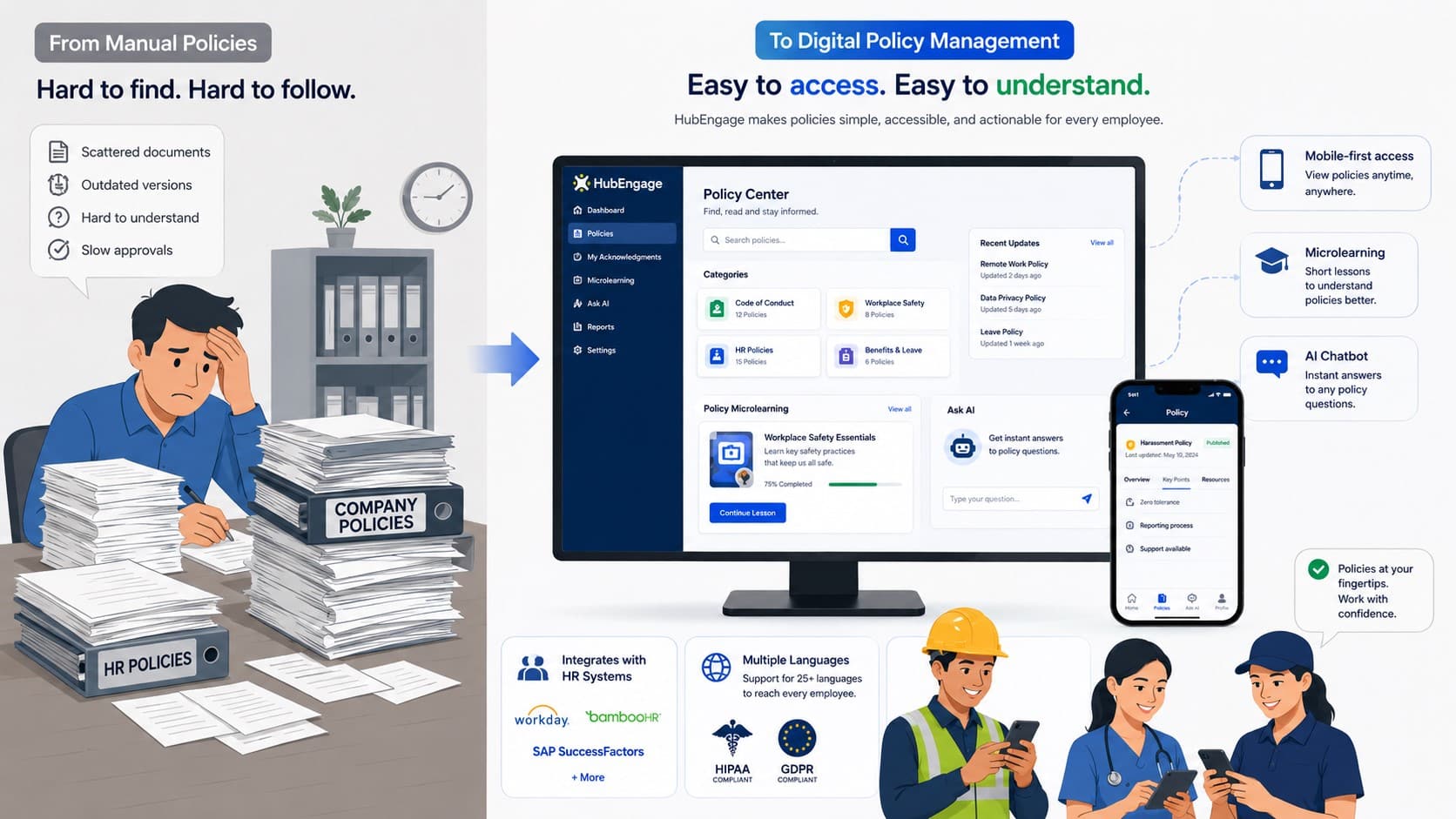
The goal is to make policies easy to find, understand, and apply during daily work. This is especially important for frontline and deskless teams. They need mobile access, clear instructions, and quick ways to confirm they have read important updates.
Policy management becomes more valuable when it supports employees, not just stores information. This is also where many organizations start exploring AI-powered workplaces so policy access can happen through plain-language search and assistant-driven support.
Policy Management Software Advantages
Below are the core capabilities that make policy management systems effective and valuable for modern workplaces.
1. Centralized Policy Repository
Stores all policies in one organized location, making it easy for employees to find accurate and up-to-date information without searching across multiple systems or documents.
2. Drafting and Approvals
Supports drafting policies, structured review workflows, and publishing after approvals, ensuring accuracy as well as consistency across all organizational policy documents.
3. Controlled Distribution
Ensures policies reach the right employees by role, department, or location, reducing noise while improving clarity, relevance, and engagement with important updates.
4. Acknowledgment Tracking
Tracks employee policy acknowledgments, ensuring compliance, reducing risk, and improving accountability by identifying awareness, understanding, and confirmation gaps.
5. Review Cycles
Automates policy reviews, keeping content current, relevant, and compliant, reducing risks from outdated policies while improving governance and accountability.
6. Archiving and Version Control
Safely stores outdated policy versions while preserving historical records, allowing organizations to maintain transparency, track changes, and provide evidence during audits or internal reviews.
7. Reporting and Analytics
Provides visibility into policy status, employee engagement, and compliance gaps, enabling HR, Legal, and Operations teams to make informed decisions and improve policy management processes.
8. Audit Trail Visibility
Captures every stage of the policy lifecycle, including creation, review, approval, distribution, and acknowledgment, ensuring transparency and accountability across all policy-related activities.
9. Targeted Delivery and Reminders
Sends policies to specific employee groups and automates follow-up notifications for unread or unacknowledged policies, improving completion rates and ensuring employees stay informed.
10. Improved Accessibility and Search
Supports fast search, clear categorization, and role-based visibility, helping employees quickly locate relevant policies while reducing repetitive queries directed to HR teams.
Due to the benefits offered many companies are investing in knowledge management tools for employees.
How Policy Management Improves Employee Experience
Policy management is not only about compliance; it also shapes employee experience. When employees cannot find answers or face unclear policies, they feel frustrated and may delay action or rely on managers. Too many lengthy documents can lead to ignored updates. Clear, accessible policies help employees feel supported and confident in their actions. This improves onboarding, reduces confusion, strengthens communication, and ensures consistent operations. It also supports compliance, as employees who understand expectations are more likely to follow them.
How AI can make policies easier to find and understand?
AI powered policy management softwares can make it very easy to find and learn about policies. Instead of searching through long documents, employees can ask simple questions in natural language such as:
- What is our leave policy?
- How do I report a safety concern?
- What is the dress code for my location?
- Where can I find the expense reimbursement process?
- What is the policy for shift swaps?
- What should I do if I miss a clock-in?
An AI chatbot helps employees quickly find answers from approved internal content. It summarizes policies, directs users to official documents, and explains next steps. This reduces repeated HR questions and boosts employee confidence by providing timely, reliable information when needed.
However, AI should not replace policy governance. Policies still require ownership, approvals, version control, and audit trails. AI should enhance access and understanding, while organizations remain responsible for approving, maintaining, and managing policy content.
Policy Management Software Implementation
Follow these steps to implement policy management software smoothly, ensuring adoption, communication, and effective usage.
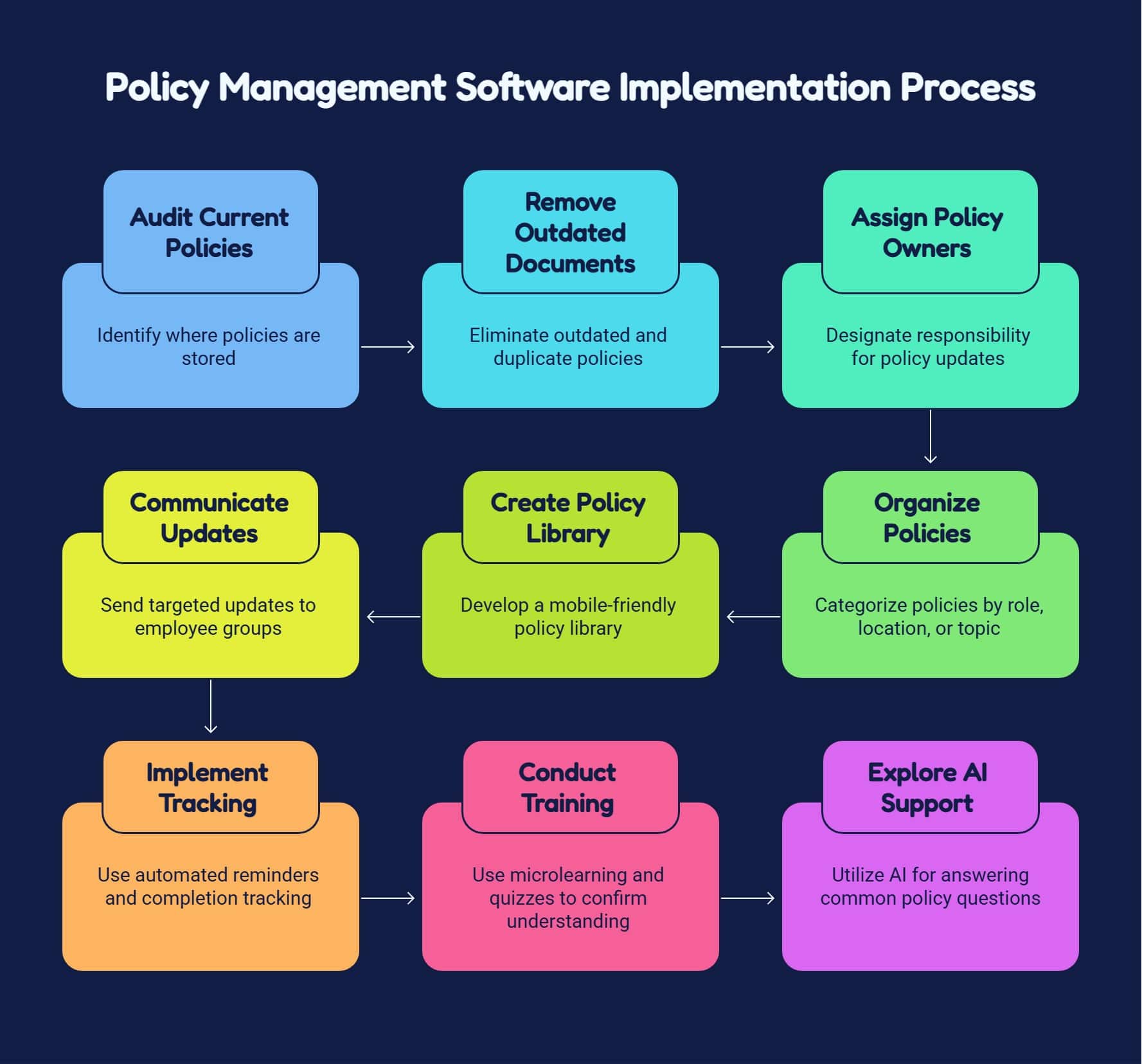
A practical example is a handbook update that once required sending attachments, answering repeat questions by email, and tracking acknowledgments manually in spreadsheets.
In a centralized platform, that same process can be reduced from several days to a few hours by updating the policy once, targeting the right groups, sending notifications, and monitoring completion from one dashboard.
How HubEngage Supports Modern Policy Management
Our Employee Experience Platform transforms policy management into an interactive, employee-focused experience in following ways:
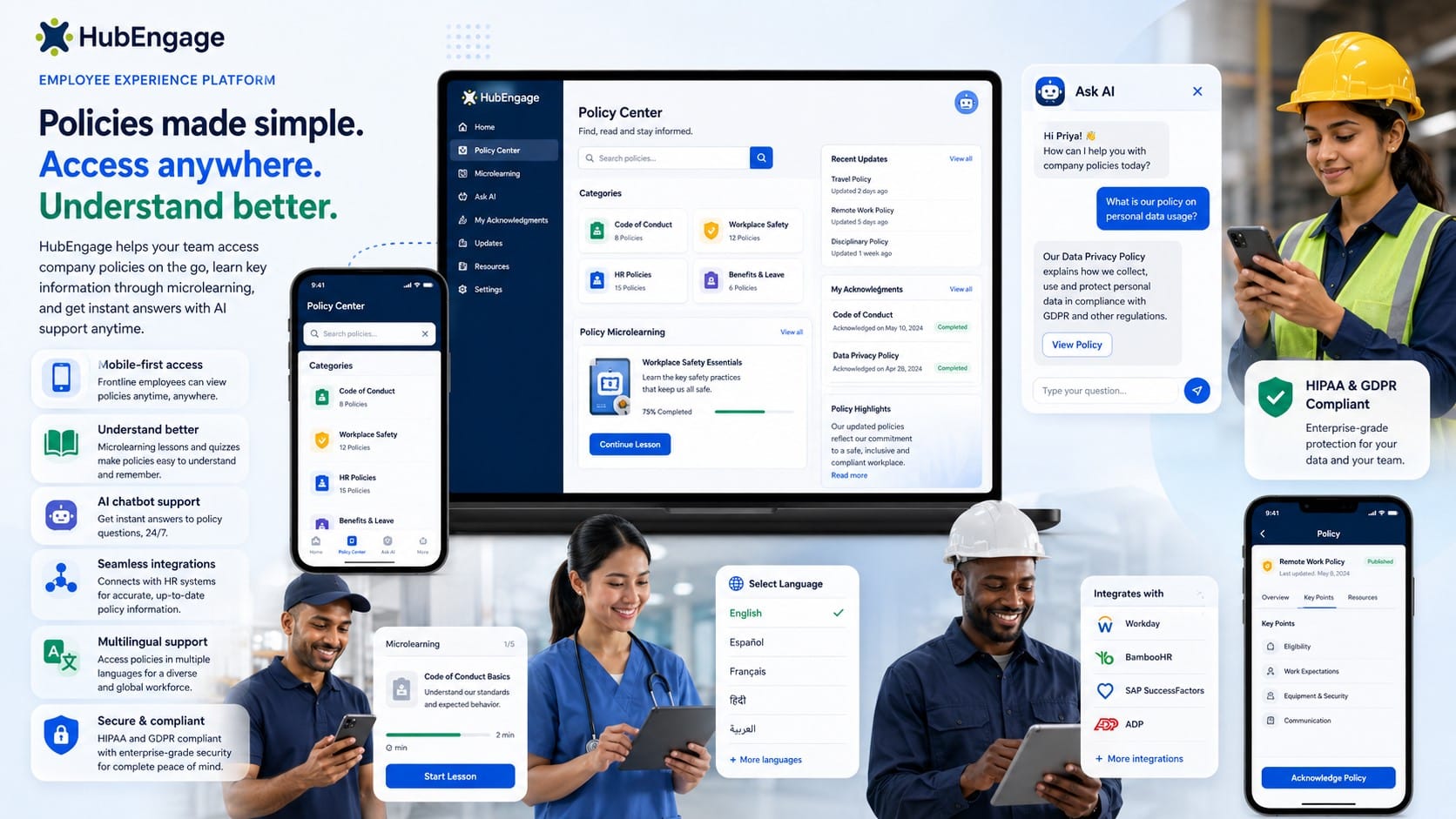
- Centralized Policies Library: Upload, update, and manage all policies in one place. Employees can easily access the latest versions anytime, ensuring consistency, accuracy, and better compliance across the organization.
- AI Chatbot Assistance: Having an AI-powered chatbot for internal employees answers employee questions instantly about policies reducing confusion, saves time, and helps employees get clear guidance.
- Quick search and microlearning: Employees can quickly search policies and learn through short, simple lessons. This improves understanding, boosts engagement, and helps employees remember important information more effectively.
Conclusion
Policy management software helps employees act quickly and correctly. It centralizes documents, tracks acknowledgments, and evolves into an intelligent guide supporting communication, compliance, onboarding, engagement, and daily decisions.
For small businesses, frontline teams, and distributed workforces, this matters greatly. Employees need policies that are easy to find, understand, and apply. When access improves, confusion decreases and productivity rises.
Organizations seeking better policy accessibility can take a demo to explore HubEngage employee experience platform which combines policy communication, AI assistance, microlearning, gamification, and employee engagement into one unified employee experience platform.
Policy Management Software FAQs
What is policy management software used for?
Policy management software helps organizations centralize employee handbooks, HR policies, safety procedures, IT rules, compliance documents, and operational guidelines. It supports the full lifecycle, including creation, approval, distribution, acknowledgment tracking, updates, archiving, and reporting.
Why isn’t a shared drive enough to manage policies?
A shared drive can store files, but it usually doesn’t provide strong version control, targeted distribution, acknowledgment workflows, automated reminders, or reliable audit history. That’s why shared drives often create confusion around which document is current and who has reviewed it.
What features matter most for a policy management software?
The essentials are version control, approval workflows, acknowledgment tracking, search, audit trails, review reminders, and role-based targeting. For distributed teams, mobile access is just as important. For larger organizations, HRIS integration and analytics become more important as the audience grows.
Can AI replace policy governance?
AI should support access, not replace governance. It can help employees ask plain-language questions and find the right source quickly, but the official policy still needs ownership, approval, version control, and auditability.
How does policy management improve employee experience?
Employees feel more supported when they know where to find answers and can trust that the answer is current. Better policy access reduces confusion, shortens response time, and helps people take the right action without waiting on HR or managers.
Related Links
digital employee experience platform | employee guidance | AI-powered workplaces | knowledge management tools for employees | AI-powered chatbot