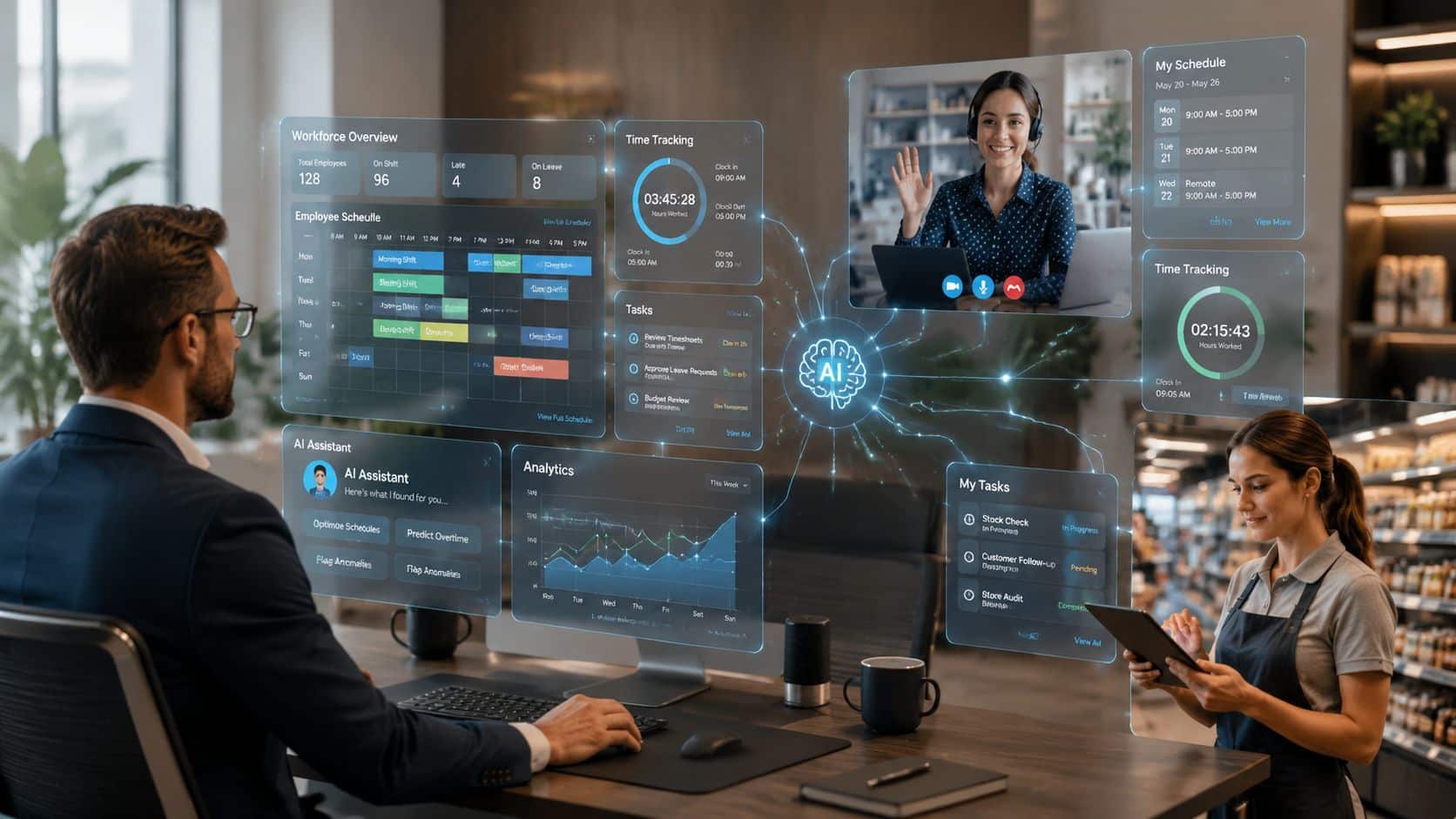
Traditional workforce management software was built for a narrower problem: capture time, fill shifts, approve attendance, run payroll inputs. That still matters, but it no longer reflects how work is managed.
The pressure on the workforce is now broader and more intense. Microsoft’s 2025 Work Trend Index found that 80% of workers and leaders feel they do not have enough time or energy to do their work, while 47% of employees and 53% of leaders say their workload feels impossible to keep up with, as summarized by People Managing People’s review of AI workforce management tools. In that environment, a scheduling tool alone won’t solve much. Organizations need systems that connect labor planning, employee communication, knowledge access, task execution, and workforce support.
That’s why AI powered workforce management software is becoming something bigger: a workforce operating system. It doesn’t just manage labor hours. It helps people get onboarded faster, find the right answer in the flow of work, stay aligned across locations, and gives managers better recommendations without adding more admin work.
Key Takeaways
- AI is expanding the scope of workforce management from scheduling and attendance into communication, support, microlearning, and employee experience.
- Modern workforce complexity is operational and human. Coverage, labor cost, trust, knowledge access, and retention now sit in the same decision loop.
- Disconnected tools create drag because managers end up coordinating work across payroll, HR, messaging, intranet, and task systems manually.
- The strongest platforms act like a workforce operating system with AI embedded across planning, execution, insight, and employee support.
- ROI comes from less admin and better decisions. The value isn’t only automation. It’s also faster onboarding, more consistent execution, and fewer avoidable workforce problems.
The New Era of Workforce Management
Traditional workforce management is cracking under the weight of modern work. Frontline teams move across shifts, locations, channels, and policies. Remote and distributed employees work across time zones and tools. Managers are expected to control labor costs, maintain service levels, reduce overtime, answer employee questions, and keep people engaged.
AI changes the operating model because it connects those decisions instead of treating them as separate workflows. Scheduling affects communication. Communication affects compliance. Knowledge access affects productivity. Employee support affects retention.
A useful way to think about the shift is this: old workforce management software tracked labor. New workforce management software helps run the workforce.
For a broader view of how AI is reshaping the workplace beyond scheduling, HubEngage’s perspective on AI-powered workplaces is a useful internal starting point.
Practical rule: If your managers still build schedules in one tool, answer policy questions in another, and chase updates over email or chat, you don’t have workforce management. You have workflow fragmentation.
Why Traditional Workforce Management Is Failing
Traditional workforce management fails because it was built for recordkeeping, not coordination.
Most legacy systems can calculate hours, track attendance, and produce schedules. They struggle once critical tasks start. A manager still has to fill a last-minute gap, push an update to the right team, answer a policy question, confirm training status, and make sure the change reaches payroll and HR. That is not a software problem in one screen. It is a systems problem across the whole workforce.
The gap is most obvious in distributed and frontline environments, where shift changes, location-based updates, and mobile access matter every day. Teams that depend on deskless staff often outgrow basic scheduling tools first because communication and execution break down outside the time-and-attendance workflow. That is why many organizations start looking for mobile workforce management software for frontline and field teams before they fully rethink the rest of the stack.
Where the old model breaks down
Legacy workforce setups tend to fail in four operational areas:
- Planning stays static. Schedules reflect manager habits, old templates, or last month’s demand instead of current conditions.
- Exceptions get handled manually. Callouts, shift swaps, overtime risks, and demand spikes create a chain of texts, calls, and spreadsheet edits.
- Knowledge stays separate from execution. Employees need answers in the flow of work, but policies, procedures, and onboarding materials sit in disconnected repositories.
- Communication lacks context. Updates go out through email, chat, or notice boards without being tied to role, shift, location, or task.
That fragmentation carries a real human cost. Microsoft’s 2025 Work Trend Index, summarized in earlier reporting, found that many workers and leaders lack the time or energy to get their work done, and many employees and managers describe workloads as unmanageable. Legacy workforce tools add to that pressure because they push coordination work onto supervisors, HR teams, and employees instead of reducing it.
One pattern shows up almost everywhere. Managers become the integration layer.
They spend their day translating between systems that were never designed to work as one operating model. Scheduling lives in one application. Timekeeping sits in another. Messages go out somewhere else. HR owns policies in a separate portal. Operations then wonders why execution is inconsistent across sites.
What companies keep underestimating
The direct cost is labor inefficiency. The larger cost is decision latency.
When information is scattered, routine actions take too long. A simple schedule adjustment can trigger multiple approvals, side conversations, and manual follow-up. A policy update may be published centrally but never reach the supervisor handling the issue on the floor. An employee may miss an important operational change because the message was sent through a channel they do not check during a shift.
Here is how the old model usually performs in practice:
| Legacy approach | What happens in practice |
|---|---|
| Spreadsheet-based scheduling | Fairness, compliance, and speed break down as soon as conditions change |
| Separate point solutions by function | Managers reconcile data by hand and spend more time checking than deciding |
| Static policy libraries | Employees still ask supervisors because search is weak, content is outdated, or access is poor on mobile |
| Communication outside the workforce system | Updates miss the people who need them because messages are not tied to shift, role, task, or location |
This is the same pattern many IT teams have already seen in service operations. They try to revolutionize your service management by replacing fragmented workflows with a more unified system. Workforce operations are heading in the same direction because the underlying issue is the same. Too many disconnected tools, too little operational context, and too much manual coordination.
The core problem is no longer scheduling alone. It is that traditional workforce management treats labor, communication, knowledge, and employee support as separate functions. Modern operations do not run that way. A company needs one system that helps plan work, execute changes, answer questions, distribute information, and support employees across the full workday.
That is why older workforce management platforms are losing relevance. They manage transactions. They do not run the workforce.
The Rise of the AI Workforce Operating System
The market signal is clear. The AI in workforce management market is projected to reach USD 14.2 billion by 2033, growing at a 22.3% CAGR, according to Market.us coverage of AI in workforce management. That kind of growth suggests AI is no longer being treated as a side feature. It’s becoming part of the enterprise planning layer.
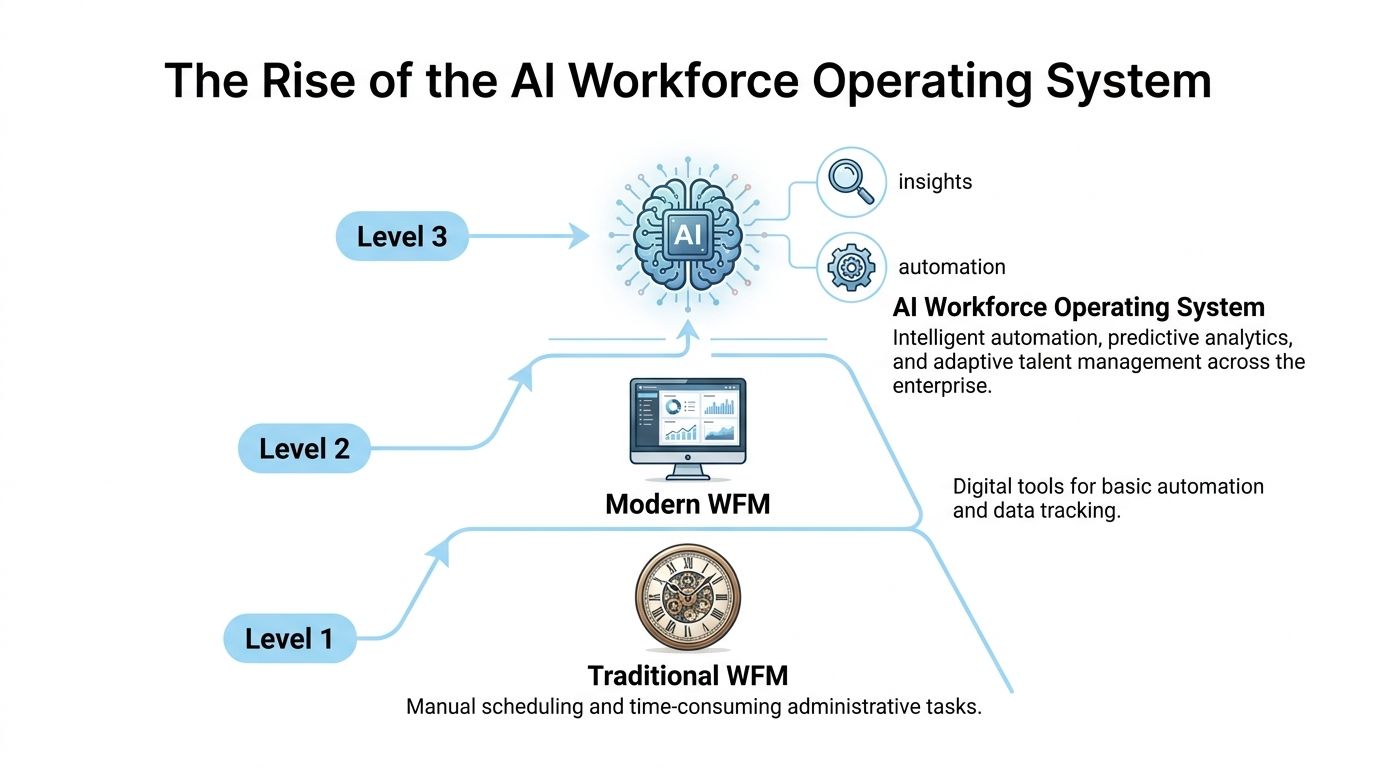
The fundamental change is conceptual. Workforce management used to mean labor administration. The next generation acts more like a coordinated system for how work gets staffed, communicated, supported, and improved.
Teams that are already rethinking adjacent operational systems often take a similar path in IT service environments, where firms try to revolutionize your service management by replacing fragmented workflows with more unified service operations. Workforce technology is moving in the same direction.
Four pillars define the new model
A workforce operating system usually brings together four capabilities that were previously spread across separate tools.
Intelligent operations
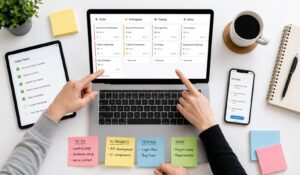
This is the core scheduling and execution layer. It includes forecasting, staffing recommendations, task coordination, attendance inputs, and exception management.
The difference isn’t just automation. AI helps the system adapt to demand changes, staffing constraints, and work patterns faster than manual planners can.
Connected communications
Frontline and distributed workforces don’t operate well when updates depend on bulletin boards, email chains, or manager relays. Modern workforce software has to distribute targeted information based on role, shift, location, or business context.
When communication is connected to operations, managers spend less time chasing acknowledgement and correcting preventable confusion.
Continuous knowledge enablement
Many buyers still underspecify requirements. Employees require more than just training courses; they need microlearning, policy reminders, onboarding guidance, and trusted answers during the workday.
That’s why a mobile-first approach matters. HubEngage’s view of mobile workforce management software reflects the broader shift toward delivering work guidance, updates, and support where employees already are.
Workforce intelligence
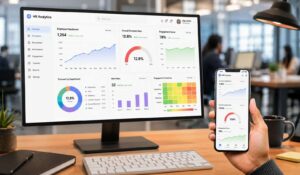
Most reporting still stops at hours, adherence, and coverage. A workforce operating system goes further by combining operational signals with engagement, participation, and knowledge usage patterns.
What changes with AI: The system stops being a passive record of labor and starts becoming an active decision layer for managers and employees.
That unified model is what makes AI powered workforce management software strategically different from a digital timesheet tool with a few added features.
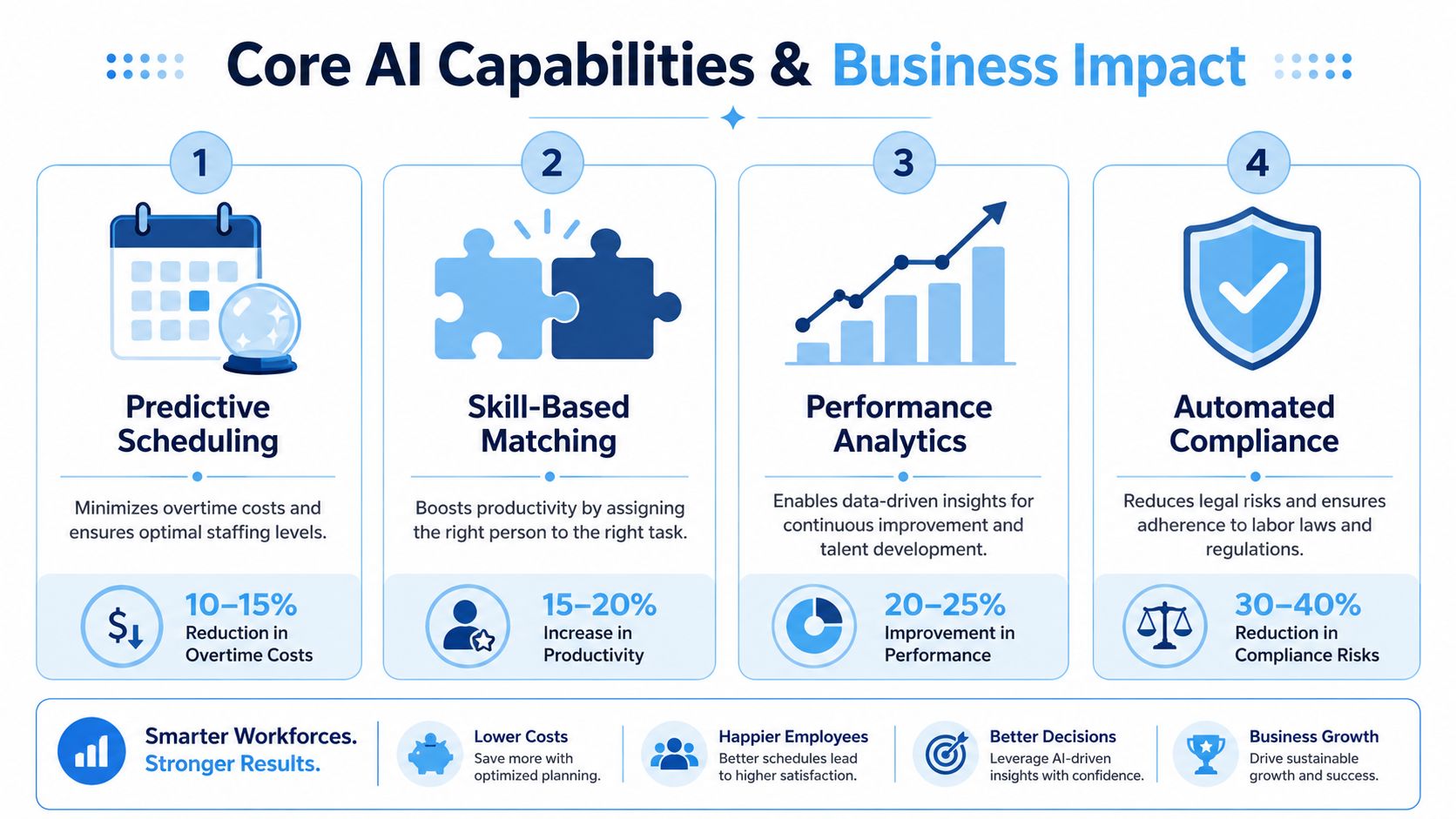
Core AI Capabilities and Their Business Impact
The strongest AI workforce systems don’t win because they sound advanced. They win when they remove planning friction, improve decision quality, and help employees get unstuck faster.
Predictive forecasting and smarter scheduling
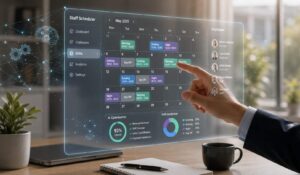
At the operational level, AI powered workforce management software typically combines predictive forecasting with skills-based scheduling. As described by Sprinklr’s workforce management overview, the software analyzes historical demand, handling times, and service-level patterns to estimate future workload, then assigns staff to the right channels and time windows.
That matters because static schedules usually create two expensive outcomes: too few people when demand spikes, or too many people during quieter periods.
A practical example is a contact center with campaign-driven volume swings. A traditional planner may rely on last month’s averages and manager intuition. An AI-driven system can incorporate demand patterns, known business events, and staffing constraints, then produce a schedule that is more responsive and easier to adjust during the day.
Planning productivity and throughput gains
The strongest hard ROI often comes from planning efficiency. A widely cited operational benchmark summarized by ITACIT’s guide to AI workforce management reports that AI scheduling can cut planning time by 40% while increasing trip volume by 25% in complex scheduling environments.
Those gains don’t happen because the software performs magic. They happen because repetitive schedule building, re-entry, and coordination work gets compressed. Planners can spend more time on exceptions, compliance checks, labor trade-offs, and service risk.
Manager test: If your supervisors spend more time building the schedule than improving coverage quality, AI should be fixing the process.
Contextual knowledge assistance in the flow of work
One of the most useful AI capabilities isn’t scheduling at all. It’s contextual knowledge assistance.
Employees constantly need answers to practical questions. Which policy applies here? What’s the procedure for a return, incident, escalation, or handoff? What steps should a new employee follow on day three? In many organizations, the answer still depends on asking a manager or searching through disconnected files.
That slows execution and introduces inconsistency.
A stronger model grounds AI in trusted internal sources such as policies, onboarding content, procedures, FAQs, and operational documentation. Then the system can surface relevant guidance based on the employee’s question or task. This is much more valuable than generic content recommendation because it reduces search friction at the moment of need.
Facilities, retail, healthcare, and manufacturing environments can also benefit when workforce signals connect with physical operations data. For example, organizations exploring workplace telemetry often look at adjacent technologies like smart building sensors to understand occupancy, utilization, or environmental conditions that can inform staffing and service decisions.
A practical extension of this support model is an internal employee assistant. HubEngage addresses this through its chatbot for internal employees, which is designed to help workers find policies, procedures, onboarding resources, and operational answers without bouncing across multiple systems.
Unified analytics across operations and engagement
Many organizations already have reports. What they lack is synthesis.
AI becomes more valuable when it looks across scheduling patterns, workforce activity, feedback, participation, communication effectiveness, and employee sentiment together. That allows leaders to identify problems that don’t show up in a labor dashboard alone. A turnover issue may look like staffing instability. In reality, the root cause might be poor communication, weak onboarding, or repeated confusion around task expectations.
That’s why the business impact of AI isn’t limited to efficiency. Done well, it supports better judgment.
AI Powered Management for Every Type of Workforce
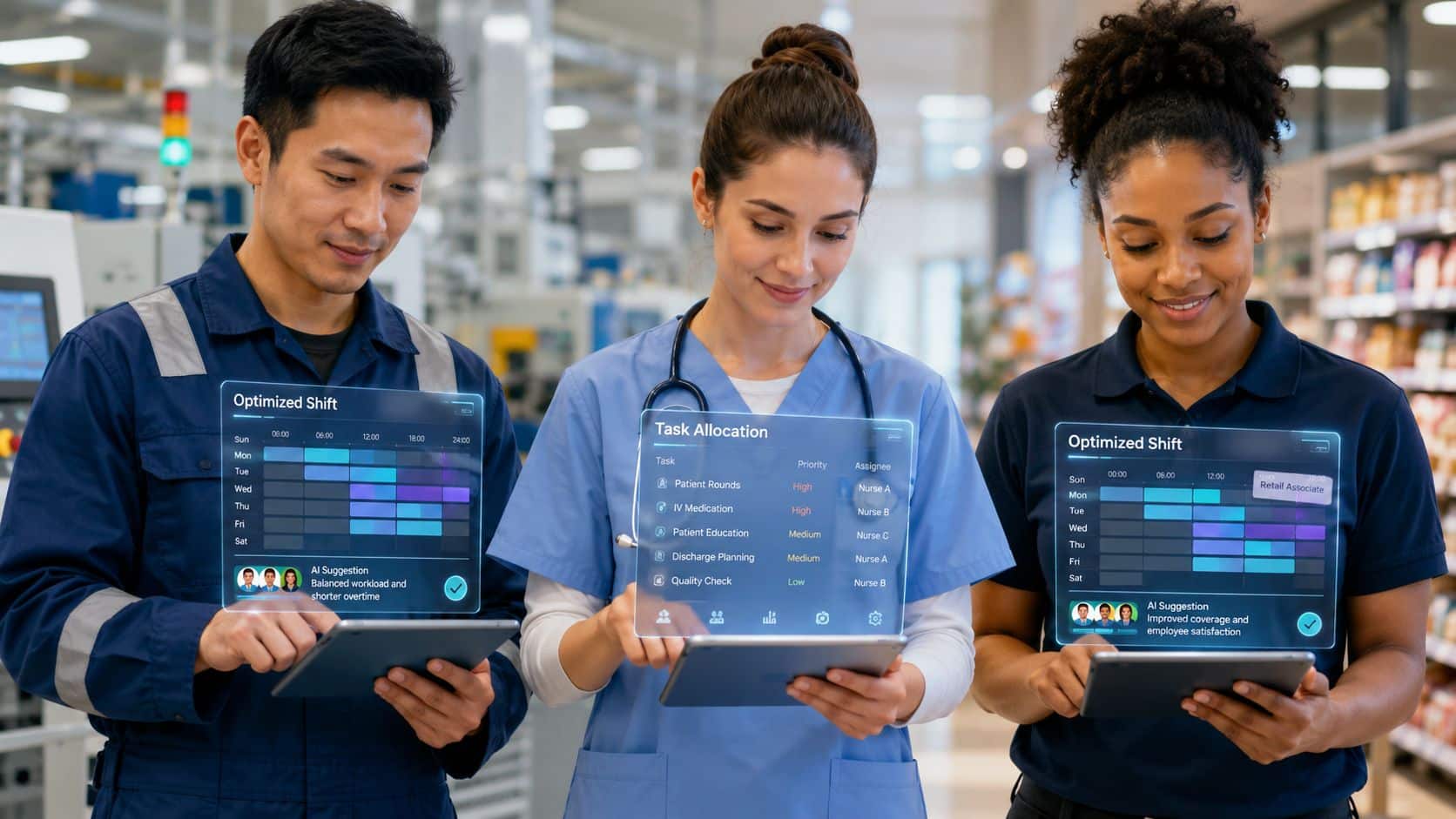
A unified workforce platform only matters if it works across different employee realities. Frontline employees, distributed teams, and desk-based workers don’t need the same experience. They do need one system that can support them without forcing every workflow through the same narrow interface.
Frontline teams need speed and clarity
For hourly and frontline workers, the priority is simple. They need fast access to shifts, tasks, updates, and answers.
A good AI-enabled system helps in three ways:
- Mobile scheduling access: Employees can view schedules, availability, and changes without relying on a manager text chain.
- Microlearning support: Short knowledge prompts reinforce procedures, safety steps, and policy updates during the workday.
- Instant answers: Employees can ask a question and get guidance from approved internal content.
That’s especially useful in high-turnover environments, where new employees need support immediately, not after a formal training cycle.
Distributed and remote teams need coordination without overload
Remote and distributed teams usually have a different issue. The challenge isn’t shift visibility alone. It’s keeping work coordinated across channels, time zones, and functions without burying people in messages.
AI helps by surfacing relevant updates, organizing task execution, and making it easier to find what matters by role or context. It also supports fairer workload distribution because managers can see capacity and activity patterns more clearly instead of relying on the loudest person in chat.
Desk-based work still benefits from workforce intelligence
Office-based teams often assume workforce management tools are mostly for hourly operations. That’s outdated thinking.
Knowledge access, internal support, communications, pulse feedback, task coordination, and employee service all affect desk-based productivity. AI powered workforce management software can reduce context switching by bringing these workflows together. The value isn’t that everyone gets a schedule. The value is that employees spend less time hunting for information and managers spend less time manually coordinating routine work.
For organizations where scheduling remains central across locations or departments, employee scheduling software is one part of that broader operating model, not the whole strategy.
Unify Your Workforce with the HubEngage Platform
Companies usually do not struggle because they lack one more workforce app. They struggle because scheduling lives in one system, communications in another, knowledge in a third, and employee feedback somewhere else entirely. The result is slower execution, more manager follow-up, and a weaker employee experience.
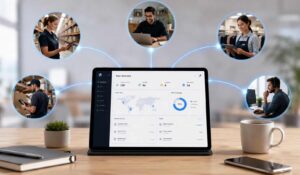
HubEngage, Inc. fits the workforce operating system model because it brings those workflows into one environment. The platform combines workforce communications, social engagement, surveys, recognition, scheduling, task management, knowledge resources, and AI-assisted employee support. For operations and HR teams trying to cut tool sprawl, that matters. A unified system reduces handoffs, gives managers a clearer view of what is happening, and makes adoption more realistic than adding another single-purpose tool.
Where a unified model creates measurable value
The benefit is not limited to one use case. It shows up across the employee lifecycle and in day-to-day execution.
- Onboarding and ramp-up: New hires can access policies, training content, role-specific updates, and support in one place, which reduces early confusion and shortens time to productivity.
- Daily management: Managers can coordinate schedules, tasks, announcements, and feedback without switching between disconnected tools or chasing updates across channels.
- Operational change: During policy updates, new initiatives, or process rollouts, leaders can distribute information, track participation, and spot gaps in understanding before they turn into service or compliance issues.
One of the strongest use cases is contextual knowledge support. Instead of forcing employees to search multiple systems, the AI layer can surface the right policy, procedure, onboarding content, FAQ, or operational guidance based on the question asked. That saves time, improves consistency, and reduces the amount of routine support work pushed back to managers and HR.
This model also changes how leaders evaluate workforce performance. If communication reach, sentiment, participation, task activity, and operational workflows sit in the same platform, teams can identify where execution is breaking down and why. That is a more useful management view than treating engagement, communication, and workforce operations as separate reporting streams.
For teams evaluating what that operating model should include, HubEngage’s workforce management guide for frontline and distributed organizations offers a practical framework.
A Buyer’s Guide to Implementation and Vendor Selection
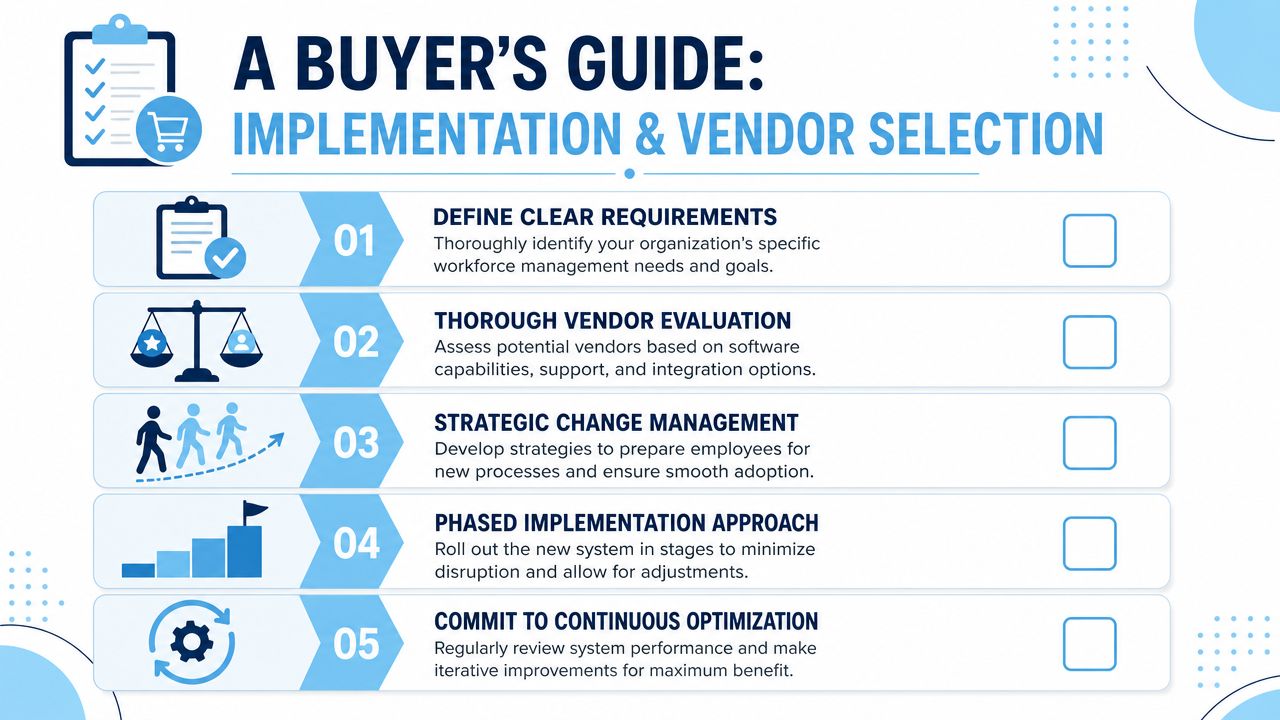
Buying AI powered workforce management software is not just a feature comparison exercise. It’s an operating model decision. The wrong implementation creates another disconnected layer. The right one reduces manual coordination and gives managers a system they’ll use.
Start with workflow reality, not vendor demos
Buyers often begin with product tours. Start somewhere else.
Map the actual manager and employee workflows that currently create friction. Look at schedule creation, approvals, policy lookup, onboarding, communication delivery, shift changes, task follow-up, and reporting. If those workflows cross too many systems, that’s where your business case lives.
The implementation guidance inside HubEngage’s workforce management guide is useful as a framework for thinking about operational fit, especially when frontline and distributed workflows need to be unified.
Baseline the metrics that prove payback
One of the most common gaps in AI workforce buying is ROI validation. Too many teams talk about automation benefits without deciding how they’ll measure success.
Baseline the metrics that matter to your environment, such as:
- Manager admin time: How long schedule creation, adjustments, and approvals currently take
- Knowledge friction: How often employees ask repeat questions or struggle to find trusted information
- Coverage quality: Where understaffing, overstaffing, or missed handoffs happen
- Support load: Which issues repeatedly route through supervisors or HR
- Adoption patterns: Whether employees use mobile, messaging, and self-service workflows
Evaluate for adaptation, not just scheduling
Workforce software now needs to support changing roles and knowledge requirements. As summarized by Deltek’s discussion of AI in workforce management, the World Economic Forum reports that 39% of core skills are expected to change by 2030. That means a system built only for static labor planning will age badly.
Use that reality to pressure-test vendors.
| Evaluation area | What to ask |
|---|---|
| Platform unity | Does scheduling connect with communication, knowledge, and feedback, or are these separate modules with weak handoffs? |
| AI transparency | Can managers understand why recommendations were made and override them when needed? |
| Knowledge grounding | Does the AI rely on trusted internal content, and is there a clear process to keep that content current? |
| Mobile usability | Can frontline employees complete core workflows quickly from a phone? |
| Analytics scope | Can leaders see both operational and employee experience signals in one place? |
Good implementation starts with governance. Decide who owns data quality, content freshness, change management, and AI decision review before rollout.
What usually works best
A phased rollout is usually safer than a big-bang launch. Start with one workforce segment or a manageable set of workflows, then expand once data quality, manager habits, and employee support processes are stable.
What doesn’t work is deploying advanced recommendations on top of poor content, unclear policies, and messy integrations. AI amplifies system quality. If the underlying information is weak, the experience won’t improve much.
Final Thoughts
AI powered workforce management software is no longer just about tracking hours or filling schedules. The real opportunity lies in connecting workforce planning, communication, knowledge access, employee support, and operational execution within a single system. Organizations that reduce workflow fragmentation can improve productivity, strengthen employee experiences, and help managers make better decisions with less administrative effort. To see how a unified approach can support your workforce strategy, explore the HubEngage Employee Experience Platform by scheduling a personalized demo today.
AI Powered Workforce Management Software FAQs
What makes AI powered workforce management software different from traditional WFM tools?
Traditional WFM tools mostly focus on time, attendance, and scheduling. AI-powered platforms expand that scope. They can support forecasting, recommendations, task coordination, contextual knowledge access, employee support, and broader workforce insight.
Will AI replace workforce managers?
No. In most organizations, it changes the manager’s job rather than removing it. Managers spend less time on repetitive coordination and more time handling exceptions, coaching employees, improving coverage decisions, and addressing real workforce issues.
How can organizations keep AI scheduling fair?
Start with clear rules and transparent governance. Managers should be able to review recommendations, understand the logic behind them, and override them when needed. Fairness also depends on data quality, current availability information, and well-maintained policies.
Is this mainly for frontline and hourly teams?
No. Frontline teams often see the most obvious value first because scheduling and communication are urgent there. But distributed and desk-based teams also benefit from better knowledge access, employee support, workflow coordination, and unified analytics.
What should buyers prioritize first?
Prioritize workflow integration. If scheduling improves but communication, knowledge, and employee support remain fragmented, the gains won’t hold. The best results usually come from connecting operations and employee experience instead of buying another isolated tool.
Does AI work better with custom model training?
Usually, the bigger win comes from grounding AI in trusted organizational content rather than building a highly customized model from scratch. Policies, procedures, onboarding materials, FAQs, and internal documentation need to be current and structured. That’s what makes answers reliable.
Related Links