Nearly 1 in 6 manufacturing employees works a non-daytime schedule, according to BLS shift data averaged across 2024-2025. That's a lot of people who miss the morning email blast, the daytime intranet post, or the all-hands meeting entirely.
A manufacturing communication app is a digital channel (mobile, web, SMS, or digital signage) built to deliver updates, alerts, resources, and feedback loops to both office staff and frontline production workers. This guide covers what makes manufacturing communication different, the app and channel types worth evaluating, the features that matter most, and how to choose and roll one out successfully.
Key Takeaways
- Reaching the hardest-to-reach shift matters more than any single feature
- Mobile-first, no-email onboarding beats forcing frontline workers into corporate accounts
- Targeted messaging by plant, shift, and language cuts noise and boosts relevance
- Two-way feedback and acknowledgment tracking build trust and prove messages landed
- Safety-critical alerts need faster, separate pathways than routine updates
What Makes Communication Apps Different in Manufacturing?
Office communication assumes a laptop, a company email address, and a predictable workday. Manufacturing breaks every one of those assumptions. Production staff often share devices, work through walls of machine noise, and rotate across second and third shifts where corporate messages rarely reach.
This isn't a minor inconvenience. Only 29% of manufacturing leaders rate their frontline leaders as advanced or expert communicators, even though 77% consider clear communication crucial to performance, according to the Manufacturing Institute's frontline study with PwC.

That gap between intent and execution shows up directly in safety awareness, onboarding speed, and how much workers trust leadership.
Where Traditional Channels Fall Short
Bulletin boards, printed notices, manager cascades, and walkie-talkies all served a purpose once. But they share the same weakness: no way to confirm a message was actually received, understood, or acted on.
- Bulletin boards go stale and get ignored after the first week
- Cascade briefings lose detail as they pass from shift lead to shift lead
- Email stops at the plant gate for workers without a corporate account
- General collaboration tools (built for office teams) rarely survive a production floor
Published Isn't the Same as Delivered
Posting a safety update is not the same as confirming someone read it. OSHA's own guidance makes this distinction explicit: training materials must use language and vocabulary employees actually understand, and simply distributing paperwork doesn't satisfy that obligation.
Urgency matters too. An emergency alert needs to reach a line operator in seconds. A policy update or recognition post can wait for a scheduled push. Treating every message with the same urgency trains employees to ignore all of them.
A communication app should sit alongside formal safety, HR, and emergency-response systems, not replace them.
Which Types of Communication Apps and Channels Should Manufacturers Consider?
Manufacturers typically evaluate six categories, and each solves a different problem:
- Employee communication apps
- Team messaging tools
- Intranets or employee experience platforms
- SMS/emergency alert systems
- Digital signage
- Apps tied to learning or HR workflows
Push vs. Pull Communication
- Push notifications proactively deliver time-sensitive information, such as a safety alert or a shift schedule change.
- Pull resources, like searchable SOP libraries, FAQs, or AI search assistants, let employees find answers when they have a question.
Neither replaces the other. A plant that only pushes messages overwhelms workers; one that only offers a searchable library misses urgent moments entirely.
Why a Channel Mix Works Better Than One Tool
A single channel rarely covers every scenario. Mobile push handles a safety alert. Digital signage reaches shared spaces like break rooms where phones aren't allowed. SMS reaches workers without the app installed yet. An intranet or app hub stores policies and training for later reference.
| Channel | Best for | Device access needed | Two-way? |
|---|---|---|---|
| Mobile app push | Urgent, shift-specific updates | Smartphone | Yes |
| SMS | High-priority reach, no app required | Any phone | Limited |
| Digital signage | Shared-space announcements, metrics | Shared screen | No |
| Intranet/hub | Policies, SOPs, resources | Any device | Yes |
Capabilities and limitations vary by vendor, so confirm these details directly before you commit.
A platform like HubEngage is built for this mix. Its mobile, web, email, SMS, and digital signage capabilities work together under one publishing action, so a plant manager isn't recreating the same message five separate times. It's one option among several worth comparing, not the only path to multi-channel delivery.
Which Features Matter Most in a Manufacturing Communication App?
Feature lists can get long fast. Here's what actually moves the needle on a production floor.
Mobile-First, No-Email Access
Workers without a corporate email address need a simple way in, whether through a QR code, phone number, or shared kiosk terminal. The app should work on a personal phone during a break or a shared device at a workstation, without a clunky login process getting in the way.
Targeting and Urgent Alerts
Messages should reach the right audience by plant, shift, department, language, or employment status, not blast the entire company. For urgent needs, look for:
- Push alerts with priority flags
- Escalation workflows when a message isn't acknowledged
- Delivery confirmation and audit-ready acknowledgment records
Security and compliance expectations vary by state and by the type of data involved, so this is worth confirming with your legal or compliance team before rollout.
Multilingual and Two-Way Communication
Translation workflows, visual content, and plain-language formatting matter on mixed-language crews. Equally important: a way for employees to talk back.
Surveys, hazard reporting, suggestion channels, and direct messaging only work if managers visibly follow up.
Knowledge Access, Engagement, and Analytics
- Searchable procedures with version control prevent outdated safety documents from circulating
- Recognition and gamification drive adoption rather than just decorating the app
- Analytics should show reach, acknowledgment, and participation by plant and shift, not just total downloads
HubEngage's manufacturing clients, including Sumitomo Rubber USA, Pactiv Evergreen, and Graham Packaging, use its Communications, Recognition, Surveys, and AI Assistant hubs to cover these needs within one modular platform. Teams add hubs as requirements grow rather than buying a new tool for each one.
How Should Manufacturers Choose the Right Communication App?
Start with an honest audit before looking at any vendor demo.
- Map your workforce reality - document sites, shifts, languages, device access, and current tools. Flag the messages that create the most operational risk if missed.
- Build a weighted scorecard - score candidates on frontline reach, onboarding ease, targeting, urgent alerts, two-way feedback, analytics, security, and total cost.
- Test realistic scenarios - ask vendors to demonstrate a plant-specific safety alert, overnight shift delivery, no-email onboarding, and a translated message with proof of acknowledgment.
- Review governance upfront - user permissions, personal-device policy, data retention, approval workflows, and identity-management integration all need answers before go-live.
- Check adoption support - manager enablement, local champions, and training for workers with limited digital confidence often determine whether a rollout sticks.

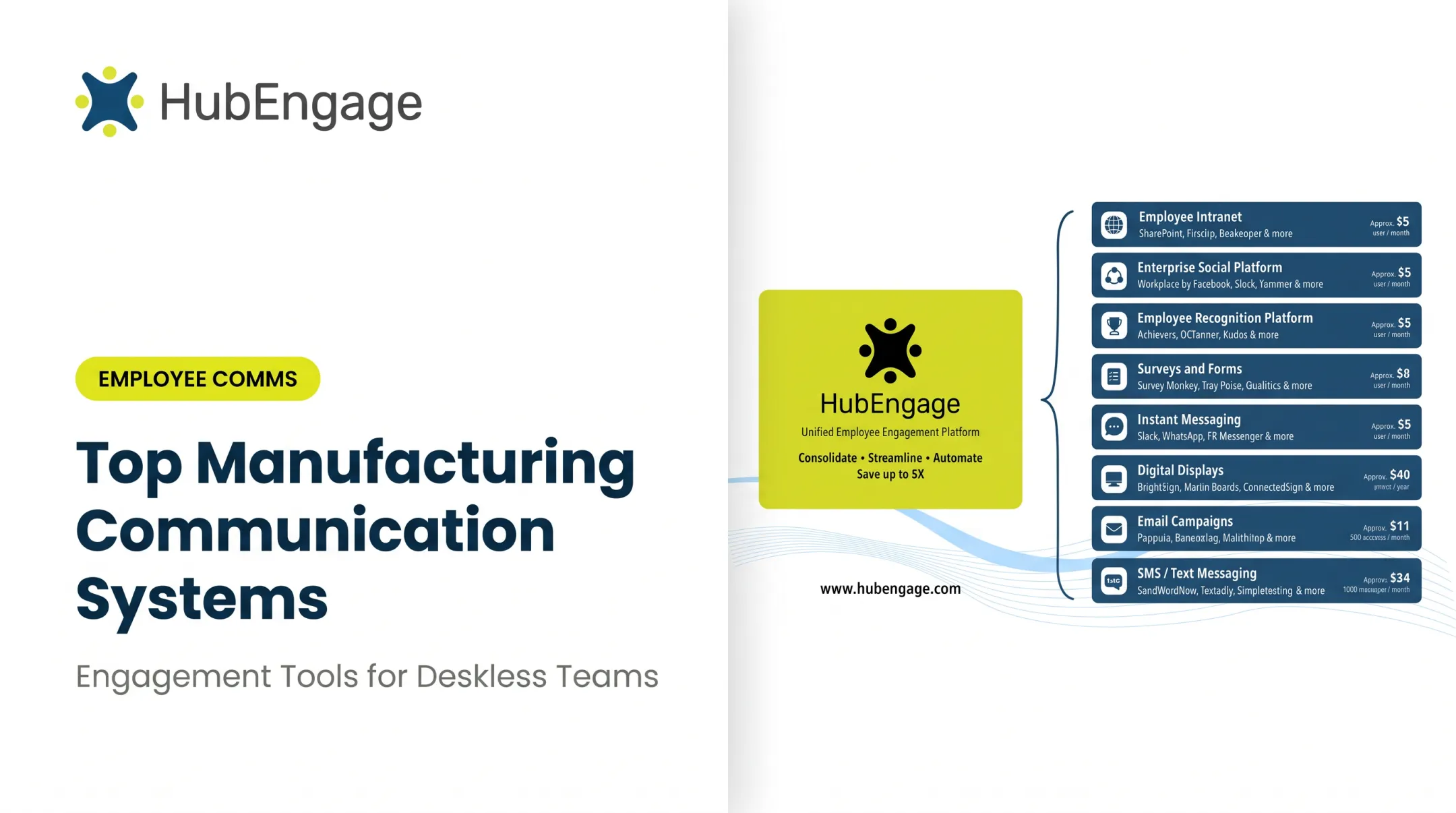
Factor this into cost comparisons: organizations commonly spend an average of $40 per user maintaining separate platforms for messaging, recognition, surveys, and intranet needs. Consolidating those tools belongs in the total-cost conversation.
When reviewing case studies from other manufacturers, confirm the workforce size, timeframe, and outcome metrics are current and sourced directly, not recycled marketing claims.
How Can Manufacturers Implement a Communication App Successfully?
A phased rollout beats a company-wide launch every time.
- Pilot first. Pick one representative plant or shift group, define success criteria, and test onboarding before expanding further.
- Start with high-value use cases. Safety updates, shift information, onboarding resources, and recognition matter more on day one than publishing every possible message type.
- Assign clear ownership. Communications, HR, Operations, EHS, and IT need agreement on who approves what, and which messages require acknowledgment or translation.
- Train supervisors as champions. Reinforce app use in shift briefings and keep manager cascades as support, not the only path. Gartner's deskless research found most deskless workers still prefer job information from their direct manager, so the app and supervisor should reinforce each other.
- Measure and iterate. Track reach, acknowledgment, feedback participation, and content findability. Review failed deliveries, inactive audiences, and outdated content on a regular cadence.

HubEngage's manufacturing deployments typically start with shop-floor announcements, EHS alerts, and shift-handover notes, letting companies prove value with high-stakes messages before expanding into recognition, surveys, and learning content.
Build a Communication System That Works Where Manufacturing Happens
A manufacturing communication app earns its place when a third-shift machine operator can open it in thirty seconds, understand it without a translation delay, and flag a hazard without hunting for the right person. Long feature lists do not deliver that.
Start with your hardest-to-reach workforce segment, then:
- Combine channels with purpose
- Protect safety-critical information above all else
- Build in real two-way feedback
- Measure what actually happens, not what you hope happens
Before committing to a broader rollout, audit the communication journey for one plant or shift group and compare platforms against that real scenario.
Frequently Asked Questions
What are some good communication apps for manufacturing companies?
Good options include employee communication and experience platforms, frontline messaging tools, intranets, emergency alert systems, and digital signage. Compare mobile access, targeting, safety alerts, multilingual support, and total cost rather than looking for one universal winner.
What is a manufacturing communication app used for?
These apps handle safety alerts, shift updates, operational information, training, onboarding, feedback, recognition, HR resources, and leadership communication across both desk-based and frontline teams in one connected system.
What features should manufacturers look for in a communication app?
Prioritize mobile-first access, no-email onboarding options, targeted notifications, multilingual content, acknowledgment tracking, two-way feedback, searchable resources, and strong analytics and security controls.
Can communication apps reach factory workers who do not have corporate email?
Many platforms support phone-based or QR-code onboarding, personal or shared devices, push notifications, SMS, and digital signage. Test the actual access flow with real workers before rolling out broadly.
Do communication apps replace radios, bulletin boards, or supervisor briefings?
No. Apps typically complement existing channels. Radios and in-person briefings remain essential for immediate operational coordination, while apps improve consistency, documentation, and two-way feedback.
How can manufacturers measure whether a communication app is working?
Track delivery and acknowledgment rates, active use by site and shift, feedback participation, content findability, and response times, then connect those numbers to safety, onboarding, or retention trends over time.