Think about what lives there: HR records, payroll details, executive announcements, internal documents, and often direct lines into your HCM system, Microsoft Teams, or Slack. A compromised intranet account doesn't just expose one document. It can open a door into dozens of connected systems.
Here's the catch many organizations miss: being "internal" doesn't mean being secure. Private networks still get breached through weak passwords, stale accounts, unmanaged devices, and overlooked integrations. This guide walks through the layered practices, identity controls, data protection, secure configuration, and ongoing monitoring, that keep an intranet genuinely safe, not just assumed to be.
Key Takeaways
- Combine identity controls, least-privilege access, encryption, and monitoring instead of relying on one safeguard
- Review permissions continuously, especially during onboarding, role changes, and offboarding
- Secure every access path, including browsers, mobile devices, remote connections, and AI features
- Treat intranet security as ongoing governance, not a one-time platform setup
- Align your approach with a recognized framework rather than building controls ad hoc
Intranet Security Guidelines
Effective intranet security protects four things: confidentiality, integrity, availability, and legitimate employee access to information. That holds true whether your platform runs in the cloud, on-premises, or across a hybrid mix of office and frontline devices.
Start with an inventory, not a tool purchase. Before locking anything down, map out:
- Sensitive information types, such as HR files, financial data, and executive communications
- User groups and their access needs: admins, managers, frontline staff, contractors
- Connected integrations like HCM systems, payroll, Teams, Slack, and SSO providers
- Devices in use, including company laptops, personal phones, and shared kiosks
- Business-critical workflows that would cause real damage if interrupted
Once you know what you're protecting, align your approach with a recognized framework. NIST's CSF 2.0 organizes security into six functions: Govern, Identify, Protect, Detect, Respond, and Recover. That structure gives you a checklist instead of a guessing game.
Depending on your industry, specific obligations may also apply. Healthcare organizations often need HIPAA-aligned safeguards, including breach notification procedures. Companies with European employees or customers may face GDPR requirements, which carry their own notification rules. Publicly traded companies may have Sarbanes-Oxley considerations. None of these apply universally, so confirm what actually fits your organization before building a compliance checklist.
Identity and Access Management
Credential theft remains one of the most common ways attackers get into internal systems. Single sign-on (SSO) combined with multi-factor authentication (MFA) closes much of that gap by centralizing authentication and requiring more than a password to get in.
NIST distinguishes between authentication strength levels. At AAL2, platforms should at least offer phishing-resistant MFA options, such as security keys or device-bound passkeys, since manually entered one-time codes don't qualify as phishing-resistant. For privileged accounts, phishing-resistant MFA should be the default.
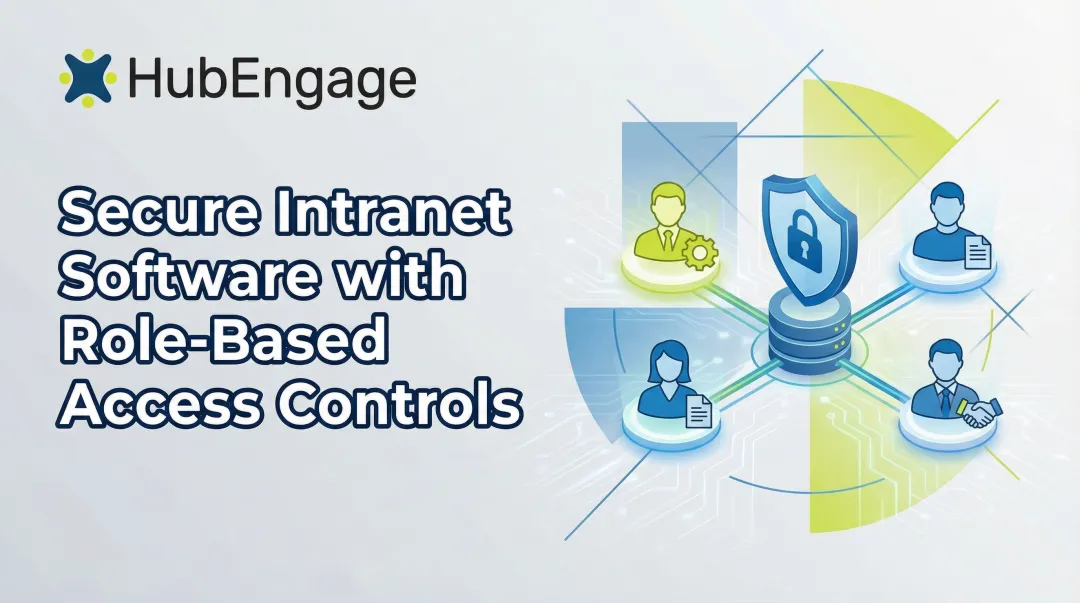
Role-based access control limits what each person can see based on job function, not convenience:
- HR records: visible only to HR staff and the employee's own profile
- Executive content: restricted to leadership unless published company-wide
- Operational resources: scoped to the relevant location, shift, or department
- Contractors: limited to the specific project or system they're working on
- Administrators: separated by function, so no single account controls everything
For organizations with employees rotating between locations, like retail chains or healthcare systems, role-based permissions need to follow the person rather than the device they happen to be using that shift.
Joiner-Mover-Leaver Controls
Access needs change constantly. A joiner-mover-leaver process keeps permissions aligned with reality:
- Provision access based on documented role requirements, not a copy of a coworker's profile
- Update permissions immediately when someone changes roles or departments
- Disable accounts the moment access is no longer justified, including same-day offboarding

Build in regular checkpoints too: scheduled access reviews for all user groups, separate and more frequent reviews for privileged accounts, monitoring for repeated failed logins, and a documented approval process before anyone gets sensitive permissions.
Data, Device, and Connection Protection
Data protection splits into two related but distinct jobs: securing data at rest (stored on servers or devices) and data in transit (moving between a device and your intranet platform). Don't assume both are covered by default. Ask your platform provider directly about encryption standards, key management, backup frequency, and recovery procedures.
Endpoint security matters as much as server security. Every laptop, smartphone, and shared kiosk touching your intranet is a potential entry point. Baseline practices include:
- Supporting only current, patched operating system versions
- Enforcing screen locks and automatic timeouts on shared or mobile devices
- Enabling remote wipe for lost or stolen company devices
- Requiring secure, updated browsers rather than whatever happens to be installed
Remote access carries its own risks. Employees connecting from public Wi-Fi, personal phones, or unmanaged home computers face a higher chance of eavesdropping and session interception. Unmanaged devices with no corporate security controls show up disproportionately in credential-theft incidents, which is reason enough to think carefully about what's allowed to connect.
Depending on your risk profile, a VPN, conditional access policy, or device-trust requirement may be appropriate before granting access from unmanaged networks. Session hijacking, where attackers steal active login sessions instead of passwords, is also increasingly common. Short session timeouts and device checks help limit the damage.
Consider segmentation as well. If every account and integration can reach every resource, one compromised login becomes a company-wide problem. Segmenting access by department, location, or sensitivity level limits how far a breach can spread.
Secure Configuration, Integrations, and Updates
Default settings are built for easy setup, not maximum security. Left unchanged, they often leave administrator privileges too broad, APIs exposed, unused accounts active, and unnecessary plugins installed. Each one widens the attack surface without adding value.
Vendor and integration reviews deserve real scrutiny, not a rubber stamp. Before connecting any third-party tool, including HCM systems, Teams, Slack, or SSO providers, review:
- How the integration authenticates and what data it shares
- What permissions its API actually requires versus what it requests
- Encryption standards and logging practices
- The vendor's vulnerability disclosure and breach notification process
- How access terminates when the integration is removed
Credential compromise through third parties isn't rare. A widely cited Verizon breach analysis found third-party involvement in 30% of breaches, up from roughly 15% the year before. That jump alone justifies slowing down before approving new integrations.

Patching matters just as much as access control. A documented process for the intranet platform, operating systems, plugins, connected apps, and endpoint devices should include testing before rollout and a rollback plan if something breaks. Skipped updates leave known vulnerabilities sitting open, exactly what attackers look for.
When evaluating a multi-channel platform like HubEngage, apply the same scrutiny across every access point: web intranet, mobile app, email, SMS, digital signage, AI features, and integrations. Ask vendors directly for documentation on encryption, access controls, and compliance certifications rather than taking marketing claims at face value. HubEngage, for instance, can provide documentation on its encryption practices, access controls, and compliance posture on request. That documentation is a useful starting point for a security review, not a substitute for verifying how a specific configuration fits your own policies.
Monitoring, Training, and Incident Readiness
You can't respond to what you can't see. Centralized logging should capture authentication events, permission changes, administrator activity, unusual downloads, content edits, API calls, and logins from unexpected locations or devices.
Anomaly detection and user behavior analytics can flag activity that looks off, like a login from a new country or a sudden spike in downloads. But an alert nobody owns is just noise. Every alert type needs a defined owner and a clear response procedure.
Training is where many organizations fall short, treating it as a once-a-year checkbox. IBM's 2024 report found organizations with high-level employee training programs averaged $4.15 million per breach, compared to $5.10 million for those with low training levels. That's an association, not proof that training alone caused the gap, but it's a meaningful signal. Recurring education on phishing recognition, credential protection, safe data handling, and incident reporting keeps awareness fresh.

An incident response plan needs these pieces in place before you ever need them:
- Escalation contacts who can be reached at any hour
- Account suspension procedures for compromised credentials
- Evidence preservation steps that don't accidentally destroy useful data
- Internal communication templates so employees get accurate updates
- Legal or regulatory review triggers, especially under HIPAA or GDPR notification rules
- Recovery steps and a post-incident review that actually changes something
Round this out with regular vulnerability assessments, configuration reviews, access audits, tabletop exercises, and penetration testing scaled to your organization's risk level. A 500-person manufacturing plant doesn't need the same testing cadence as a multi-site healthcare system, but both need some cadence.
Common Security Mistakes to Avoid
These mistakes show up often in intranet environments, especially once remote access, mobile apps, and third-party tools enter the mix:
- Assuming "internal" means "safe." Remote access, cloud hosting, mobile apps, and third-party integrations extend an intranet well past the office network. A compromised credential works the same from headquarters or a personal phone at home.
- Letting access sprawl. Over-permissioning, shared logins, and stale accounts leave no clear answer to who can reach what, and each one makes a breach harder to contain.
- Delayed offboarding. An account left active after someone leaves is an unmonitored door into company systems, and one of the easiest openings attackers exploit.
- Treating security as a one-time setup. Skipped updates, unreviewed integrations, weak monitoring, and single-session training share the same root cause: security gets configured once, then forgotten.
None of this is really about blaming employees for clicking the wrong link. It's about process. Clear policies, training that's actually accessible, and a simple way to report something that looks wrong will do more for your security posture than any single tool.
Conclusion
Strong intranet security depends on multiple controls working together: identity management, least-privilege access, protected devices and integrations, encrypted data, active monitoring, recurring training, and a tested response plan.
If you're not sure where to start, start small. Review:
- What sensitive content exists
- Who currently has access to it
- How people authenticate
- Which tools are connected
- Which accounts have gone quiet
- Whether your incident response plan would hold up under pressure
None of this has to come at the cost of usability. A frontline nurse, a warehouse supervisor, or a retail associate still needs fast, simple access to schedules, HR resources, and company updates. Keep access fast for the people who need it, and closed to everyone else.
Frequently Asked Questions
Who has access to an intranet?
Access is generally limited to authorized employees and approved contractors or partners. Permissions depend on role, business need, identity verification, and organizational policy, not a blanket "everyone inside the company" approach.
How do I access the intranet?
Most employees sign in through an approved web browser or mobile app, authenticating via the organization's identity provider, SSO, and MFA. Depending on company policy, a VPN or conditional-access check may also apply for remote logins.
Do intranets still exist?
Yes. Modern intranets have evolved into digital workplaces that handle communication, knowledge sharing, recognition, and access to connected business tools, rather than the static bulletin-board sites of the early 2000s.
What does intranet mean?
An intranet is a private organizational network or platform that authorized members use to access internal information, services, and communication, closed off to anyone outside the organization.